
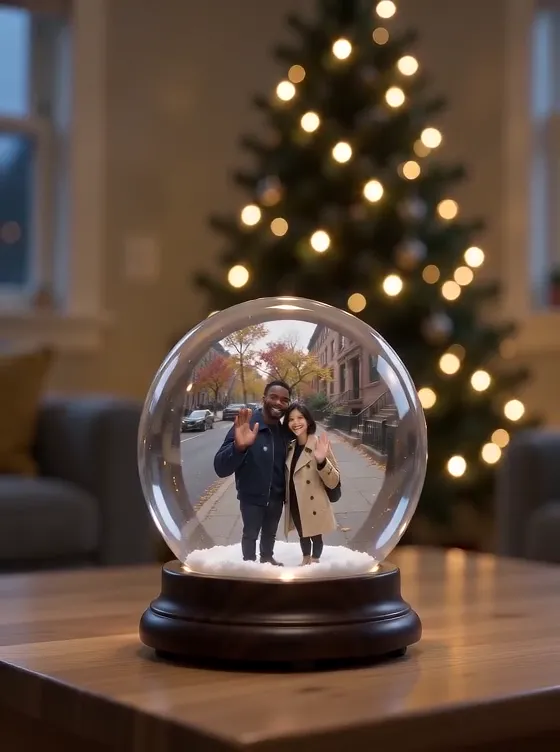
AI Snow Globe Video
Upload one photo and get a 5-second Christmas video: it starts on your photo, then the camera pulls back to reveal you inside a glass snow globe on a table by the tree, with snow falling. There is no prompt to write; each video is 480p with sound and costs 100 credits (about $1.00), ready in about 4 minutes, with no subscription and credits that never expire.
- You upload: One photo of you, a couple or a pet
- You get: A 5-second 480p video with sound
- Price: 100 credits (about $1.00)
- Prompt: None
- Subscription: None
Head and shoulders, facing the camera, face in soft daylight.
If a run fails, your credits come back automatically. The result is saved in Creations.
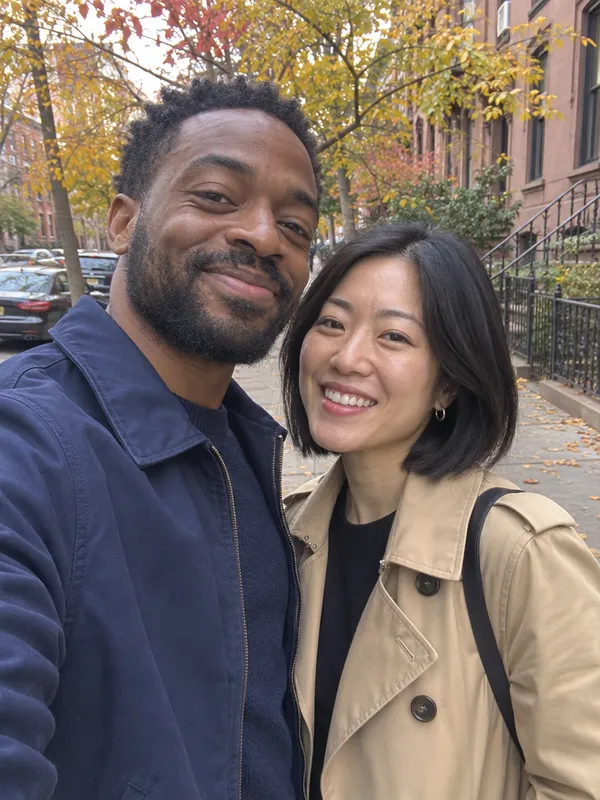
Your photo in, a snow globe out
Each example shows the photo that went in and the clip that came out.
Photo Couple on an autumn street
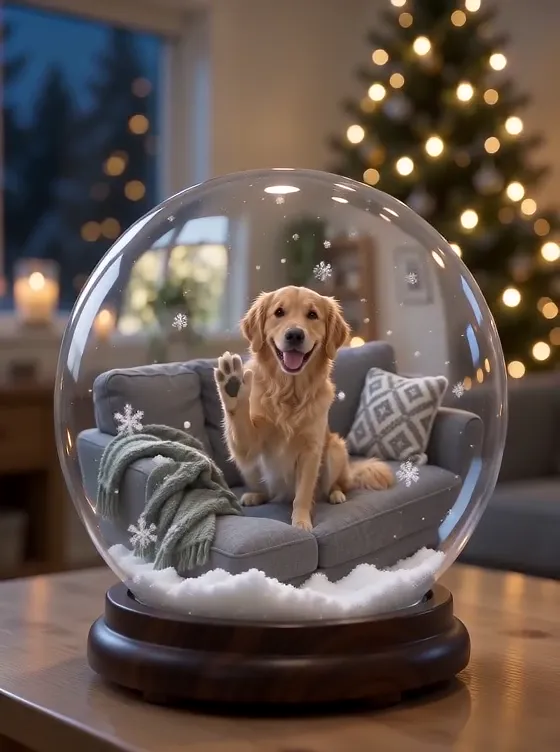
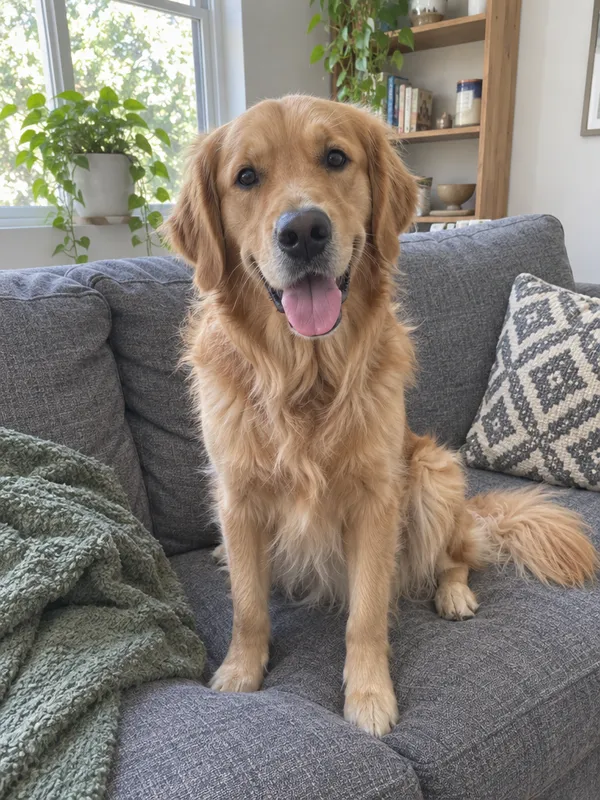
Photo Golden retriever on the sofa
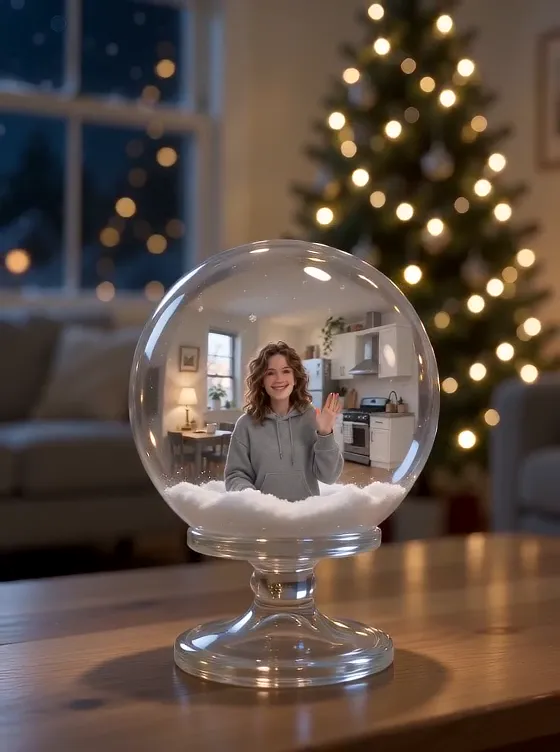
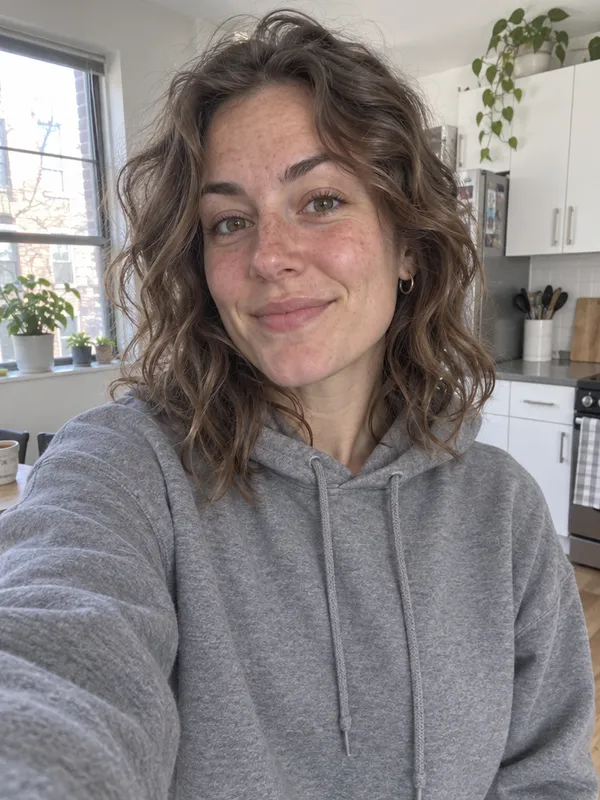
Photo Selfie in the kitchen
The input photos were made with AI; the people, pets and rooms in them aren’t real.
How to put yourself in a snow globe in 3 steps
- 1
Pick a clear photo
A selfie, a photo of the two of you, or your dog or cat, with the face lit and facing the camera. The video starts on this photo, so head and shoulders work best.
- 2
Upload it and press Generate
Sign in, add the photo (JPG, PNG or WebP, up to 10 MB) and tick the box to confirm you may use it. The button shows the price, 100 credits, before anything is charged.
- 3
Download your video
In about 4 minutes the video opens in Creations: 5 seconds, 480p, with sound, in the shape of your photo. Download it, post it, or run it again for another take.
Which photo works best
- Head and shoulders, facing the camera, face in soft daylight.
- Your own photo, or one of people who agreed to it.
- For pets: the face visible, eyes open, not mid-movement.
- A tall phone photo gives a tall video, ready for Stories, TikTok and Reels.
- Sunglasses, hands or hats covering the face: the AI has to guess what’s hidden.
- Group shots where faces are tiny: in the globe each face gets even smaller.
- Blurry or very dark photos: the first frame is your photo, so it shows.
- Photos of other people who haven’t agreed, and photos of children you aren’t the parent or guardian of.
Sharing it on TikTok, Reels or WhatsApp
- The video keeps the shape of your photo: a tall phone photo gives a tall video that fills a Story, TikTok or Reel.
- It comes with its own soft sound. To use a song instead, add one from the app’s music library when you post.
- The reveal is the moment: let the first second play before your caption covers anything.
- When you post it publicly, say it was made with AI.
Other ways to put yourself in a snow globe
Checked on November 9, 2026. Prices and limits change often; check before you pay.
| Option | Cost | What you do | Good to know |
|---|---|---|---|
| This template | 100 credits (about $1.00); packs from $9.99 | Upload one photo | One tested camera move from your photo to the globe, with sound, no prompt, no subscription. |
| A chat assistant with image tools | A daily allowance for pictures; video usually needs a monthly plan | Write and adjust a prompt yourself | Good for a still snow globe picture; turning it into a video is a second step with its own limits. |
| Video effect apps and sites | Often a subscription, or a watermark unless you pay | Find the effect, upload a photo | Several have a snow globe effect; many show the price only after you sign up. |
| A real snow globe with your photo | A physical product, with shipping | Order it and wait for delivery | Something to hold, not a video; that is a different thing from this page. |
Put yourself in a snow globe without writing a prompt
You can ask a chat assistant for a snow globe picture of your photo, and many will make one. Making that picture move is a second step: video usually needs a paid plan with a daily limit, and you write the instructions, ask it to keep your face, and try again when it drifts. Here the scene, the camera move and the sound are fixed and tested, every run starts from your original photo, and you pay one fixed price per video with no plan to cancel. A chat assistant is the better choice if you want a scene of your own; this page does one thing: one photo in, one snow globe video out.
A video, not a glass globe
This is a short video made with AI from your photo. Nothing is printed, filled with water or shipped. If you want a snow globe to hold, look for a photo snow globe from a gift shop; if you want something to post, send or keep on your phone, this is it.
When a result goes wrong
The usual problems, why they happen and what to change.
The face doesn’t look quite like me
Why: Small, dark or filtered faces give the AI too little to keep, and the face gets small inside the globe.
Fix: Use a sharper, closer photo in daylight without filters or sunglasses, then run it again.
Someone in my photo was left out or changed
Why: Crowded photos and people at the edge of the frame are the hardest to keep.
Fix: Crop the photo to the people or pet you want first; one or two subjects work best.
The globe, the snow or the hands look odd
Why: AI video still struggles with glass, small falling details and fingers.
Fix: Run it again; each run is a new take.
My photo was refused
Why: Every upload goes through our content check, and some files are too large or in an unsupported format.
Fix: Use a JPG, PNG or WebP under 10 MB. If a run fails after you press Generate, the credits are refunded automatically.
Questions
Updated 2026-11-09
How do I put myself in a snow globe with AI?
Upload one clear photo of yourself, press Generate, and about 4 minutes later you get a 5-second video that starts on your photo and pulls back to show you inside a glass snow globe with snow falling. There is no prompt to write.
How much does an AI snow globe video cost?
Each video costs 100 credits, about $1.00. Depending on the pack you buy, that is $0.91–$1.67 per video; the smallest pack is $9.99 for 600 credits. There is no subscription and credits never expire.
Is there a version that costs nothing?
Not on zzo.ai: every video costs 100 credits. In return there is no subscription, no visible watermark and no prompt to write, and a failed run gives its credits back automatically.
Do I need to write a prompt?
No. The scene, the camera move and the sound are built into the template; you only choose the photo.
How long is the video, and what shape?
It is 5 seconds at 480p, with sound. It keeps the shape of your photo, so a tall phone photo gives a tall video for Stories, TikTok and Reels.
Will it keep my face?
The video starts on your own photo and the template is told to keep the face, hair and clothes, and in our test it did. AI can still change small details, especially when the face is small or dark, so use a clear, close photo; if a take isn’t right, run it again.
Can I use my dog or cat, or a couple photo?
Yes, the template takes a photo of a pet or of two people as well as a selfie. Use a photo where every face is visible and not too small: inside the globe, faces get smaller. Big groups are the hardest to keep.
Is this a real snow globe I can order?
No. You get a video file to download and share; nothing is printed or shipped.
Can I get a still picture instead?
This template makes a video. For a still Christmas portrait from your photo, use the AI Christmas Photo template.
Does it have sound, and can I add music?
Yes, the video comes with its own soft sound. To use a song, add it in TikTok, Instagram or your video editor when you post.
What happens to my photo?
Your photo is used to make your video and stays in your account with the result. You can remove a generation from your history at any time; when you delete your account, photos and results are deleted within 30 days (see the privacy policy). Only upload photos of yourself, people who agreed, or children you are the parent or guardian of.
Should I say it is AI when I post it?
Yes, mark it as AI-made when you post it publicly; several platforms ask for that. The video is yours to share.
What if the result looks wrong?
If a run fails, the credits come back automatically. If it finishes but you don’t like the take, run it again or try a closer, brighter photo; each run is a new take.