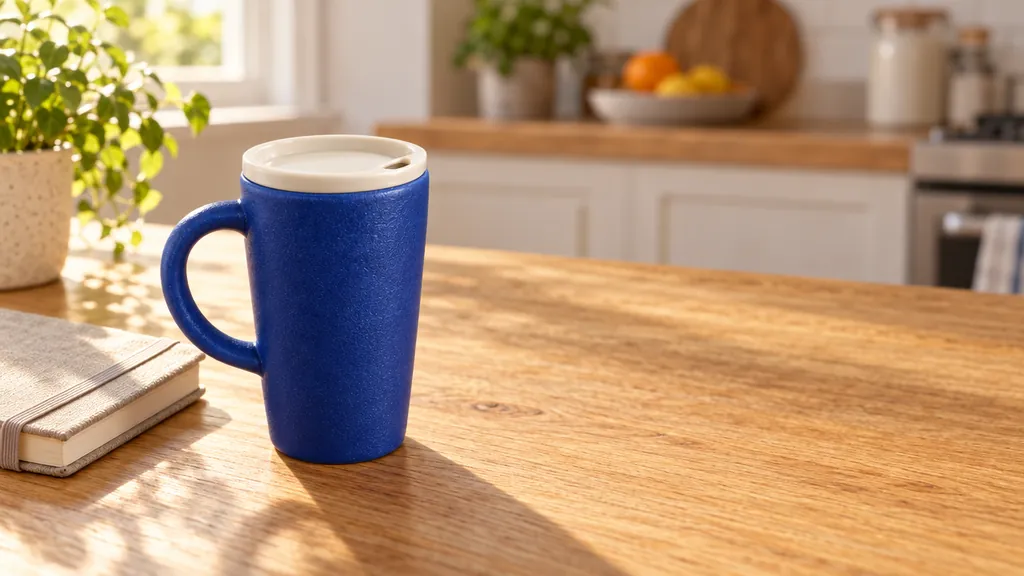
Lifestyle scene with copy space

AI Product Photo Generator

2 models make images at up to 4K, up to 4 per run. Images start at 5 credits ($0.05) each, with no subscription and credits that never expire. On the Artificial Analysis Image Editing Arena (checked October 30, 2026), GPT Image 2.5 is #1 (Elo 1,199), Nano Banana 2.1 #6.

Upload an ordinary photo of your product and describe the shot you need: a white-background listing image, a lifestyle scene, a transparent cutout or a labelled detail graphic. The product, its shape and its label stay as they are. You pay per image from a one-time credit pack, and failed images are refunded automatically.

Prompt from this image. Edit it or write your own.
Image to edit

Made with these models

Each one shows the prompt, model and what it costs here. Pick one to start from it.

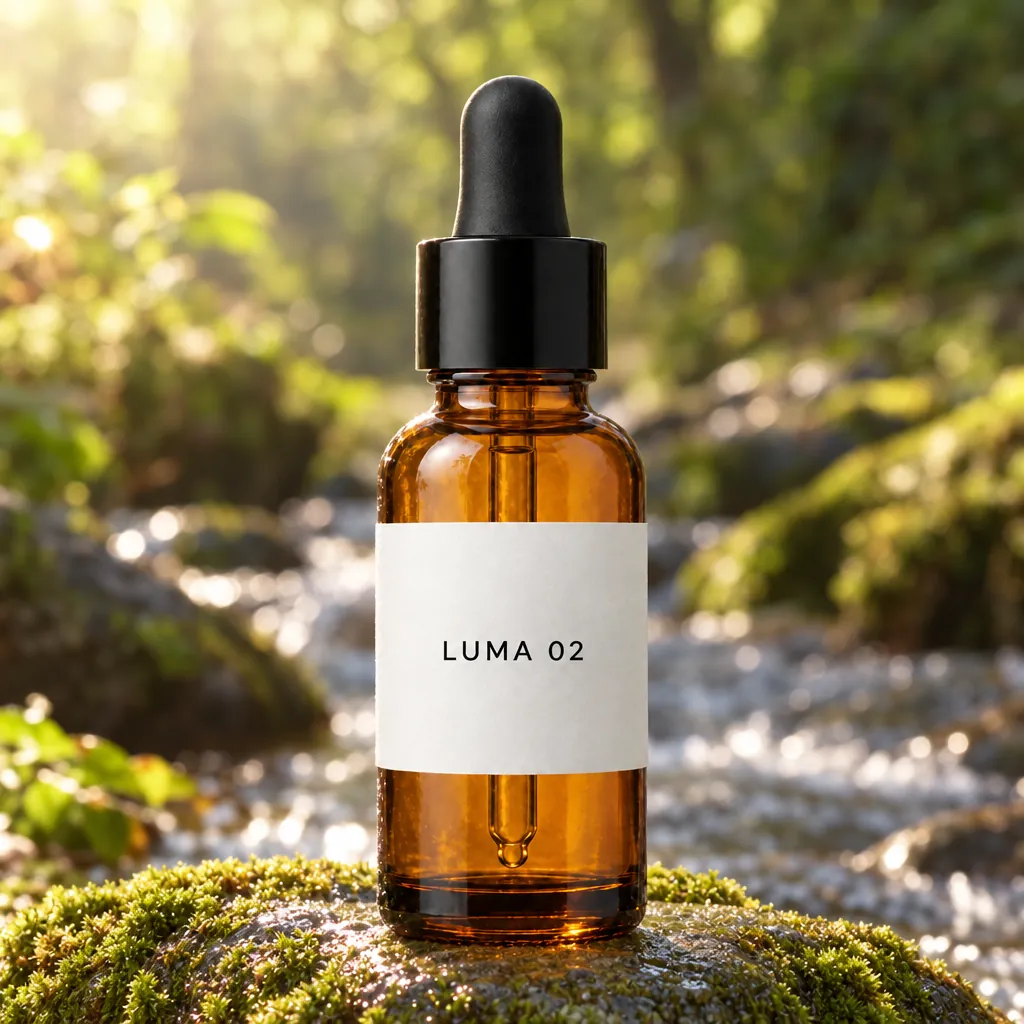
Same bottle, new setting
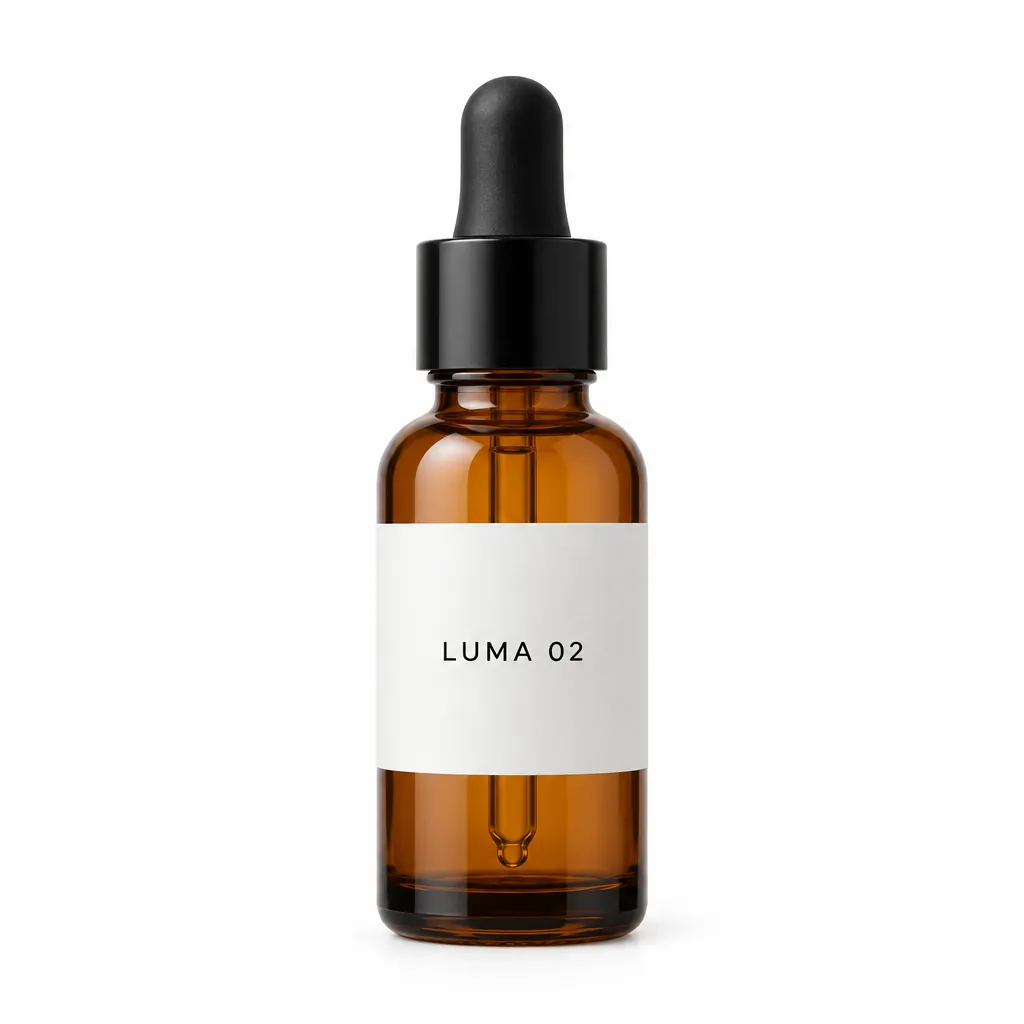
“Place this exact bottle on a wet, moss-covered river stone outdoors in soft morning sunlight, with a blurred forest stream behind it. Change only the setting and lighting. Keep the bottle's shape, amber glass, black dropper cap and the label text "LUMA 02" exactly as they are.”GPT Image 2.5, edit, 15 credits, input image made with GPT Image 2.5
Transparent cutout
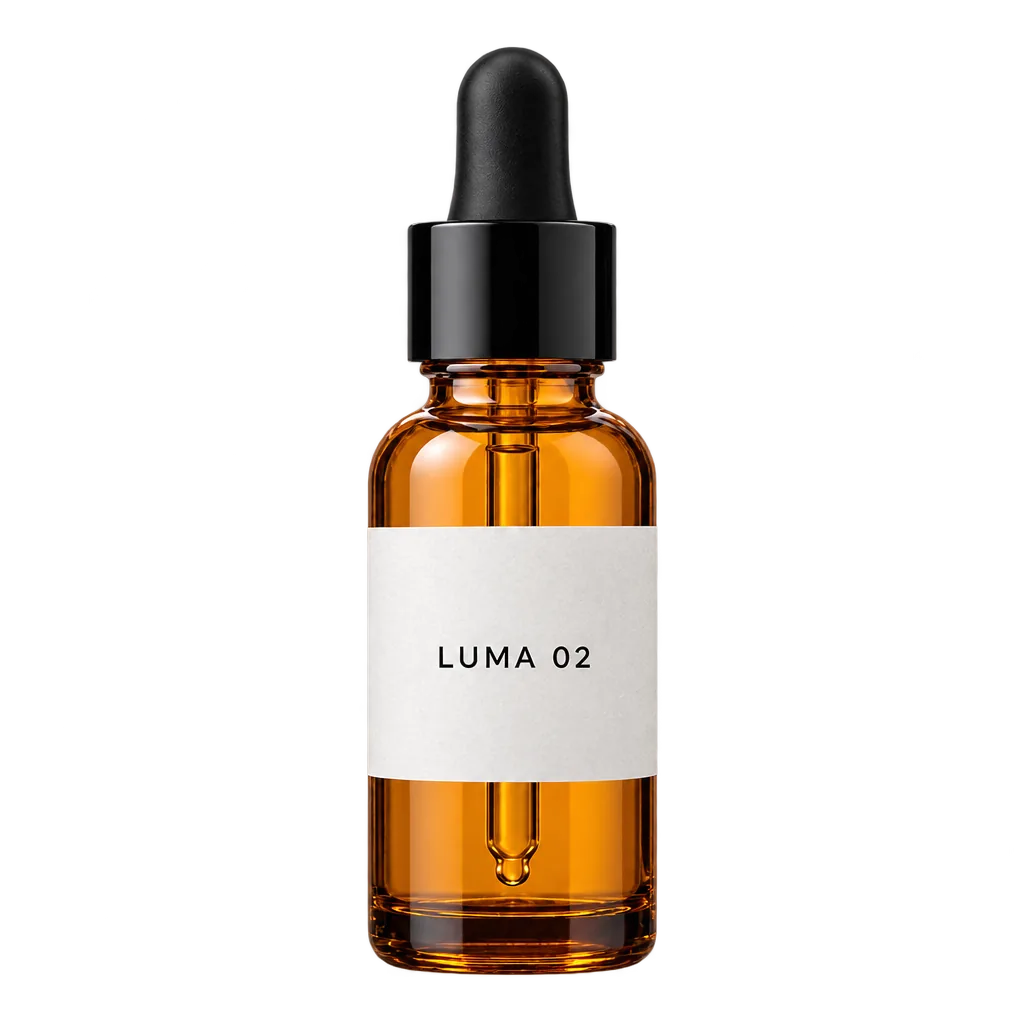
“Extract the product from the input image and isolate it on a fully transparent background. Output: centered product, crisp silhouette, no halos/fringing. Preserve product geometry and label legibility exactly. Add only light polishing. Do not add a solid backdrop, checkerboard, scenery, or shadow. Do not restyle the product; remove the background and preserve clean alpha transparency.”GPT Image 2.5, edit, transparent PNG, 15 credits, input image made with GPT Image 2.5
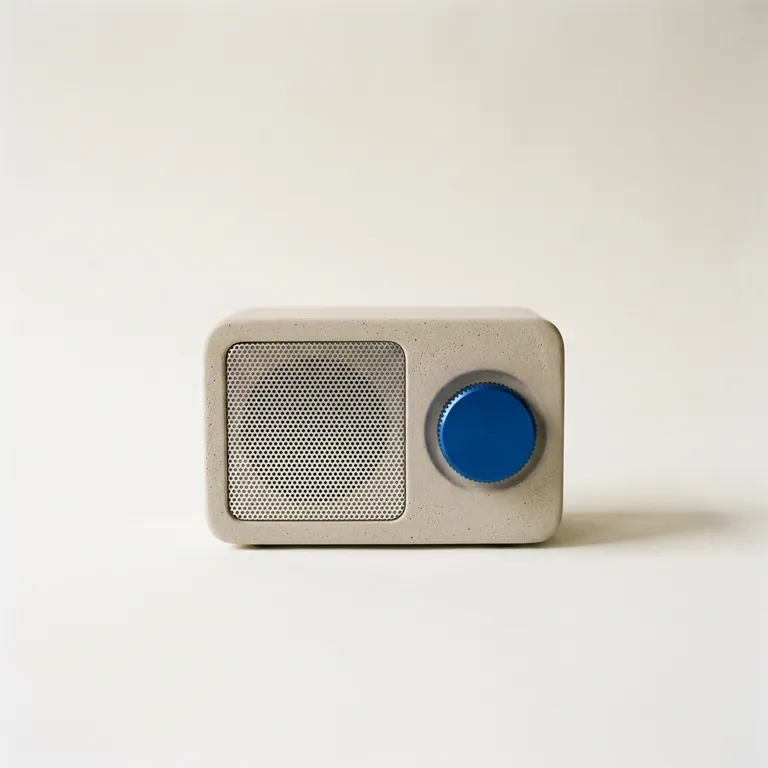
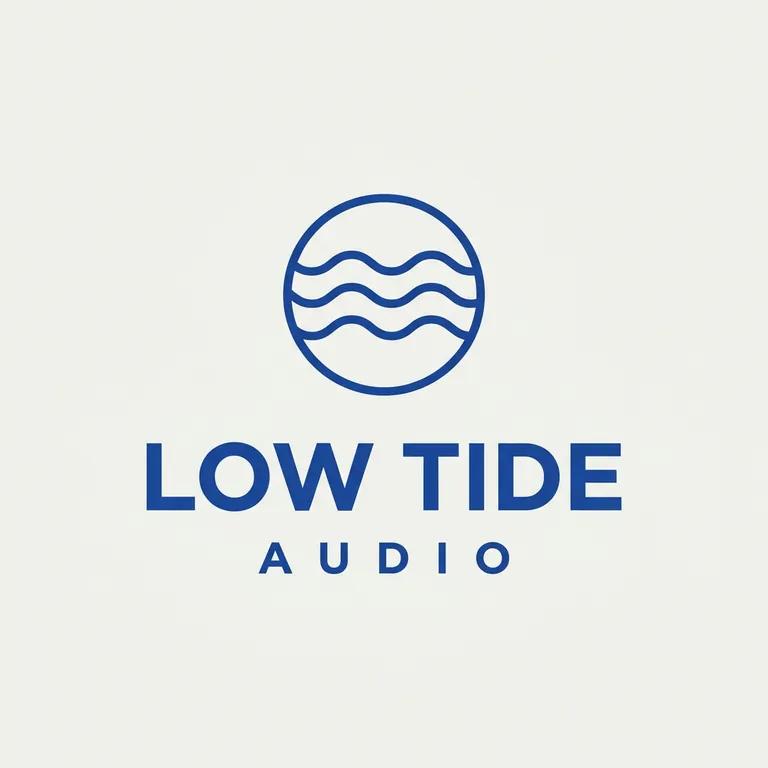
Logo onto the product
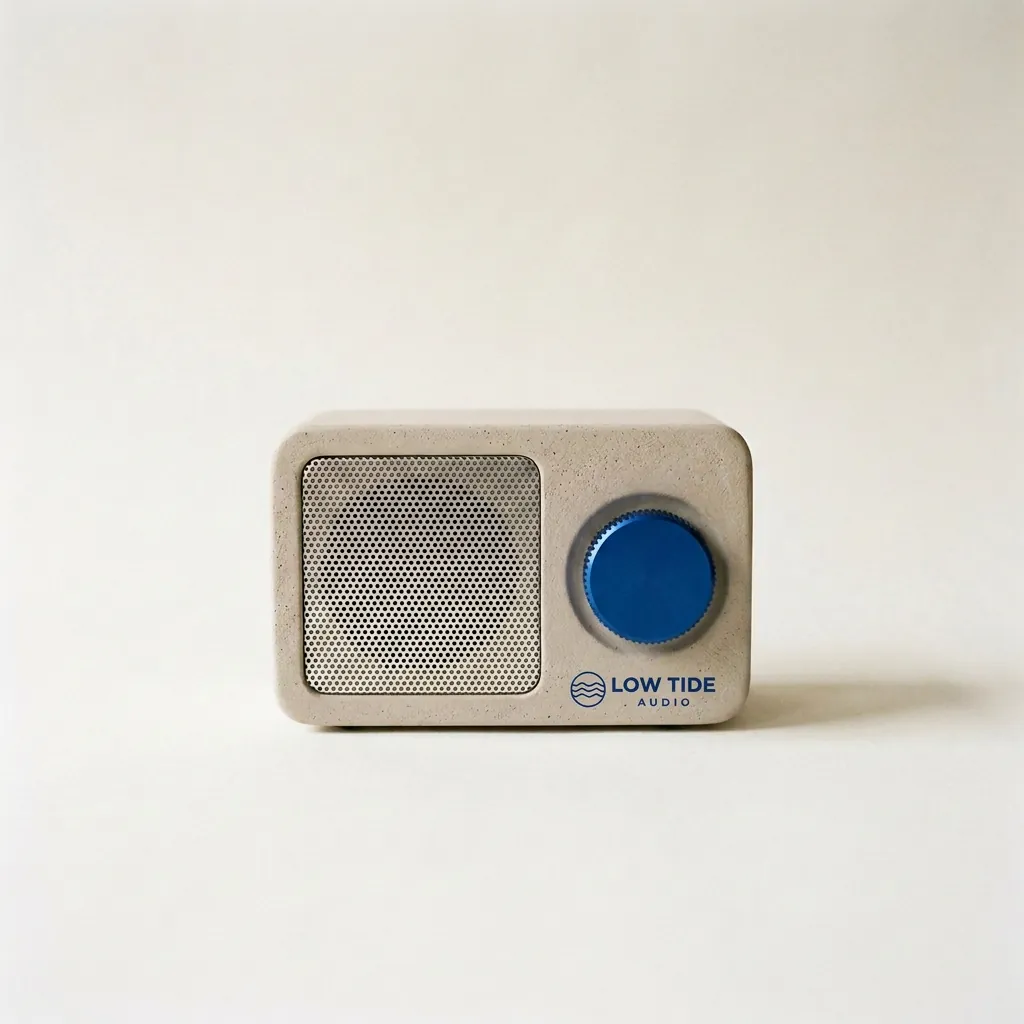
“Take the radio from the first image. Print the LOW TIDE AUDIO logo from the second image onto the radio's front panel, below the cobalt dial, as a small, crisp cobalt-blue screen print that sits flat on the plaster texture. Keep the radio's shape, the cobalt dial, the speaker grille, the paper backdrop, the window light and the shadow exactly the same.”Nano Banana 2.1, edit, 10 credits, input image made with Nano Banana 2.1
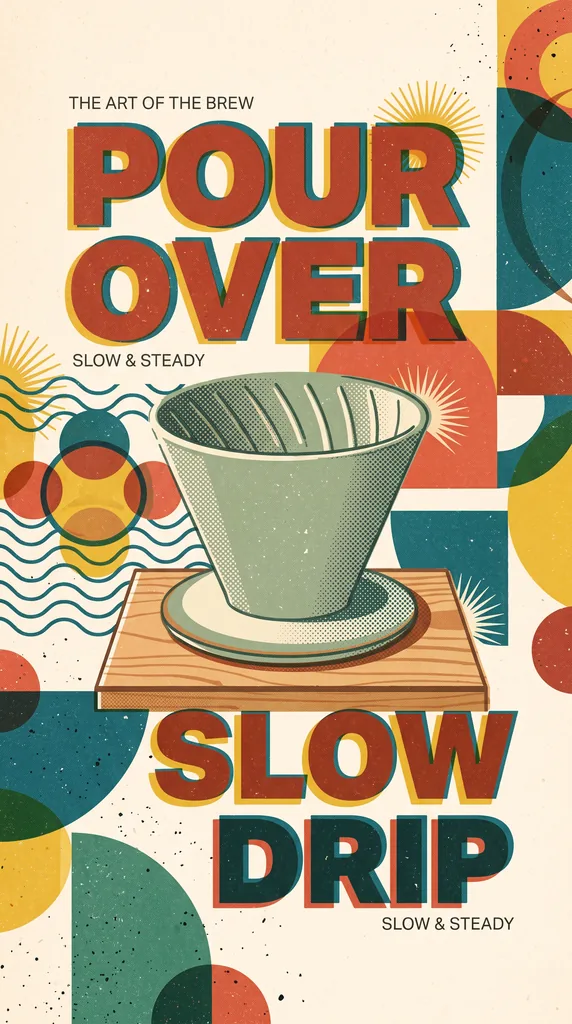
Retro poster from a product photo
“Analyze the attached product photo. Create minimalist retro, mid-century modern illustration style poster combined with minimalist graphic design creative editorial with halftone primary colors and abstract retro geometric pattern minimalist shapes , some cropped off the page 9:16 The central focus is bold, blocky typography, risograph style Don't use periods in headline text”Nano Banana 2.1, edit, 15 credits, input image made with Nano Banana 2.1
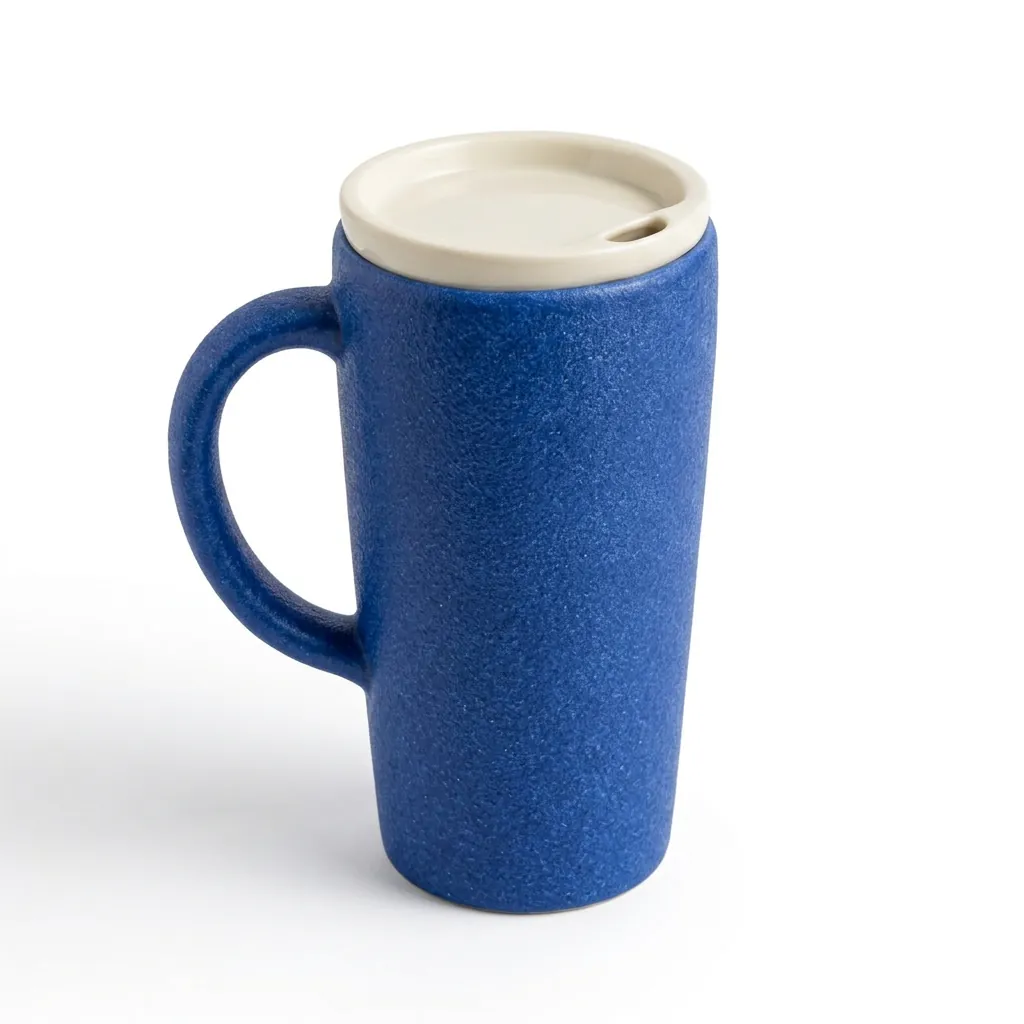
Phone photo to white-background shot
“Create a square ecommerce catalog photograph using the supplied blue travel mug as the exact product reference. Preserve the cobalt-blue ceramic body, the curved handle on the left, the ivory drinking lid, the lid opening, the body proportions and surface texture. Remove the limestone block and the original environment. Show the complete mug centered on a pure white background, three-quarter view, with one subtle natural contact shadow beneath it. Product fills about 75% of the canvas height. No added objects, no text, no logo, no badge, no watermark. Do not redesign the product. Square 1:1.”Nano Banana 2.1, edit, 10 credits, input image made with GPT Image 2.5
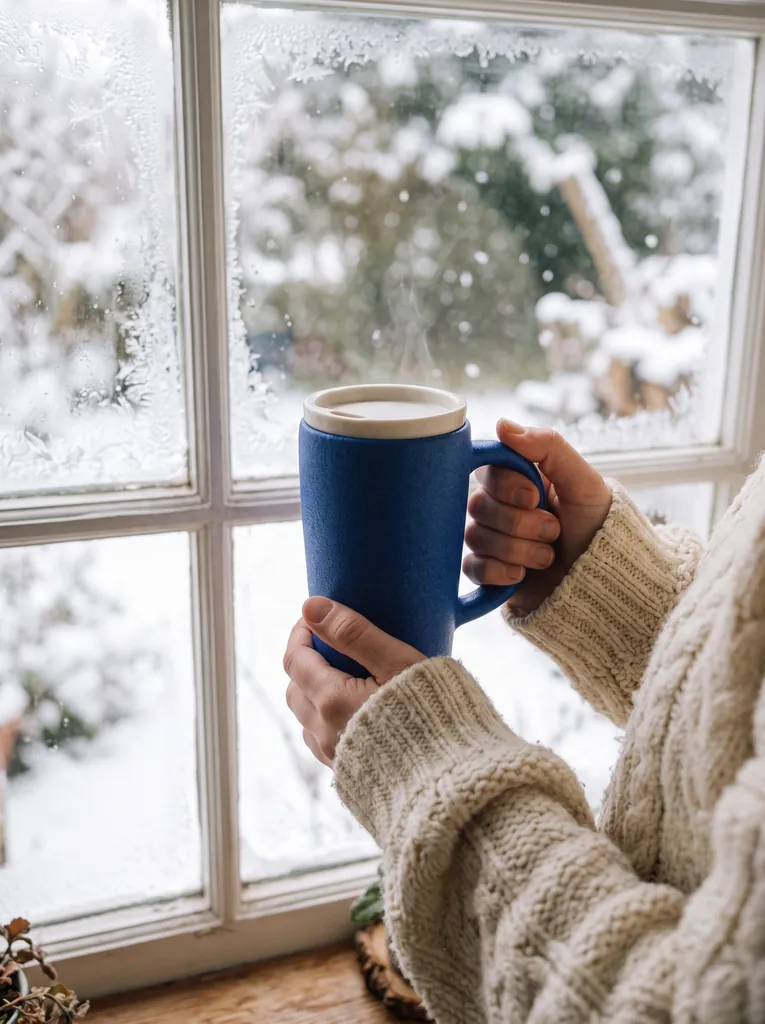
Held in hands, winter window
“Two hands in a chunky cream knit sweater holding the product by a frosty window with snow falling outside, soft morning light, lifestyle product photo. Keep the product from the reference image exactly as it is: same shape and proportions, same colors and finish, same printed design; do not redesign it, do not add logos or any text to the product.”Nano Banana 2.1, edit, 15 credits, input image made with GPT Image 2.5
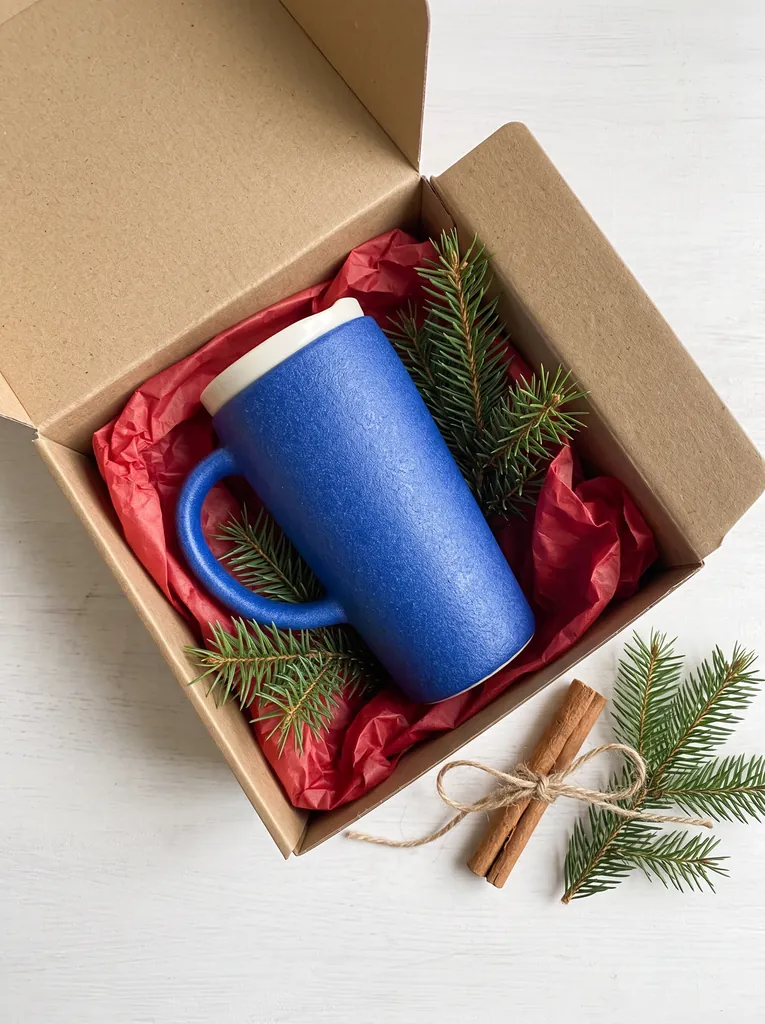
Gift box flat lay
“Top-down flat lay: the product sitting in an open kraft paper gift box with red tissue paper, tied twine, sprigs of fir and a cinnamon stick beside it, clean light background, product photography. Keep the product from the reference image exactly as it is: same shape and proportions, same colors and finish, same printed design; do not redesign it, do not add logos or any text to the product.”Nano Banana 2.1, edit, 15 credits, input image made with GPT Image 2.5
Phone photo to white-background shot
“Create a square ecommerce catalog photograph using the supplied blue travel mug as the exact product reference. Preserve the cobalt-blue ceramic body, the curved handle on the left, the ivory drinking lid, the lid opening, the body proportions and surface texture. Remove the limestone block and the original environment. Show the complete mug centered on a pure white background, three-quarter view, with one subtle natural contact shadow beneath it. Product fills about 75% of the canvas height. No added objects, no text, no logo, no badge, no watermark. Do not redesign the product. Square 1:1.”GPT Image 2.5, edit, 15 credits, input image made with GPT Image 2.5
Lifestyle scene with copy space
“Create a realistic landscape lifestyle advertising photograph using the supplied blue travel mug as the exact product reference. Preserve its cobalt-blue ceramic body, curved handle, ivory drinking lid, and proportions. Place the complete mug on a light oak breakfast table next to one closed linen notebook in a quiet sunlit apartment kitchen. The mug is the sharp hero subject on the left third; the kitchen is softly out of focus. Warm morning light comes from the left. Leave the right third uncluttered as copy space. Natural believable scale and contact shadows. No people, no additional mugs, no text, no logo, no watermark. Landscape 16:9.”GPT Image 2.5, edit, 15 credits, input image made with GPT Image 2.5
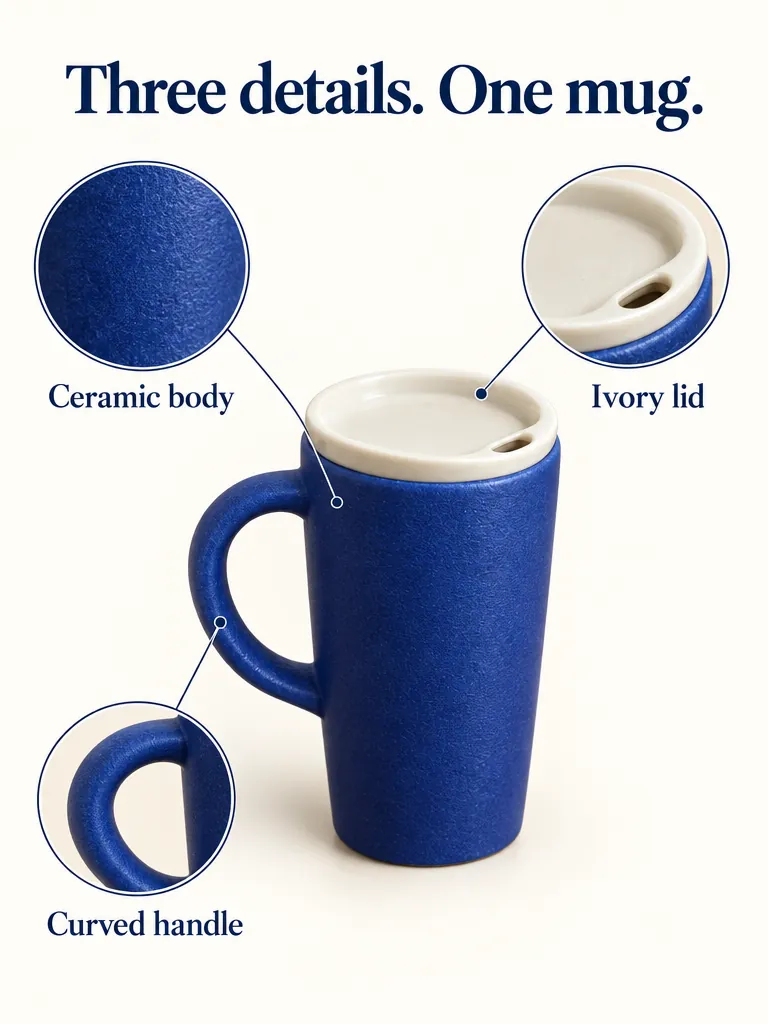
Detail graphic with labels
“Create a portrait ecommerce product detail graphic using the supplied blue travel mug as the exact product reference. Preserve its cobalt-blue ceramic body, left handle, ivory drinking lid, proportions, and texture. Put one full product view in the center, with three small circular detail crops around it: the ceramic body surface, the ivory lid, and the curved handle. Each detail crop must correspond to the same product. Add exactly this English headline: "Three details. One mug.". Add exactly these three labels next to their corresponding detail crops: "Ceramic body", "Ivory lid", "Curved handle". All text must be in English; do not add translations or another language. Use thin connector lines that point to the correct feature, generous spacing, a warm off-white background, navy text, refined commercial editorial layout. No invented performance claims, no numbers, no prices, no other words, no watermark. Portrait 4:5.”GPT Image 2.5, edit, 15 credits, input image made with GPT Image 2.5
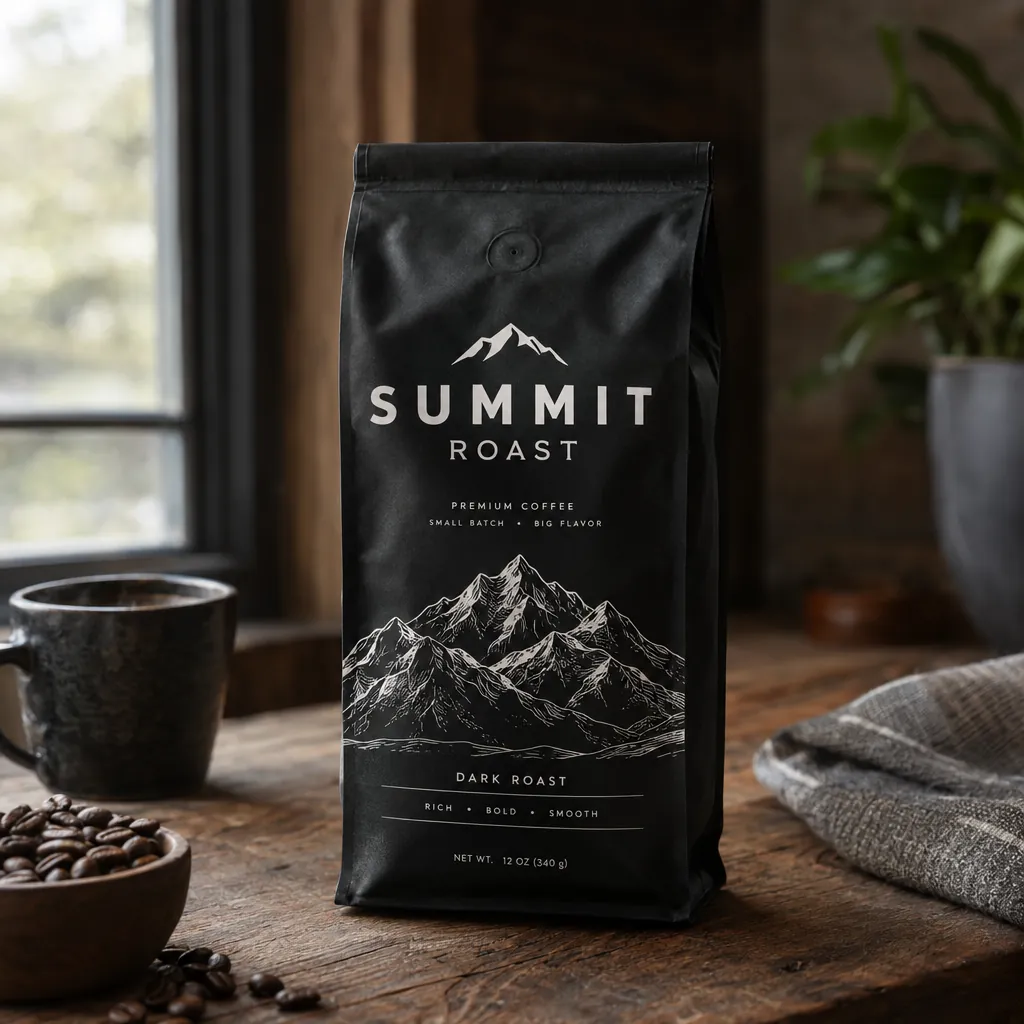
Coffee bag product shot
“A premium product photo of a matte black coffee bag labeled SUMMIT ROAST with mountain line-art on rustic wood, soft window light, sharp readable packaging typography, photoreal commercial mockup”GPT Image 2.5, 15 credits
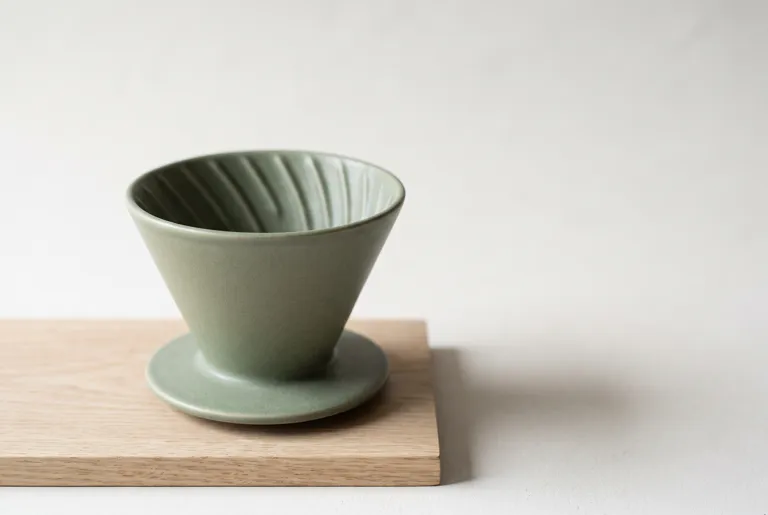
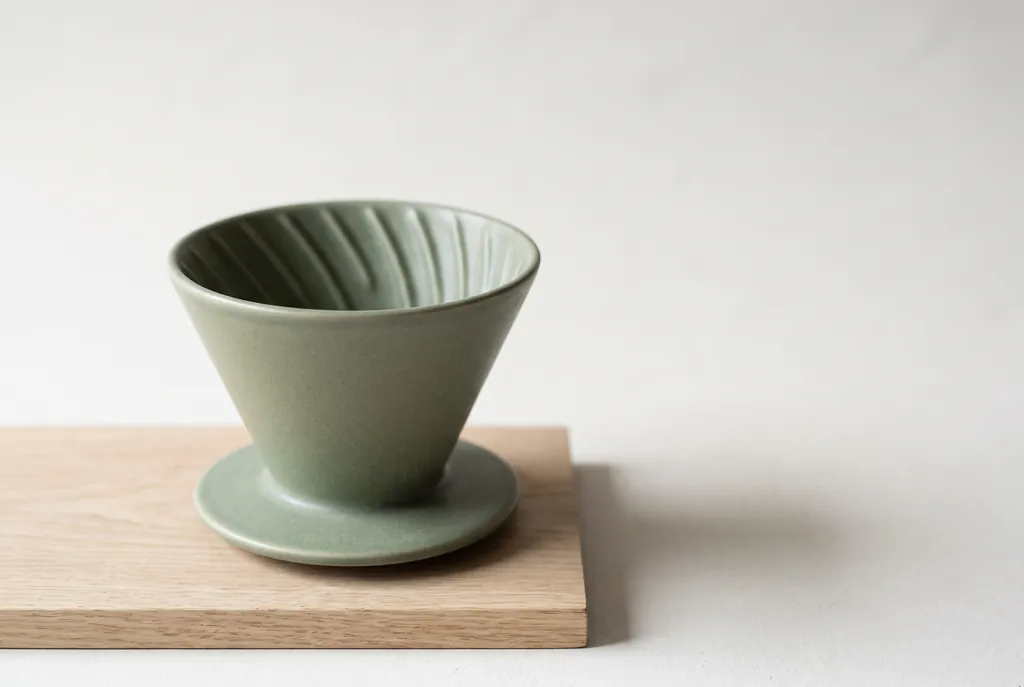
Product shot from a brief
“Studio product photograph of a matte sage-green ceramic pour-over coffee dripper sitting on a pale oak board. Soft window light from the left, a gentle shadow to the right, clean off-white background, with empty space on the right third of the frame for ad copy. Real photograph, no props.”Nano Banana 2.1, 15 credits

How to make product photos with AI

  1. 1

    Take one clear photo

    Any phone photo works if the whole product is in frame, in focus and lit evenly. A cluttered kitchen table is fine; the background gets replaced.

  2. 2

    Upload it and pick the shot

    Upload the photo, then describe the result: a white background, a scene, hands holding it, a gift box, a detail graphic. Say what must not change.

  3. 3

    Choose model, quality and shape

    GPT Image 2.5 is selected to start with; Nano Banana 2.1 is the pick for large images. Set the aspect ratio for where the image goes. The price updates before you spend anything.

  4. 4

    Check it against the real product

    Compare the handle, the lid, the label and the colour with your photo before you publish. If one detail drifted, run the edit again and name that detail.

Supported models and prices

Updated 2026-10-30

ModelImages per requestLongest sideAspect ratiosTransparent backgroundPer imageArena rank
GPT Image 2.541,280 px1:1, 4:3, 3:4, 16:9, 9:16Yes5–45 credits$0.05–$0.45#1 · Elo 1,199GPT Image 2.5 Sunburst (max)
Nano Banana 2.146,336 px1:1, 16:9, 9:16, 4:3, 3:4, 3:2, 2:3, 21:9, 4:1, 8:1No10–30 credits$0.10–$0.30#6 · Elo 1,151

Per image, from the lowest to the highest quality setting; several images in one run cost that much each. Arena rank is the position and Elo score from blind side-by-side votes (AA-Image-Editing v2.1, checked October 30, 2026) on the Artificial Analysis Image Editing Arena

One phone photo, six product shots

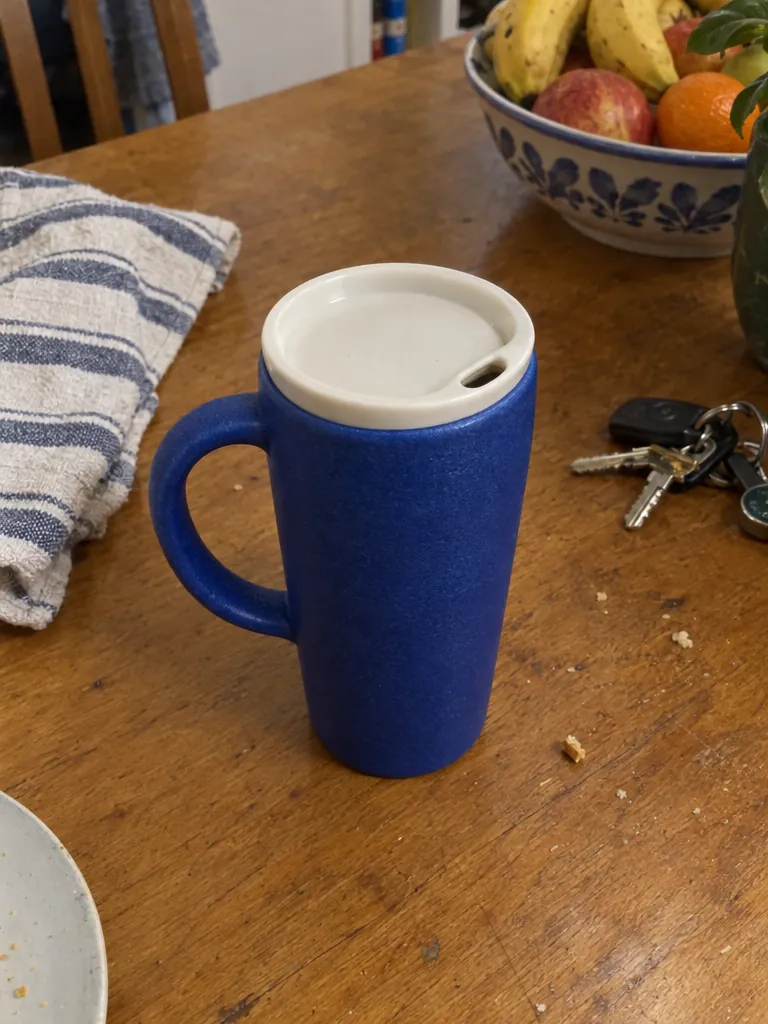
The starting point is an everyday phone snapshot of a cobalt travel mug on a kitchen table. The mug is fictional (we made the photo with GPT Image 2.5), so no real brand is involved. Each result is a published prompt run once on zzo.ai and checked against the photo.

The phone photo every result started from
The phone photo every result started from · input image made with GPT Image 2.5

Each of the 6 results below is one edit of this photo, with its prompt under it. Open any result to see it full size, or use its prompt on your own photo.

GPT Image 2.5: White-background listing

GPT Image 2.5

White-background listing

15 credits
  • High
  • 1:1

Pure white background, handle on the left and the lid opening kept. The mug fills about 88% of the height, more than the 75% the prompt asks for. The prompt is from Felo’s GPT Image 2.5 vs Nano Banana 2.1 test.

“Create a square ecommerce catalog photograph using the supplied blue travel mug as the exact product reference. Preserve the cobalt-blue ceramic body, the curved handle on the left, the ivory drinking lid, the lid opening, the body proportions and surface texture. Remove the limestone block and the original environment. Show the complete mug centered on a pure white background, three-quarter view, with one subtle natural contact shadow beneath it. Product fills about 75% of the canvas height. No added objects, no text, no logo, no badge, no watermark. Do not redesign the product. Square 1:1.”

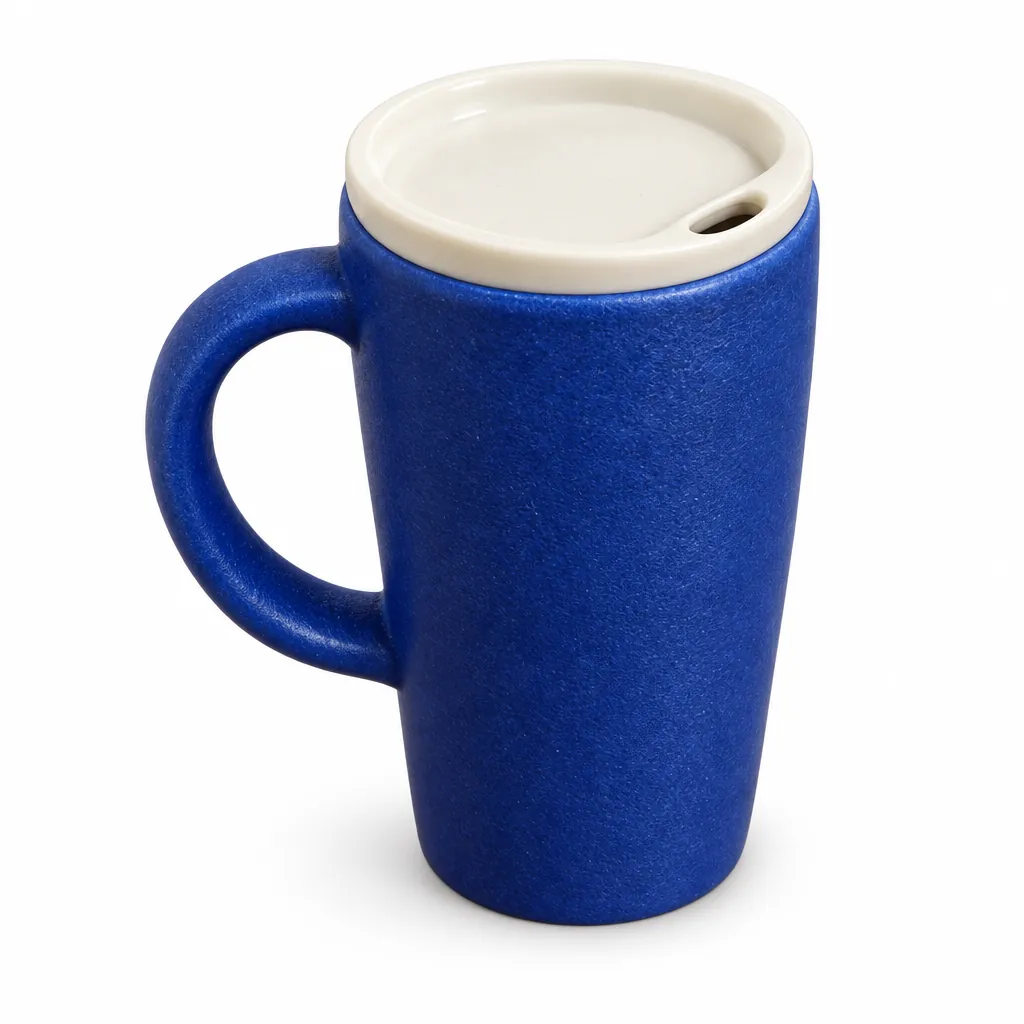
Nano Banana 2.1: The same listing on Nano Banana 2.1

Nano Banana 2.1

The same listing on Nano Banana 2.1

10 credits
  • 1K
  • 1:1

Same prompt: a softer three-quarter view and shadow, about 78% of the height. As in Felo’s test, both models kept the handle and the lid; neither is a clear winner.

“Create a square ecommerce catalog photograph using the supplied blue travel mug as the exact product reference. Preserve the cobalt-blue ceramic body, the curved handle on the left, the ivory drinking lid, the lid opening, the body proportions and surface texture. Remove the limestone block and the original environment. Show the complete mug centered on a pure white background, three-quarter view, with one subtle natural contact shadow beneath it. Product fills about 75% of the canvas height. No added objects, no text, no logo, no badge, no watermark. Do not redesign the product. Square 1:1.”

GPT Image 2.5: Lifestyle scene with room for copy

GPT Image 2.5

Lifestyle scene with room for copy

15 credits
  • High
  • 16:9

The mug on the left third of an oak breakfast table, sunlight from the left, the right third left empty for ad text. No people, no text, no second mug, as asked.

“Create a realistic landscape lifestyle advertising photograph using the supplied blue travel mug as the exact product reference. Preserve its cobalt-blue ceramic body, curved handle, ivory drinking lid, and proportions. Place the complete mug on a light oak breakfast table next to one closed linen notebook in a quiet sunlit apartment kitchen. The mug is the sharp hero subject on the left third; the kitchen is softly out of focus. Warm morning light comes from the left. Leave the right third uncluttered as copy space. Natural believable scale and contact shadows. No people, no additional mugs, no text, no logo, no watermark. Landscape 16:9.”

Nano Banana 2.1: Held in hands

Nano Banana 2.1

Held in hands

15 credits
  • 2K
  • 3:4

Two hands in a knit sweater by a frosty window, with the fingers through the handle, the part AI often gets wrong. The mug is turned so the handle is on the right. The prompt is from BulkImagen’s holiday product shots.

“Two hands in a chunky cream knit sweater holding the product by a frosty window with snow falling outside, soft morning light, lifestyle product photo. Keep the product from the reference image exactly as it is: same shape and proportions, same colors and finish, same printed design; do not redesign it, do not add logos or any text to the product.”

Nano Banana 2.1: Gift box flat lay

Nano Banana 2.1

Gift box flat lay

15 credits
  • 2K
  • 3:4

A top-down flat lay in a kraft gift box with red tissue, fir, twine and cinnamon. The mug lies on its side in the box, as a flat-laid mug would.

“Top-down flat lay: the product sitting in an open kraft paper gift box with red tissue paper, tied twine, sprigs of fir and a cinnamon stick beside it, clean light background, product photography. Keep the product from the reference image exactly as it is: same shape and proportions, same colors and finish, same printed design; do not redesign it, do not add logos or any text to the product.”

GPT Image 2.5: Detail graphic with labels

GPT Image 2.5

Detail graphic with labels

15 credits
  • High
  • 3:4

The headline and three labels are spelled exactly as written, and every connector line points at the right part. Felo found GPT Image 2.5 sometimes misplaces the lid line; check yours.

“Create a portrait ecommerce product detail graphic using the supplied blue travel mug as the exact product reference. Preserve its cobalt-blue ceramic body, left handle, ivory drinking lid, proportions, and texture. Put one full product view in the center, with three small circular detail crops around it: the ceramic body surface, the ivory lid, and the curved handle. Each detail crop must correspond to the same product. Add exactly this English headline: "Three details. One mug.". Add exactly these three labels next to their corresponding detail crops: "Ceramic body", "Ivory lid", "Curved handle". All text must be in English; do not add translations or another language. Use thin connector lines that point to the correct feature, generous spacing, a warm off-white background, navy text, refined commercial editorial layout. No invented performance claims, no numbers, no prices, no other words, no watermark. Portrait 4:5.”

GPT Image 2.5 or Nano Banana 2.1 for product photos

GPT Image 2.5Nano Banana 2.1
Keeping the product unchangedThe stronger of the two at editing in testers’ and our same-photo runs; in Fuser’s bottle test it “changed nothing the prompt said to keep”.Kept the mug’s handle and lid in every shot above, but re-crops and restages edits more often; in Fuser’s bottle test it restyled the cap.
Shots from a written briefGood, with more contrast and texture.Won Fuser’s product-shot test: set, light direction and empty space exactly where the brief put them.
Transparent cutoutsYes: a PNG with a real alpha channel.No: the background is always filled.
Text on graphics and packagingKeeps to the copy you give it; spelled our detail graphic exactly.Spells well, but sometimes adds words of its own; end with “No other text”.
Largest image1280 pixels on the long side here.Up to 4K, for zoomable listings, banners and print.

More product photo examples, with prompts

Each sample comes with its exact prompt, settings and price. Use any of them in the generator above as is, or edit it first.

Same bottle, new setting
input image made with GPT Image 2.5

GPT Image 2.5

Your product in a new setting

A plain studio packshot moved onto a mossy stone by a stream, with the shape, the amber glass, the dropper, the collar and the “LUMA 02” label kept. The prompt is from Fuser’s test, which found the collar is the detail most easily changed.

  • Edit image
  • High
  • 1:1

“Place this exact bottle on a wet, moss-covered river stone outdoors in soft morning sunlight, with a blurred forest stream behind it. Change only the setting and lighting. Keep the bottle's shape, amber glass, black dropper cap and the label text "LUMA 02" exactly as they are.”

Tip: List what must not change, then compare cap, label and colour with your photo.

15 credits
Transparent cutout
input image made with GPT Image 2.5

GPT Image 2.5

Transparent PNG cutout

With Transparent background on, OpenAI’s own cutout prompt returned a PNG whose background is fully transparent, with clean edges on the glass and no green fringe from the moss. The glass came out a little brighter.

  • Edit image
  • High
  • transparent PNG
  • 1:1

“Extract the product from the input image and isolate it on a fully transparent background. Output: centered product, crisp silhouette, no halos/fringing. Preserve product geometry and label legibility exactly. Add only light polishing. Do not add a solid backdrop, checkerboard, scenery, or shadow. Do not restyle the product; remove the background and preserve clean alpha transparency.”

Tip: Check the cutout on a dark and a light background before you use it.

15 credits
Logo onto the product
input image made with Nano Banana 2.1

Nano Banana 2.1

Your logo on the product

A radio and a logo, uploaded as two images, then combined: the logo sits under the dial as a small print, and the radio, the backdrop and the shadow didn’t move. The steps are from Fuser’s test.

  • Edit image
  • 1K
  • 1:1

“Take the radio from the first image. Print the LOW TIDE AUDIO logo from the second image onto the radio's front panel, below the cobalt dial, as a small, crisp cobalt-blue screen print that sits flat on the plaster texture. Keep the radio's shape, the cobalt dial, the speaker grille, the paper backdrop, the window light and the shadow exactly the same.”

Tip: Upload the product first and the logo second, and say where the logo goes.

10 credits
Product shot from a brief

Nano Banana 2.1

A product shot from a written brief

No photo yet? Nano Banana 2.1 won Fuser’s product-shot test with this prompt. Our run matched every line: a separate oak board, light from the left, the shadow to the right and the right third empty for copy.

  • Text to image
  • 2K
  • 3:2

“Studio product photograph of a matte sage-green ceramic pour-over coffee dripper sitting on a pale oak board. Soft window light from the left, a gentle shadow to the right, clean off-white background, with empty space on the right third of the frame for ad copy. Real photograph, no props.”

Tip: Write the set, the light direction and where the empty space goes.

15 credits
Coffee bag product shot

GPT Image 2.5

Packaging mockups from text

A one-line prompt gives a believable commercial photo with the brand name crisp on the bag. It added small print of its own (a roast level, a weight), all spelled correctly.

  • Text to image
  • High
  • 1:1

“A premium product photo of a matte black coffee bag labeled SUMMIT ROAST with mountain line-art on rustic wood, soft window light, sharp readable packaging typography, photoreal commercial mockup”

Tip: If the pack must say only what you wrote, add “No other text on the packaging”.

15 credits

Product image rules for Amazon, Shopify and Etsy

Copied from each platform’s own seller pages, with the date we checked. Rules change and some differ by category, so check the linked page before you upload.

Amazon

From Amazon’s own seller guides. Amazon’s formal image policy in Seller Central needs a seller login, so check it there too, especially for your category.

Shopify

Etsy

Etsy has the clearest rules on AI-edited photos: an AI generator can’t make every image an Etsy listing needs.

  • Every listing needs at least one unedited photo of the actual item against a real background (with some exceptions by item type). (Etsy Help: image requirements, checked October 30, 2026)
  • Images must accurately show the item’s colour, condition, scale and materials. Other photos may be edited with AI (light, colour, crop, background), but not to hide flaws or change how the item looks. (Etsy Help: image requirements, checked October 30, 2026)
  • Photos should be at least 2000 pixels wide and tall. JPG, PNG, GIF, SVG or HEIC; transparent PNGs aren’t supported, and files over 1 MB may not finish uploading. (Etsy Help: image requirements, checked October 30, 2026)
  • Leave a border around the item so the thumbnail can be cropped square, portrait or landscape. (Etsy Help: image requirements, checked October 30, 2026)
  • Up to 20 photos per listing. (Etsy Help: how to create a listing, checked October 30, 2026)
  • If an item itself is created with AI, say so in the listing description. (Etsy Help: what can I sell, checked October 30, 2026)

How to write a product photo prompt

What to put in the prompt, in the order the models read it best.

Call it “the supplied product” and describe it once

Tell the model the photo is the exact reference, then name the details that make it yours: colour, material, handle side, lid, label text.

“Use the supplied blue travel mug as the exact product reference. Preserve the cobalt-blue ceramic body, the curved handle on the left, the ivory lid…”

Say what changes, and only that

Name the one thing that changes (the background, the scene, the light) and add “change only …”. Several changes at once are where products drift.

“Change only the setting and lighting.”

Give the layout in numbers

For listings and banners, say how much of the frame the product fills and where the empty space goes.

“Product fills about 75% of the canvas height. Leave the right third uncluttered as copy space.”

Ban what you don’t want added

Models like to add props, logos, badges and a second product. Say no to each.

“No added objects, no text, no logo, no badge, no watermark. Do not redesign the product.”

Quote every word on a graphic

Write the headline and labels exactly, in quotes, and say the language. Then check every word and line before you upload.

“Add exactly this English headline: "Three details. One mug." All text must be in English.”

What to photograph

The better the input, the less the model has to guess. Put the whole product in the frame, keep it sharp, and light it evenly; window light is enough. Shoot it from the angle you want in the result, since a front view can’t become a back view without the model inventing the back. If the product has a label or a logo, make sure it is readable in the photo. Clutter around it doesn’t matter: our mug example started on a kitchen table with keys, a towel and a fruit bowl.

Keep the product exactly as it is

OpenAI’s guide for edits comes down to three things: say “change only …”, list what must stay (shape, colour, cap, label text, logo) and make one change per edit. For a series, edit the last result and repeat what must be preserved. Then compare with your photo detail by detail: Atlas Cloud warns that a polished background swap can still quietly change a cap height, a label character, a colour or a logo edge.

Be honest with buyers

AI product photos are for presenting the product you sell, not a better one. Keep colours, size and details true to what arrives, and don’t add features, accessories or certifications the product doesn’t have. Lifestyle scenes are fine as long as the product in them is accurate.

How we made the samples on this page

The mug is a fictional product, and its phone photo was made with GPT Image 2.5 so no real brand or person is involved. Every result uses a prompt from a published test (Felo, BulkImagen, Fuser) or OpenAI’s guide, credited on each card, run once on zzo.ai and checked against the input. None of the images were edited, and where a result differs from the prompt, the note says so.

When a result goes wrong

The usual problems, why they happen and what to change.

A detail of the product changed

Why: Edits can quietly change a cap height, a label character, a colour or a logo edge, even when the scene looks perfect.

Fix: Name those details in the prompt as things to keep, compare with your photo, and run the edit again on the detail that drifted.

An extra product, prop or logo appeared

Why: Models fill empty space with things that fit the scene.

Fix: Add “no additional products, no props, no logo, no text” and describe the background as plain or empty.

The background isn’t pure white

Why: Shadows and soft light can tint a white background slightly off-white.

Fix: Ask for a pure white background and one subtle contact shadow, then check the corner pixels. For a guaranteed white, make a transparent cutout and place it on white yourself.

The hands look wrong

Why: Fingers around handles and thin parts are the classic AI mistake.

Fix: Ask for the fingers through the handle, check the result closely, and run it again if needed.

Labels on a graphic are misspelled or point at the wrong part

Why: Small text and connector lines are easy to get slightly wrong.

Fix: Use few, short labels in quotes, and proofread every word and line before you publish.

The image was refused or failed

Why: The model’s filter or our policy check blocked the image, the prompt or the result, or the model timed out.

Fix: Nothing is charged: the credits come back automatically. Don’t upload other brands’ logos or photos of people without consent.

Questions

Updated 2026-10-30

How do I make product photos with AI from my own photo?

Upload one clear photo of the product, describe the shot you want and say what must stay the same: shape, colour, handle, lid, label text. Generate, compare the result with your photo, and fix any detail with one more edit.

Can AI make product photos from a phone picture?

Yes. Every result in the six-shot example above started from one cluttered phone snapshot on a kitchen table. The whole product should be in frame, sharp and evenly lit; the background doesn’t matter.

Which AI model is best for product photos?

GPT Image 2.5 for edits that must keep the product exactly, for labelled graphics and for transparent cutouts; it is first on the Artificial Analysis image editing leaderboard. Nano Banana 2.1 for large images up to 4K and for new shots from a written brief. One account and one balance cover both.

Can I use AI product photos on Amazon?

Yes, as long as each image shows the product you actually sell: Amazon says sellers are responsible for AI-made listing content representing the product accurately. Its seller guides ask for a white background (RGB 255, 255, 255) with the product filling 85% or more of the frame, as listed above. The formal policy for your category is in Seller Central.

Can I use AI product photos on Etsy or Shopify?

On Shopify, yes: its rules cover file type and size, not how the photo was made. Etsy is stricter: every listing needs at least one unedited photo of the actual item against a real background, and AI edits may change light, colour, crop or background but not how the item looks. Use AI for the other photos.

Can I remove the background and get a transparent PNG?

Yes, with GPT Image 2.5: switch on Transparent background, upload the photo and ask it to isolate the product. You get a PNG with a real alpha channel, at the same price. Check hair, glass, shadows and thin edges.

Can I make a white-background main image?

Yes. Ask for a pure white background, the product centred and filling most of the frame, and one subtle shadow, as in the first example above. Check the background colour and the product before you upload it.

Will the AI change my product or its label?

It shouldn’t, and both models kept our mug’s handle and lid in every shot above, but check every time. Name the details that matter in the prompt and compare before you publish.

Can I show my product with a person?

Yes: describe the person (“two hands in a knit sweater holding the mug”) or start from a photo you have the rights to. Don’t upload photos of real people without their consent; public figures are refused.

Can I make a whole set that matches?

Yes. Keep one prompt and change only the product photo, so every item in a collection gets the same background and light. Save the prompt from your history.

How big are the images?

Nano Banana 2.1 goes up to 4K; GPT Image 2.5 returns up to 1280 pixels on the long side here. The table at the top lists both, and the marketplace section lists what each platform asks for.

Can I use the images commercially?

Yes, on your listings, store and ads, as long as you own the rights to the product photo you upload and the content follows our terms.

Do I need a subscription?

No. Buy a credit pack once and use it on any model; credits never expire. The button shows the price of each image before you generate, and failed or refused images are refunded automatically.

More tools