
AI Dance Generator
Photo + your own dance video, 3–15 s. 45 credits a second at 720p, 60 at 1080p: a 10-second dance in 1080p is 600 credits ($6.00).
zzo.ai’s AI dance generator makes the person in one photo do the dance from your own video. Upload a photo and a 3–15-second dance clip (MP4 or MOV, up to 50 MB), choose 720p or 1080p, and keep your clip’s sound if you want it. It costs 45 credits per second at 720p and 60 at 1080p: a 10-second 1080p dance is 600 credits ($6.00). There is no subscription, credits never expire, and a failed generation gives its credits back automatically.
Full body, facing the camera, one person, hands visible, simple background.
One dancer, whole body in frame, camera still, one take. MP4 or MOV, 3–15 s, up to 50 MB.
Charged for your video’s length, rounded up to whole seconds. If the result comes out shorter, the missing seconds are refunded; a failed run refunds everything.
Dances made here
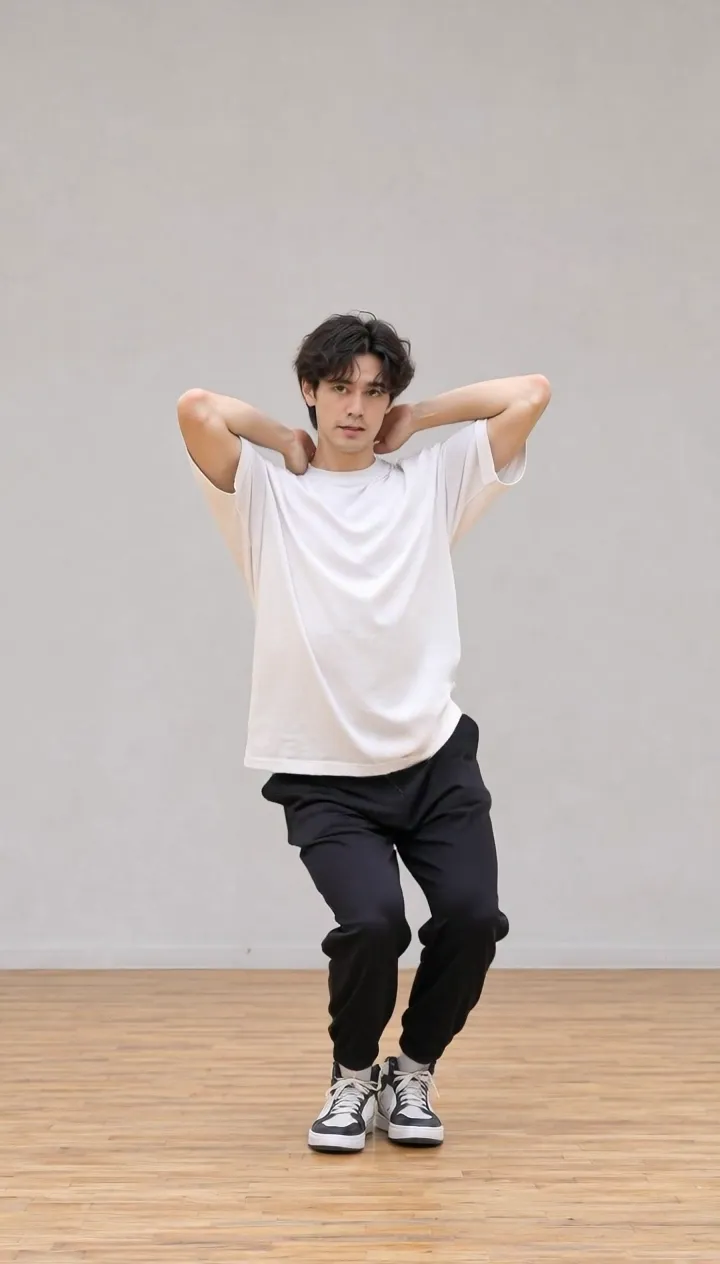
Each one was made on this page from an AI-made photo and a dance video. Open one to watch it with the photo it started from.
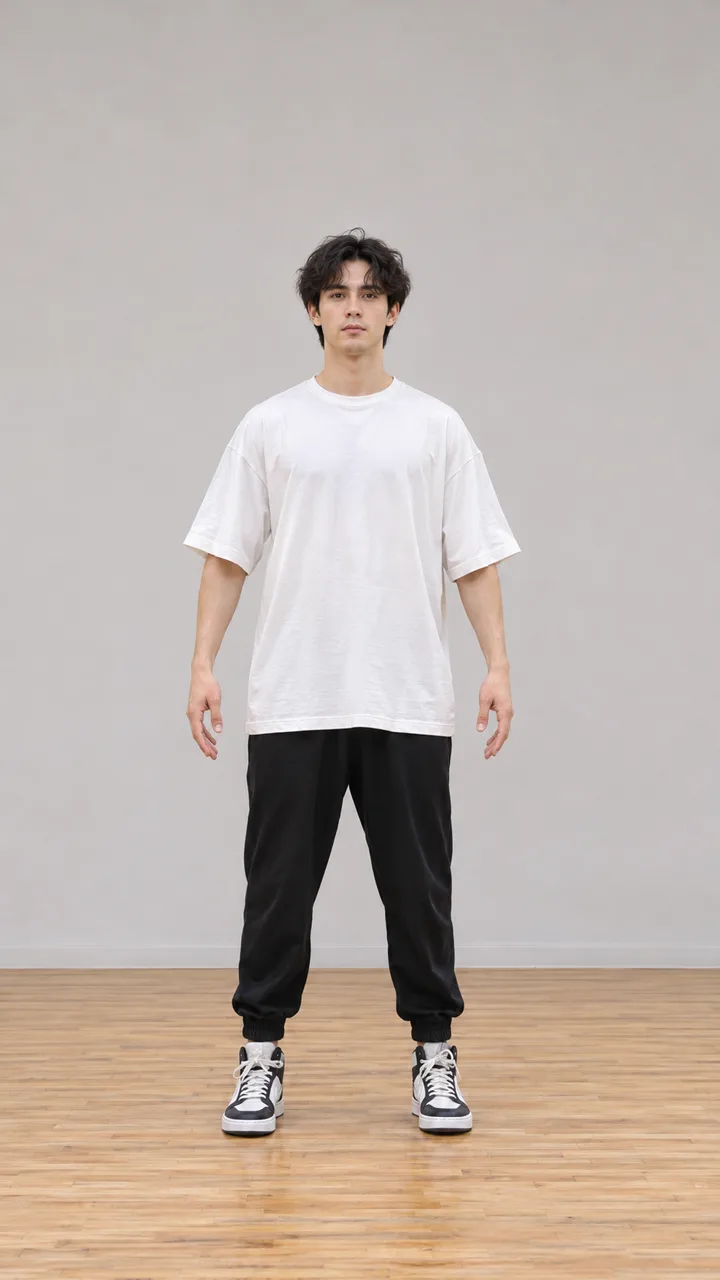
Dance studio, white tee
How to make a photo dance in 3 steps
- 1
Add a photo of the dancer
One person, full body, facing the camera, hands visible, on a simple background. JPG, PNG or WebP up to 10 MB. The face, clothes and background in the result all come from this photo.
- 2
Add your dance video
Any dance you like, filmed with one dancer, the whole body in frame, the camera still and no cuts. MP4 or MOV, 3 to 15 seconds, up to 50 MB. If it is longer, trim it in your phone’s Photos app first.
- 3
Pick 720p or 1080p and press Generate
The button shows the price for your video’s length before you spend anything. The result opens in your history, ready to download.
What you get, and what it costs
- Price
- 45 credits per second at 720p, 60 credits per second at 1080p, for the length of your video rounded up to whole seconds. A 10-second dance in 1080p is 600 credits ($6.00); the smallest pack is $9.99 for 600 credits.
- If something goes wrong
- A failed generation gives back every credit. If a fast move makes the result shorter than your video, the missing seconds are refunded automatically.
- What you upload
- One photo (JPG, PNG or WebP, up to 10 MB) and one dance video (MP4 or MOV, 3 to 15 seconds, up to 50 MB, each side 340 to 3850 pixels).
- What comes from where
- From the photo: the face, body, clothes and background. From the video: the moves, the timing and the camera framing. The background of your video is not copied.
- Sound
- With “Keep the video’s sound” on (the default), the result carries your clip’s own audio in sync. No new music is made.
- One dancer at a time
- Each generation moves one person. If two people are in your video, the larger one in the frame is followed.
When a result goes wrong
The usual problems, why they happen and what to change.
Hands or fingers look wrong
Why: Hands that are hidden in the photo (in pockets, behind the back) have to be invented, and fast or crossed hands in the video are hard to follow.
Fix: Use a photo with both hands visible, and a video where the hands stay apart and in frame.
The face changes when the dancer turns
Why: A spin or a head turn shows sides of the face the photo never had.
Fix: Pick a dance that mostly faces the camera, or slow the turns down.
The moves don’t match, or the result is shorter than the video
Why: Very fast moves, cuts, a moving camera or a dancer who leaves the frame break the motion; only the parts that can be followed are kept.
Fix: Use one continuous take with the camera on a tripod and the whole body in frame. The seconds that were cut are refunded automatically.
Arms or legs are cut off or stretched
Why: A half-body photo given a full-body dance has to invent the missing body, and limbs near the edge of the photo have no room to move.
Fix: Use a full-body photo with some space around the person, standing roughly like the dancer in the first frame of the video.
The background isn’t the one from my video
Why: By design: the background comes from your photo, the moves from your video.
Fix: Take the photo where you want the dance to happen.
Questions
Updated 2026-11-06
Can I use any TikTok dance?
Yes, as long as the clip shows one dancer, the whole body is in frame, the camera stays still and there are no cuts. Trim it to 3–15 seconds first. You need the right to use the video you upload; filming the dance yourself is the safest choice.
Is the music kept?
Yes, if “Keep the video’s sound” is on: the result carries your clip’s own audio. Nothing new is composed. Songs in a video may be muted or claimed when you post, so for public posts you can also turn the sound off and add the track inside TikTok or Instagram, which license their music libraries.
How much does it cost? Can I try it without paying?
There are no trial credits. You pay per second of your video: 45 credits at 720p, 60 at 1080p. A 10-second dance in 1080p is 600 credits ($6.00). The smallest pack is $9.99 for 600 credits, with no subscription, and credits never expire.
What happens if the generation fails or comes out shorter?
A failed generation refunds every credit. If a fast move makes the result shorter than your video, the missing seconds are refunded automatically, so you pay for the seconds you get.
Can two people dance together?
Not in one generation: one person moves at a time. If your video has two dancers, the larger one in the frame is followed.
Can I make my dog or cat dance?
You can try. The motion comes from a human dance, so a pet photo can move in unexpected ways; people give the most reliable results.
Why is the background different from my video?
The person, clothes and background all come from your photo; the video only gives the moves. Take the photo in the place you want the dance to happen.
What makes a good dance video?
One dancer, the whole body in frame from head to toe with some space around it, the camera on a tripod, a plain background, even light and moves at a moderate speed. The first frame should show the dancer standing and facing the camera.
What makes a good photo?
One person, full body, facing the camera, both hands visible, on a simple background. The closer the photo’s pose and framing are to the start of the video, the better the result.
Can I use a photo of someone else?
Only with their permission, and for a child, a parent’s. Don’t use photos of celebrities or strangers. When you post the result, say that it was made with AI.
Do I need a subscription? Do credits expire?
No subscription: you buy a credit pack once. Credits never expire, and the same credits work for every image and video model on zzo.ai.
Which sizes and formats can I upload?
A JPG, PNG or WebP photo up to 10 MB, and an MP4 or MOV video of 3 to 15 seconds, up to 50 MB, each side between 340 and 3850 pixels. 1080 × 1920 portrait video works well.