MiniMax H3 on zzo.ai costs 40 credits ($0.40) for a 5-second 768p clip with audio. No subscription: buy credits once and they never expire.
MiniMax H3 is MiniMax’s video model, released on 31 July 2026, also known as Hailuo 3. It makes 5- to 15-second clips with stereo sound from text, an image or reference images. zzo.ai offers it in two versions: the official MiniMax H3, and H3 Max Turbo, a faster, cheaper version built from MiniMax’s open weights by an independent AI company.
5–15 s clips
Up to 2K
Sound included
Prompt from this video. Edit it or write your own.
With audio
Made with MiniMax H3
Each one shows the prompt, model and what it costs here. Pick one to start from it.
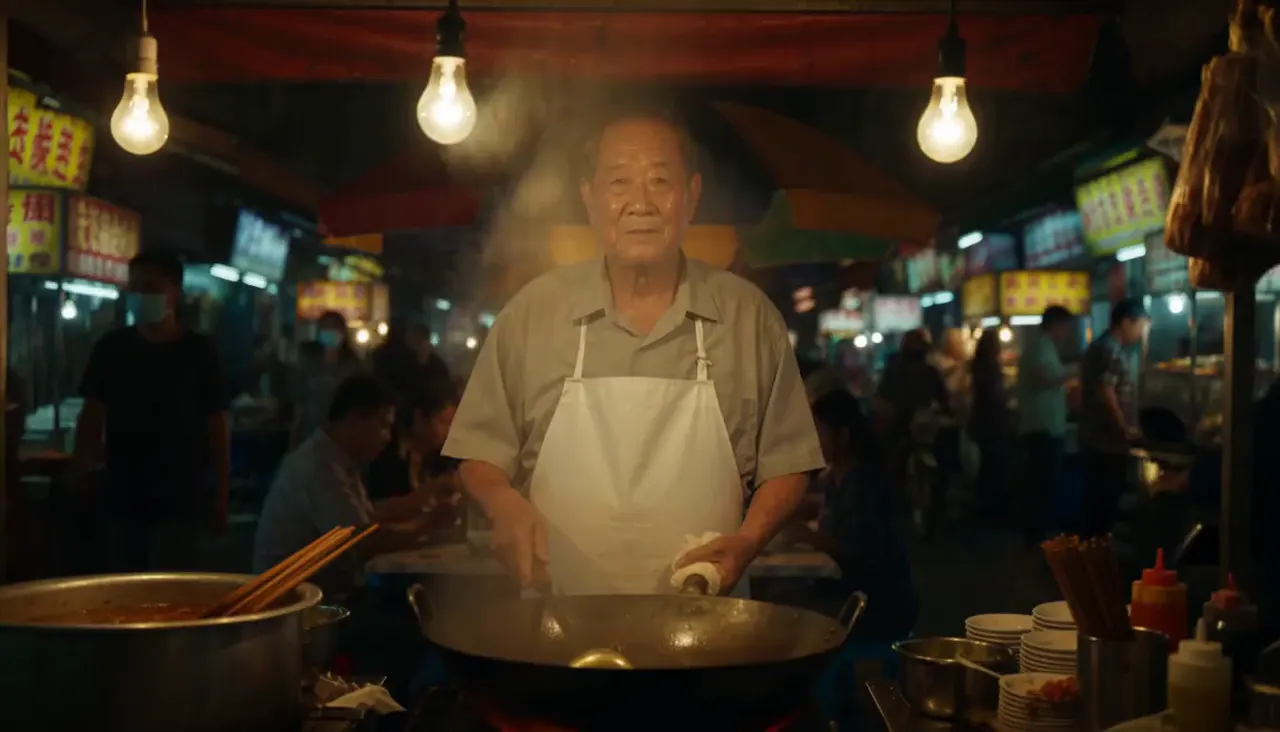
“Medium close-up, 50mm. A night-market noodle vendor in a white apron stands behind a steaming wok under bare hanging bulbs. He looks into the camera and says: "Thirty years. Same pan, same recipe." Then he tosses the noodles high and flames jump up from the wok. Camera: gentle living handheld that barely breathes, slight push-in. Audio: his voice, sizzling oil, crowd chatter, distant scooters. Photorealistic, warm practical light.”MiniMax H3, 10 s, sound, 80 credits
“A chef in her forties looks straight into the camera in a bright open kitchen and says, "The secret is you never crowd the pan." She smiles and turns back to the stove. Clean daylight from a window, white tile, flour on her apron, a strand of hair loose. Medium close-up, 50mm, slight handheld. Sound: her voice close and clear, a gentle sizzle, a knife on a board off screen.”MiniMax H3, 5 s, sound, 40 credits
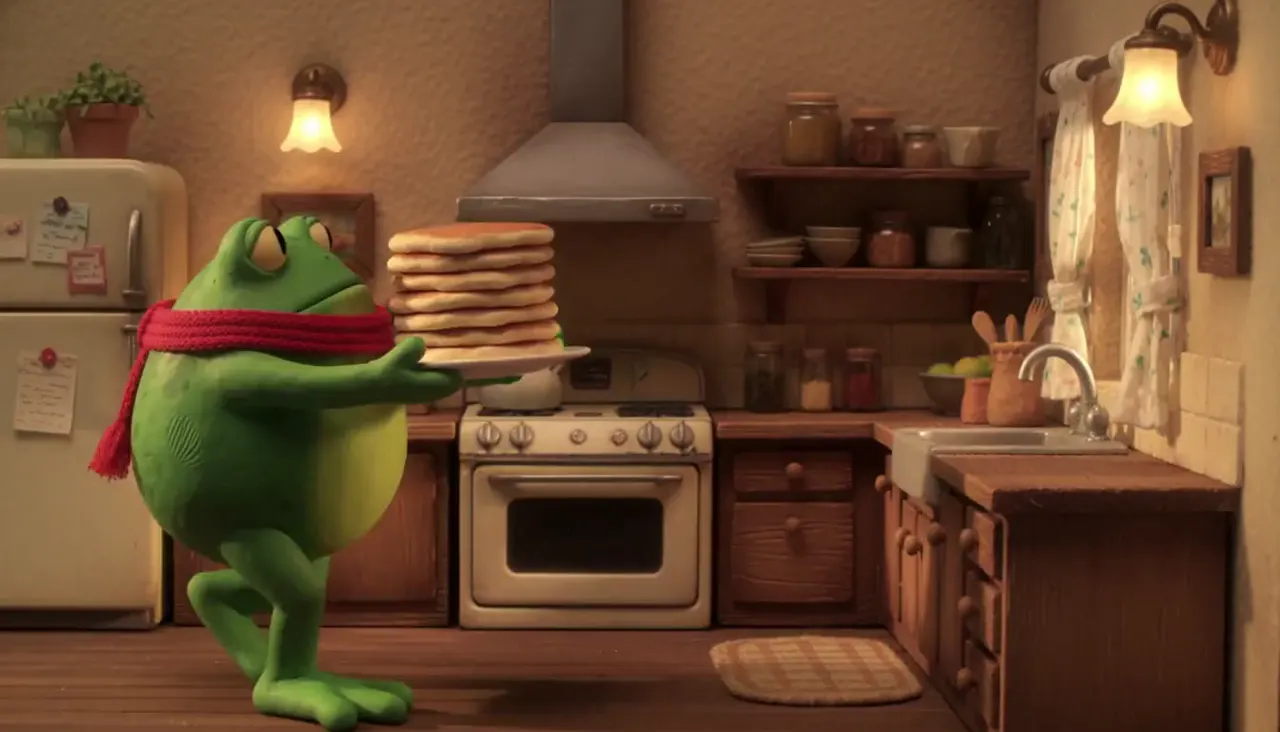
“Stop-motion claymation: a round green frog in a knitted scarf carries a stack of pancakes across a tiny kitchen set, sets it down, then looks at camera and blinks. Visible fingerprints in the clay, felt walls, warm practical lamps, stepped 12fps motion. Sound: playful pizzicato strings, soft clay squeaks, a plate clink.”MiniMax H3, 5 s, sound, 40 credits
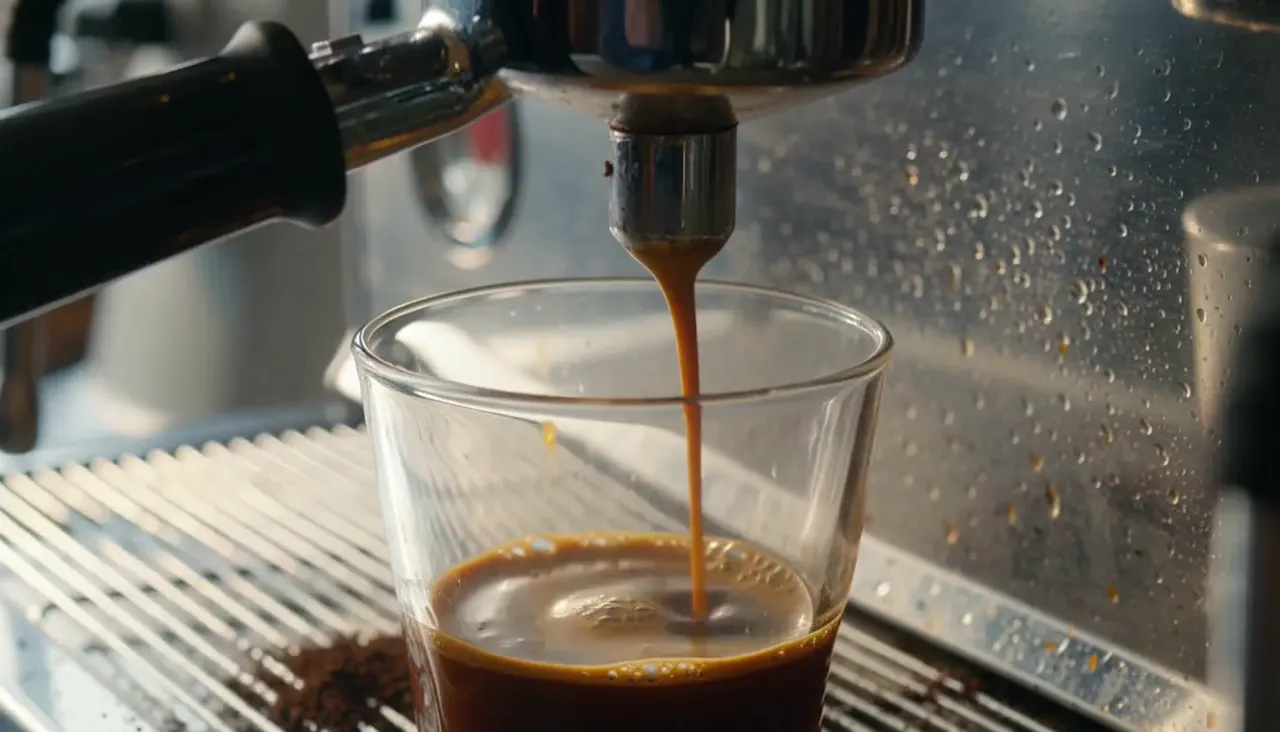
“Macro shot of espresso pulling from a chrome portafilter into a warm glass, thick golden crema blooming and swirling. Bright morning light through a cafe window, steam curling, water spots on the chrome, a few coffee grounds on the tray. 100mm macro, shallow focus, slight handheld drift. Sound: grinder winding down, the hiss of the pump, liquid pattering into glass, cafe chatter behind.”MiniMax H3, 5 s, sound, 40 credits
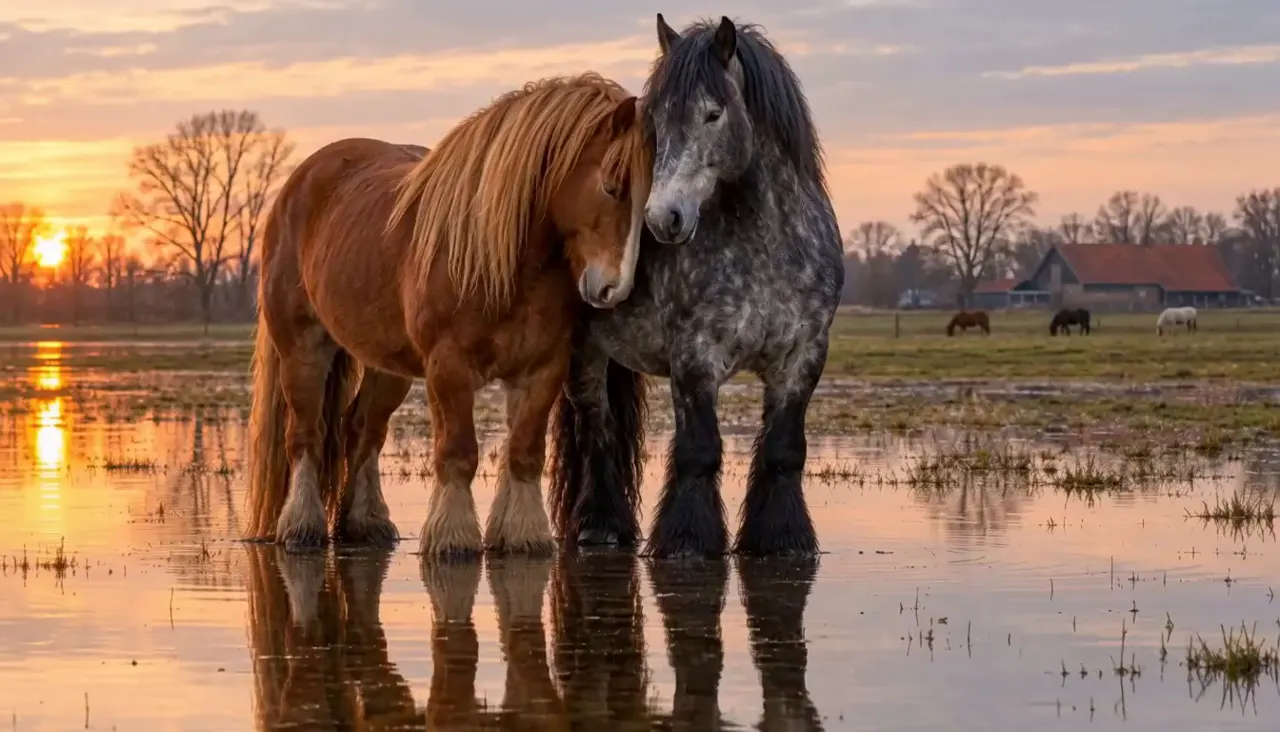
“Two heavy draft horses stand together in a shallow flooded pasture at dusk — a chestnut with a long flaxen-copper mane, head lowered and turned inward, resting against the shoulder of a dark dapple-grey with black feathered legs. Ankle-deep still water mirrors them almost perfectly. Golden-hour side light, pale peach and dove-grey sky, bare winter trees and a red-roofed barn far in the background with small grazing horses. Extremely slow, quiet motion”MiniMax H3, photo to video, 5 s, sound, 40 credits, input image made with GPT Image 2.5
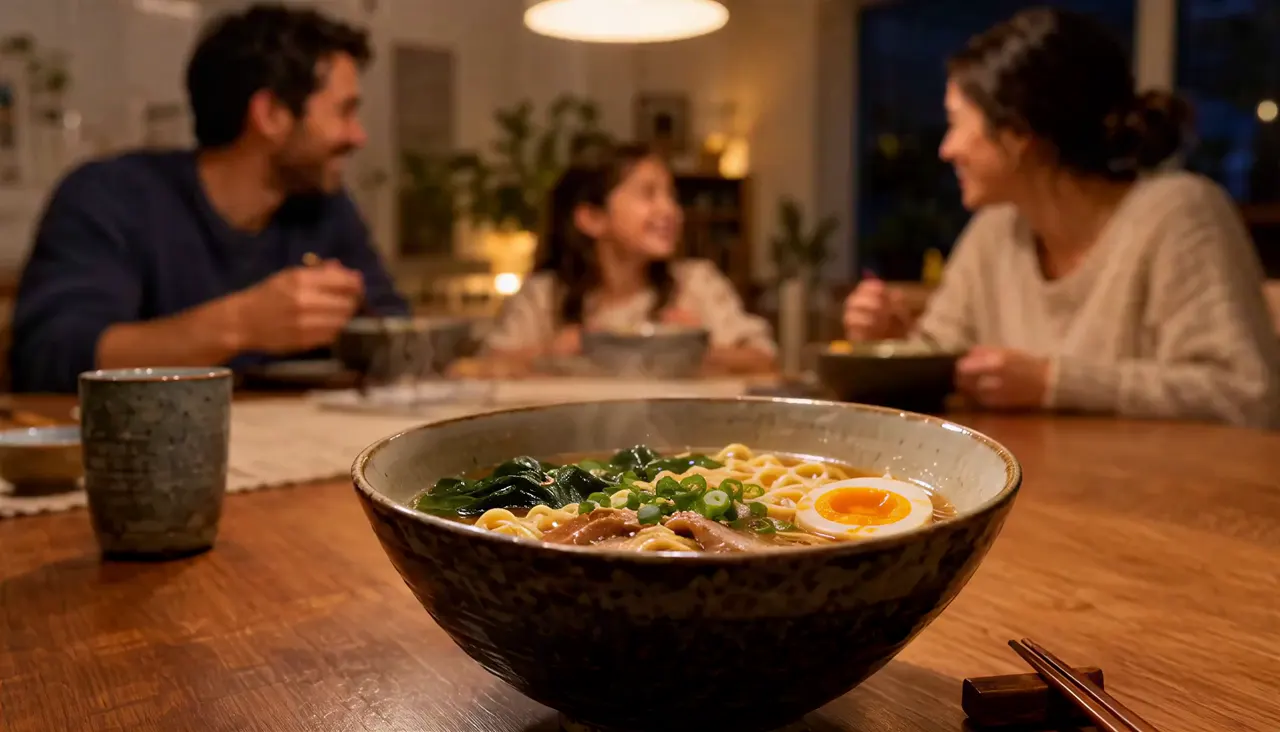
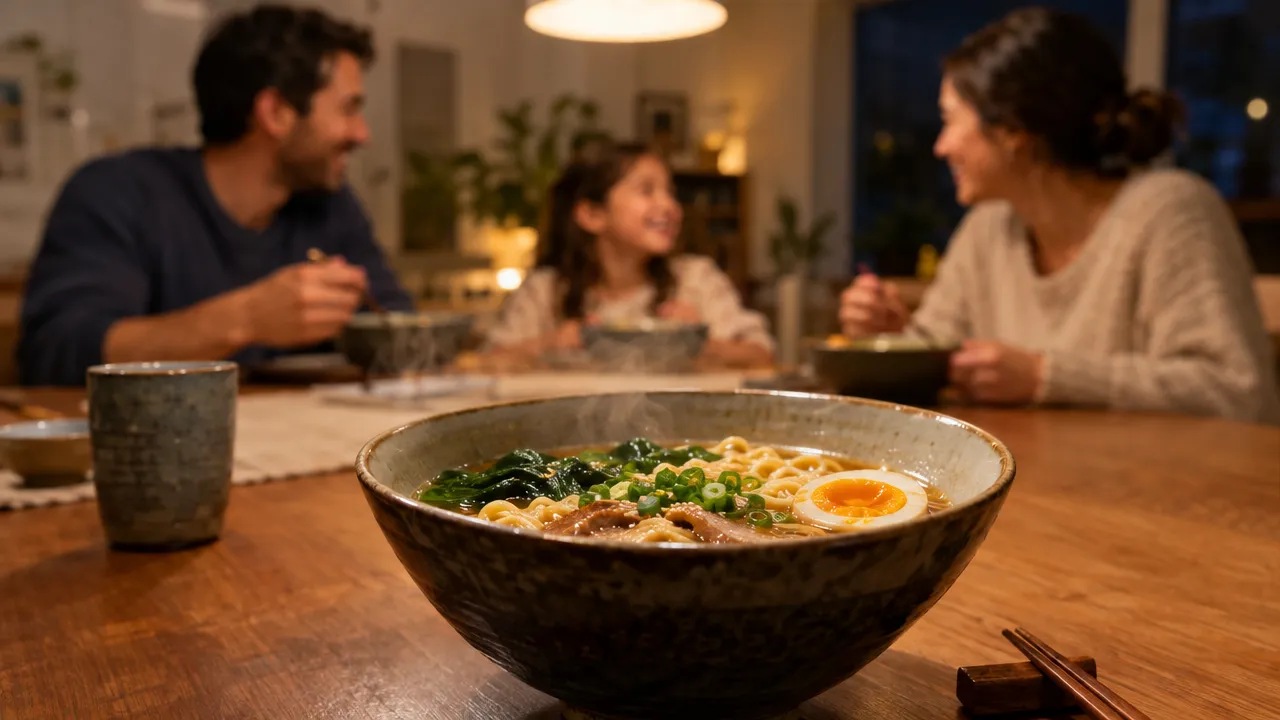
“Pull focus to the people in the background and add more steam to the ramen bowl.”MiniMax H3, photo to video, 10 s, sound, 260 credits, input image made with GPT Image 2.5
What you can make with MiniMax H3
Each one comes with the settings and the prompt we would start from, and what it costs. Use it as is or edit it.
A spoken line, then flames
H3 Max Turbo at 768p: he says the line word for word, then the wok goes up in big flames. The prompt is from Krea’s Seedance 2.5 vs MiniMax H3 test, where H3 Max framed the whole stall and gave only a small flame at the end; Krea ran 8 seconds, this is 10. The Wan 3.0 page shows the same prompt.
Text to video
768p
10 s
sound
16:9
“Medium close-up, 50mm. A night-market noodle vendor in a white apron stands behind a steaming wok under bare hanging bulbs. He looks into the camera and says: "Thirty years. Same pan, same recipe." Then he tosses the noodles high and flames jump up from the wok. Camera: gentle living handheld that barely breathes, slight push-in. Audio: his voice, sizzling oil, crowd chatter, distant scooters. Photorealistic, warm practical light.”
Tip: Name the shot size first (“Medium close-up, 50mm”) so the prompt rewriting keeps the framing you want.
80 credits
A line to camera
She looks into the lens and says the line exactly as written, with the kitchen sound around her. The prompt is a published showcase prompt for H3 Max; this is the cheaper H3 Max Turbo.
Text to video
768p
5 s
sound
16:9
“A chef in her forties looks straight into the camera in a bright open kitchen and says, "The secret is you never crowd the pan." She smiles and turns back to the stove. Clean daylight from a window, white tile, flour on her apron, a strand of hair loose. Medium close-up, 50mm, slight handheld. Sound: her voice close and clear, a gentle sizzle, a knife on a board off screen.”
Tip: Quote the words and say who speaks and how: “looks straight into the camera … and says, “…””.
40 credits
Stop-motion claymation
The clay look and the stepped stop-motion movement hold for the clip. It cut to a close-up at about 4 seconds without being asked, which the prompt rewriting can do with short prompts. The prompt is a published H3 Max showcase prompt.
Text to video
768p
5 s
sound
16:9
“Stop-motion claymation: a round green frog in a knitted scarf carries a stack of pancakes across a tiny kitchen set, sets it down, then looks at camera and blinks. Visible fingerprints in the clay, felt walls, warm practical lamps, stepped 12fps motion. Sound: playful pizzicato strings, soft clay squeaks, a plate clink.”
Tip: Add “one continuous shot” if you don’t want a cut.
40 credits
A product macro
Espresso pours from the portafilter and the crema blooms in the glass, in close macro. The prompt is a published H3 Max showcase prompt.
Text to video
768p
5 s
sound
16:9
“Macro shot of espresso pulling from a chrome portafilter into a warm glass, thick golden crema blooming and swirling. Bright morning light through a cafe window, steam curling, water spots on the chrome, a few coffee grounds on the tray. 100mm macro, shallow focus, slight handheld drift. Sound: grinder winding down, the hiss of the pump, liquid pattering into glass, cafe chatter behind.”
Tip: Describe the material and the light on it (“thick golden crema”, “chrome”); that is what reads in a macro.
40 credits
input image made with GPT Image 2.5
A still that barely moves
Image to video on H3 Max Turbo. The motion is very subtle, which is what the prompt’s last words, “Extremely slow, quiet motion”, ask for. The prompt is from a published H3 image-to-video example, whose start image was a painting; ours is a photo made with GPT Image 2.5.
Image to video
768p
5 s
sound
16:9
“Two heavy draft horses stand together in a shallow flooded pasture at dusk — a chestnut with a long flaxen-copper mane, head lowered and turned inward, resting against the shoulder of a dark dapple-grey with black feathered legs. Ankle-deep still water mirrors them almost perfectly. Golden-hour side light, pale peach and dove-grey sky, bare winter trees and a red-roofed barn far in the background with small grazing horses. Extremely slow, quiet motion”
Tip: If you want more movement than this, make it the main action and say how big it is.
40 credits
input image made with GPT Image 2.5
A focus pull at 2K
MiniMax H3 at 2K (2544×1456): one instruction, written like a photo edit, moves the focus from the bowl to the family behind it and adds steam. The prompt is MiniMax’s own image-to-video example, which ran 8 seconds; this is 10. The start image is our own, made with GPT Image 2.5 in the same layout.
Image to video
2K
10 s
sound
16:9
“Pull focus to the people in the background and add more steam to the ramen bowl.”
Tip: Start images with a clear foreground and background give a focus pull something to move between.
260 credits
What sets MiniMax H3 apart
Two versions: official and fast
MiniMax H3 is MiniMax’s own model, at 768p or 2K. H3 Max Turbo is built from MiniMax’s open weights by an independent company and tuned for speed; it runs at 480p, 768p or 1080p at a lower price. Both add stereo sound.
How to use it: Pick the version in the generator. Try ideas on H3 Max Turbo, then run the keeper on MiniMax H3 at 2K, or on Turbo at 1080p.
Its best-ranked task. The image becomes the first frame and sets the shape of the clip. MiniMax’s guide builds the prompt as first frame → the action starting → how it develops → the result or reaction.
How to use it: Choose Image to video and upload a clear image. Describe what moves, in order, and how it ends, not the picture itself: the image already shows the subject and the scene.
Sound and dialogue
Dialogue, effects, ambience and music come out in the same pass, in stereo. MiniMax lists eleven languages as stable.
How to use it: Put the spoken words in quotes and say who speaks, in what voice and in which language. Describe the sounds you want; there is no setting to turn sound off.
What MiniMax H3 is good at, and where it struggles
Good at
Image to video is its best-rated task: Artificial Analysis ranked MiniMax H3 (768p) first on its image-to-video leaderboard with audio in October 2026, and third for text to video.
Every clip comes with 32 kHz stereo sound, dialogue included; in Krea’s test the scripted line was transcribed word for word.
Fast and cheap drafts on H3 Max Turbo, the lowest price per video clip on zzo.ai.
Text in the frame: MiniMax cites “accurate text and brand rendering”, and an independent evaluation of H3 Max Turbo rated its text fidelity 80 out of 100.
Dialogue in eleven languages, which MiniMax lists as stable: Arabic, Chinese, English, French, German, Italian, Japanese, Korean, Portuguese, Russian and Spanish.
Limits
Clips are 5 to 15 seconds; longer scenes need several clips joined in an editor.
Sound is always generated and can’t be switched off; replace it in an editor if you need your own audio.
It may not follow an exact movement path: in Krea’s test it landed the trick but sent the rider toward the camera instead of left to right. Physics in action shots was H3 Max Turbo’s lowest-scoring area in Megaton’s evaluation.
Small background motion you ask for, such as leaves or water, can come out too subtle.
MiniMax H3 rewrites short prompts into a detailed shot list, so the framing can differ from what you pictured.
H3 Max Turbo stops at 1080p and has no reference images; 2K and reference images need the official MiniMax H3.
A good first result with MiniMax H3, step by step
Draft cheap, finish high. Each step shows its settings and cost.
1
Draft on H3 Max Turbo at 480p
The cheapest way to try a prompt. Change one thing at a time.
480p
5 s
sound
16:9
3 runs × 25 = 75 credits
2
Check the keeper at 768p
Rerun the best version on H3 Max Turbo at 768p, the size most social clips need.
768p
10 s
sound
16:9
80 credits
3
Render the final on MiniMax H3 at 2K
For the sharpest result, run it on the official model at 2K. It is a new take, so expect some differences from the draft.
2K
10 s
sound
16:9
260 credits
About 415 credits ($4.15 at the standard rate) for the whole job. Failed runs are refunded, so they don’t count.
Settings, explained
What each option does and what it does to the price.
Versions
H3 Max Turbo is the fast, low-cost version, made by an independent company from MiniMax’s open weights. MiniMax H3 is MiniMax’s own model and the only one with 2K and reference images.
Text to video starts from your words. Image to video uses your image as the first frame and takes its shape. Reference to video (MiniMax H3 only) uses up to five images to keep a person, product or style.
Same price: 40 credits (768p, 5 s)
Resolution
480p for drafts, 768p (1344×768 at 16:9) for most social posts. For finals: 1080p on H3 Max Turbo or 2K (2544×1456 at 16:9) on MiniMax H3.
480p: 25 · 768p: 40 · 1080p: 80 credits (5 s)
Clip length
5, 10 or 15 seconds. Price scales with length.
5 s: 40 · 15 s: 120 credits (768p)
Audio
Always on, included in the price. There is no silent mode upstream.
Aspect ratios
16:9 for the web, 9:16 for Reels, TikTok and Shorts, 1:1, 4:3 and 3:4 for feeds, 21:9 for cinematic wides. Image to video follows the shape of your image.
16:9, 9:16, 1:1, 4:3, 3:4, 21:9 · no price difference
MiniMax H3 specs
Updated 2026-10-28
Developer
MiniMax
Released
2026-07-31
Type
Video
Modes
Text to video, Image to video, Reference to video
Clip length
5–15s
Resolution
480p, 768p, 1080p, 2K
Audio
Always on
Aspect ratios
16:9, 9:16, 1:1, 4:3, 3:4, 21:9
Versions
H3 Max Turbo, MiniMax H3
Commercial use
Allowed, under our terms
Failed generations
Credits refunded automatically
Starts at
25 ($0.25)
MiniMax H3 price per generation
Credits are charged only when a generation starts, and refunded if it fails. The cheapest option is 25 credits.
MiniMax’s own prompt guide and the people who ran H3 the most point the same way:
Name the camera move with its size and speed. MiniMax’s guide gives each move three parts: the type (push in, pan left, tracking shot, arc shot), the amplitude (“with small amplitude”) and the speed (“at slow speed”).
Use a cut only for new information. If only the distance or the angle should change, ask for a camera move instead.
Quote spoken words and on-screen text exactly. The guide keeps both word for word, in quotation marks.
Describe music by its instruments and rhythm, not with mood words.
Keep it simple. Users who ran over a thousand clips found plain, short prompts more natural than long structured ones; split complex scenes into two clips.
For image to video, describe the first frame, the action starting, how it develops and how it ends.
When a result goes wrong
The usual problems with MiniMax H3, why they happen and what to change.
The subject moves the wrong way
Why: MiniMax H3 doesn’t always follow an exact path across the frame.
Fix: Say the direction in plain words (“from the left edge to the right edge of the frame”) and keep one main movement per clip.
The framing is wider or different than you pictured
Why: Short prompts are rewritten into a detailed shot list before generating.
Fix: Name the shot size and the camera move yourself, for example “close-up, slow push in”.
Background motion is barely visible
Why: Small motion such as leaves, water or a boat drifting can come out too subtle.
Fix: Make it a main action of the clip, or describe how big the movement is.
There is sound you don’t want
Why: Every clip has generated audio; it can’t be switched off.
Fix: Describe the sound you do want, or mute and replace it in an editor.
A long, detailed prompt gives glitches
Why: Users running hundreds of clips found that too many sentences of detailed motion cause errors.
Fix: Split a complex scene into two clips and keep each prompt to one action.
The run failed or timed out
Why: The model returned an error or took too long.
Fix: Nothing is charged: the credits return to your balance. Try again.
MiniMax H3 vs Hailuo 02
MiniMax H3 is not an update of Hailuo 02: MiniMax says it set the Hailuo 02 architecture aside and built H3 as a new, general multimodal model that understands text, images, video and audio together.
Native stereo sound generated with the picture.
Clips of up to 15 seconds at up to 2K.
Reference images, videos and audio in one request on MiniMax’s own platform; zzo.ai accepts up to five reference images.
First frame, last frame, or both, on MiniMax’s own platform; zzo.ai offers the first frame.
Open weights for the 768p base model, under a community license.
MiniMax H3 on zzo.ai costs 40 credits ($0.40) for a 5-second 768p clip with audio. No subscription: buy credits once and they never expire. Depending on resolution and length, a generation costs 25 to 390 credits ($0.25 to $3.90 at the standard rate). As low as $0.23 with the $199.99 pack. Failed generations are refunded automatically.
Do I need a subscription to use MiniMax H3?
No. zzo.ai has no subscription: buy a credit pack once and spend it on MiniMax H3 or any other model. Credits never expire.
How long can MiniMax H3 videos be, and at what resolution?
On zzo.ai, MiniMax H3 makes clips from 5 to 15 seconds at 480p, 768p, 1080p, 2K, in 16:9, 9:16, 1:1, 4:3, 3:4, 21:9 aspect ratios.
How much does a 10-second MiniMax H3 video cost?
A 10-second 768p clip with sound costs 80 credits: $0.80 at the standard rate, or $0.73 with the $199.99 pack. There is no subscription.
Can I use MiniMax H3 through an API or in Claude?
Yes. Create an API key in Settings, then use MiniMax H3 from Claude, Cursor or your own code through the zzo.ai MCP server. It draws from the same balance at the same prices as the website.
What is MiniMax H3?
MiniMax H3 is MiniMax’s video model, released on 31 July 2026. It makes 5- to 15-second clips with native stereo sound at up to 2K, from text, an image or reference images. MiniMax’s API calls it Hailuo-03, so it is also known as Hailuo 3.
What is H3 Max Turbo?
H3 Max Turbo is a faster, lower-cost version of MiniMax H3. It is not a MiniMax release: an independent AI company post-trained MiniMax’s open H3 weights into H3 Max, which MiniMax now offers as a joint release, and tuned this Turbo version for speed. It makes 480p to 1080p clips with sound, but has no 2K and no reference-image mode.
Which should I use, MiniMax H3 or H3 Max Turbo?
Draft on H3 Max Turbo, which is the cheapest and fastest, and render finals on MiniMax H3 when you need 2K, reference images or MiniMax’s own model. No independent test has compared the two directly yet.
Does MiniMax H3 have sound?
Yes. Every MiniMax H3 and H3 Max Turbo clip comes with 32 kHz stereo audio (dialogue, effects and music) generated with the picture. It can’t be switched off, so mute or replace it in an editor if you need silence.
Is Hailuo 3 the same as MiniMax H3?
Yes. MiniMax H3 is the third generation of MiniMax’s Hailuo video models, after Hailuo 01 and Hailuo 02. Hailuo 02 and Hailuo 2.3 are older, different models.
Is MiniMax H3 open source?
Partly. MiniMax released the 768p base model as open weights in August 2026, under a community license that excludes the EU, the UK, South Korea and the United States. The 2K stage and the prompt rewriting that the hosted model uses were not released. Running it here needs no setup or GPU.
Can I use MiniMax H3 videos commercially?
Yes. Videos you generate on zzo.ai are yours to use, including in commercial work, as long as the content itself doesn’t break our terms or anyone else’s rights. MiniMax claims no rights over the outputs.