AI Poster & Flyer Generator: Your Exact Words, Your Photos
2 models make images at up to 4K, up to 4 per run. Images start at 5 credits ($0.05) each, with no subscription and credits that never expire. On the Artificial Analysis Text to Image Arena (checked October 30, 2026), GPT Image 2.5 is #1 (Elo 1,222), Nano Banana 2.1 #4.
Write the lines your poster must say, or upload a photo, product or logo, and GPT Image 2.5 or Nano Banana 2.1 designs it. You see the price before each poster, pay from a one-time credit pack, and credits never expire.
Made with these models
Each one shows the prompt, model and what it costs here. Pick one to start from it.
Supported models and prices
Updated 2026-10-27
| Model | Images per request | Longest side | Aspect ratios | Transparent background | Per image | Arena rank |
|---|---|---|---|---|---|---|
| GPT Image 2.5 | 4 | 1,280 px | 1:1, 4:3, 3:4, 16:9, 9:16 | Yes | 5–45 credits$0.05–$0.45 | #1 · Elo 1,222GPT Image 2.5 Sunburst (max) |
| Nano Banana 2.1 | 4 | 6,336 px | 1:1, 16:9, 9:16, 4:3, 3:4, 3:2, 2:3, 21:9, 4:1, 8:1 | No | 10–30 credits$0.10–$0.30 | #4 · Elo 1,176 |
Per image, from the lowest to the highest quality setting; several images in one run cost that much each. Arena rank is the position and Elo score from blind side-by-side votes (AA-Image-T2I v2.1, checked October 30, 2026) on the Artificial Analysis Text to Image Arena
Poster sizes for print
What each setting returns and how large it prints. Sharp is 300 pixels per inch, for a flyer or poster seen up close; 150 is fine for a wall poster seen from a few steps away.
| Model | Setting | Pixels | Sharp (300 ppi) | Wall poster (150 ppi) | Price |
|---|---|---|---|---|---|
| GPT Image 2.5 | High · 3:4 | 768 × 1024 | 2.6 × 3.4 in (7 × 9 cm) | 5.1 × 6.8 in (13 × 17 cm) | 15 credits |
| GPT Image 2.5 | High · 9:16 | 720 × 1280 | 2.4 × 4.3 in (6 × 11 cm) | 4.8 × 8.5 in (12 × 22 cm) | 15 credits |
| Nano Banana 2.1 | 2K · 3:4 | 1792 × 2400 | 6 × 8 in (15 × 20 cm) | 11.9 × 16 in (30 × 41 cm) | 15 credits |
| Nano Banana 2.1 | 2K · 2:3 | 1696 × 2528 | 5.7 × 8.4 in (14 × 21 cm) | 11.3 × 16.9 in (29 × 43 cm) | 15 credits |
| Nano Banana 2.1 | 4K · 3:4 | 3584 × 4800 | 11.9 × 16 in (30 × 41 cm) | 23.9 × 32 in (61 × 81 cm) | 30 credits |
| Nano Banana 2.1 | 4K · 2:3 | 3392 × 5056 | 11.3 × 16.9 in (29 × 43 cm) | 22.6 × 33.7 in (57 × 86 cm) | 30 credits |
Posters you can make
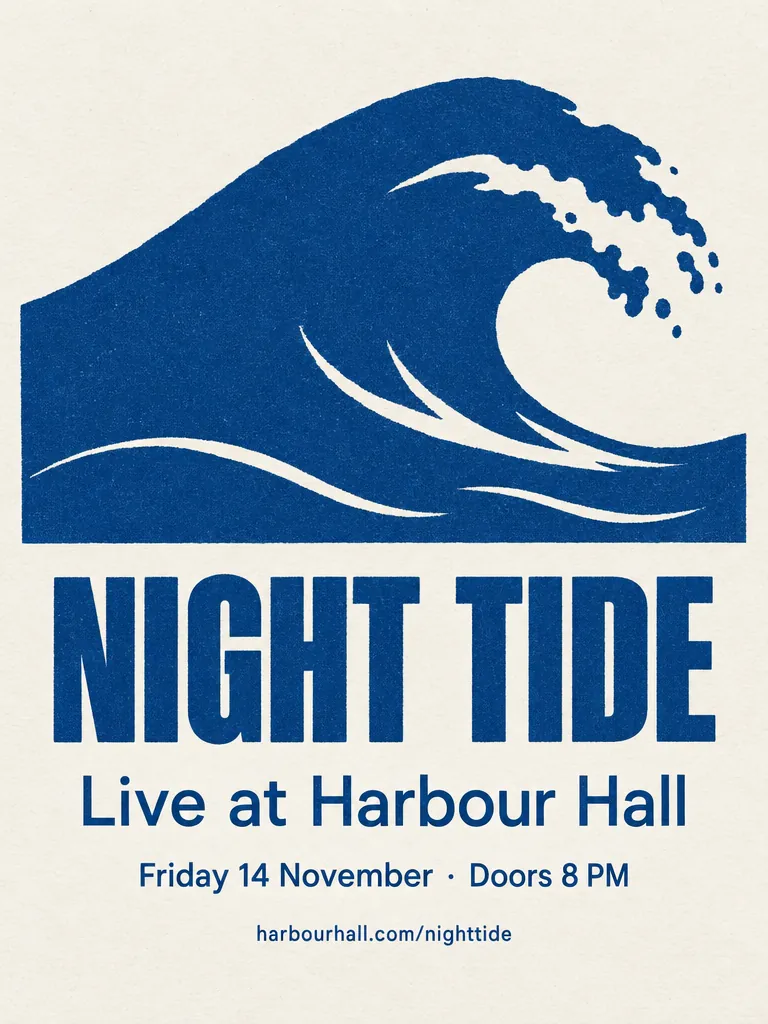
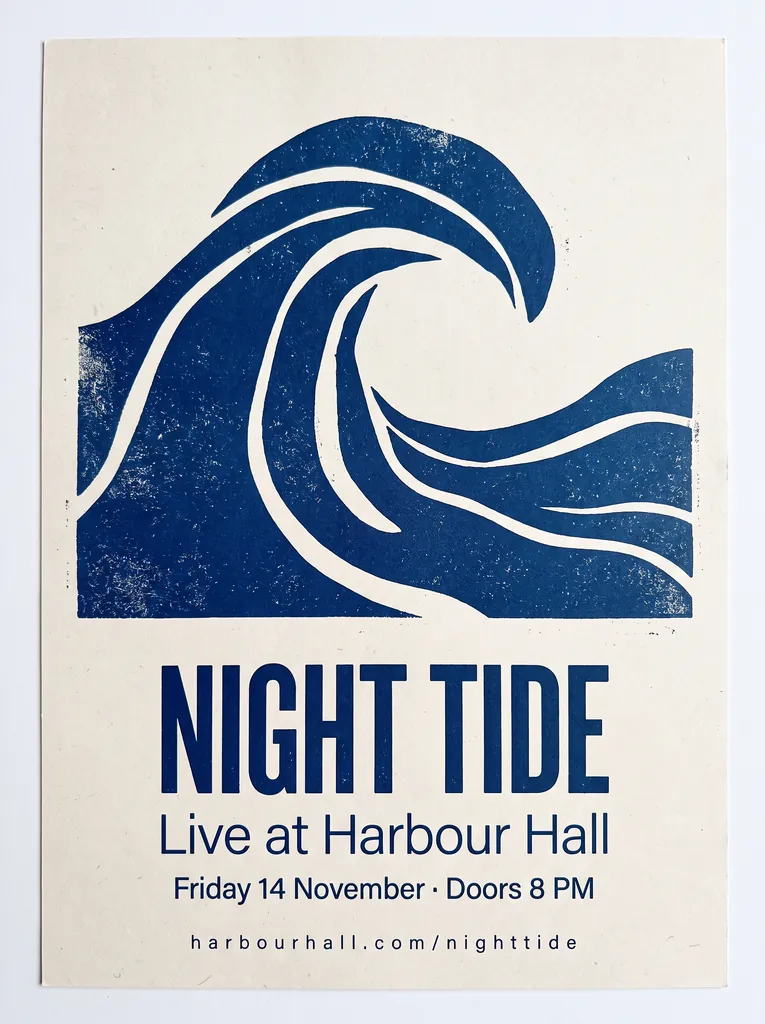
- Event, concert and party flyers. The NIGHT TIDE poster above is the same prompt on both models: every line spelled, middle dot included.
- Sale, promo and shop posters, like the SLOW MORNINGS coffee poster above, then the same poster with a new headline and season.
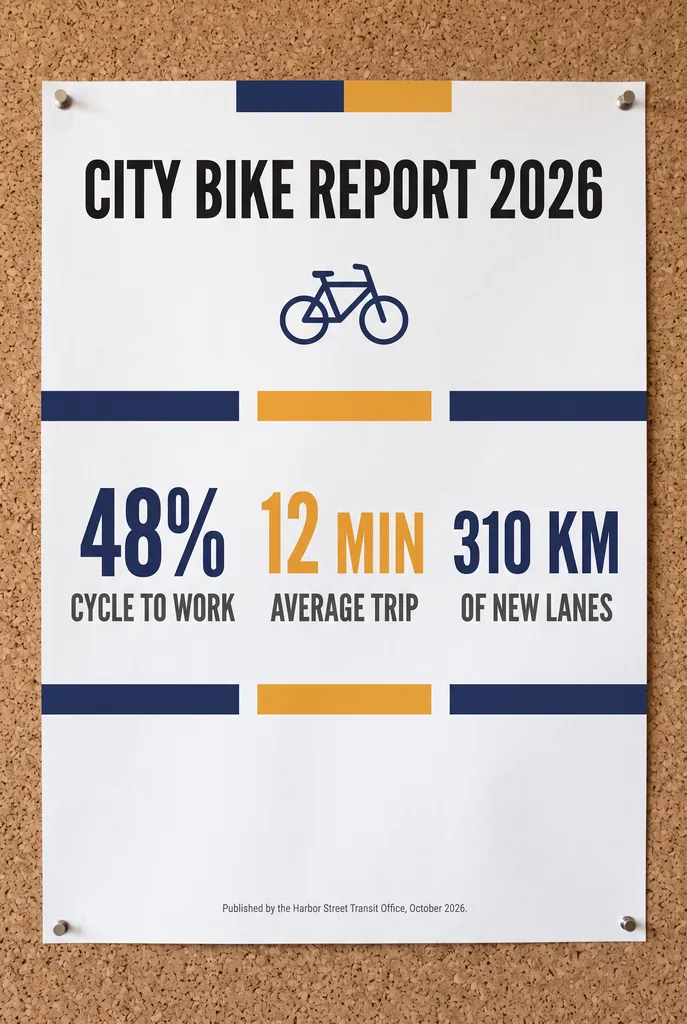
- Infographic and business posters, such as the CITY BIKE REPORT above, with every figure and the small footer right.
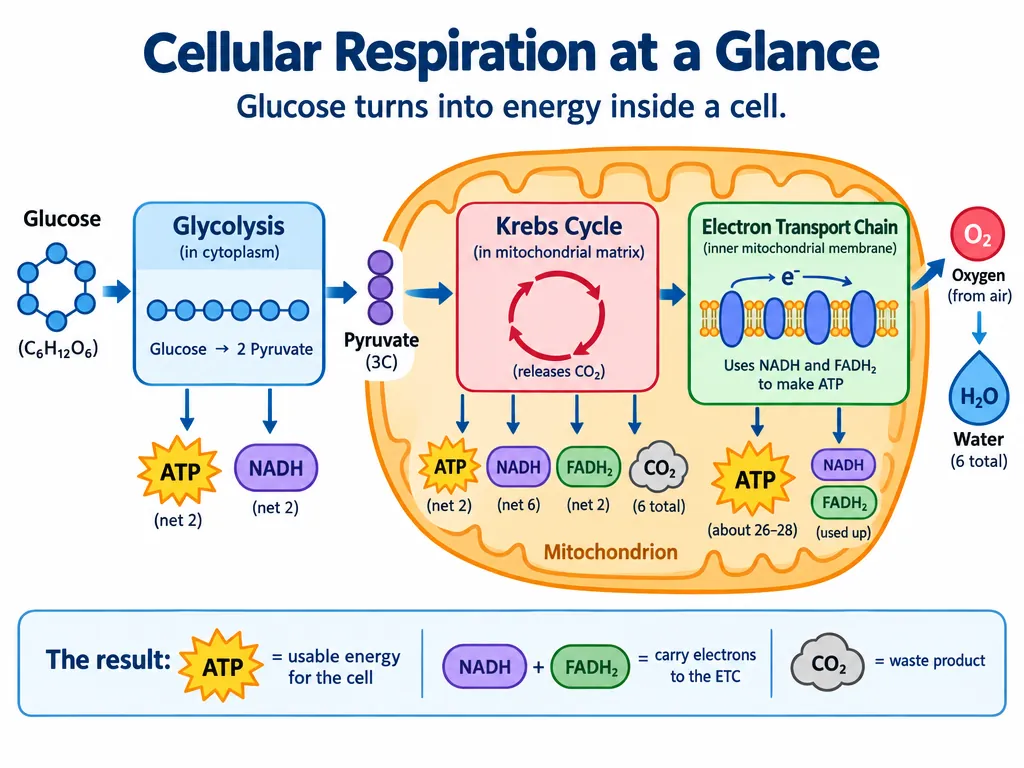
- School and classroom posters, such as the cellular-respiration diagram, with all eight labels correct.
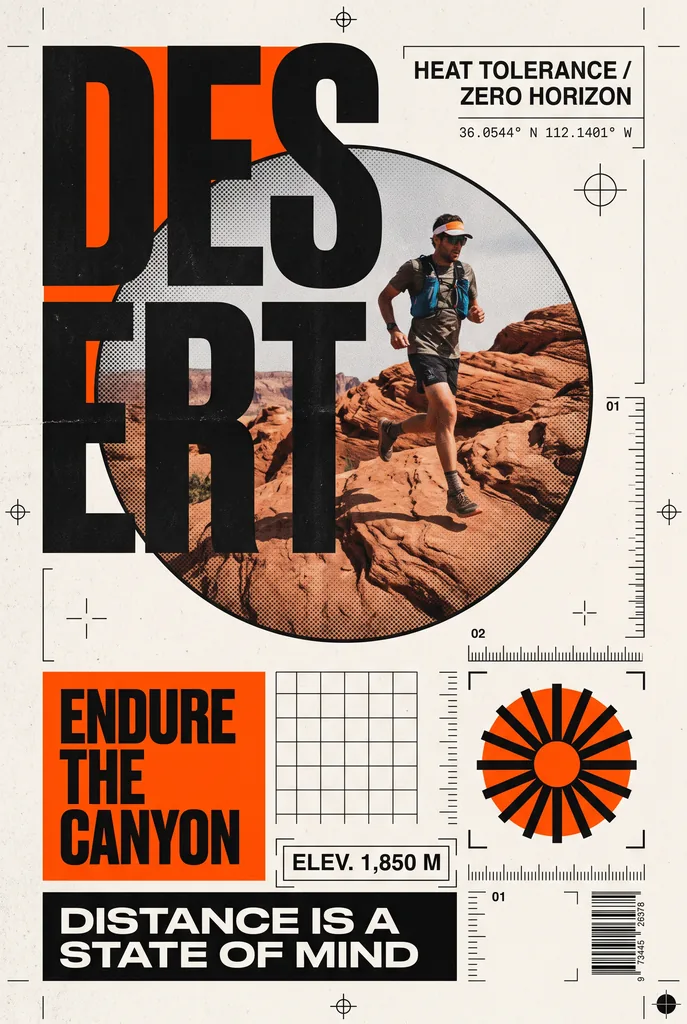
- Style posters: the Neo-Swiss DES/ERT sports poster (Google’s own example), the PORT AVERLY mid-century travel poster, a flat magazine cover, a retro risograph print.
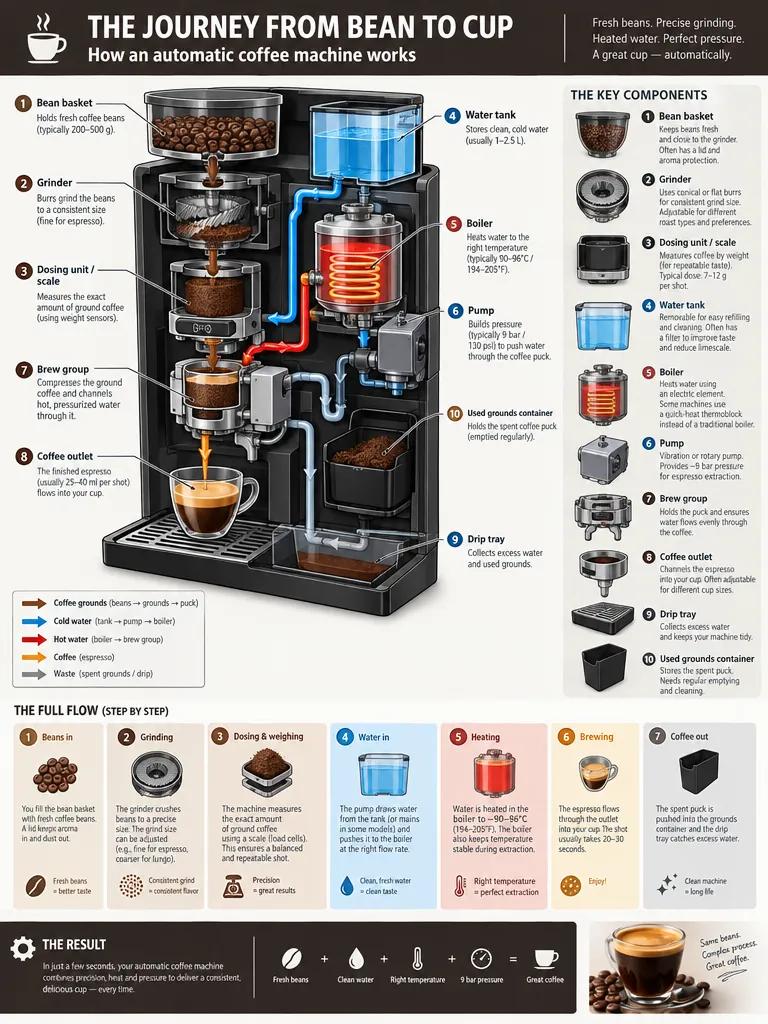
- Posters from your photo, product or logo, up to four images in one edit: the retro POUR OVER poster above started from a plain product photo of a dripper.
- Cards and invitations, such as the holiday card, with only the one line of text asked for.
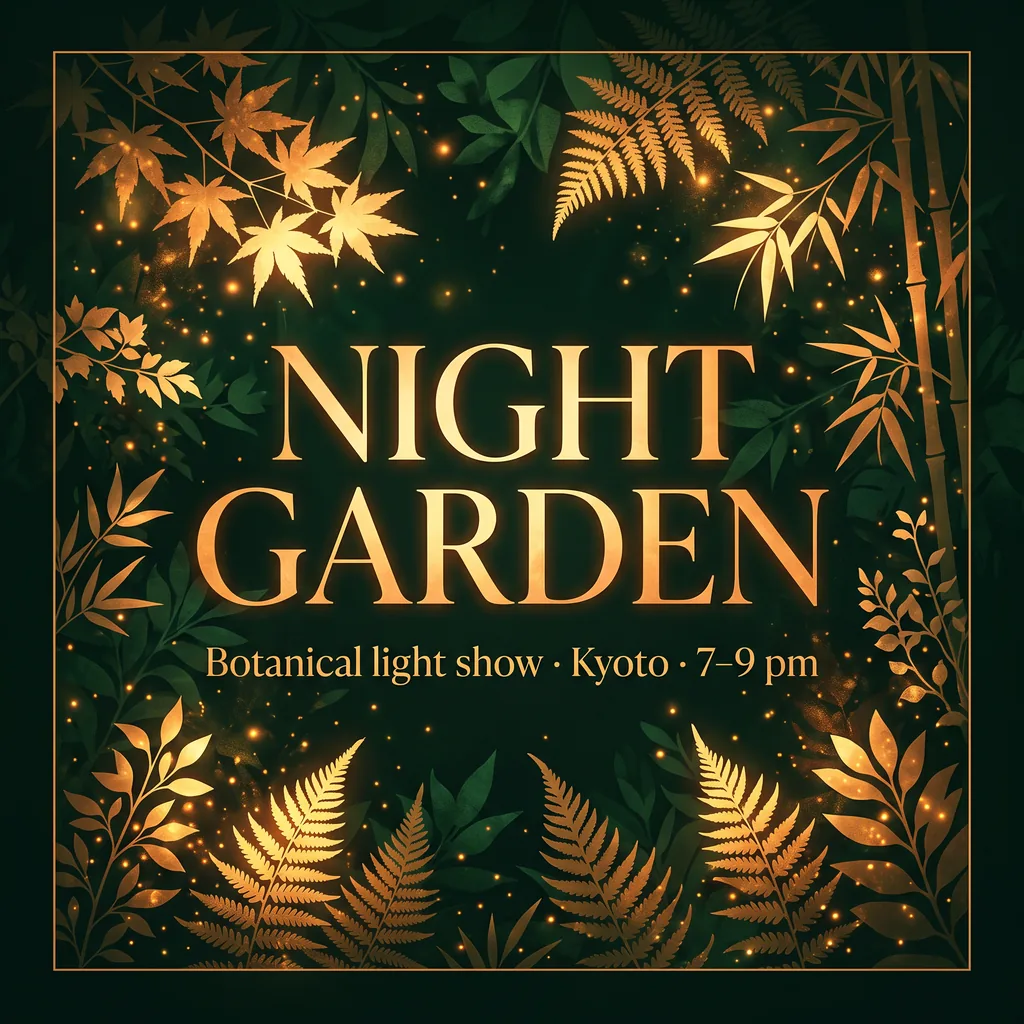
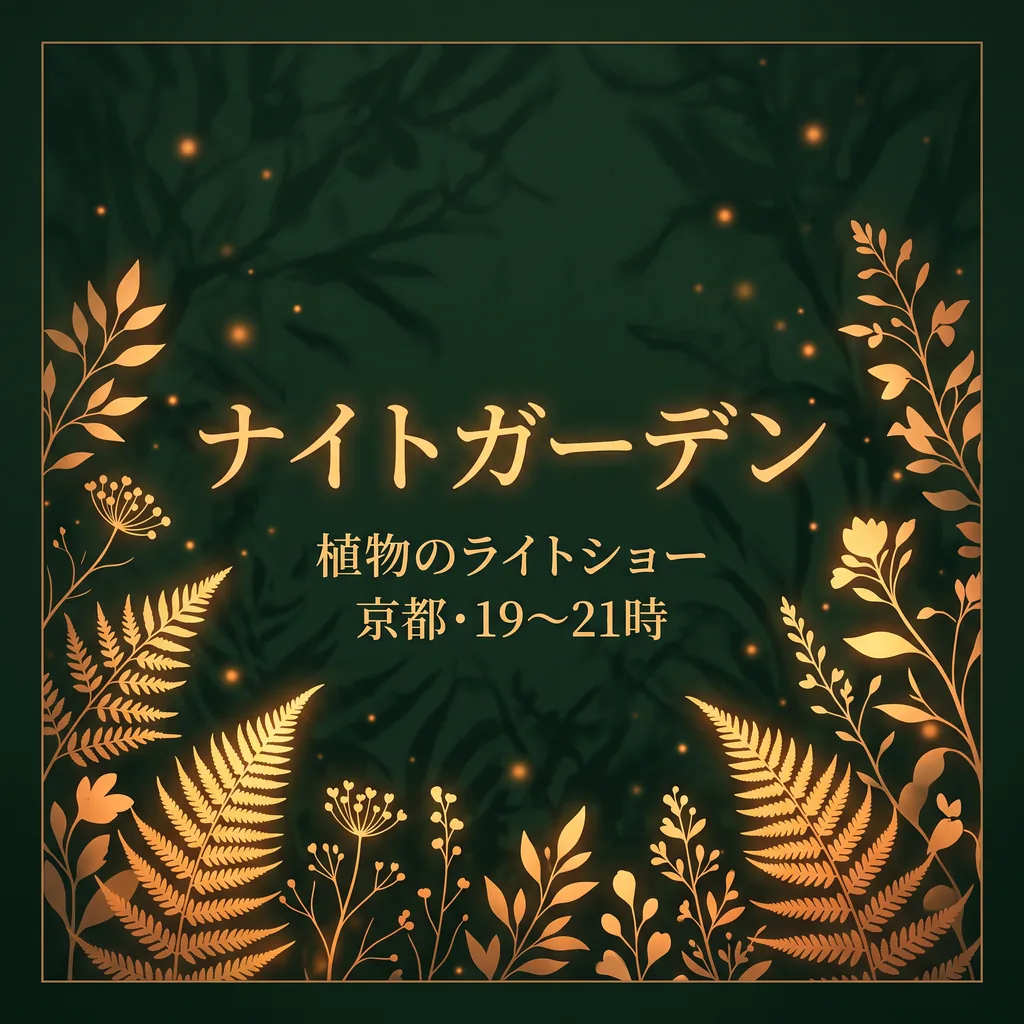
- Posters in other languages. The NIGHT GARDEN poster in Japanese came out right on both models (we had the Japanese checked).
- Instagram posts, stories and banners, in 1:1, 9:16 or wide formats.
Get the text right on your poster
- Quote every line and say where it goes and how large: “the headline "NIGHT TIDE" in a bold condensed sans-serif, then "Live at Harbour Hall" in a lighter weight”.
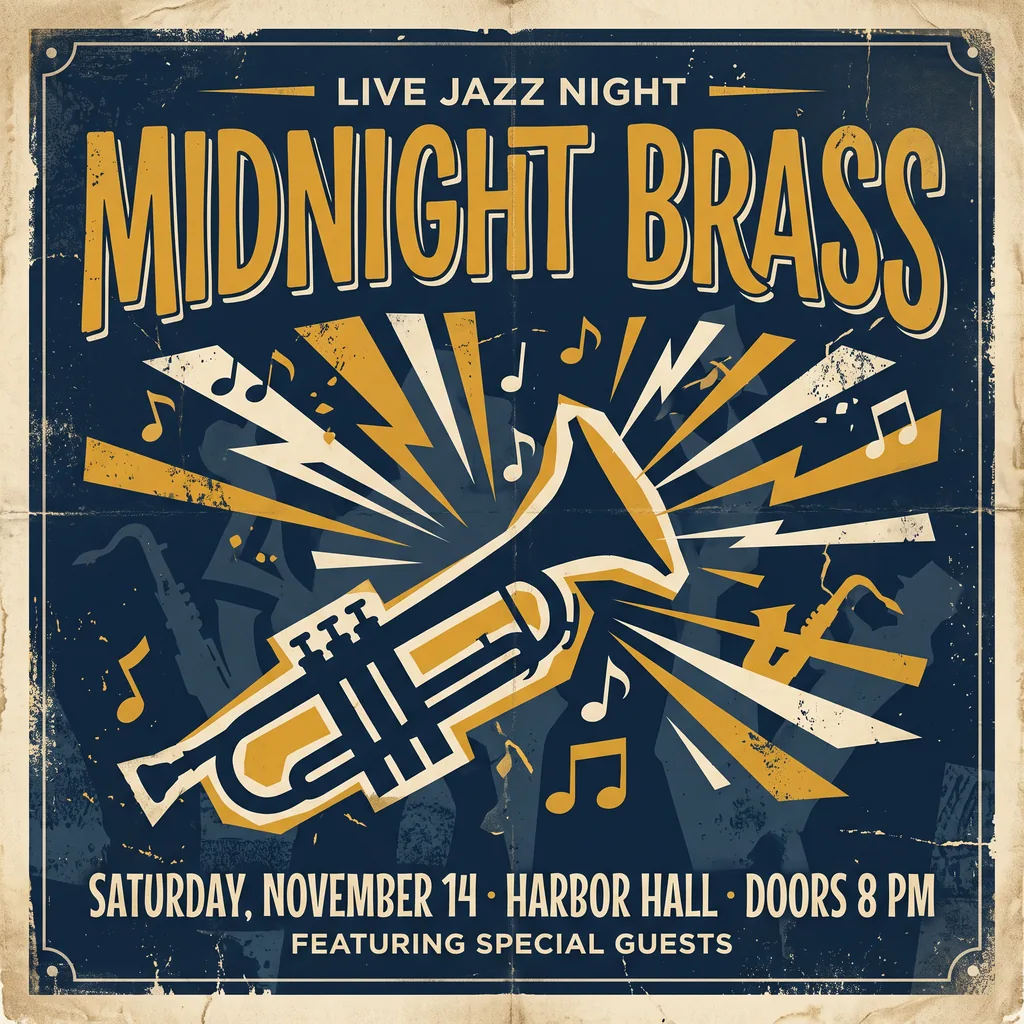
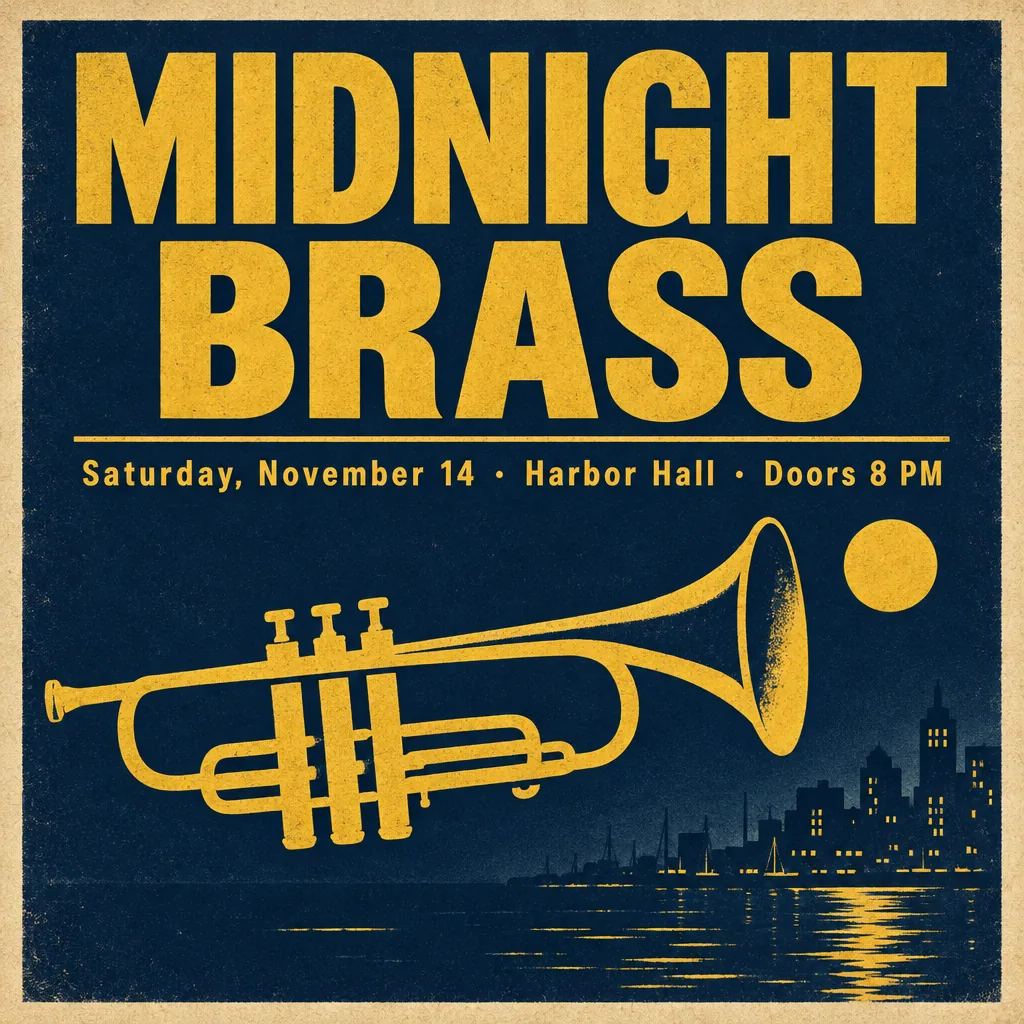
- End with “No other text.” Without it, Nano Banana 2.1 added two lines of its own to the MIDNIGHT BRASS jazz poster (LIVE JAZZ NIGHT, FEATURING SPECIAL GUESTS), in BulkImagen’s test and again in ours, while GPT Image 2.5 used exactly the requested text.
- Keep the copy short: a headline, one line of details, maybe a footer. Set prices, legal lines and long copy in a layout tool, or ask for empty space for them.
- Give small print room: use Nano Banana 2.1 at 2K or 4K (Google says small text can blur at 1K) and GPT Image 2.5 at high quality or above.
- Read every line at full size, especially dates, prices, punctuation and the smallest line. Testers saw a middle dot turned into a bullet, an added full stop and a line switched to capitals.
Make a poster from your photo, product or logo
Switch to Edit, upload up to four images and refer to each by its order: “the product in the first image, the logo in the second”. Say which text goes where, and what must not change. Two cautions from the tests: a logo is redrawn rather than placed, and Nano Banana 2.1 can copy a border or a mark from a reference into the result. When a logo or a face must be exact, generate the poster with space for it and add the real file afterwards.
Posters that don’t look AI-made
“AI posters all look the same” is one of the most common complaints about them. What helps:
- Name a real style (Neo-Swiss, mid-century screen print, risograph, 1970s travel poster) instead of “modern” or “eye-catching”.
- Limit the palette to two or three colours, named.
- Leave space empty. Ask for generous margins or a calm area for the headline.
- List only what must appear. GPT Image 2.5 added a glass carafe to the SLOW MORNINGS poster, in Fuser’s test and in ours, and Sunburst added a village and a sailboat to PORT AVERLY. Say “the dripper stands alone on the counter” when something must not appear.
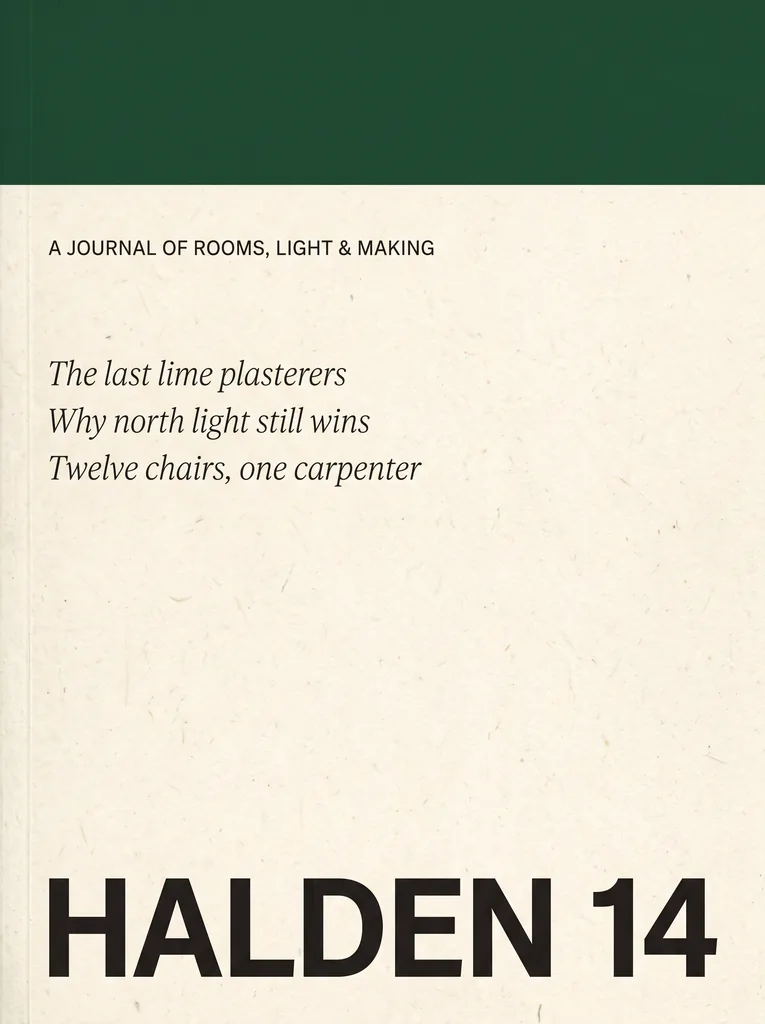
- For Nano Banana 2.1, ask for flat artwork. It drew our NIGHT TIDE poster as a photo of a sheet lying on a surface, as it did in Fuser’s tests. “Shown full-bleed and square-on, not a mockup” got a flat cover in Fuser’s magazine test and in ours (HALDEN 14).
GPT Image 2.5 or Nano Banana 2.1 for posters
From published same-prompt tests (Fuser, CellCog, Felo, Atlas Cloud, BulkImagen, Puter) and our own runs. Each ran a prompt once, so read them as tendencies. The full side-by-side is on Nano Banana 2.1 vs GPT Image 2.5.
- Spelling: a tie. In every published poster test and in our four same-prompt poster pairs (NIGHT TIDE, MIDNIGHT BRASS, NIGHT GARDEN in English and in Japanese), both spelled every requested line, dots and dashes included.
- Keeping to your copy: GPT Image 2.5. On MIDNIGHT BRASS it used exactly the given text while Nano Banana 2.1 added two lines. GPT Image 2.5 can still invent props around the text, like the carafe.
- Flat artwork: GPT Image 2.5 more reliably. Nano Banana 2.1 drew NIGHT TIDE as a sheet on a surface; its other posters here came back flat, and asking for “full-bleed, not a mockup” helps.
- Mood or graphic design. On NIGHT GARDEN, GPT Image 2.5 drew an atmospheric garden scene and Nano Banana 2.1 a flat, graphic frame of leaves, the same split Felo saw.
- Fixing a date: a tie. Both changed the date on NIGHT BLOOMS correctly and kept every other line; both also redrew the rest slightly (about 4% of pixels moved noticeably), so compare with your original.
- Following a layout spec: Nano Banana 2.1. Atlas Cloud’s A2 poster came back as briefed, white space included; CellCog and Felo found its chart bars closer to the data. Check its labels: in our water-cycle diagram it named two stages “Condensation”.
- Printing large: Nano Banana 2.1, up to 4K and in 2:3. GPT Image 2.5 stops at 1280 pixels here.
- A transparent PNG (a sticker or a poster element): GPT Image 2.5 only.
Poster prompts you can copy
Each is word for word from its source; every brand, event and town is invented.
Concert poster (Fuser’s same-prompt test of both models; both spelled every line):
A minimalist screen-printed concert poster on off-white paper. A large deep-blue wave shape fills the top half. Below it, the headline "NIGHT TIDE" in a bold condensed sans-serif, then "Live at Harbour Hall" in a lighter weight, then "Friday 14 November · Doors 8 PM", and at the bottom "harbourhall.com/nighttide" in small type. No other text.
Event poster for a club night (Felo’s GPT Image 2.5 guide):
Design a bold event poster for an electronic music night.
Headline (exact, once): "CITY LIGHTS FESTIVAL"
Subline (exact, once): "SAT 14 NOV · DOCK 9 · 22:00"
Visual: a duotone night skyline in deep indigo and warm amber, grain texture, strong diagonal
composition with the headline sitting in the calm upper third.
Typography: heavy condensed sans-serif, high contrast against the background, generous kerning.
Format: vertical poster, print quality.
Constraints: no extra text, no sponsor logos, no watermarks, no stock-photo people.
Vintage travel poster (Puter’s test of GPT Image 2.5; all text spelled right):
Mid-century modern travel poster for a fictional town, portrait orientation. Top third: the title "PORT AVERLY" in bold condensed sans-serif. Center: a lighthouse on a cliff at sunset in flat screenprint style, limited to teal, cream, coral, mustard, and navy. Bottom: a navy band with cream text reading "Ferry departs daily at 7:15 AM from Pier 4". Lower right: a small circular badge reading "EST. 1952".
Flat magazine cover (Fuser’s test of Nano Banana 2.1; it came back flat, not as a mockup):
Vertical 4:5 flat front cover of an independent quarterly magazine, shown full-bleed and square-on, not a mockup. Uncoated cream paper. A deep bottle-green band across the top fifth. Below it, left-aligned in a clean grotesque sans-serif: the line "A JOURNAL OF ROOMS, LIGHT & MAKING" in small capitals, then three cover lines in a lighter italic: "The last lime plasterers", "Why north light still wins" and "Twelve chairs, one carpenter". At the bottom, the masthead "HALDEN 14" in very large heavy black type. No other text, no barcode.
Coffee shop print poster (Fuser’s GPT Image 2.5 guide; both lines spelled and placed as asked):
Use: a print poster for a neighbourhood coffee roaster.
Scene: a single white ceramic pour-over dripper on a pale oak counter, soft morning window light from the left, a thin curl of steam.
Text (exact, verbatim, each line appears once): headline "SLOW MORNINGS" in a bold condensed sans-serif across the top third; below the dripper, smaller "Kestrel Coffee Roasters · Open 7am" in a light serif.
Style: photorealistic product photography, muted warm palette, generous negative space above the dripper.
Constraints: no extra text, no logos, no watermark.
Fix a date on a finished poster (Fuser’s edit test; upload the poster first; both models got it right in our run):
Change the date line "Friday, October 17" so it reads "Saturday, October 18". Keep everything else exactly as it is.
How to make a poster with AI in 3 steps
- Write the copy first: the exact lines, in quotes, with where each goes. Pick the shape: 3:4 or 2:3 for print, 1:1 for a feed, 9:16 for a story.
- Generate, or switch to Edit to start from your photo, product or logo.
- Check every line at full size, fix one wrong word with an edit, and download. A failed generation costs nothing.
Where posters still slip
- Added words. A slogan, a band name or a label nobody asked for, more often on Nano Banana 2.1.
- The smallest line. Fine print is where letters blur or swap.
- Punctuation and capitals. Middle dots, dashes and full stops change; a line comes back in capitals.
- Fonts. Nano Banana 2.1 sometimes sets a serif when you asked for a sans-serif.
- Mockups. Nano Banana 2.1 may show the poster as a photo of a sheet.
- Other languages. Writing a poster in Japanese from a Japanese prompt worked on both models; translating the text of an existing image is less reliable (our Spanish test got the grammar wrong). Have a native speaker read it.
- Real names. Film posters, franchise characters, logos and real people can be refused.
Questions
Updated 2026-10-27
Can AI make a poster with the exact text I type?
Usually, for short copy. Put each line in quotation marks, say where it goes, and end with “No other text”. In every published same-prompt poster test, and in our own, both models spelled every requested line. They draw letters as pixels, so read every line at full size before you print.
Why does AI misspell words on posters, and how do I fix a typo?
Image models draw text as shapes and put most of their detail into the biggest words, so headlines come out right while the smallest line and unusual names are where mistakes appear. To fix one word, upload the poster and ask to change only that line. In our test both models changed a date correctly, but the rest of the poster is redrawn, not copied (about 4% of pixels moved noticeably), so compare it with your original.
Can I make a poster with my own photo, product or logo?
Yes. Switch to Edit and upload up to four images, then say which is which (“the product in the first image, the logo in the second”) and what the poster should say. A logo or a face is redrawn, not pasted, so for an exact logo, make the poster with empty space and place the real file in your design tool.
What size can I print an AI poster at?
The pixels decide, not a “300 DPI” label. Nano Banana 2.1 at 4K in 2:3 returns 3392 × 5056 pixels, sharp up to about 11 × 17 inches. GPT Image 2.5 returns at most 1280 pixels on the long side, which suits screens, social posts and small flyers. The table above lists every size.
Which aspect ratio should I pick for print?
3:4 matches 18 × 24 inches and is close to US Letter; 2:3 (Nano Banana 2.1 only) matches 12 × 18 and 24 × 36 inches. A4 and A3 sit between the two, so leave a small border or crop a little. For an Instagram post use 1:1, for stories and phone screens 9:16.
GPT Image 2.5 or Nano Banana 2.1 for posters?
GPT Image 2.5 for screen and social posters and when the copy must stay exactly as written: it added fewer words of its own and returned flat artwork more often. Nano Banana 2.1 for posters you will print large (up to 4K, 2:3) and for layouts that follow a written spec closely, but tell it “flat, full-bleed, not a mockup” and check its labels.
Can ChatGPT or Gemini make a poster? How is this different?
They use the same model families: GPT Image 2.5 is OpenAI’s current image model, and Nano Banana 2.1 is the one Gemini gives paid Google AI plans. Here you pick the model, the quality and the shape, see the price before each poster, and pay per poster instead of a monthly plan.
How do I make an AI poster that doesn’t look AI-made?
Name a real design style (Swiss, mid-century screen print, risograph), give two or three colours, ask for empty space, and list only what must appear. The model draws something for every word you give it, so leaving out filler leaves out clutter.
Can I make flyers, Instagram posts and banners too?
Yes. A flyer is a poster in 3:4 or 9:16; an Instagram post is 1:1; Nano Banana 2.1 also makes wide 16:9, 21:9 and 4:1 banners. The same rules apply: quote the text and keep it short.
Can I use AI posters for my business or sell them?
Our terms allow commercial use. Don’t copy brands, film posters, characters or real people, which can also be refused. In the US, the Copyright Office says images made purely by AI can’t be copyrighted (January 2025), so others may reuse a poster you didn’t change by hand.
Is there a subscription, and what does one poster cost?
There is no subscription. Buy a credit pack once and spend it on either model; credits never expire. The button shows the price before you generate, and a failed generation is refunded automatically.
Is there a watermark?
zzo.ai adds no visible watermark. Both models embed Google’s invisible SynthID watermark, and GPT Image 2.5 can also carry C2PA metadata, so some platforms label the poster as AI-made.