Seedance 2.5 on zzo.ai costs 300 credits ($3.00) for a 5-second 720p clip with audio. No subscription: buy credits once and they never expire.
Seedance 2.5 is ByteDance’s video model with native sound: dialogue, ambience and music are generated together with the picture, and it can follow up to nine reference images for characters, products or style.
4–15 s clips
Up to 1080p
Sound on or off
Prompt from this video. Edit it or write your own.
Made with Seedance 2.5
Each one shows the prompt, model and what it costs here. Pick one to start from it.
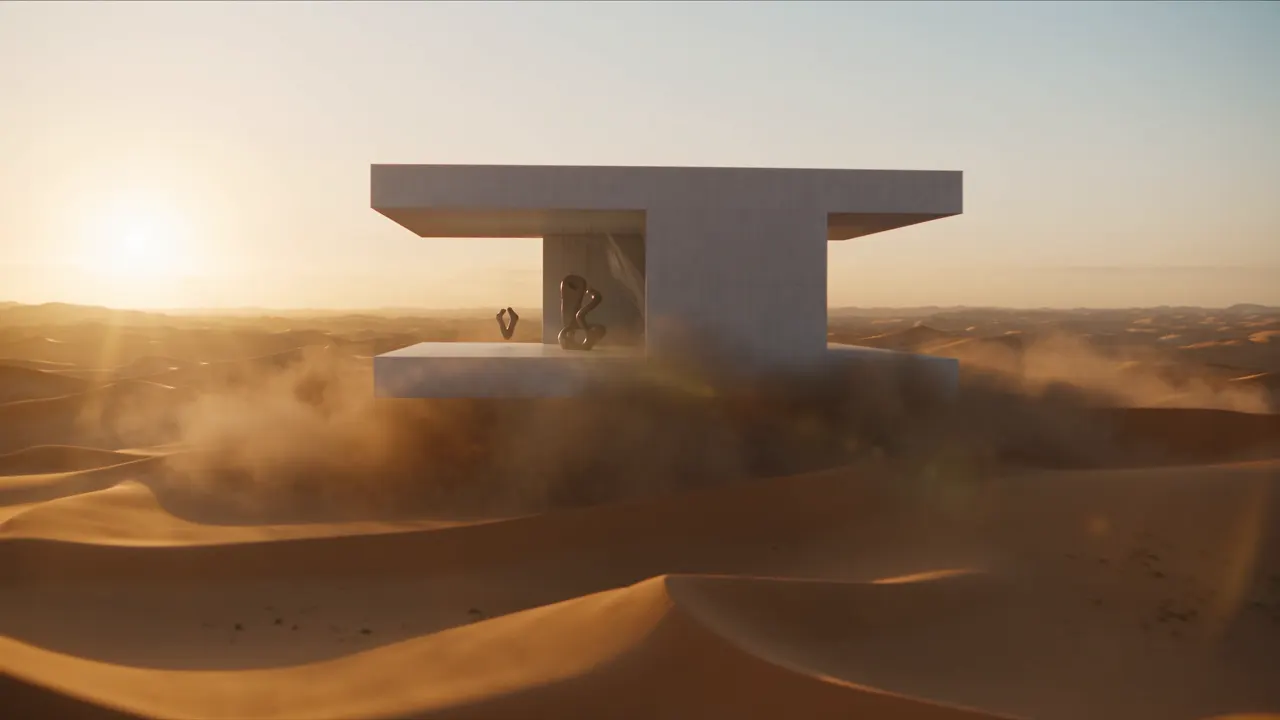
“Cinematic quality, high-end feel, a golden desert at dawn, a minimalist white art-museum building floating above the dunes, the building's surface carrying fine stone texture and soft reflections. Sunlight passes through the airborne sand to form volumetric light, with distinct layers of distant dunes. The camera starts on an ultra-wide desert panorama, slowly pushing forward, passing through the flying sand grains, into the interior of the floating building. Inside there are suspended sculptures, semi-transparent silk installations, and a character in a white robe, the fabric swaying naturally in the wind. The camera makes a smooth orbiting move around the character, and finally the building walls slowly open to reveal the vast sky and desert. High-end art-advertising style, realistic lighting, refined materials, cinematic composition, elegant motion, surreal yet believable.”Seedance 2.5, 15 s, sound, 890 credits, made on Dreamina
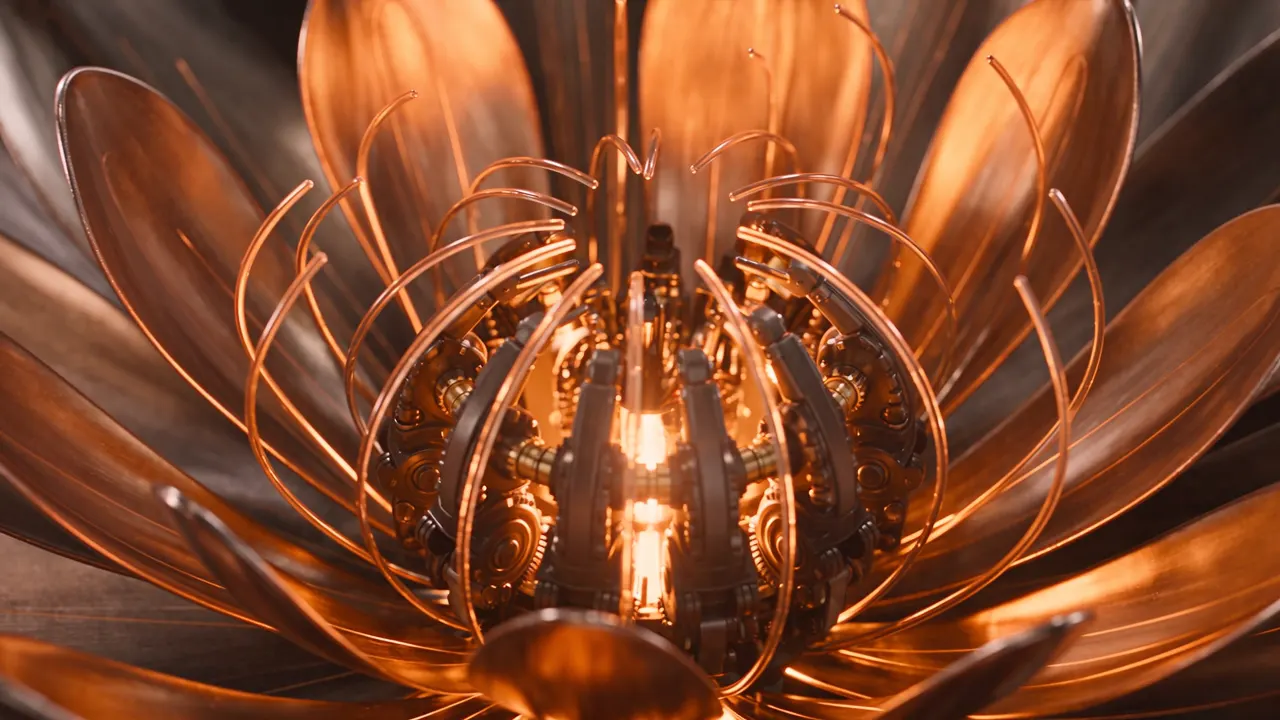
“The theme is "mechanical flower bloom". The image needs to highlight the generative video model's strengths in lighting and shadow, art detail, realism, camera movement, and cinematic character feel. The overall style is a high-end tech-brand ad with strong visual impact. The video uses a single-take macro push-in shot, starting from a metal flower bud in darkness, gradually entering the precision mechanical structure inside the petals, and finally climaxing on the image of the mechanical flower fully blooming with light radiating outward. It requires realistic physical lighting, refined metal and glass materials, delicate mechanical motion, stable composition, cinematic color grading, no subtitles.”Seedance 2.5, 15 s, sound, 890 credits, made on Dreamina
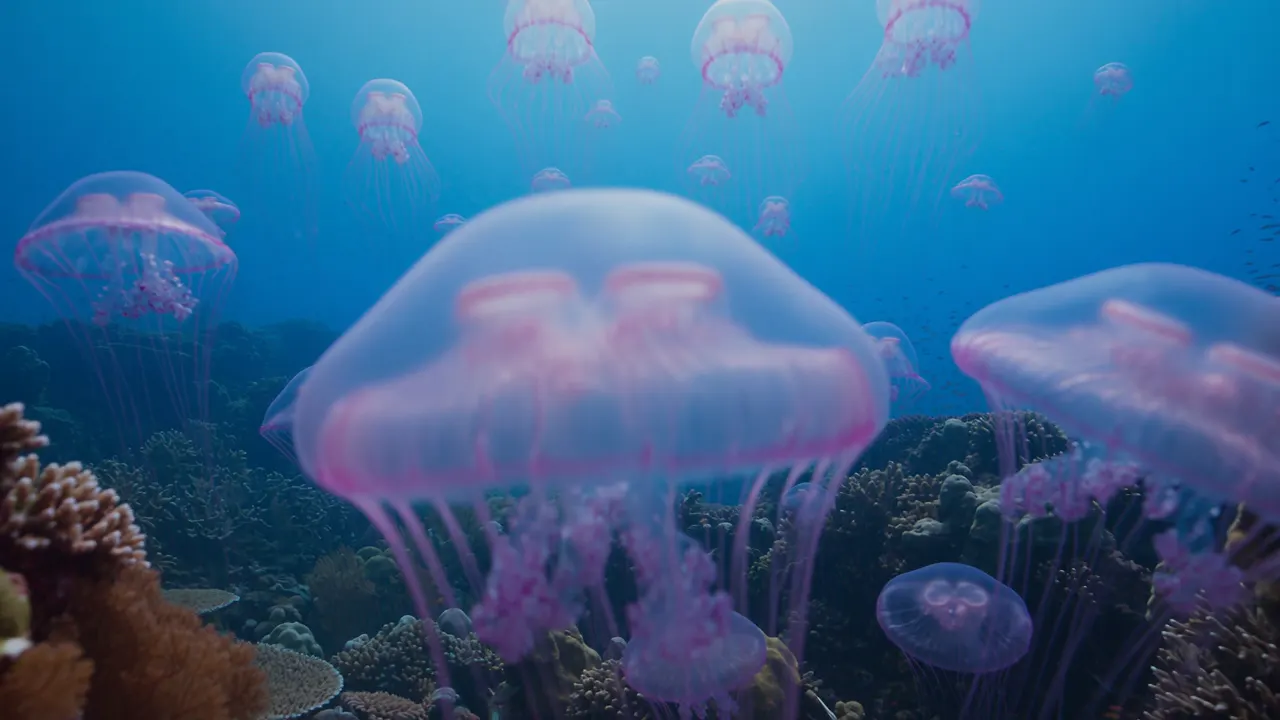
“A deep-sea coral-reef scene, a blue-toned tropical underwater world with large expanses of healthy, thriving colorful living coral, including branching coral, brain coral, plate coral, and soft sea-fan coral, with large schools of tropical fish weaving naturally among them. The foreground is crisp and vivid; the distance gradually turns bluer and grayer with reduced contrast. Natural light from above is filtered through the seawater into soft volumetric light, with fine suspended particles and a gentle sense of flow in the water, the soft corals swaying lightly and the fish schools moving smoothly and in coordination. Add a group of semi-transparent pale-lavender glowing jellyfish slowly appearing, 8-12 of them, in varying sizes. Their bell bodies carry a soft bioluminescent effect, tentacles drifting gently with the current, the tentacle tips bearing faint purple light points. The jellyfish are proportioned harmoniously with the corals and fish, the glow soft and not harsh, forming dreamy light spots against the dark seawater background. The jellyfish swarm's movement path is natural, rising in a slow ascending spiral, with some jellyfish swimming past in front of the lens to produce a slight lens-flare effect. Maintain the underwater blue-toned lighting, the jellyfish glow coexisting harmoniously with the faint reflections of the surrounding coral.”Seedance 2.5, 10 s, sound, 595 credits, made on Dreamina
“Live-action style, fast editing, cinematic, 4K, 24fps, warm natural light, real human performance, natural lip-sync, no subtitles. The passing of a single flower serves as the core visual thread for the whole video, the flower passing quickly from one country to the next, linking different regions and people around the globe. In each scene, a character receives the flower, shows a sincere smile, and says "thank you" in their local language. The overall pacing is light and fluid, the camera full of motion, emphasizing a real street/life vibe, warm cross-cultural connection, and the passing of goodwill between people.”Seedance 2.5, 15 s, sound, 890 credits, made on Dreamina
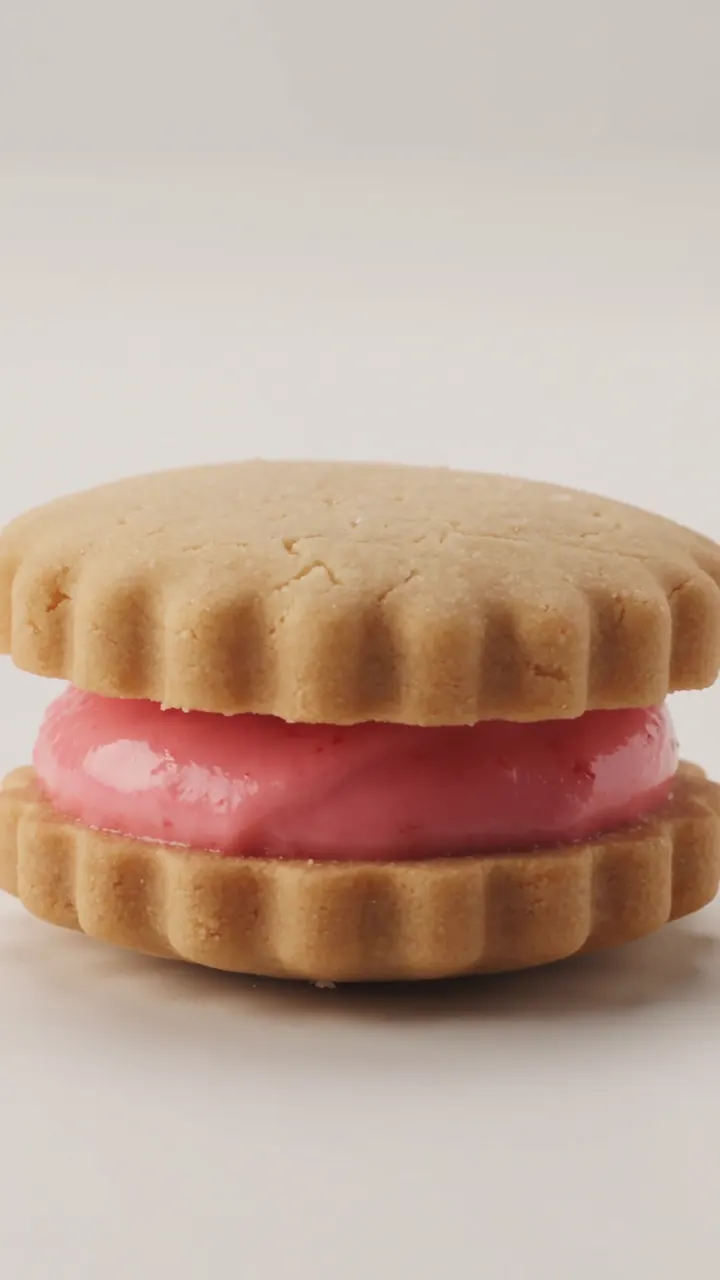
“A strawberry sandwich cookie slowly completes one full rotation while the camera moves smoothly around it and keeps the product centered.”Seedance 2.5, 6 s, sound, 360 credits, made on Dreamina
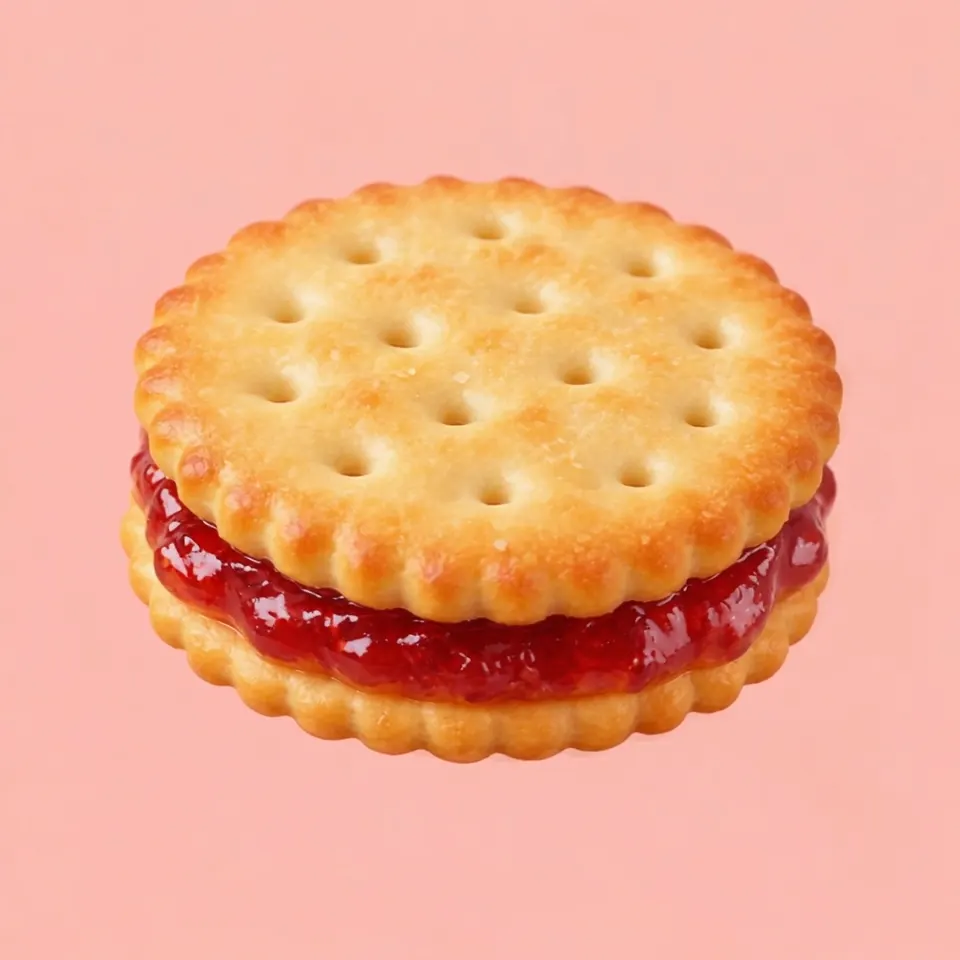
“A strawberry sandwich cookie slowly completes one full rotation while the camera moves smoothly around it and keeps the product centered.”Seedance 2.5, photo to video, 5 s, sound, 300 credits, made on Dreamina, input image made with GPT Image 2
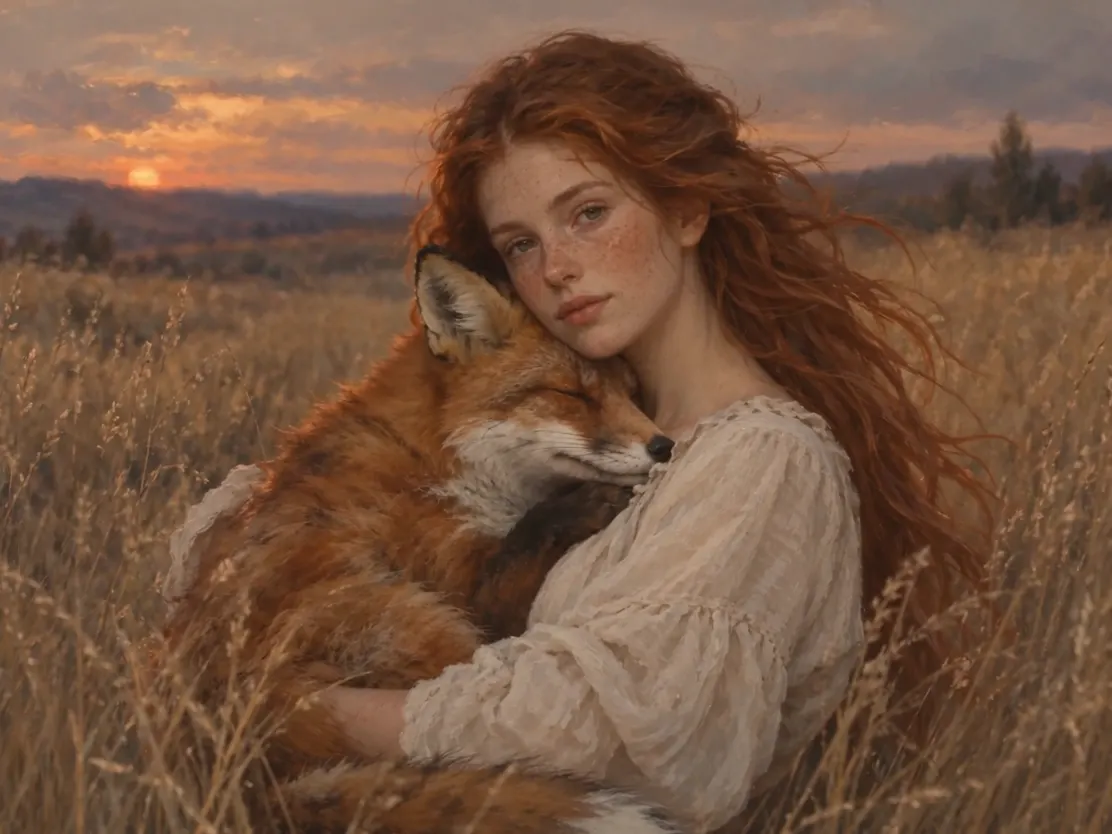
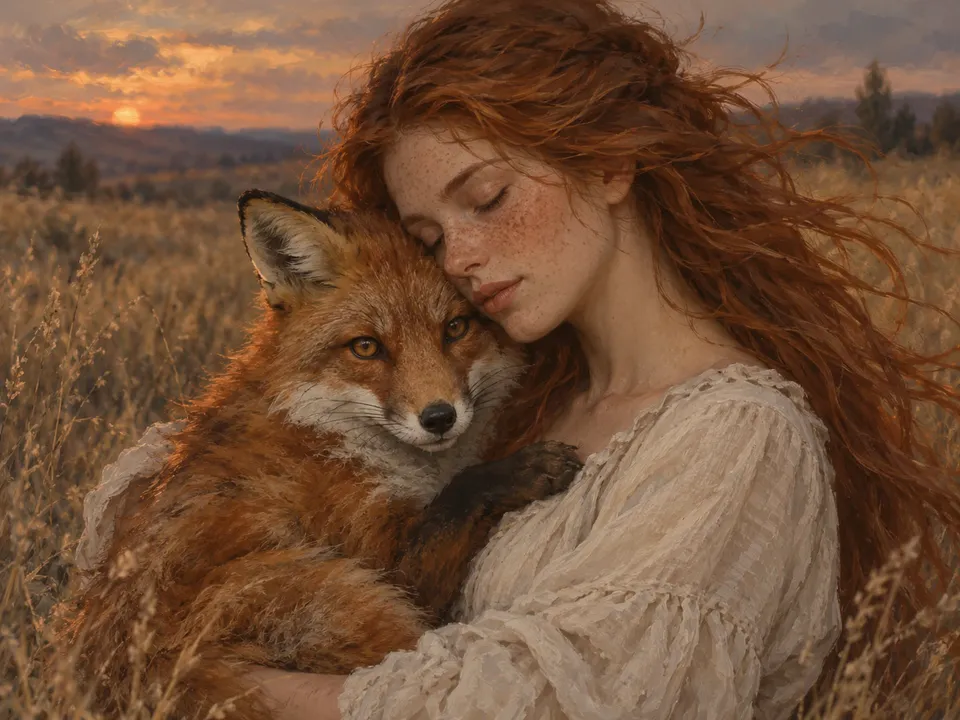
“A girl holds a fox. She opens her eyes and looks gently at the camera while the fox hugs her. The camera slowly pulls back, the wind blows through the girl's hair, and the sound of the wind can be heard.”Seedance 2.5, photo to video, 5 s, sound, 300 credits, made on Dreamina, input image made with GPT Image 2
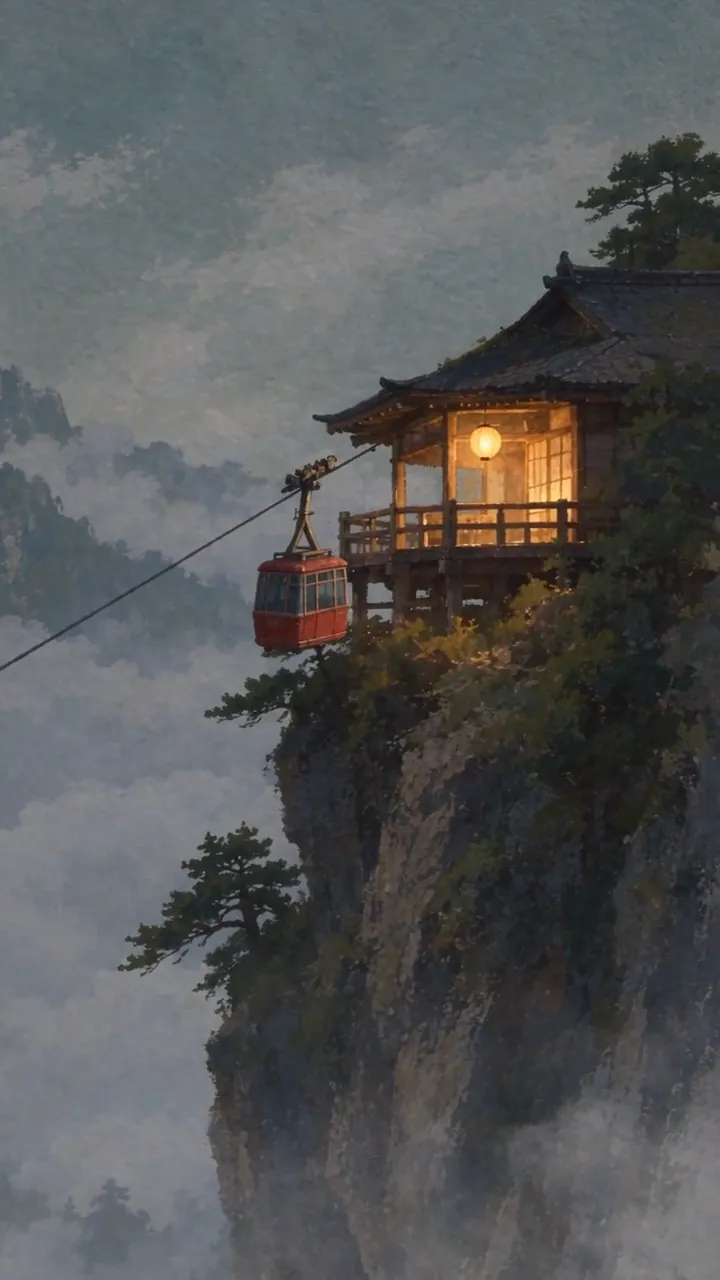
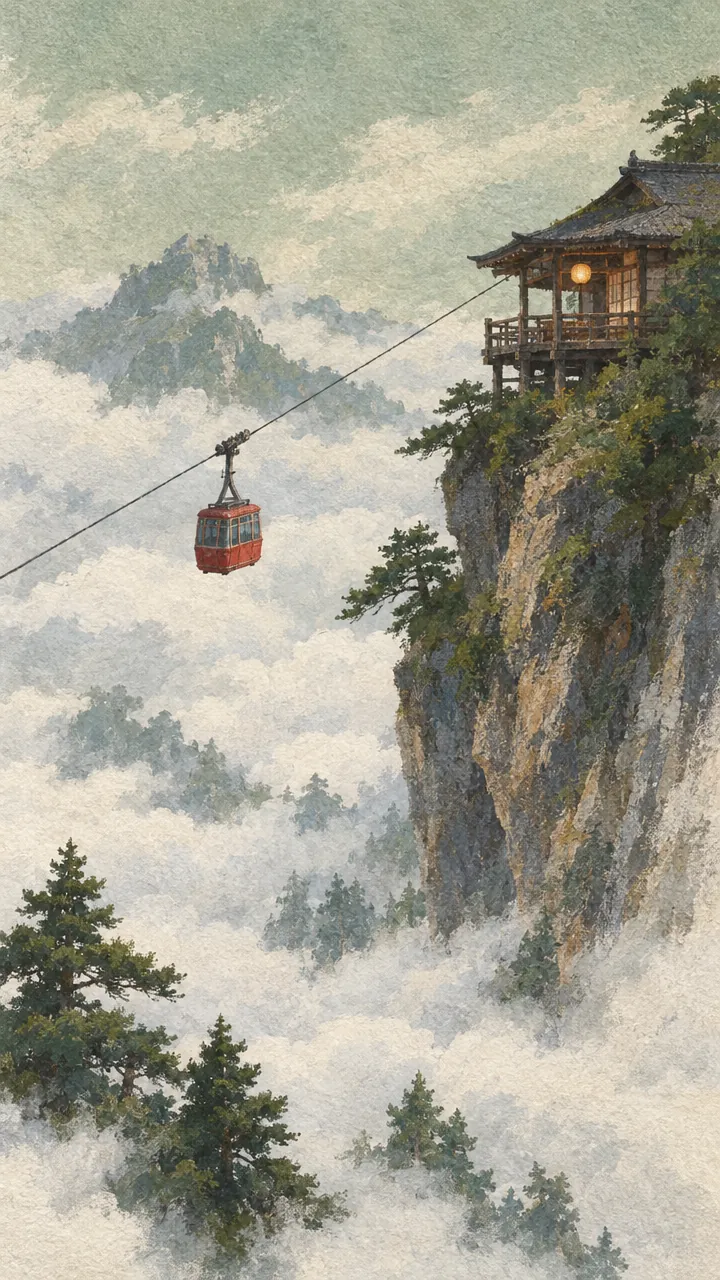
“The cable car sways and climbs slowly toward the top of frame. Cloud crosses the span from the right and hides the car completely for about a second, then the car comes back out on the same line, at the same speed, with the same sway. The lantern on the balcony swings and its light warms as the ambient light drops. The camera tilts up a few degrees to follow the climb. Every frame stays a gouache painting on rough paper: hold the brush texture, the dry-brush rock edges and the paper grain, and never let the image resolve toward photography. Audio: wind across the cable, the steel cable ticking through the sheave, one distant bell from the teahouse. No music.”Seedance 2.5, photo to video, 10 s, sound, 595 credits, made on Dreamina, input image made with GPT Image 2.5
What you can make with Seedance 2.5
Each one comes with the settings and the prompt we would start from, and what it costs. Use it as is or edit it.
made on Dreamina
A cinematic one-take shot
One continuous 15-second shot: from a desert panorama, through blowing sand, into a floating white building, around a figure in a robe, until the walls open onto the sky. The light, the sand and the cloth in the wind stay consistent the whole way, with no cuts.
Text to video
720p
15 s
sound
16:9
“Cinematic quality, high-end feel, a golden desert at dawn, a minimalist white art-museum building floating above the dunes, the building's surface carrying fine stone texture and soft reflections. Sunlight passes through the airborne sand to form volumetric light, with distinct layers of distant dunes. The camera starts on an ultra-wide desert panorama, slowly pushing forward, passing through the flying sand grains, into the interior of the floating building. Inside there are suspended sculptures, semi-transparent silk installations, and a character in a white robe, the fabric swaying naturally in the wind. The camera makes a smooth orbiting move around the character, and finally the building walls slowly open to reveal the vast sky and desert. High-end art-advertising style, realistic lighting, refined materials, cinematic composition, elegant motion, surreal yet believable.”
Tip: Write the camera path in order (“starts on…, slowly pushing forward…, finally…”) and give each stage one move; ByteDance’s guide warns that stacking several moves at once makes the shot unstable.
890 credits
made on Dreamina
A high-end product-style ad
Light on metal and glass is where it is strongest. The prompt names the style (a tech-brand ad), the shot (a single macro push-in) and the materials, and the clip follows it from a dark bud into the gears until the flower opens with light.
Text to video
720p
15 s
sound
16:9
“The theme is "mechanical flower bloom". The image needs to highlight the generative video model's strengths in lighting and shadow, art detail, realism, camera movement, and cinematic character feel. The overall style is a high-end tech-brand ad with strong visual impact. The video uses a single-take macro push-in shot, starting from a metal flower bud in darkness, gradually entering the precision mechanical structure inside the petals, and finally climaxing on the image of the mechanical flower fully blooming with light radiating outward. It requires realistic physical lighting, refined metal and glass materials, delicate mechanical motion, stable composition, cinematic color grading, no subtitles.”
Tip: For your own product, switch to Reference to video and upload clean photos of it as @Image1, then keep the same structure: style, one shot, materials, “no subtitles”.
890 credits
made on Dreamina
A nature scene with its own sound
A dense, layered scene of coral, fish and glowing jellyfish in light through the water, with the underwater sound generated in the same pass. It follows the look closely but not the numbers: the prompt asks for 8 to 12 jellyfish, and the clip has dozens.
Text to video
720p
10 s
sound
16:9
“A deep-sea coral-reef scene, a blue-toned tropical underwater world with large expanses of healthy, thriving colorful living coral, including branching coral, brain coral, plate coral, and soft sea-fan coral, with large schools of tropical fish weaving naturally among them. The foreground is crisp and vivid; the distance gradually turns bluer and grayer with reduced contrast. Natural light from above is filtered through the seawater into soft volumetric light, with fine suspended particles and a gentle sense of flow in the water, the soft corals swaying lightly and the fish schools moving smoothly and in coordination. Add a group of semi-transparent pale-lavender glowing jellyfish slowly appearing, 8-12 of them, in varying sizes. Their bell bodies carry a soft bioluminescent effect, tentacles drifting gently with the current, the tentacle tips bearing faint purple light points. The jellyfish are proportioned harmoniously with the corals and fish, the glow soft and not harsh, forming dreamy light spots against the dark seawater background. The jellyfish swarm's movement path is natural, rising in a slow ascending spiral, with some jellyfish swimming past in front of the lens to produce a slight lens-flare effect. Maintain the underwater blue-toned lighting, the jellyfish glow coexisting harmoniously with the faint reflections of the surrounding coral.”
Tip: Don’t count on exact numbers. ByteDance also notes that sound described as water, waves or echoes can pick up bubbling or echo noise, so listen before you pay for 1080p.
595 credits
made on Dreamina
Several languages in one clip
From one paragraph it cuts between four places, a neon city street, a spice market, a square under palm trees and a café on a stone square, and in each a different person receives the flower and says “thank you” in their own language, lip-synced, with the voices generated with the picture.
Text to video
720p
15 s
sound
16:9
“Live-action style, fast editing, cinematic, 4K, 24fps, warm natural light, real human performance, natural lip-sync, no subtitles. The passing of a single flower serves as the core visual thread for the whole video, the flower passing quickly from one country to the next, linking different regions and people around the globe. In each scene, a character receives the flower, shows a sincere smile, and says "thank you" in their local language. The overall pacing is light and fluid, the camera full of motion, emphasizing a real street/life vibe, warm cross-cultural connection, and the passing of goodwill between people.”
Tip: To control the exact words, write each line as Dialogue (speaker, emotion): “line”, name the language, and end with “No subtitles”.
890 credits
made on Dreamina
Vertical clips for Reels, TikTok and Shorts
In 9:16 it renders a true vertical frame (720×1280 at 720p), not a crop of a wide one, and adds the sound. This six-second product turn comes from a one-sentence prompt in ByteDance’s own tutorial.
Text to video
720p
6 s
sound
9:16
“A strawberry sandwich cookie slowly completes one full rotation while the camera moves smoothly around it and keeps the product centered.”
Tip: Keep the subject in the middle of the frame, where captions and app buttons won’t cover it. With a photo of your own product, use Image to video and the same sentence.
360 credits
made on Dreamina, input image made with GPT Image 2
Your product photo, turning
The same one-sentence prompt as the vertical cookie above, now with a product image as the first frame. Text alone gave a different cookie; with the image, the shape, holes and jam stay exactly as in the photo while it turns.
Image to video
720p
5 s
sound
1:1
“A strawberry sandwich cookie slowly completes one full rotation while the camera moves smoothly around it and keeps the product centered.”
Tip: The clip takes the shape of your image (square here). ByteDance’s guide suggests an input no larger than the output (720p), since sharper inputs can add fingerprint-like texture on dense surfaces. Photos of real people are refused.
300 credits
made on Dreamina, input image made with GPT Image 2
Bring an illustration to life
The first frame is a painting. The clip keeps the brushwork while she opens her eyes and looks at the camera, the fox nuzzles in and the camera slowly pulls back, with the wind on the soundtrack. The prompt is word for word from ByteDance’s tutorial.
Image to video
720p
5 s
sound
4:3
“A girl holds a fox. She opens her eyes and looks gently at the camera while the fox hugs her. The camera slowly pulls back, the wind blows through the girl's hair, and the sound of the wind can be heard.”
Tip: Give it one action and one camera move. ByteDance’s guide notes that stacking several camera moves in one shot makes it unstable.
300 credits
What sets Seedance 2.5 apart
Sound generated with the picture
Seedance 2.5 creates dialogue, effects, ambience and music in the same pass as the video, so footsteps, a door closing or a spoken line line up with what happens on screen. Speech can be in more than ten languages.
How to use it: Leave Audio on and write the sound into the prompt: “café chatter”, “Dialogue (man, quietly): “We’re late.””, “an upbeat synth beat”. To hold back parts of it, say so plainly: “No BGM; only ambient and action sounds.” If you will add your own music, switch Audio off.
Same price: 300 credits (720p, 5 s)
Reference to video
Give it images of a character, product, place or style and it keeps them consistent in a new scene. This is what makes a series of clips look like one campaign or one story. Seedance 2.5 also accepts several angles of the same subject, which 2.0 did not recommend.
How to use it: Choose Reference to video and upload up to nine images (zzo.ai’s limit). Images are numbered in upload order (@Image1, @Image2 …), so bind each one in the prompt: “the knight in @Image1”, “use @Image2 for the lighting”. One to eight subjects give the steadiest results.
Direct it second by second
Seedance 2.5 follows integer-second timestamps, so you can say what happens when. Seedance 2.0 only followed “Shot 1, Shot 2” numbering.
How to use it: Start with one sentence (subject, place, event, style, camera), then the timeline in continuous ranges such as “0-3s … 3-7s … 7-10s”, then anything that stays the same throughout: camera angle, setting, sound, mood. Timestamps aren’t for fast repeats like “nods three times a second”.
What Seedance 2.5 is good at, and where it struggles
Good at
Audio and picture come out together, so lip movement, footsteps and ambience line up without a separate sound pass.
Follows detailed, timed prompts: camera moves, actions and dialogue can be placed second by second.
Reference-to-video keeps a character, outfit or product consistent across shots.
Realistic lighting, performance and camera movement; ByteDance positions 2.5 as closer to live-action footage than 2.0.
Limits
Photos of real people are refused as image input (the upstream blocks real human faces). Illustrated or AI-generated characters work.
Clips here run 4 to 15 seconds; longer scenes need several clips joined in an editor.
Small on-screen text (signs, labels) is often misspelled.
1080p costs about 2.5 times as much as 720p, so draft at 480p or 720p first.
A good first result with Seedance 2.5, step by step
Draft cheap, finish high. Each step shows its settings and cost.
1
Draft the idea at 480p
Run the prompt a few times at the lowest resolution to find the take, the motion and the sound you want. Change one thing at a time.
480p
5 s
sound
16:9
3 runs × 140 = 420 credits
2
Check it at 720p
Rerun the best prompt at 720p. Most social clips can stop here.
720p
5 s
sound
16:9
300 credits
3
Render the final at 1080p
For client work or large screens, render the keeper at 1080p and the length you need.
1080p
8 s
sound
16:9
1,185 credits
About 1,905 credits ($19.05 at the standard rate) for the whole job. Failed runs are refunded, so they don’t count.
Settings, explained
What each option does and what it does to the price.
Modes
Text to video starts from your words. Image to video uses your image as the first frame and takes its aspect ratio. Reference to video uses up to nine images to keep a character, product, place or style consistent.
Same price: 300 credits (720p, 5 s)
Resolution
480p is for drafts, 720p for most social posts, 1080p for finals and large screens. Price rises steeply with resolution, so settle the idea first. Reference images larger than the output resolution can leave fingerprint-like texture in grass or foliage; resize them to the output size.
480p: 140 · 720p: 300 · 1080p: 740 credits (5 s)
Clip length
Clips run 4 to 15 seconds here; the model itself goes to 30. Price scales with length. Plan the time with timestamps: too little in a range and the model improvises, too much and it adds cuts or drops part of the plot.
4 s: 240 · 5 s: 300 · 15 s: 890 credits (720p)
Audio
On by default. Switch it off when you will add your own music or voice-over.
Same price: 300 credits (720p, 5 s)
Aspect ratios
16:9 for YouTube and the web, 9:16 for Reels, TikTok and Shorts, 1:1 and 3:4 for feeds, 21:9 for cinematic wides. Image to video ignores this and follows the shape of your image.
16:9, 9:16, 1:1, 4:3, 3:4, 21:9 · no price difference
Seedance 2.5 specs
Updated 2026-10-26
Developer
ByteDance
Type
Video
Modes
Text to video, Image to video, Reference to video
Clip length
4–15s
Resolution
480p, 720p, 1080p
Audio
Optional (on/off)
Aspect ratios
16:9, 9:16, 1:1, 4:3, 3:4, 21:9
Commercial use
Allowed, under our terms
Failed generations
Credits refunded automatically
Starts at
115 ($1.15)
Seedance 2.5 price per generation
Credits are charged only when a generation starts, and refunded if it fails. The cheapest option is 115 credits.
ByteDance’s own guide for Seedance 2.5 recommends writing the prompt in three parts:
One sentence that sums it up: subject, place, event, style and camera. “Realistic nature documentary: on a warm afternoon, a panda cub rolls down a grassy forest slope, low-angle handheld shot.”
The plot, as a timeline or as shots. Use continuous ranges (“0-3s … 3-8s …”) or “Shot 1, Shot 2”, and give each part its visuals, camera move, action, dialogue and sound.
What stays the same throughout: camera angle, setting, sound, atmosphere.
More from the guide:
Say what you want, not what you don’t. Negative instructions are meant for subtitles and audio only: “No subtitles”, “No BGM”.
Use plain camera terms: shot size (wide, medium, close-up), movement (push in, pull out, pan, track, orbit, tilt, handheld) and angle (low angle, overhead, first person). Explain anything niche: “rack focus: the foreground trees blur as the character behind them comes into focus”.
Describe actions in general terms (“trades a few quick blows”) and save detail for one or two moments that matter.
With references, trust them. If an image already shows the product or character, say “keep it exactly as in @Image1” instead of describing it again.
When a result goes wrong
The usual problems with Seedance 2.5, why they happen and what to change.
The image is refused: it may contain a real person
Why: Seedance 2.5 doesn’t accept uploaded images that contain real human faces; the check happens upstream.
Fix: Use an illustrated or AI-generated character, or describe the person in a text-to-video prompt. The credits for the refused run come back automatically.
Subtitles appear even though you asked for none
Why: Repeating a line’s words, or tying tone and actions to single words, can trigger subtitles. ByteDance says this is rarer than on 2.0 but can still happen.
Fix: Write lines as Dialogue (speaker, emotion): “line”, end the prompt with “No subtitles”, and make sure reference images carry no captions.
Background music plays despite “No BGM”
Why: The model can render some sound effects as music.
Fix: Say that only voices and natural ambience should play, list the words to exclude (music, BGM, score, instrumental, melody) and repeat the rule at the start and end of the prompt. Or switch Audio off and add sound yourself.
Bubbling, echo or faint whistling in the audio
Why: Sound instructions about water, waves or echoes make these artifacts more likely.
Fix: Take water, waves and echoes out of the prompt, or generate the clip silent and add the sound in an editor.
Words on signs or labels are misspelled
Why: On-screen text is a weak spot: letters get swapped, added or dropped.
Fix: Spell the word letter by letter and ask for the letters to appear in order, or upload the exact text as an image and refer to it (“the logo in @Image2”).
A character takes the wrong look or voice
Why: With several references, the model can pair a character with the wrong image.
Fix: Upload the images in the order the characters first appear, and number them in the prompt to match: “@Image1 is the knight, @Image2 is the princess”.
Glowing eyes after an emotional prompt
Why: Strong emotional words (“fanatical”, “extremely shocked”) can make pupils glow.
Fix: Use calmer wording such as “amazed”, and add “normal human eyes, no glowing eyes”.
A JPG upload fails with a decoding error
Why: Some JPGs use a non-standard colour format the model can’t read, even though they open fine elsewhere.
Fix: Save the image as PNG and upload it again.
The run failed or timed out
Why: The upstream provider returned an error or took too long.
Fix: Nothing is charged: the credits return to your balance. Try again, or try a lower resolution.
Seedance 2.5 vs Seedance 2.0
Seedance 2.5 builds on Seedance 2.0 rather than replacing it, according to ByteDance: longer clips, richer references and more control, aimed at production work. It also looks different: the same prompt and image can produce a visibly different style on 2.5, so don’t mix the two in one project without checking.
Up to 30 seconds per generation, against 15 on 2.0. zzo.ai currently offers 4 to 15 seconds.
More references per request than 2.0, including reference videos and audio as well as images. zzo.ai currently accepts up to nine images.
Integer-second timestamps in the prompt; 2.0 only followed shot numbers.
Several angles of the same subject work as references; 2.0 advised against it.
Native speech in more than ten languages.
Video editing and extension (change, add or remove parts of a clip, continue it forward or backward). zzo.ai doesn’t offer these modes yet.
Seedance 2.5 on zzo.ai costs 300 credits ($3.00) for a 5-second 720p clip with audio. No subscription: buy credits once and they never expire. Depending on resolution and length, a generation costs 115 to 2,220 credits ($1.15 to $22.20 at the standard rate). As low as $1.05 with the $199.99 pack. Failed generations are refunded automatically.
Do I need a subscription to use Seedance 2.5?
No. zzo.ai has no subscription: buy a credit pack once and spend it on Seedance 2.5 or any other model. Credits never expire.
How long can Seedance 2.5 videos be, and at what resolution?
On zzo.ai, Seedance 2.5 makes clips from 4 to 15 seconds at 480p, 720p, 1080p, in 16:9, 9:16, 1:1, 4:3, 3:4, 21:9 aspect ratios.
How much does a 10-second Seedance 2.5 video cost?
A 10-second 720p clip with sound costs 595 credits: $5.95 at the standard rate, or $5.41 with the $199.99 pack. There is no subscription.
Can I use Seedance 2.5 through an API or in Claude?
Yes. Create an API key in Settings, then use Seedance 2.5 from Claude, Cursor or your own code through the zzo.ai MCP server. It draws from the same balance at the same prices as the website.
Can I use Seedance 2.5 videos commercially?
Yes. Videos you generate on zzo.ai are yours to use, including in commercial work, as long as the content itself doesn’t break our terms or anyone else’s rights.
Why was my image rejected?
Seedance 2.5 doesn’t accept photos of real people as input. When it refuses a request, the credits go back to your balance automatically. Try an illustrated character, or describe the person in the prompt instead.
Does Seedance 2.5 generate sound?
Yes, audio is generated with the video by default and costs nothing extra. You can switch it off in the generator.