Seedance 2.0 Mini on zzo.ai costs 100 credits ($1.00) for a 5-second 720p clip with audio. No subscription: buy credits once and they never expire.
Seedance 2.0 Mini is the lowest-cost model in ByteDance’s Seedance 2.0 family, released on 15 June 2026. It makes 4- to 15-second clips with sound at 480p or 720p, from text, a photo (as the first frame, with an optional last frame) or up to nine reference images. On zzo.ai it is the lowest-priced Seedance model: use it for drafts, social clips and many variations, and Seedance 2.5 for 1080p finals.
4–15 s clips
Up to 720p
Sound on or off
Prompt from this video. Edit it or write your own.
Made with Seedance 2.0 Mini
Open any sample to see its prompt and settings, or start from it.
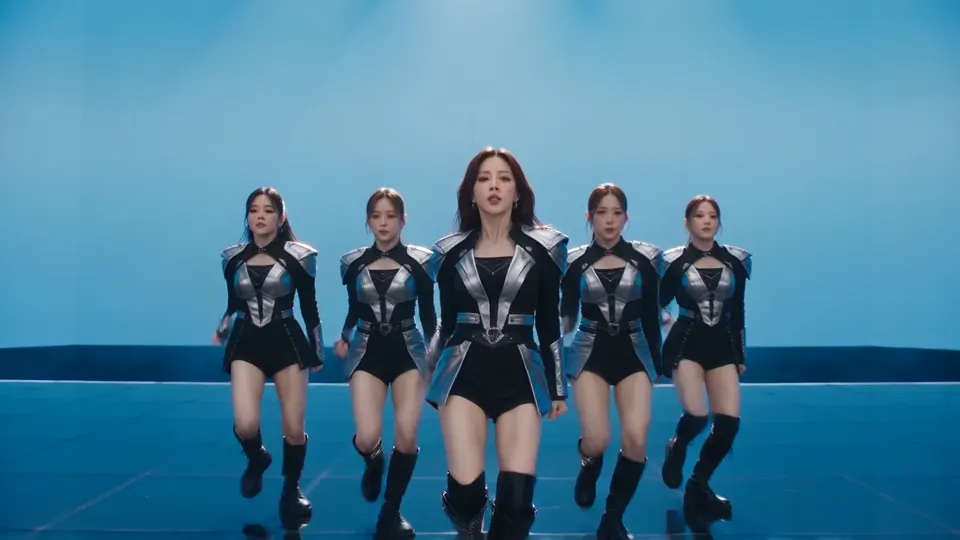
K-pop stage, five dancersSeedance 2.0 Mini, 5 s, sound, 100 credits, made on Dreamina
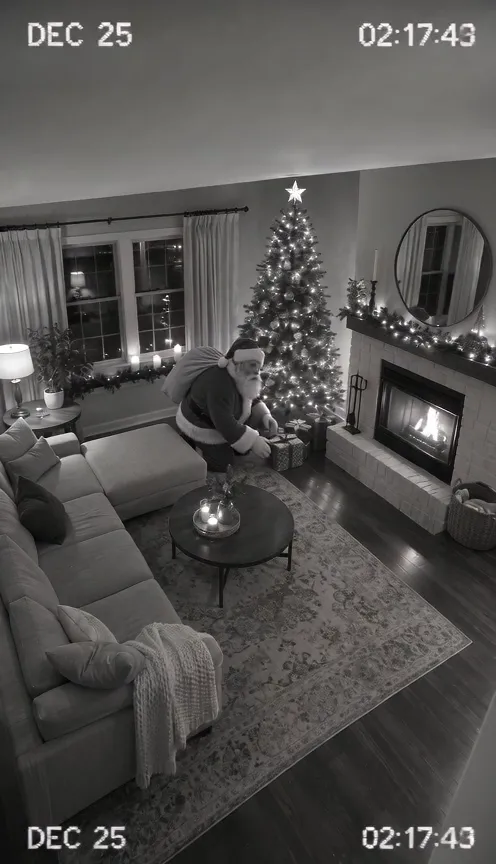
Santa on the home cameraSeedance 2.0 Mini, photo to video, 10 s, sound, 100 credits, input image made with GPT Image 2.6
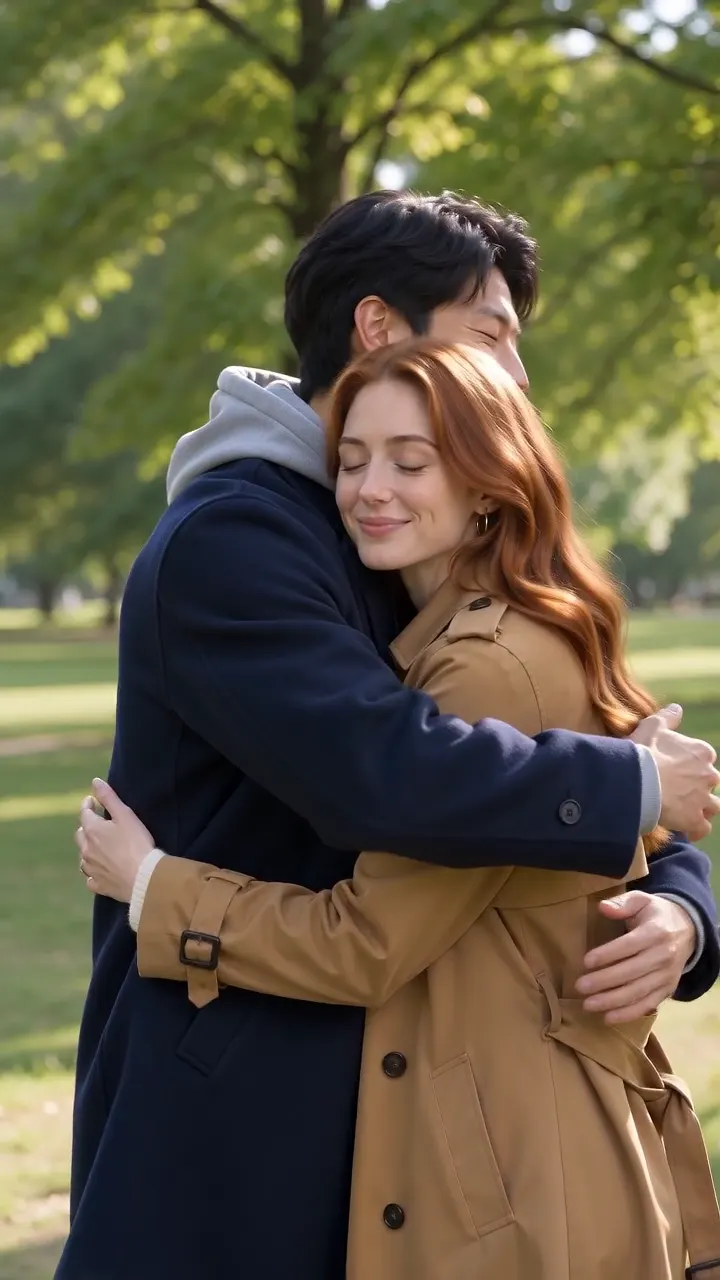
A hug in the parkSeedance 2.0 Mini, 5 s, sound, 100 credits, input image made with GPT Image 2.6
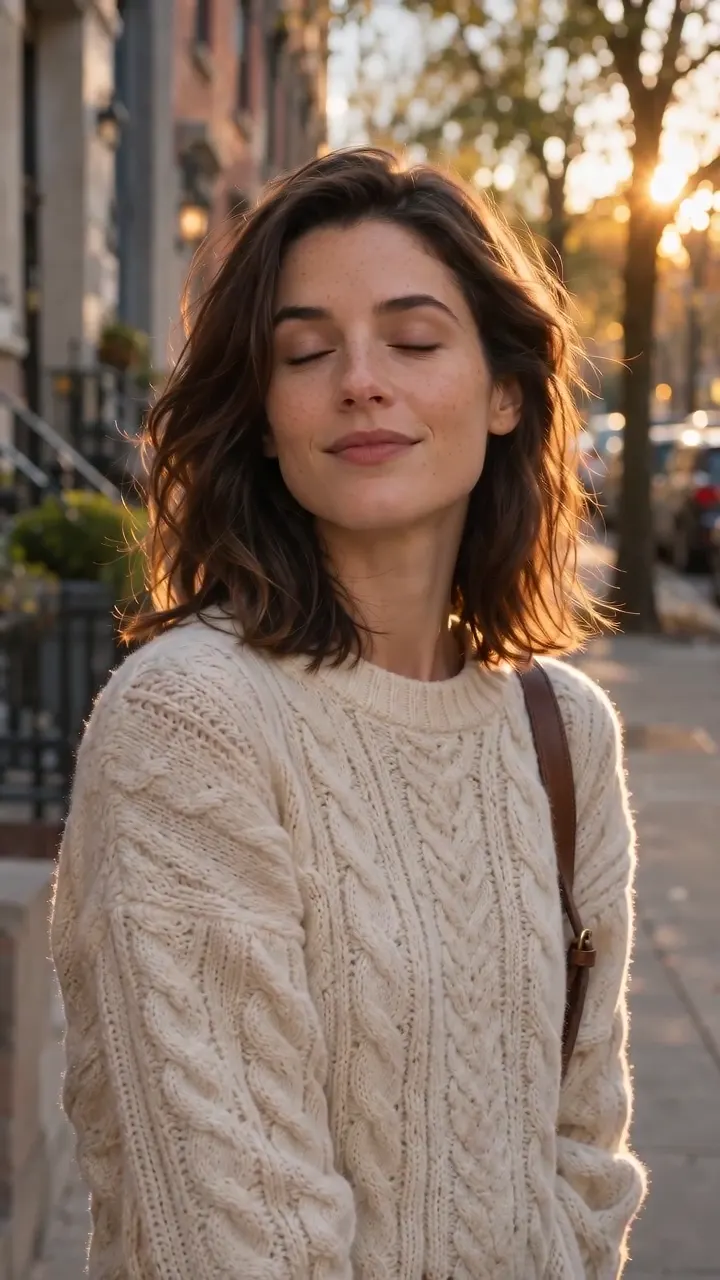
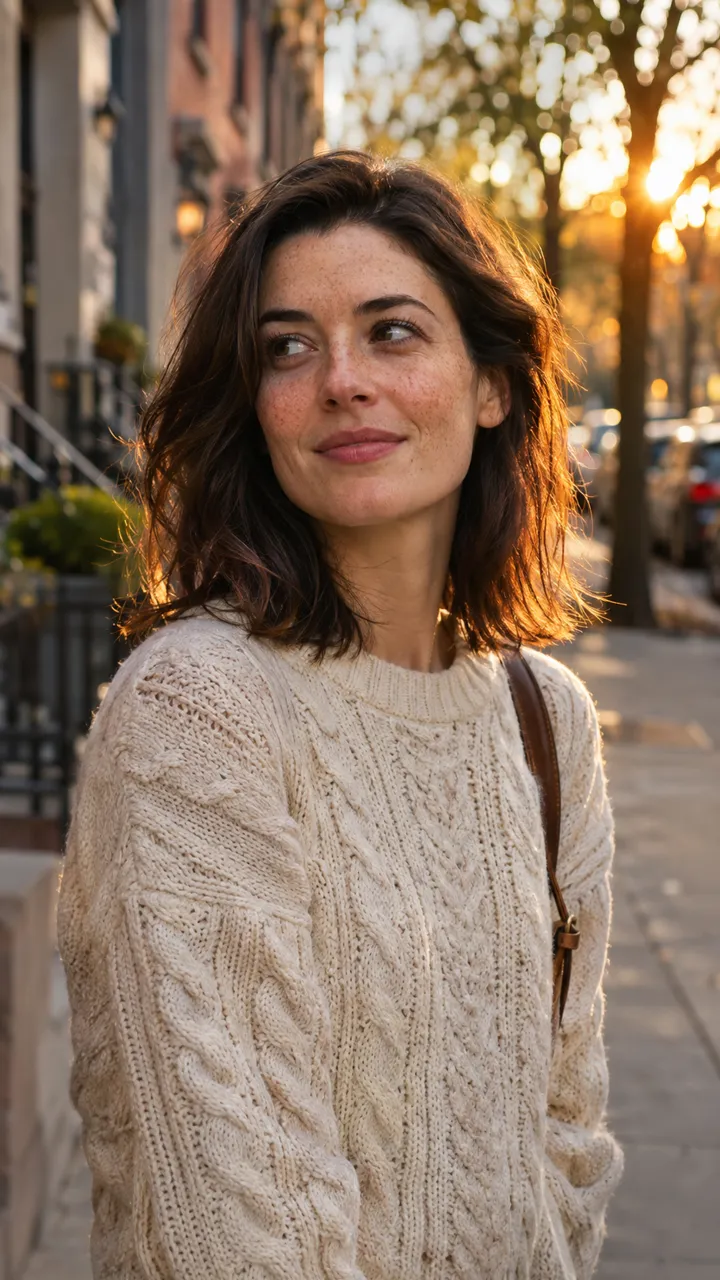
Portrait turns and smilesSeedance 2.0 Mini, photo to video, 5 s, sound, 100 credits, input image made with GPT Image 2.6
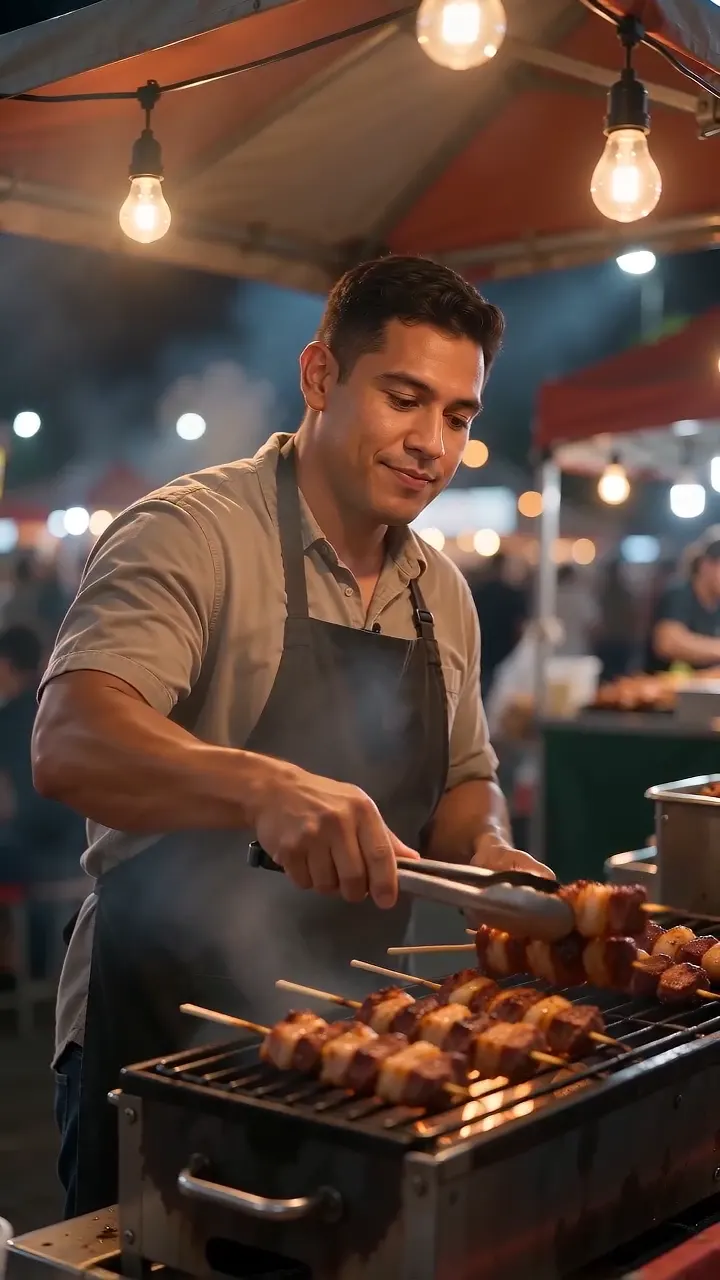
Night market vendor calls outSeedance 2.0 Mini, 8 s, sound, 160 credits, made on Dreamina
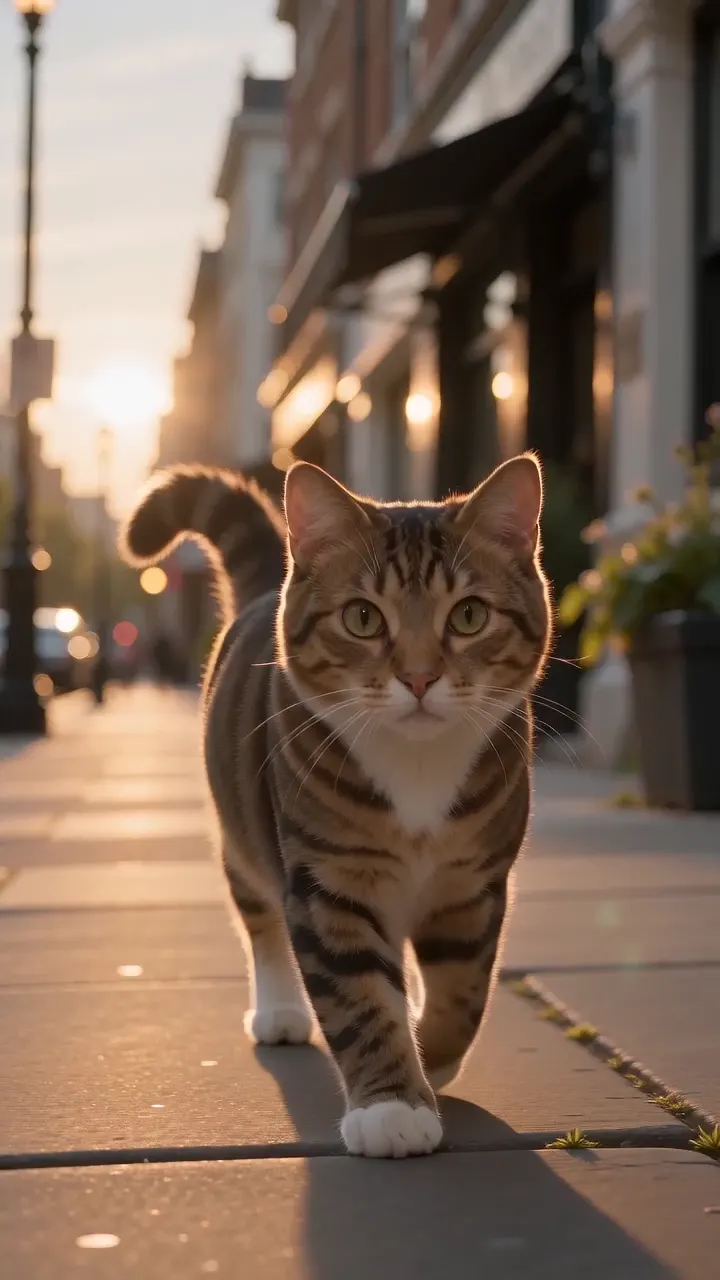
City cat goes back to sleepSeedance 2.0 Mini, 5 s, sound, 100 credits, made on Dreamina
What you can make with Seedance 2.0 Mini
Each one comes with the settings and the prompt we would start from, and what it costs. Use it as is or edit it.
made on Dreamina
A staged, timed performance
ByteDance’s own showcase prompt for Mini, used word for word: a five-part script for five dancers, from silhouettes in a V formation, through an electric-blue flash and a change of formation, to a red final pose with the centre dancer pointing into the lens. Each beat lands in order in one continuous 5-second shot, and the five faces stay distinct.
Text to video
720p
5 s
sound
16:9
“A high-budget 5-second K-pop girl group music video, cinematic 16:9 widescreen.
Five adult Asian female dancers perform on a large futuristic stage. Each member has a clearly distinct face and hairstyle, while wearing coordinated black and metallic-silver performance outfits with knee-high boots. Keep all five dancers visually consistent throughout the entire video.
0.0-0.8s: The five members stand motionless in a tight V formation on a dark reflective floor, heads lowered. Only sharp cold-white rim lights reveal their silhouettes. The camera begins from a slightly low angle and smoothly dollies forward.
0.8-2.2s: On the first heavy beat, the stage flashes electric blue. All five dancers snap their heads up, make direct eye contact with the camera, and perform one powerful synchronized movement: a sharp shoulder hit, arms slicing outward, followed by a precise side step. Their hair and clothing react naturally to the movement.
2.2-4.1s: Without any cut, the camera makes a subtle clockwise arc around the group. The center performer steps forward while the other four open symmetrically to both sides, transforming the V formation into a wide crown-shaped formation. They execute a synchronized hip turn and strong arm strike exactly on the beat.
4.1-5.0s: All five dancers step toward the camera together and hit a powerful final pose. The center performer points directly into the lens. The entire LED wall instantly changes from electric blue to deep crimson red on the final beat. End with a brief white strobe flash.
One continuous shot, no cuts. Fast, confident and precisely synchronized choreography. Realistic adult human anatomy, stable faces, natural body motion, premium K-pop styling, cinematic concert lighting, glossy reflections, subtle stage haze, strong bass-driven energy,”
Tip: Script the action in short, ordered parts. ByteDance warns that exact timings are followed loosely, so treat the seconds as an order of events rather than a stopwatch, and keep to one camera move per part.
100 credits
input image made with GPT Image 2.6
A home-camera holiday surprise
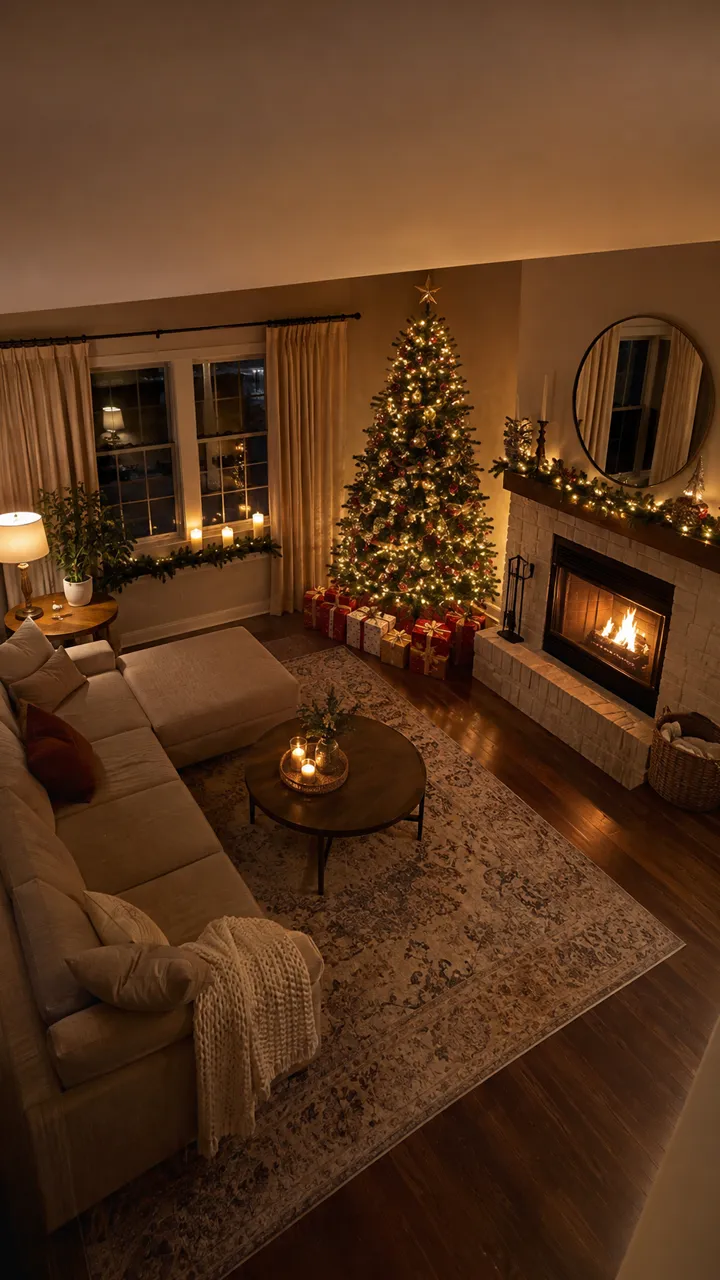
From one photo of an empty living room: grainy black-and-white night-vision footage in which Santa tiptoes in, leaves a present under the tree, notices the camera, puts a finger to his lips and slips away. The room stays exactly as in the photo. It isn’t perfect: the clock shows twice and doesn’t tick.
Image to video
480p
10 s
sound
16:9
“Black-and-white night-vision home security camera footage of this living room, fixed high-angle camera, timestamp in the corner. Santa Claus in his red suit tiptoes into frame from the left, carrying a sack, kneels by the Christmas tree, places a wrapped present under it, glances up at the camera with a surprised look, puts a finger to his lips and quietly walks away. Slight video noise, realistic CCTV look, no cuts.”
Tip: Fixed-camera scenes suit Mini well. Ask for one timestamp in one corner, or none, and describe the visitor’s actions in order.
100 credits
input image made with GPT Image 2.6
Two people in one clip
Reference to video with two AI-made photos: the man and the woman walk toward each other and hug, and both keep the face, hair and coat from their reference image through the whole clip.
Reference to video
720p
5 s
sound
9:16
“@image1 and @image2 walk toward each other in a sunlit park, smile, and share a warm, gentle hug, the man's arms around the woman's shoulders, her head resting on his shoulder for a moment. Keep both faces and outfits exactly as in the reference images. Soft daylight, handheld camera, realistic, natural motion.”
Tip: Upload one clear full-body photo per person and name them in the prompt as @image1 and @image2, in upload order. Add “keep both faces and outfits exactly as in the reference images”.
100 credits
input image made with GPT Image 2.6
A portrait that comes to life
Image to video from an AI-generated portrait: she turns toward the camera and breaks into a natural smile while a breeze moves her hair, and the face stays the same person as in the photo.
Image to video
720p
5 s
sound
16:9
“The woman slowly turns her head toward the camera and breaks into a warm, natural smile. A light breeze moves a few strands of her hair. The camera pushes in slightly. Golden hour light, shallow depth of field, realistic skin and natural motion.”
Tip: Mini tends to do less with a photo than larger models, so ask for the motion you want plainly (“slowly turns her head toward the camera”, “the camera pushes in slightly”).
100 credits
made on Dreamina
A line of dialogue with its own sound
Vertical, handheld and noisy: a vendor flips skewers over a smoking grill and calls out the line written in quotation marks, word for word, over sizzling, crowd chatter and distant music, all generated with the picture.
Text to video
720p
8 s
sound
9:16
“Vertical handheld shot at a busy night market. A cheerful middle-aged street food vendor flips skewers on a smoking grill under hanging bulbs, looks at the camera and calls out with a big smile: "Fresh off the grill, two for five, come and get them!" Sizzling sounds, crowd chatter and distant music in the background. Steam and smoke drift through warm orange light, shallow depth of field, realistic.”
Tip: Put every line in quotation marks, keep one language per clip, and name the background sounds you want.
160 credits
made on Dreamina
A quick idea from one short sentence
Ten words, no camera directions: a tabby cat walks down a sunlit street, lies down on the pavement and falls asleep. A fast way to see whether an idea works before you write it out in full.
Text to video
720p
5 s
sound
9:16
“A cat wandering through the city and then going back to sleep”
Tip: Start short on Mini, then add one detail at a time: change one thing per attempt so you can see what it does.
100 credits
What sets Seedance 2.0 Mini apart
Sound generated with the picture
Dialogue, sound effects and music come out together with the video, at the same price as a silent clip. Turn Audio off when you will add your own soundtrack.
How to use it: Leave Audio on and describe the sound in the prompt: the line in quotation marks, then the background (“sizzling grill, crowd chatter, distant music”). Switch Audio off if you will add your own track; the price stays the same.
Three ways to start
Text to video from a prompt; image to video from a first frame, with an optional last frame; and reference to video with up to nine images for characters, products, places or style.
How to use it: Pick the mode above the prompt box. In Image to video, add a second image to set the last frame. In Reference to video, upload the images in order and refer to them in the prompt as @image1, @image2.
Made for many attempts
At the lowest Seedance price on zzo.ai, Mini suits work that needs many takes: testing prompts, social posts, product variations and storyboards, before you render the chosen shot on a larger model.
How to use it: Run the idea at 480p and 5 seconds, change one thing per take and keep the best version. When it is right, make it at 720p, or move the prompt to Seedance 2.5 for 1080p.
What Seedance 2.0 Mini is good at, and where it struggles
Good at
The lowest price per clip of any Seedance model on zzo.ai, with sound included: you can try a shot two or three times for the price of one Seedance 2.5 take.
Speech, sound effects and music are generated with the picture. In our night-market sample the vendor says the quoted line word for word.
Follows a detailed, staged prompt: our K-pop stage sample hits each beat of a five-part script, from silhouettes to the final red pose, in one continuous shot.
Keeps AI-made characters consistent from reference images, including two people in one clip.
In Pixo’s 28-clip test (19 July 2026) it matched the larger Seedance 2.0 on a talking head and a product shot.
Limits
No 1080p: ByteDance lists 480p and 720p only, at 24 frames a second. Use Seedance 2.5 for 1080p.
Clips are 4 to 15 seconds; longer scenes need several clips joined in an editor.
Photos of real people may be refused: ByteDance’s rules for the Seedance 2.0 family block uploaded real faces. AI-generated people work, as the portrait and hug samples show.
When it animates a photo it tends to do less than larger models, and it can frame the shot wider than you asked.
On-screen text such as signs and logos is often misspelled, and stray subtitles can appear, more often in vertical video.
A good first result with Seedance 2.0 Mini, step by step
Draft cheap, finish high. Each step shows its settings and cost.
1
Try the idea at 480p
Run the prompt at 480p and a short length. Change one thing at a time until the action and framing are right.
720p
5 s
sound
16:9
100 credits
2
Make the post at 720p
Switch to 720p for the version you publish. For Reels, TikTok and Shorts choose 9:16; for YouTube and the web, 16:9.
720p
5 s
sound
16:9
100 credits
3
Need 1080p? Move to Seedance 2.5
Mini stops at 720p. Take the prompt that worked to Seedance 2.5 for a 1080p final.
720p
5 s
sound
16:9
100 credits
About NaN credits ($NaN at the standard rate) for the whole job. Failed runs are refunded, so they don’t count.
Settings, explained
What each option does and what it does to the price.
Modes
Text to video starts from your words. Image to video uses your image as the first frame (add a second image as the last frame) and takes its aspect ratio. Reference to video uses up to nine images to keep characters, products or a place consistent.
Same price: 100 credits (720p, 5 s)
Resolution
480p for drafts and quick tests, 720p for posts. There is no 1080p on Mini.
480p: 50 · 720p: 100 credits (5 s)
Clip length
4 to 15 seconds. Price scales with length. A long script squeezed into a short clip is paced faster rather than cut, so match the length to the action.
4 s: 80 · 5 s: 100 · 15 s: 300 credits (720p)
Audio
On by default and included in the price. Switch it off when you will add music or a voice-over yourself.
Same price: 100 credits (720p, 5 s)
Aspect ratios
16:9 for YouTube and the web, 9:16 for Reels, TikTok and Shorts, 1:1 and 3:4 for feeds, 21:9 for cinematic wides. Image to video follows the shape of your image. Subtitles appear less often in landscape.
16:9, 9:16, 1:1, 4:3, 3:4, 21:9 · no price difference
Seedance 2.0 Mini specs
Updated 2026-11-07
Developer
ByteDance
Released
2026-06-15
Type
Video
Modes
Text to video, Image to video, Reference to video
Clip length
4–15s
Resolution
480p, 720p
Audio
Optional (on/off)
Aspect ratios
16:9, 9:16, 1:1, 4:3, 3:4, 21:9
Commercial use
Allowed, under our terms
Failed generations
Credits refunded automatically
Starts at
40 ($0.40)
Seedance 2.0 Mini price per generation
Credits are charged only when a generation starts, and refunded if it fails. The cheapest option is 40 credits.
ByteDance’s prompt guide for the Seedance 2.0 family applies to Mini. It suggests building the prompt in this order: who is doing what, then where and in what atmosphere, then how to shoot it, and finally style, quality and constraints.
Organise the action as shots, “Shot 1, Shot 2”, in the order things happen. Exact timings such as “0–3 s” are followed loosely.
Prefer slow, smooth movement. Sprints, big jumps and rolls are less stable; say how fast a movement is (“slowly raises a hand”).
One camera move per shot, in plain terms: medium shot, close-up, wide shot, slow push-in, tracking shot, fixed shot.
Dialogue in quotation marks, one language per clip; for a language other than English, name it (“says in Japanese: …”).
With references, keep it small: ByteDance recommends four or five assets in total, one headshot and one full-body image per character, and the most important reference first.
On Mini, change one thing per attempt. It is cheap enough to try a shot several times; compare the takes before you move to a larger model.
When a result goes wrong
The usual problems with Seedance 2.0 Mini, why they happen and what to change.
The photo is refused: it may show a real person
Why: ByteDance’s rules for the Seedance 2.0 family block uploaded photos of real people’s faces; the check happens before generation.
Fix: Use an AI-generated or illustrated character, or describe the person in a text-to-video prompt. The credits for the refused run come back automatically.
The photo barely moves
Why: Mini renders the subject faithfully but does less with it than larger models.
Fix: Ask for the movement plainly and specifically (“turns her head toward the camera, then smiles”), and give the camera one clear move.
The shot is wider than you asked
Why: Mini can pull back to a wide shot when the prompt asks for a medium shot or close-up.
Fix: State the shot size and repeat it for the key moment (“close-up on her face”).
Subtitles, a logo or a watermark appear
Why: ByteDance says the Seedance 2.0 family can’t avoid stray subtitles completely; they are more likely in vertical video.
Fix: End the prompt with “no subtitles, no text, no logo, no watermark”, try 16:9 when you need a clean frame, and generate again if one slips through.
A prop or detail changes during the clip
Why: Objects that come and go can change shape between moments.
Fix: Describe the object the same way each time it appears (“the same sunburst acoustic guitar”), or add a photo of it as a reference.
Words on signs or labels are misspelled
Why: On-screen text is weak on Mini, more so than on larger models.
Fix: Use short, common words, or leave text for an editor.
A click or cut-off sound at the end
Why: ByteDance notes that clips with narration can end with a click or a clipped sound.
Fix: Generate again, or fade the last half-second out in an editor.
The run failed or timed out
Why: The model returned an error or took too long.
Fix: Nothing is charged: the credits return to your balance. Try again, or try a shorter clip.
Seedance 2.0 Mini vs Seedance 2.0
Seedance 2.0 Mini is not an upgrade of Seedance 2.0 but its lowest-cost version: ByteDance offers three Seedance 2.0 models (2.0, 2.0 Fast and 2.0 Mini) with the same features at different quality and price, and recommends Mini to replace Seedance 1.5 Pro, which retires on 11 November 2026.
Half of Seedance 2.0’s price per token, and 62.5% of Seedance 2.0 Fast’s.
480p and 720p only; Seedance 2.0 also makes 1080p and 4K.
4 to 15 seconds per clip, like the rest of the 2.0 family. Seedance 2.5 goes to 30 seconds; zzo.ai offers up to 15 on both for now.
Up to nine reference images, the same as Seedance 2.0. zzo.ai doesn’t offer reference videos or audio, video editing or extension on Mini.
Seedance 2.0 Mini on zzo.ai costs 100 credits ($1.00) for a 5-second 720p clip with audio. No subscription: buy credits once and they never expire. Depending on resolution and length, a generation costs 40 to 300 credits ($0.40 to $3.00 at the standard rate). As low as $0.36 with the $199.99 pack. Failed generations are refunded automatically.
Do I need a subscription to use Seedance 2.0 Mini?
No. zzo.ai has no subscription: buy a credit pack once and spend it on Seedance 2.0 Mini or any other model. Credits never expire.
How long can Seedance 2.0 Mini videos be, and at what resolution?
On zzo.ai, Seedance 2.0 Mini makes clips from 4 to 15 seconds at 480p, 720p, in 16:9, 9:16, 1:1, 4:3, 3:4, 21:9 aspect ratios.
How much does a 10-second Seedance 2.0 Mini video cost?
A 10-second 720p clip with sound costs 200 credits: $2.00 at the standard rate, or $1.82 with the $199.99 pack. There is no subscription.
Can I use Seedance 2.0 Mini through an API or in Claude?
Yes. Create an API key in Settings, then use Seedance 2.0 Mini from Claude, Cursor or your own code through the zzo.ai MCP server. It draws from the same balance at the same prices as the website.
What is Seedance 2.0 Mini?
Seedance 2.0 Mini is ByteDance’s lowest-cost Seedance 2.0 video model, released on 15 June 2026. It makes 4- to 15-second clips with sound at 480p or 720p from text, a photo (first frame and optional last frame) or reference images. ByteDance recommends it for the best cost performance in the Seedance 2.0 family.
Seedance 2.0 Mini or Seedance 2.0 Fast: which is better?
Neither reliably wins. ByteDance says the Seedance 2.0 models share their features and trade quality against cost, Mini costs 62.5% of Fast per token, and both stop at 720p. In Pixo’s 28-clip test (19 July 2026) Fast never opened a clear gap over Mini and took about as long (112 s against 102 s for a 5-second 720p clip). zzo.ai offers Mini, not Fast.
How is it different from Seedance 2.0 and Seedance 2.5?
Seedance 2.0 adds 1080p and 4K at twice Mini’s per-token price. Seedance 2.5 adds 1080p and clips up to 30 seconds (up to 15 on zzo.ai for now) at about three times Mini’s price. Mini is for drafts, social clips and high-volume variations; the larger models are for finals.
Does Seedance 2.0 Mini make 1080p videos?
No. ByteDance’s specifications list 480p and 720p only, at 24 frames a second, and clips run 4 to 15 seconds. Some sites list 1080p or 5 to 12 seconds; that is not what ByteDance publishes. For 1080p, use Seedance 2.5.
Does it generate sound?
Yes. Speech, sound effects and music are generated with the picture at no extra cost, and you can switch sound off in the generator. Put lines of dialogue in quotation marks.
Can I use a photo of myself or another real person?
It may be refused: ByteDance’s Seedance 2.0 family, which includes Mini, does not accept uploaded photos of real people’s faces. If a generation is refused, the credits return to your balance automatically. AI-generated people work, and you may only upload someone’s photo with their permission.
Can it keep the same character or product across a clip?
Yes. Choose Reference to video, add up to nine images and refer to them in the prompt as @image1, @image2 and so on, in the order you uploaded them. ByteDance recommends one headshot and one full-body image per character, no more than four people, and four or five references in total rather than the maximum.
Is Seedance 2.0 Mini twice as fast as Fast?
That figure comes from CapCut’s launch post. Two independent timing tests found Mini about as fast as Fast (102 s against 112 s, and 132–153 s against 136–168 s for a 5-second 720p clip), and 25 to 40% faster than the standard Seedance 2.0.
Is Seedance 2.0 Mini open source?
No. ByteDance publishes no weights; it runs only as a hosted model.
Can I use the videos commercially?
Yes. Videos you generate on zzo.ai are yours to use, including in commercial work, as long as the content itself doesn’t break our terms or anyone else’s rights.