GPT Image 2.5 on zzo.ai costs 15 credits ($0.15) per image at High quality. No subscription: buy credits once and they never expire.
GPT Image 2.5 is OpenAI’s image model for generating and editing pictures, released on 8 September 2026. zzo.ai offers both versions: Flare, OpenAI’s fast one, and Sunburst, its larger one. It is strongest at text inside images, at edits that change only what you ask for, and it can return a transparent background.
Up to 4 images per run
Prompt from this image. Edit it or write your own.
Image to edit
Made with GPT Image 2.5
Each one shows the prompt, model and what it costs here. Pick one to start from it.
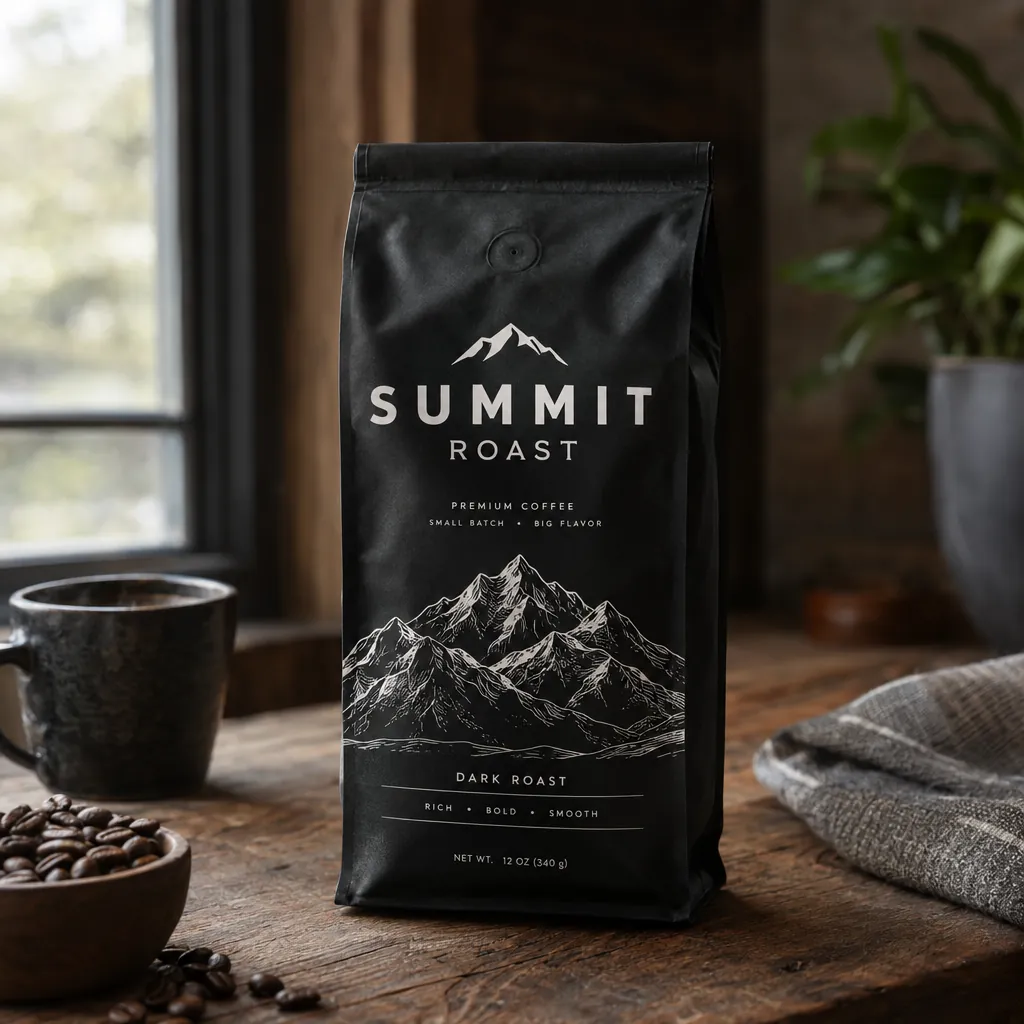
“A premium product photo of a matte black coffee bag labeled SUMMIT ROAST with mountain line-art on rustic wood, soft window light, sharp readable packaging typography, photoreal commercial mockup”GPT Image 2.5, 15 credits
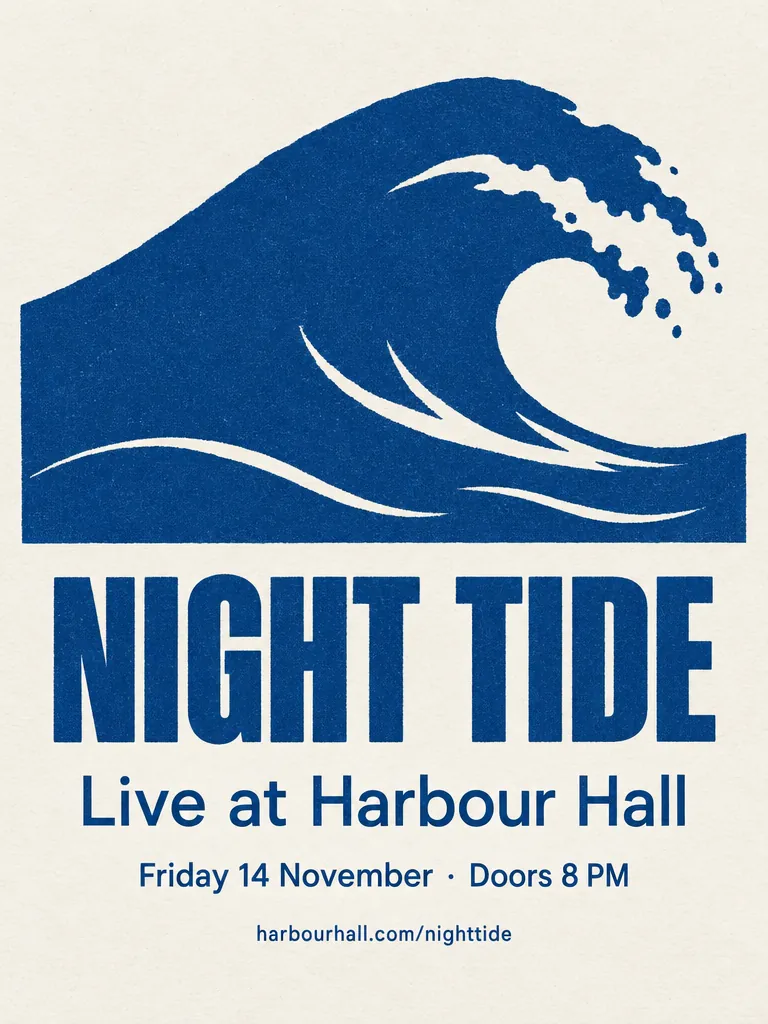
“A minimalist screen-printed concert poster on off-white paper. A large deep-blue wave shape fills the top half. Below it, the headline "NIGHT TIDE" in a bold condensed sans-serif, then "Live at Harbour Hall" in a lighter weight, then "Friday 14 November · Doors 8 PM", and at the bottom "harbourhall.com/nighttide" in small type. No other text.”GPT Image 2.5, 15 credits
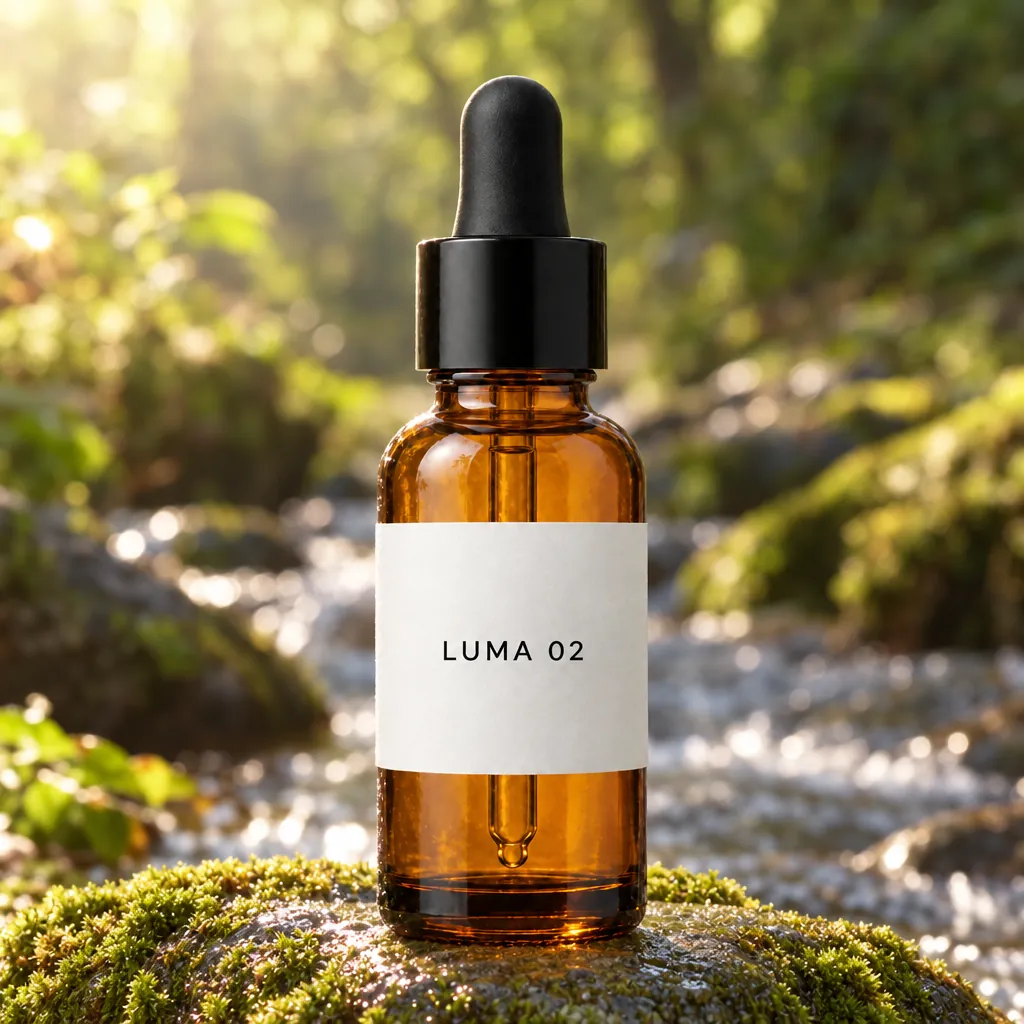
“Place this exact bottle on a wet, moss-covered river stone outdoors in soft morning sunlight, with a blurred forest stream behind it. Change only the setting and lighting. Keep the bottle's shape, amber glass, black dropper cap and the label text "LUMA 02" exactly as they are.”GPT Image 2.5, edit, 15 credits, input image made with GPT Image 2.5
“Extract the product from the input image and isolate it on a fully transparent background.
Output: centered product, crisp silhouette, no halos/fringing.
Preserve product geometry and label legibility exactly.
Add only light polishing. Do not add a solid backdrop, checkerboard, scenery, or shadow.
Do not restyle the product; remove the background and preserve clean alpha transparency.”GPT Image 2.5, edit, transparent PNG, 15 credits, input image made with GPT Image 2.5
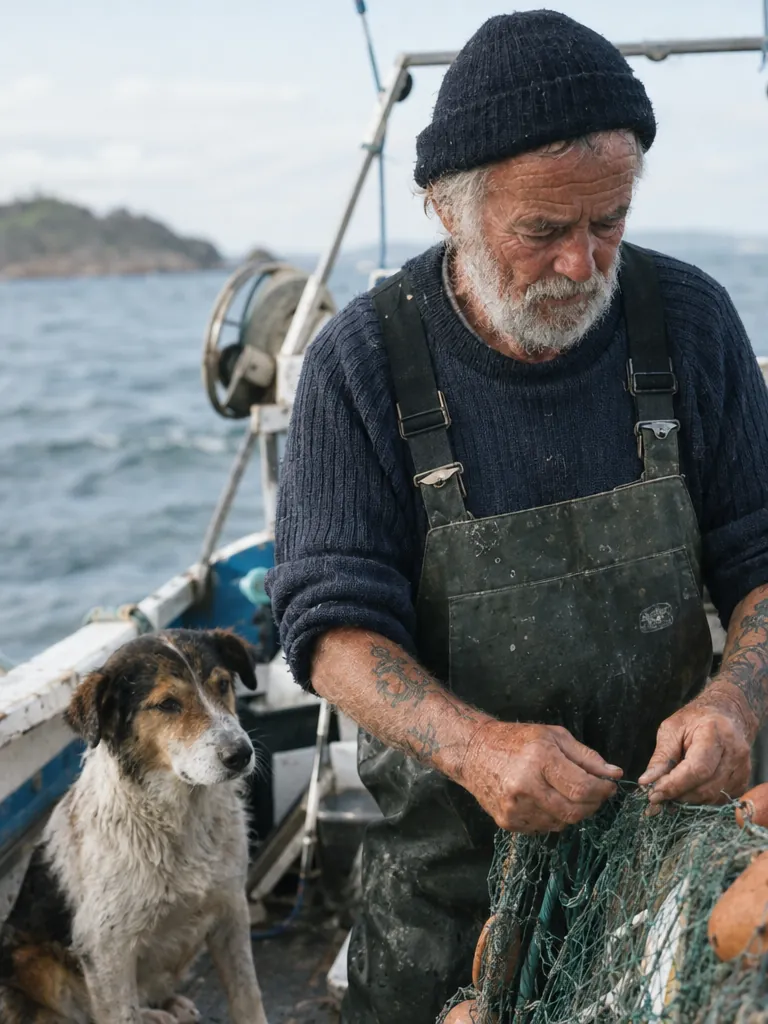
“Create a photorealistic candid photograph of an elderly sailor standing on a small fishing boat.
He has weathered skin with visible wrinkles, pores, and sun texture, and a few faded traditional sailor tattoos on his arms.
He is calmly adjusting a net while his dog sits nearby on the deck. Shot like a 35mm film photograph, medium close-up at eye level, using a 50mm lens.
Soft coastal daylight, shallow depth of field, subtle film grain, natural color balance.
The image should feel honest and unposed, with real skin texture, worn materials, and everyday detail. No glamorization, no heavy retouching.”GPT Image 2.5, 15 credits
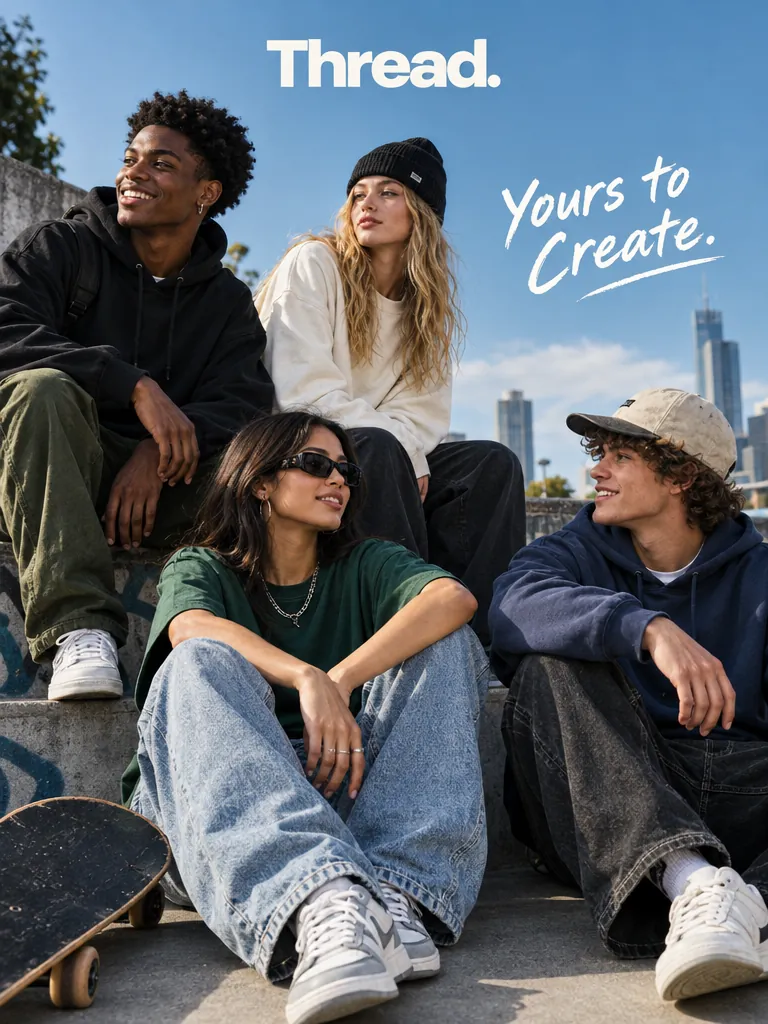
“Give me a cool in culture ad / fashion shot for a brand called Thread.
It's a hip young street brand. The ad shows a group of friends hanging out together with the tagline "Yours to Create."
Make it feel like a polished campaign image for a youth streetwear audience: stylish, contemporary, energetic, and tasteful.
Use clean composition, strong color direction, natural poses, and premium fashion photography cues.
Render the tagline exactly once, clearly and legibly, integrated into the ad layout.
No extra text, no watermarks, no unrelated logos.”GPT Image 2.5, 15 credits
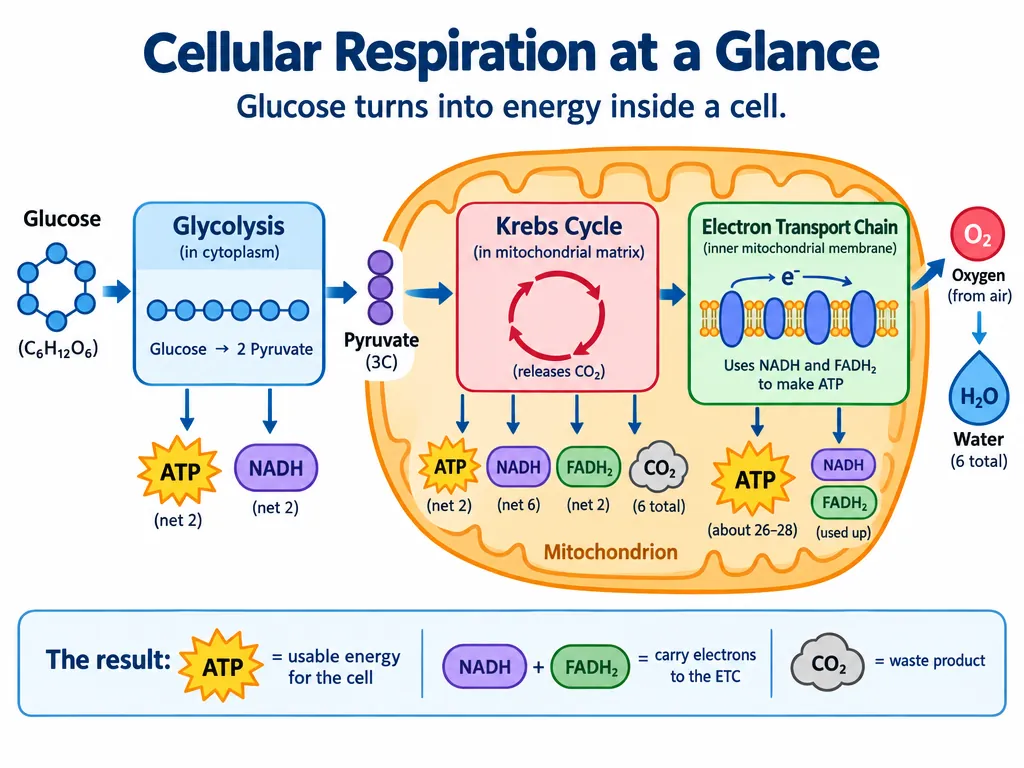
“Create a simple biology diagram titled "Cellular Respiration at a Glance" for high school students.
Show how glucose turns into energy inside a cell. Include glycolysis, the Krebs cycle, and the electron transport chain.
Use arrows to connect the steps, and label the main molecules: glucose, pyruvate, ATP, NADH, FADH2, CO2, O2, and H2O.
Make it look like a clean classroom handout or slide, with a white background, simple icons, clear labels, and easy-to-read text.
Avoid tiny text, extra decoration, or anything that makes the diagram hard to understand.”GPT Image 2.5, 15 credits
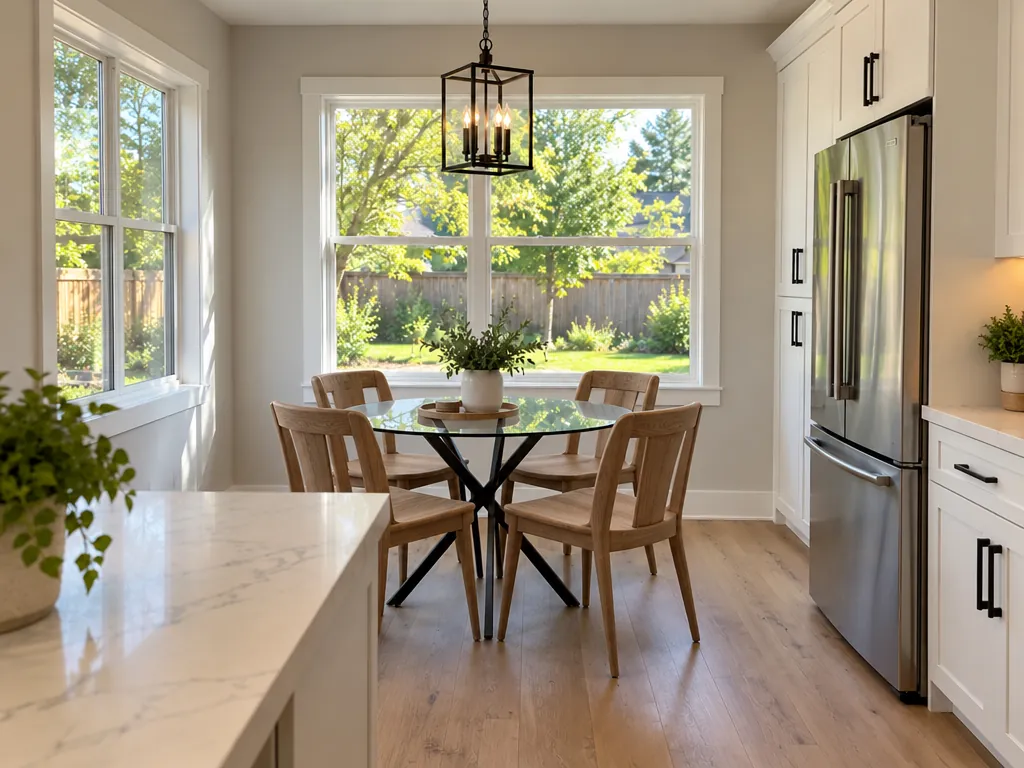
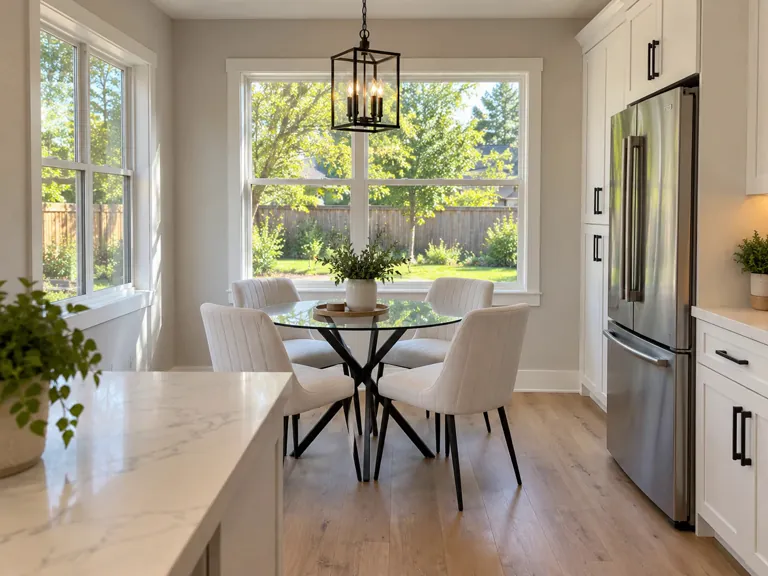
“In this room photo, replace ONLY the white chairs with chairs made of wood.
Preserve camera angle, room lighting, floor shadows, and surrounding objects.
Keep all other aspects of the image unchanged.
Photorealistic contact shadows and fabric texture.”GPT Image 2.5, edit, 15 credits, input image made with GPT Image 2
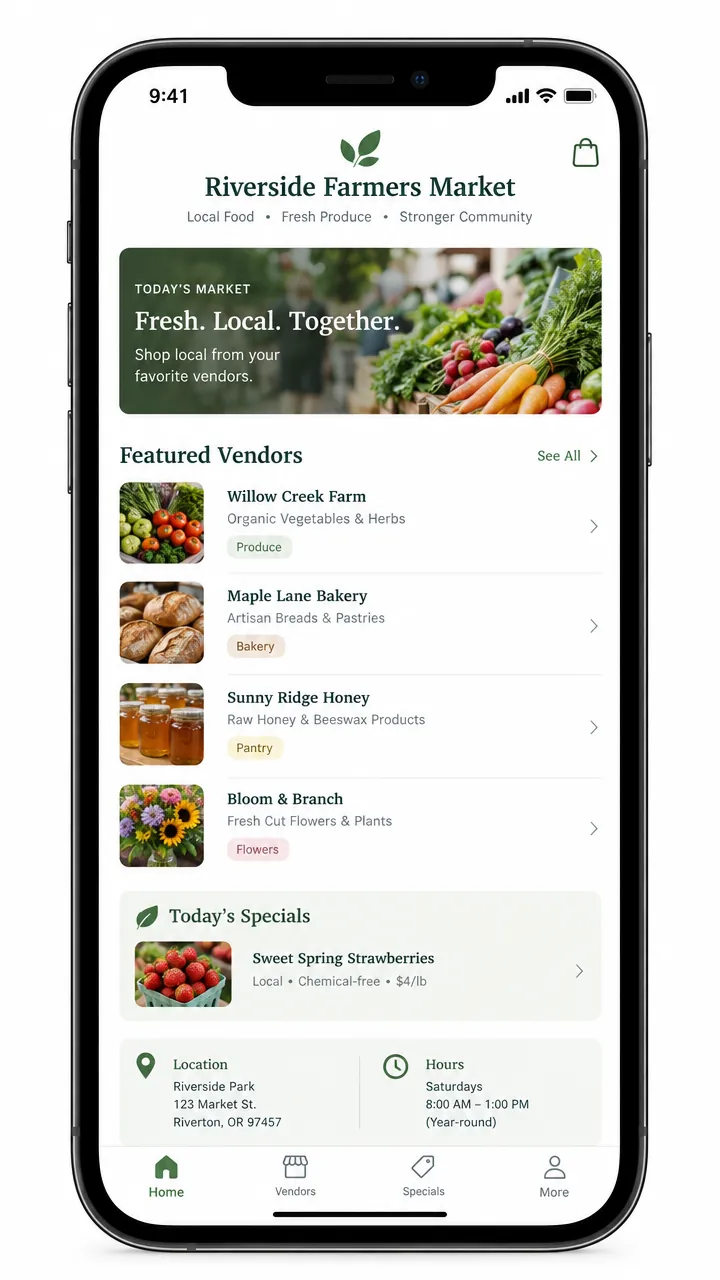
“Create a realistic mobile app UI mockup for a local farmers market.
Show today’s market with a simple header, a short list of vendors with small photos and categories, a small “Today’s specials” section, and basic information for location and hours.
Design it to be practical, and easy to use. White background, subtle natural accent colors, clear typography, and minimal decoration.
It should look like a real, well-designed, beautiful app for a small local market.
Place the UI mockup in an iPhone frame.”GPT Image 2.5, 15 credits
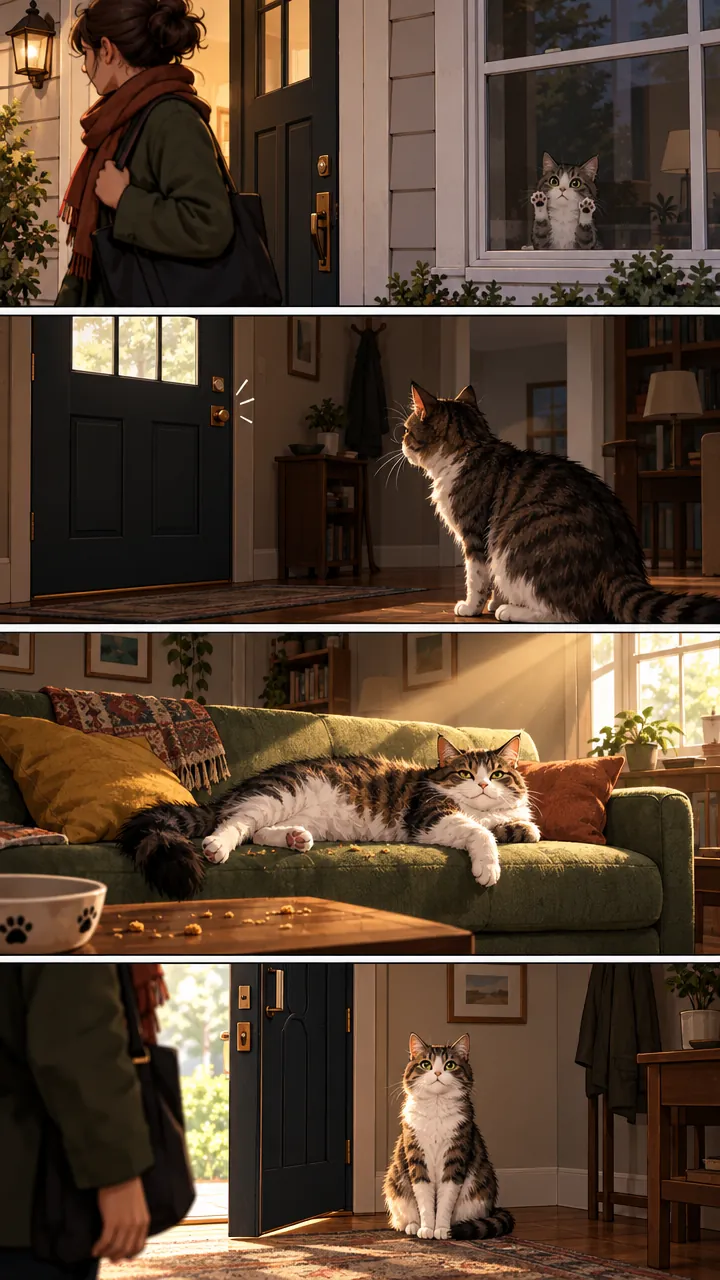
“Create a short vertical comic-style reel with 4 panels.
Panel 1: The owner leaves through the front door. The pet is framed in the window behind them, small against the glass, eyes wide, paws pressed high, the house suddenly quiet.
Panel 2: The door clicks shut. Silence breaks. The pet slowly turns toward the empty house, posture shifting, eyes sharp with possibility.
Panel 3: The house transformed. The pet sprawls across the couch like it owns the place, crumbs nearby, sunlight cutting across the room like a spotlight.
Panel 4: The door opens. The pet is seated perfectly by the entrance, alert and composed, as if nothing happened.”GPT Image 2.5, 15 credits
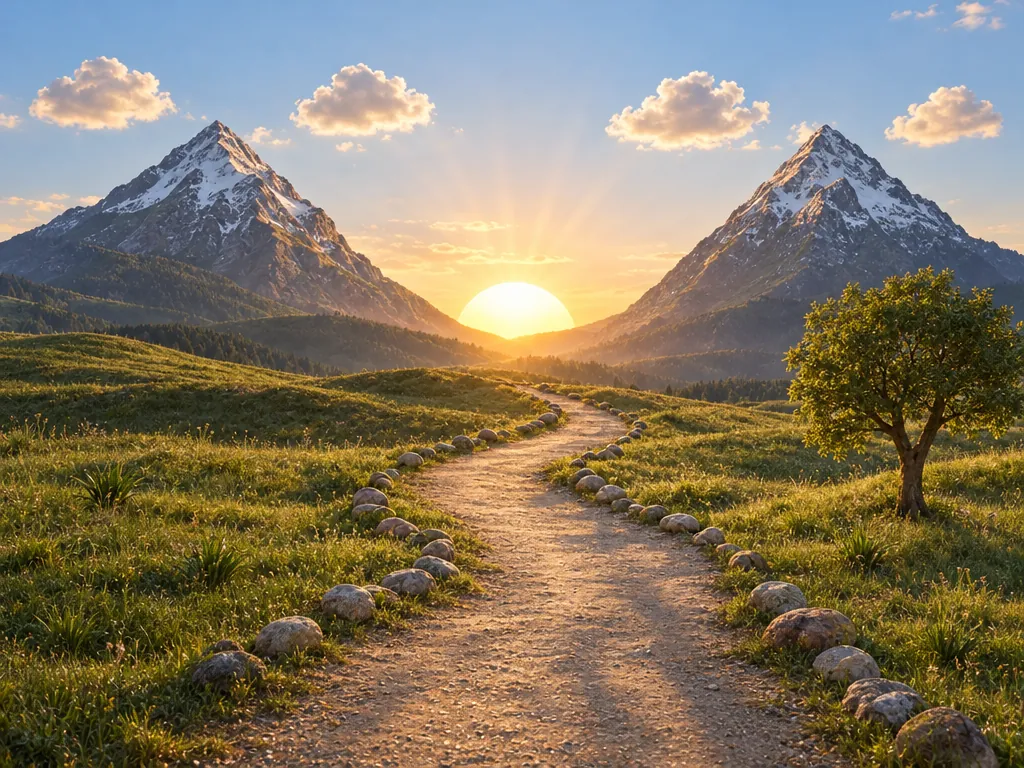
“Turn this drawing into a photorealistic image.
Preserve the exact layout, proportions, and perspective.
Choose realistic materials and lighting consistent with the sketch intent.
Do not add new elements or text.”GPT Image 2.5, edit, 15 credits, input image made with GPT Image 2
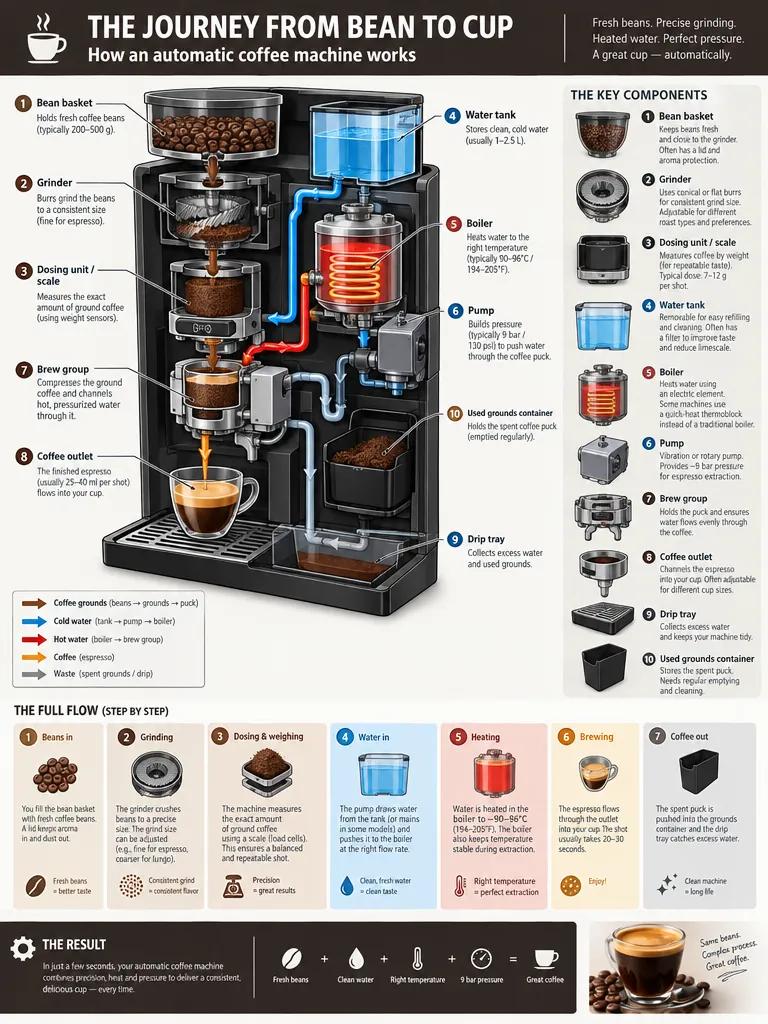
“Create a detailed Infographic of the functioning and flow of an automatic coffee machine.
From bean basket, to grinding, to scale, water tank, boiler, etc.
I'd like to understand technically and visually the flow.”GPT Image 2.5, 15 credits
What you can make with GPT Image 2.5
Each one comes with the settings and the prompt we would start from, and what it costs. Use it as is or edit it.
Posters and flyers with exact text
Four lines of text, every word spelled as written, including the middle dot in “Friday 14 November · Doors 8 PM”, on a flat screen-print style. Fuser, whose test this prompt comes from, called the result ready to send to a printer.
Text to image
High
3:4
“A minimalist screen-printed concert poster on off-white paper. A large deep-blue wave shape fills the top half. Below it, the headline "NIGHT TIDE" in a bold condensed sans-serif, then "Live at Harbour Hall" in a lighter weight, then "Friday 14 November · Doors 8 PM", and at the bottom "harbourhall.com/nighttide" in small type. No other text.”
Tip: Quote each line, say its weight and order (“then … in a lighter weight”) and end with “No other text”.
15 credits
Packaging and product shots
A one-line prompt, shared by an X user the day after launch, gives a believable commercial photo with the brand name crisp on the bag. It added its own small print (DARK ROAST, 12 OZ (340 g)) without being asked, all spelled correctly.
Text to image
High
1:1
“A premium product photo of a matte black coffee bag labeled SUMMIT ROAST with mountain line-art on rustic wood, soft window light, sharp readable packaging typography, photoreal commercial mockup”
Tip: If the bag must say only what you wrote, add “No other text on the packaging”.
15 credits
input image made with GPT Image 2.5
Your product in a new setting
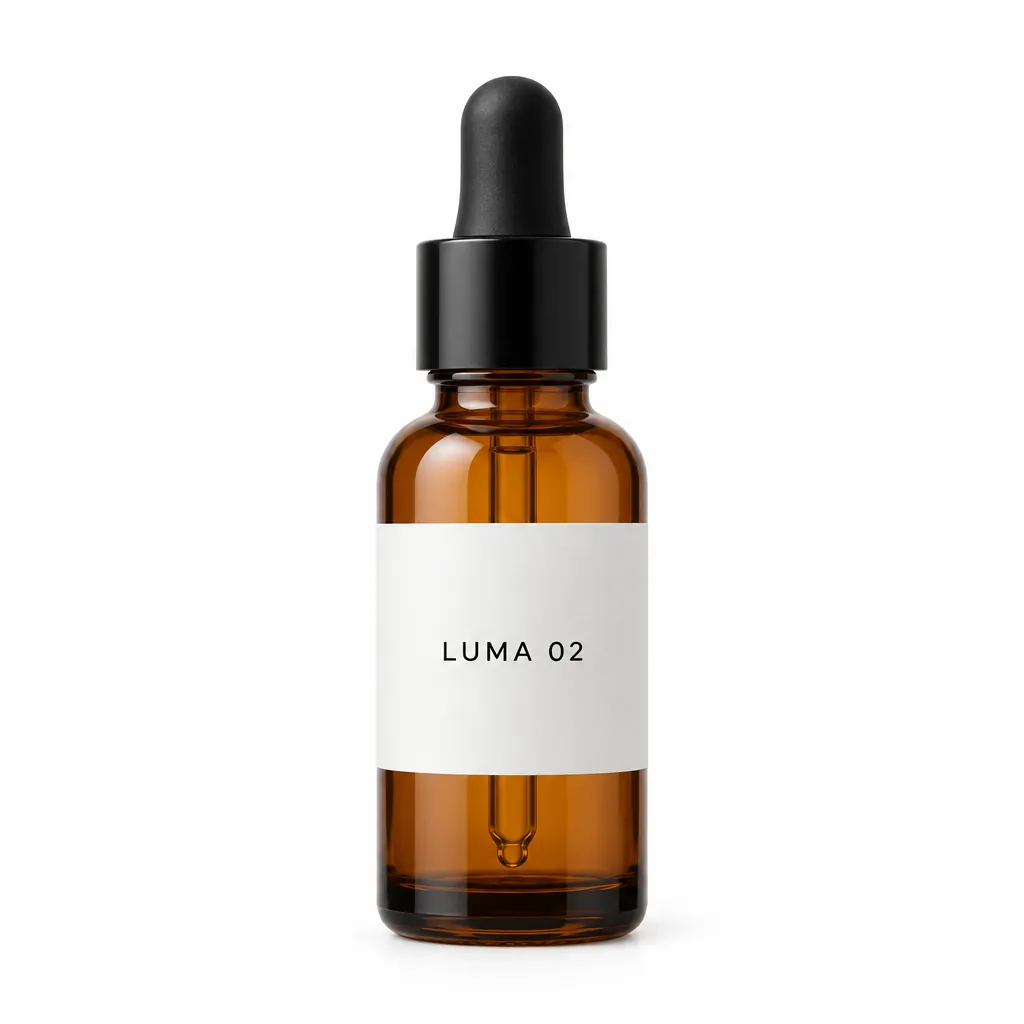
The input is a plain studio packshot. The edit moves the bottle onto a mossy stone by a stream and keeps the shape, the amber glass, the black dropper, the collar and the “LUMA 02” label as they were. Fuser found the collar is the detail most easily changed in edits like this.
Edit image
High
1:1
“Place this exact bottle on a wet, moss-covered river stone outdoors in soft morning sunlight, with a blurred forest stream behind it. Change only the setting and lighting. Keep the bottle's shape, amber glass, black dropper cap and the label text "LUMA 02" exactly as they are.”
Tip: List what must not change, then compare the result with your photo detail by detail: cap, label, colour.
15 credits
input image made with GPT Image 2.5
Transparent PNG cutouts
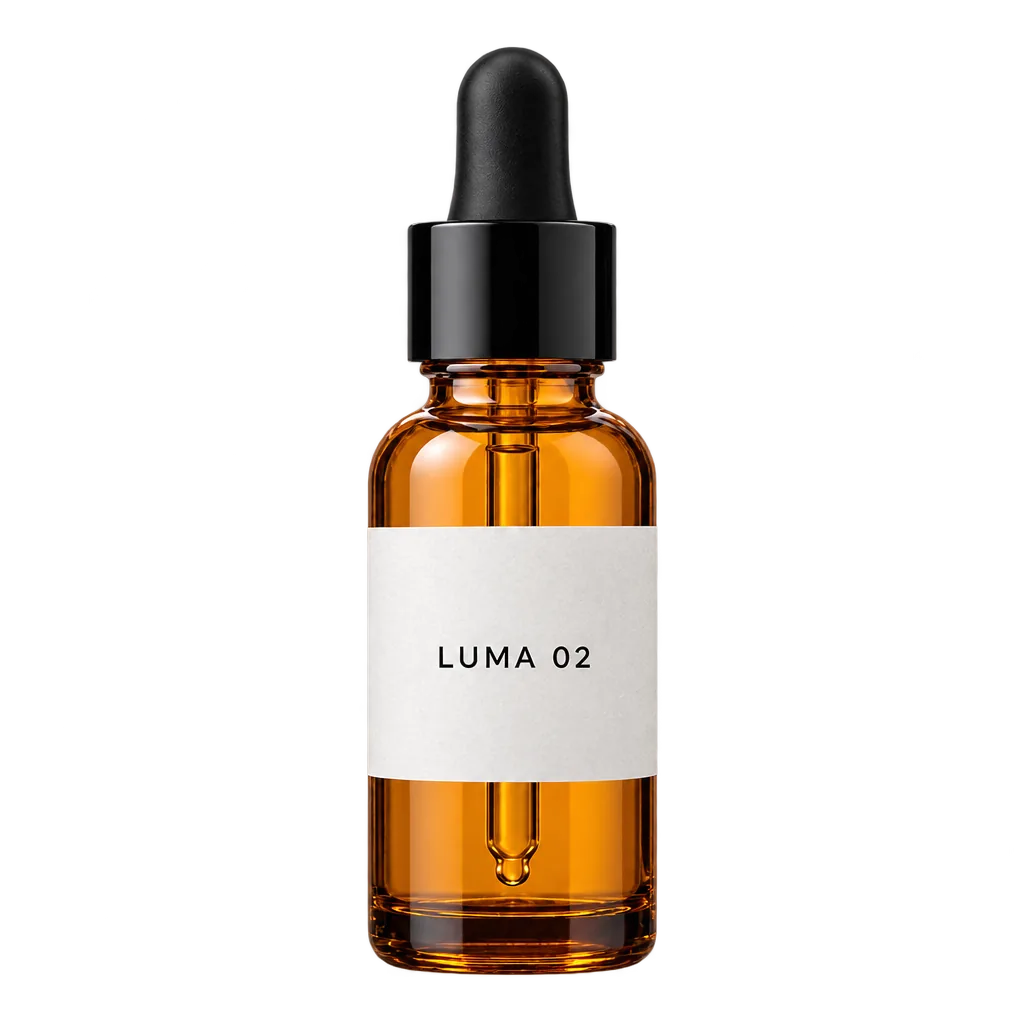
The input is the mossy-stone photo above. With Transparent background on, OpenAI’s own cutout prompt returned a PNG whose background is fully transparent, with no green or white fringe from the moss and clean edges on the glass and the dropper. The label, the dropper and the collar stayed as they were; the glass came out a little brighter.
Edit image
High
transparent PNG
1:1
“Extract the product from the input image and isolate it on a fully transparent background.
Output: centered product, crisp silhouette, no halos/fringing.
Preserve product geometry and label legibility exactly.
Add only light polishing. Do not add a solid backdrop, checkerboard, scenery, or shadow.
Do not restyle the product; remove the background and preserve clean alpha transparency.”
Tip: Check the result on a dark and a light background before you use it. The prompt allows “light polishing”: take that line out if the colours must not change at all.
15 credits
OriginalEdited
input image made with GPT Image 2
Swap one thing in a photo
Only the chairs became wooden. The camera angle, the window light, the floor shadows and everything else in the kitchen stayed where they were. The prompt is OpenAI’s own example.
Edit image
High
4:3
“In this room photo, replace ONLY the white chairs with chairs made of wood.
Preserve camera angle, room lighting, floor shadows, and surrounding objects.
Keep all other aspects of the image unchanged.
Photorealistic contact shadows and fabric texture.”
Tip: Say “replace ONLY …” and list what to preserve: angle, lighting, shadows, surrounding objects.
15 credits
OriginalEdited
input image made with GPT Image 2.5
Remove an object
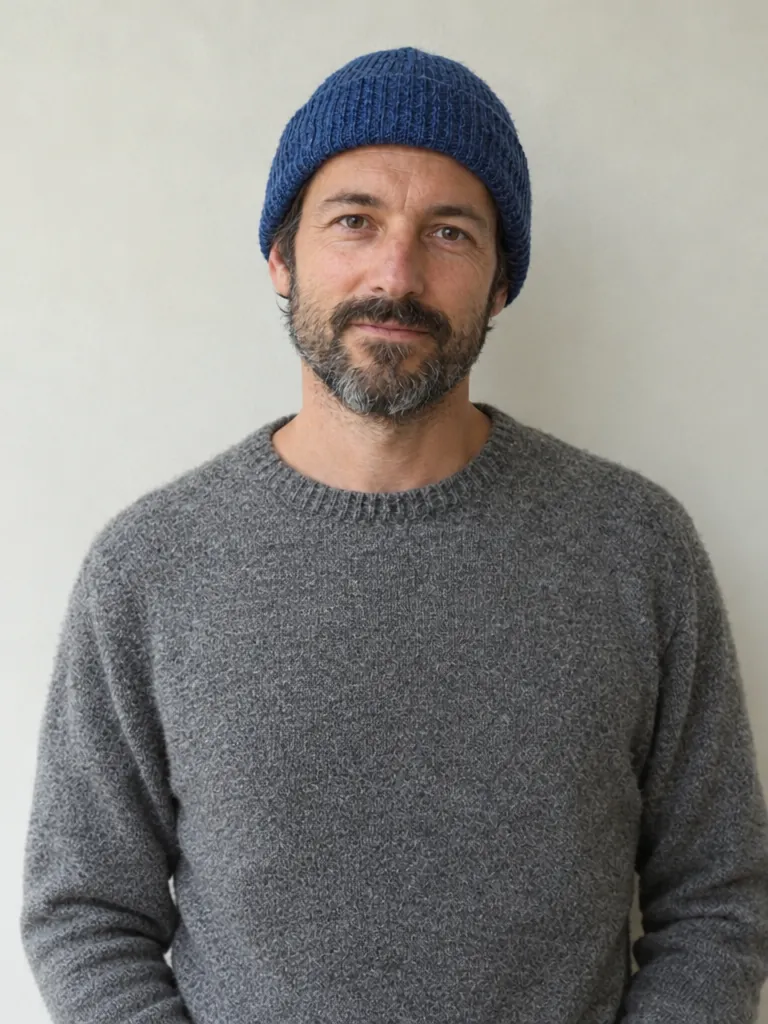
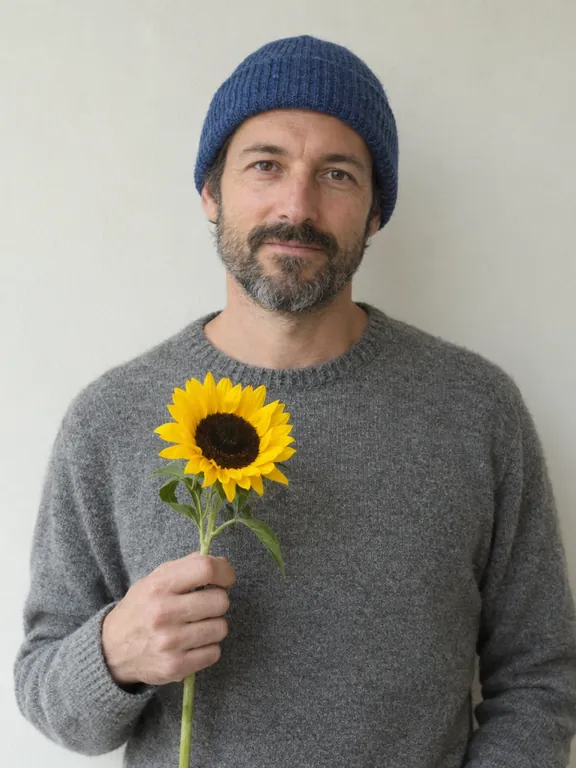
The sunflower is gone and his face, beard, hat, sweater and the wall behind him are unchanged. Instead of leaving an empty hand at his chest, it lowered the hand out of the frame. The prompt is OpenAI’s own example.
Edit image
High
3:4
“Remove the flower from man's hand. Do not change anything else.”
Tip: Name the object and add “Do not change anything else”. Then check what was touching it, such as a hand or a shadow.
15 credits
OriginalEdited
input image made with GPT Image 2.5
Change the season or the time of day
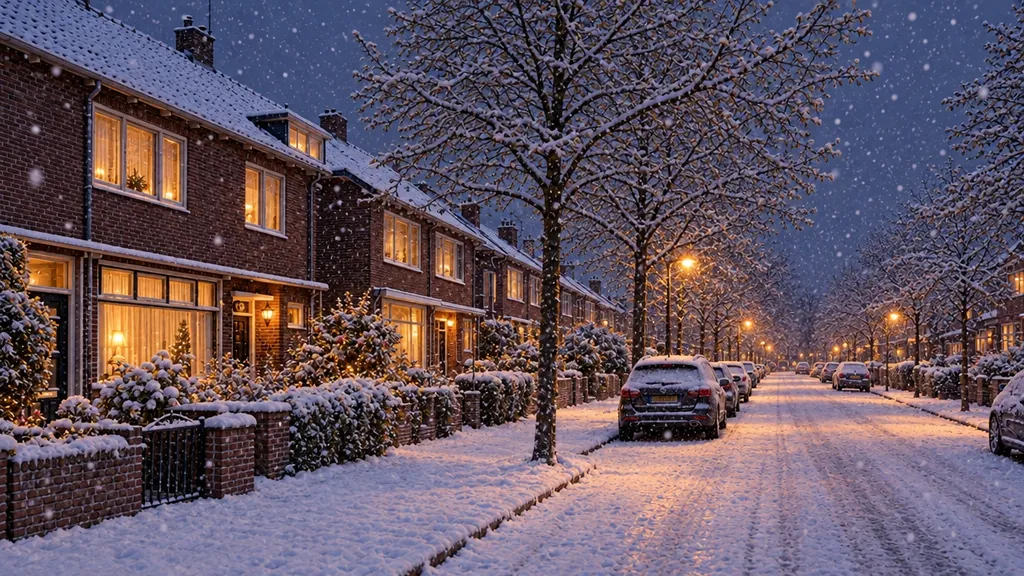
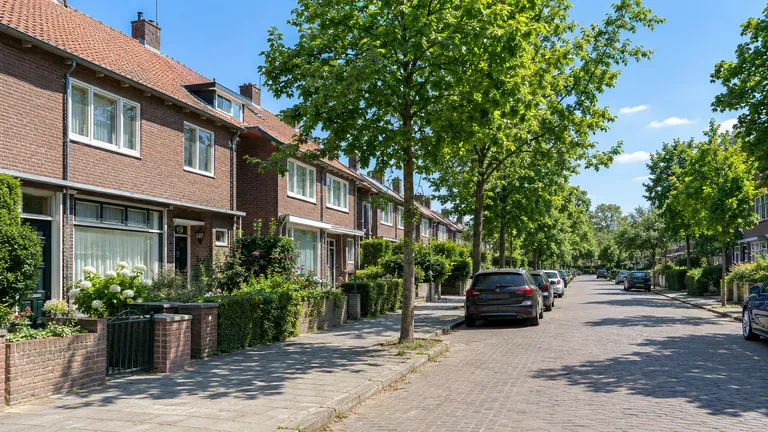
One line, from OpenAI’s guide, turned a summer street into a snowy evening: snow on roofs, hedges and cars, lit windows and street lamps, falling snow. The houses, the parked cars and the framing stayed where they were.
Edit image
High
16:9
“Make it look like a winter evening with snowfall.”
Tip: Change one condition per edit (season, weather or time of day) and edit the result for the next one.
15 credits
OriginalEdited
input image made with GPT Image 2.5
Fix a date on a finished poster
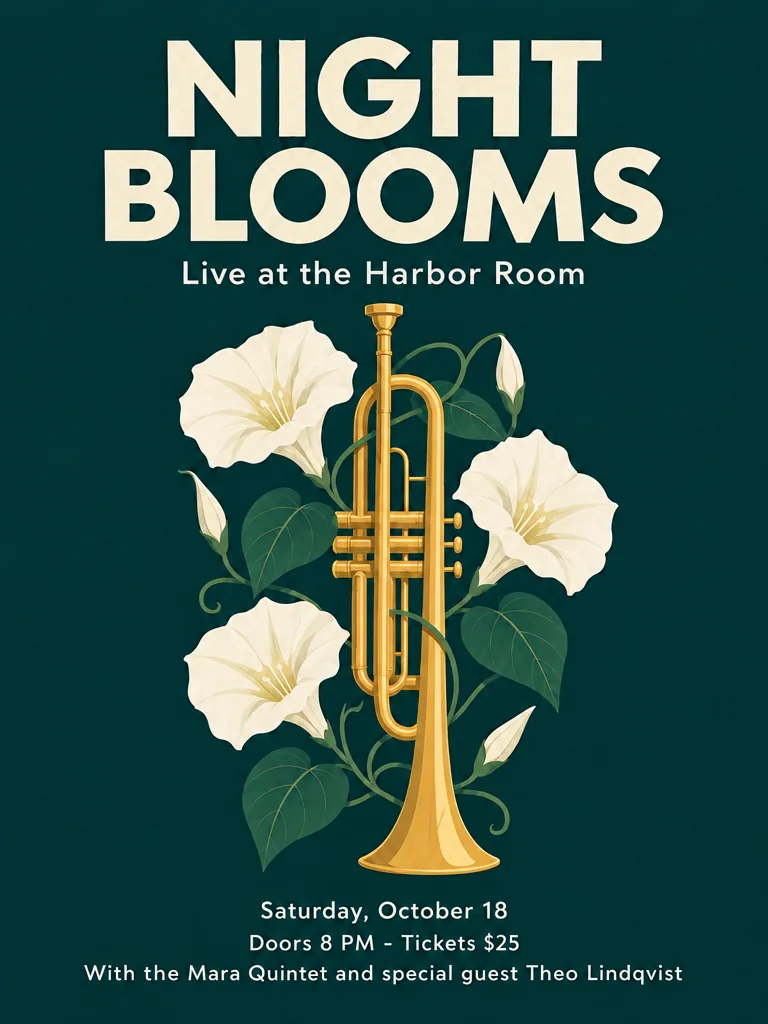
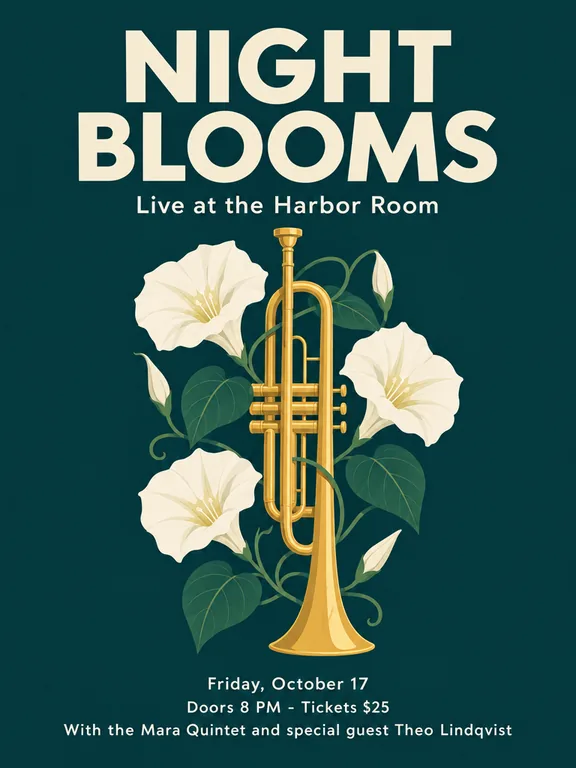
Friday, October 17 became Saturday, October 18, in the same type, and every other line stayed as it was. It is not a pixel-perfect patch: about 4% of the pixels outside the date line moved noticeably and the poster came out a shade darker.
Edit image
High
3:4
“Change the date line "Friday, October 17" so it reads "Saturday, October 18". Keep everything else exactly as it is.”
Tip: Quote the old text and the new text exactly, then compare the whole poster with your original before you print it.
15 credits
A candid, unretouched portrait
Wrinkles, pores, faded tattoos, a net in natural hands and the dog on deck. Reviewers note the model tends to smooth skin; this prompt from OpenAI’s guide asks for real skin texture and no retouching, and gets it.
Text to image
High
3:4
“Create a photorealistic candid photograph of an elderly sailor standing on a small fishing boat.
He has weathered skin with visible wrinkles, pores, and sun texture, and a few faded traditional sailor tattoos on his arms.
He is calmly adjusting a net while his dog sits nearby on the deck. Shot like a 35mm film photograph, medium close-up at eye level, using a 50mm lens.
Soft coastal daylight, shallow depth of field, subtle film grain, natural color balance.
The image should feel honest and unposed, with real skin texture, worn materials, and everyday detail. No glamorization, no heavy retouching.”
Tip: Name the look you want (35mm film, eye level, 50mm) and add “No glamorization, no heavy retouching”.
15 credits
A campaign-style ad
A polished group shot for an invented streetwear brand, with the tagline “Yours to Create” rendered once, as the prompt asks, and no stray logos.
Text to image
High
3:4
“Give me a cool in culture ad / fashion shot for a brand called Thread.
It's a hip young street brand. The ad shows a group of friends hanging out together with the tagline "Yours to Create."
Make it feel like a polished campaign image for a youth streetwear audience: stylish, contemporary, energetic, and tasteful.
Use clean composition, strong color direction, natural poses, and premium fashion photography cues.
Render the tagline exactly once, clearly and legibly, integrated into the ad layout.
No extra text, no watermarks, no unrelated logos.”
Tip: Ask for the tagline “exactly once” and for “no extra text, no watermarks, no unrelated logos”.
15 credits
Classroom diagrams
All three stages with arrows between them and all eight molecules labelled, in large, clean type. OpenAI lists scientific and educational visuals among the model’s strong fits.
Text to image
High
4:3
“Create a simple biology diagram titled "Cellular Respiration at a Glance" for high school students.
Show how glucose turns into energy inside a cell. Include glycolysis, the Krebs cycle, and the electron transport chain.
Use arrows to connect the steps, and label the main molecules: glucose, pyruvate, ATP, NADH, FADH2, CO2, O2, and H2O.
Make it look like a clean classroom handout or slide, with a white background, simple icons, clear labels, and easy-to-read text.
Avoid tiny text, extra decoration, or anything that makes the diagram hard to understand.”
Tip: Use high quality for labels, and check every name and arrow before you hand it out: complex flows can be connected wrongly.
15 credits
App and website mockups
A believable phone screen with a header, vendor list, specials and opening hours, all legible. OpenAI’s advice: describe the product as if it already exists, not as concept art.
Text to image
High
9:16
“Create a realistic mobile app UI mockup for a local farmers market.
Show today’s market with a simple header, a short list of vendors with small photos and categories, a small “Today’s specials” section, and basic information for location and hours.
Design it to be practical, and easy to use. White background, subtle natural accent colors, clear typography, and minimal decoration.
It should look like a real, well-designed, beautiful app for a small local market.
Place the UI mockup in an iPhone frame.”
Tip: It is a picture, not a design file: use it to pitch or test an idea, then build it in your design tool.
15 credits
Comic strips
Four panels that follow the story beat by beat, with the same cat in every panel. The prompt, from OpenAI’s guide, gives each panel one clear moment.
Text to image
High
9:16
“Create a short vertical comic-style reel with 4 panels.
Panel 1: The owner leaves through the front door. The pet is framed in the window behind them, small against the glass, eyes wide, paws pressed high, the house suddenly quiet.
Panel 2: The door clicks shut. Silence breaks. The pet slowly turns toward the empty house, posture shifting, eyes sharp with possibility.
Panel 3: The house transformed. The pet sprawls across the couch like it owns the place, crumbs nearby, sunlight cutting across the room like a spotlight.
Panel 4: The door opens. The pet is seated perfectly by the entrance, alert and composed, as if nothing happened.”
Tip: Write one short paragraph per panel and number them.
15 credits
OriginalEdited
input image made with GPT Image 2
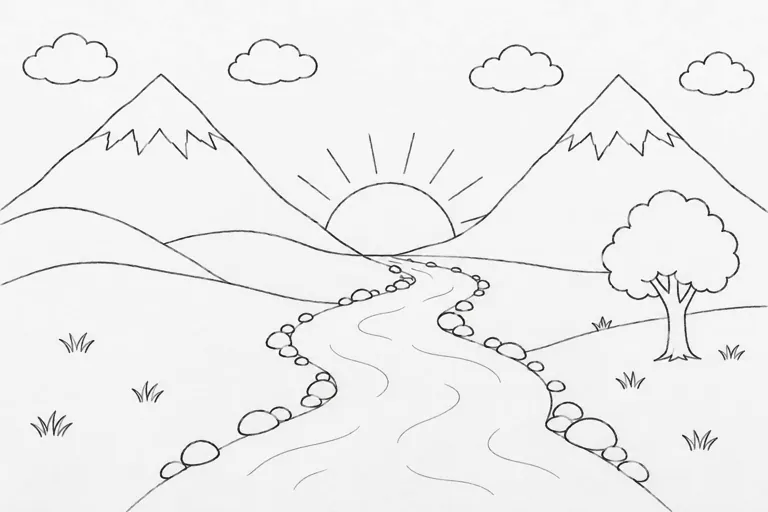
Sketch to photo
The mountains, the sun, the clouds, the tree and the stones sit exactly where the pencil sketch put them. The river, drawn as two lines without water marks, came out as a dirt path in both of our runs: the model follows the lines, not what you meant by them.
Edit image
High
4:3
“Turn this drawing into a photorealistic image.
Preserve the exact layout, proportions, and perspective.
Choose realistic materials and lighting consistent with the sketch intent.
Do not add new elements or text.”
Tip: Label what is ambiguous in the prompt (“the winding shape in the middle is a river”) or draw a few wave lines into it.
15 credits
How-it-works infographics
Ten numbered parts, colour-coded flows and a step-by-step strip, with correct figures (9 bar, 90–96 °C). At this size, one line of the smallest text came out garbled, so dense infographics need proofreading.
Text to image
High
3:4
“Create a detailed Infographic of the functioning and flow of an automatic coffee machine.
From bean basket, to grinding, to scale, water tank, boiler, etc.
I'd like to understand technically and visually the flow.”
Tip: Keep body text short, ask for fewer, larger labels, and read every line before you publish.
15 credits
What sets GPT Image 2.5 apart
Edits that leave the rest alone
OpenAI built GPT Image 2.5 to improve “precise editing and subject preservation”, and Artificial Analysis found editing is where it gained most over GPT Image 2. In practice it keeps the framing, light and objects you didn’t mention, which makes it useful for product photos and small photo fixes.
How to use it: Choose Edit and upload the image. Write the change first (“replace only the chairs…”), then the list of things to keep. For a series of changes, edit the last result and repeat what must stay the same each time.
Text you can publish
Headlines, taglines, labels and diagram names come out spelled as written: three independent same-prompt tests (Fuser, CellCog, JXP) found every line correct, Japanese signs included.
How to use it: Put the exact words in quotes, describe position and typeface, and add “No other text”. Spell unusual names letter by letter. Use high quality when the text is small.
What GPT Image 2.5 is good at, and where it struggles
Good at
Text in images comes out spelled correctly: posters, packaging, labels, diagrams. Every line was right in three independent same-prompt tests (Fuser, CellCog, JXP) and in our own samples below.
Edits change only what you ask. In our samples it kept the bottle, cap and label while moving the product outdoors, and swapped only the chairs in a kitchen photo.
Realistic photos with natural skin, hands and materials when you ask for an unretouched look.
Low and medium quality cost very little, so you can test a layout before paying for high.
Limits
Very small print can blur at the sizes offered here (up to 1280 pixels on the long side): in our dense infographic one line of the smallest text came out garbled.
Translating the text in an image keeps the layout and numbers, but the grammar needs checking: our Spanish test had a wrong article in the headline.
Large plain areas (sky, grey studio backdrops) can show a fine grain, which reviewers at TechRadar also saw.
It doesn’t look things up: real landmarks come out generic, and chart bars can be a couple of points off their labels.
OpenAI’s content rules are fairly strict: swimwear, embraces, fights and real public figures are often refused.
A good first result with GPT Image 2.5, step by step
Draft cheap, finish high. Each step shows its settings and cost.
1
Try the layout at low quality
Run the prompt a few times at low quality to settle the composition and wording. Change one thing at a time.
Low
1:1
3 runs × 5 = 15 credits
2
Render the keeper at high quality
Rerun the prompt you like at high quality, which is what small text and fine detail need.
High
1:1
15 credits
3
Fix one detail with an edit
Upload the result and change only what is still wrong, such as a word or a colour, instead of rolling the whole image again.
High
1:1
15 credits
About 45 credits ($0.45 at the standard rate) for the whole job. Failed runs are refunded, so they don’t count.
Settings, explained
What each option does and what it does to the price.
Versions
Flare is OpenAI’s fast model, Sunburst its larger one for maximum quality. Independent testers found their results nearly identical, with Sunburst a third or so slower, so draft on Flare.
Same price: 15 credits (High)
Modes
Generate starts from your words. Edit changes an image you upload: change the setting, swap an object, fix the text, turn a sketch into a photo.
Same price: 15 credits (High)
Quality
Low is for trying ideas, medium for everyday posts, high for small text, faces and fine detail. Extra high and Max are for when high still falls short; OpenAI advises using them only then, and they take longer. The same name doesn’t mean the same thing across versions: high on 2.5 costs about what medium did on GPT Image 2.
1:1 for feeds and product photos, 3:4 for posters, 4:3 for slides and diagrams, 16:9 for banners and thumbnails, 9:16 for stories and phone screens. An edit keeps the shape you choose, so match it to your photo.
1:1, 4:3, 3:4, 16:9, 9:16 · no price difference
Transparent background
Returns a PNG with a real transparent background, for logos, stickers and product cutouts. In an edit, keep it on for every step, or the next result may get a background again.
Same price: 15 credits (High)
Images per request
Ask for several images at once to compare takes of the same prompt.
1 to 4 per request · priced per image
GPT Image 2.5 specs
Updated 2026-10-27
Developer
OpenAI
Type
Image
Modes
Text to image, Edit image
Quality
Low, Medium, High, Extra high, Max
Images per request
4
Aspect ratios
1:1, 4:3, 3:4, 16:9, 9:16
Versions
GPT Image 2.5 Flare, GPT Image 2.5 Sunburst
Commercial use
Allowed, under our terms
Failed generations
Credits refunded automatically
Starts at
5 ($0.05)
GPT Image 2.5 price per generation
Credits are charged only when a generation starts, and refunded if it fails. The cheapest option is 5 credits.
Start with what the image is for: a product photo, an ad, a diagram. Then describe the subject, the layout and the constraints. For long requests, use labelled sections (Scene, Subject, Details, Constraints).
Put exact text in quotes and say where it goes and how it looks. Ask for no extra text, then check the spelling.
For edits, say “change only X” and list what must stay: identity, shape, layout, lighting, labels.
Name each reference image by number and role when you upload several: “image 1 is the product, image 2 is the background”.
Change one thing at a time. Edit the last result, ask for one change, and repeat what must be preserved.
Ask for “photorealistic” or “a real photograph” when that is the goal, and describe materials, light and framing rather than mood words alone.
When a result goes wrong
The usual problems with GPT Image 2.5, why they happen and what to change.
A transparent cutout has rough or missing edges
Why: Hair, glass, soft shadows and thin edges are the hardest parts of a cutout; OpenAI tells you to check exactly these.
Fix: Look at the result on both a dark and a light background before you use it. Ask for “clean alpha edges” in the prompt, and for glass or shadows say whether they should stay.
A word is misspelled or extra text appears
Why: Small, dense or unusual text is the hardest part, even for this model.
Fix: Quote the exact text, add “No other text”, use high quality, and keep the amount of small print down. Fix a single wrong word with an edit instead of a new image.
An edit changed something it shouldn’t have
Why: Repeated or broad edits can drift: a cap height, a label character or a fine pattern can change.
Fix: Name every detail to keep, change one thing per edit, and compare with the original. If a part must stay pixel-identical, OpenAI suggests compositing the edit into the original instead.
A translated image has grammar mistakes
Why: The model keeps the layout and the numbers but doesn’t check grammar. In our Spanish test the headline had the wrong article.
Fix: Have a native speaker read it, then fix the wrong words with one more edit, quoting the corrected text.
Grain in the sky or on a plain backdrop
Why: Reviewers report a fine texture in large flat areas.
Fix: Give the background some texture or light (a room, a gradient, daylight) instead of a flat grey, or retouch the area.
Skin looks too smooth
Why: The model leans toward a retouched, editorial look.
Fix: Ask for visible pores and wrinkles, “no heavy retouching” and a film or phone-camera look.
The request was refused
Why: OpenAI checks the prompt and the finished image.
Fix: Nothing is charged: the credits come back. Reword the prompt, or use an image without a real person.
GPT Image 2.5 vs GPT Image 2
GPT Image 2.5 (8 September 2026) comes in two models, both on zzo.ai. OpenAI says Flare has image quality comparable to GPT Image 2 at higher speed, Sunburst higher image quality than GPT Image 2, and that both improve precise editing and subject preservation.
Better edits: more of the original kept when you change the setting, style or one object.
Two new top quality settings, Extra high (xhigh) and Max.
Transparent backgrounds are fully supported (a preview on GPT Image 2).
Quality names shifted: high on 2.5 costs about what medium did on GPT Image 2, so compare results, not labels.
OpenAI’s token prices are the same as for GPT Image 2.
GPT Image 2.5 on zzo.ai costs 15 credits ($0.15) per image at High quality. No subscription: buy credits once and they never expire. Depending on quality, one image costs 5 to 45 credits ($0.05 to $0.45 at the standard rate); more images or reference images add to that, and the button shows the total first. As low as $0.05 with the $199.99 pack. Failed generations are refunded automatically.
Do I need a subscription to use GPT Image 2.5?
No. zzo.ai has no subscription: buy a credit pack once and spend it on GPT Image 2.5 or any other model. Credits never expire.
What can I make with GPT Image 2.5?
GPT Image 2.5 generates new images and edits uploaded ones, up to 4 per request, in 1:1, 4:3, 3:4, 16:9, 9:16 aspect ratios.
Can I use GPT Image 2.5 through an API or in Claude?
Yes. Create an API key in Settings, then use GPT Image 2.5 from Claude, Cursor or your own code through the zzo.ai MCP server. It draws from the same balance at the same prices as the website.
GPT Image 2.5 Flare vs Sunburst: which should I use?
Both are on zzo.ai at the same price. OpenAI released GPT Image 2.5 as two models: Flare, the small fast one, and Sunburst, the larger one aimed at maximum quality. In independent tests their results were nearly identical while Sunburst took longer (CellCog measured 32 to 33 seconds against 23 to 28 for the same edits). Start with Flare; switch to Sunburst for a final when a detail still isn’t right.
Can I use GPT Image 2.5 without paying?
Not on zzo.ai. Every image is paid for with credits, and the button shows the exact price before you generate. Low and medium quality are the cheapest way to try an idea. There is no subscription, and credits never expire.
GPT Image 2.5 vs Nano Banana 2.1: which is better?
It depends on the job. GPT Image 2.5 is the safer pick for exact text and for edits that must keep a product unchanged. In CellCog’s 24-prompt test against Nano Banana 2.1 it won 9, lost 5 and tied 10, but Nano Banana 2.1 drew a real landmark more accurately. On zzo.ai, Nano Banana 2.1 goes up to 4K, while GPT Image 2.5 stops at 1280 pixels. Both are here, so you can run the same prompt on each.
Can GPT Image 2.5 make posters with readable text?
Yes, that is its strongest skill. Put the exact words in quotes, say where they go, and add “No other text”. Use high quality for small print and check the spelling before you publish, especially on dense layouts.
How do I change the text on an existing image?
Choose Edit, upload the image and write the new wording in quotes: “Change only the headline to ‘Summer Sale’. Keep the layout, colours and photo exactly as they are.” OpenAI’s guide recommends naming what must stay the same.
Can I make product photos for Amazon or Shopify with it?
Yes. Upload a clean photo of your product and describe the new setting, saying what must not change: shape, colour, label text. Atlas Cloud warns that a polished swap can still quietly change a cap height or a label character, so compare the result with your photo before you use it in a listing.
Do GPT Image 2.5 images have a watermark?
No visible one. OpenAI adds invisible C2PA metadata and a SynthID watermark that mark the image as AI-generated. zzo.ai adds no watermark of its own.
Can GPT Image 2.5 make transparent backgrounds?
Yes. Switch on Transparent background and you get a PNG with a real alpha channel, not a painted checkerboard, at no extra cost. It works for new images and for edits, such as cutting a product out of a photo: see the amber bottle in the use cases above. Check hair, glass, shadows and edges before you use it: OpenAI names them as the parts to look at.
What is the maximum resolution?
On zzo.ai, images are 1024×1024 for square and up to 1280×720 for wide or tall formats, at any quality. Extra high and Max add detail, not pixels. The model itself can go up to 3840 pixels on the long side, which OpenAI calls experimental above 2560×1440.
How many reference images can I upload?
Up to four per edit on the website. Each reference image adds a small fixed cost once per request, whatever the number of outputs, and the button shows the total.
Can I use GPT Image 2.5 images commercially?
Yes. Images you generate on zzo.ai are yours to use, including in commercial work, as long as the content itself doesn’t break our terms or anyone else’s rights.
Why was my GPT Image 2.5 request rejected?
OpenAI checks both the prompt and the finished image, and refuses things like sexual or violent content, real public figures and some edits of photos of real people. When a request is refused, the credits go back to your balance automatically. Reword the prompt or use a different image.