砂漠に浮かぶ美術館
モデル / ByteDance

Seedance 2.5(シーダンス)をブラウザで使う

zzo.aiのSeedance 2.5は、720p・5秒の音声付き動画1本で300クレジット($3.00)です。サブスクはなく、一度購入したクレジット(生成に使う残高)に有効期限はありません。

Seedance 2.5は、ByteDance(TikTokの運営会社)の動画生成AIです。セリフ・環境音・音楽を映像と同時に生成し、最大9枚の参考画像からキャラクター・商品・スタイルを引き継げます。

  • 4〜15秒の動画
  • 最大1080p
  • 音声のオン・オフ可
この動画のプロンプトです。書き換えても、一から書いてもかまいません。

Seedance 2.5で作ったサンプル

それぞれにプロンプト、モデル、zzo.aiでの料金を表示しています。選ぶと、その内容から始められます。

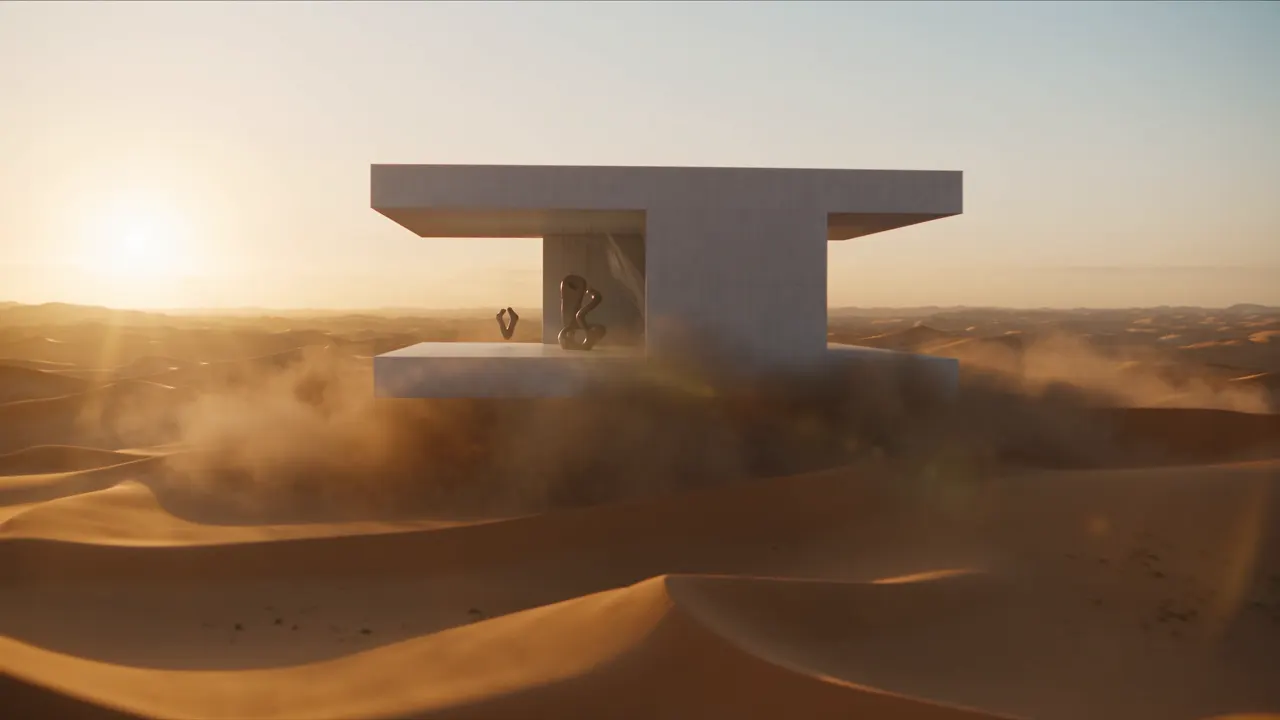
砂漠に浮かぶ美術館
“Cinematic quality, high-end feel, a golden desert at dawn, a minimalist white art-museum building floating above the dunes, the building's surface carrying fine stone texture and soft reflections. Sunlight passes through the airborne sand to form volumetric light, with distinct layers of distant dunes. The camera starts on an ultra-wide desert panorama, slowly pushing forward, passing through the flying sand grains, into the interior of the floating building. Inside there are suspended sculptures, semi-transparent silk installations, and a character in a white robe, the fabric swaying naturally in the wind. The camera makes a smooth orbiting move around the character, and finally the building walls slowly open to reveal the vast sky and desert. High-end art-advertising style, realistic lighting, refined materials, cinematic composition, elegant motion, surreal yet believable.”Seedance 2.5, 15秒, 音声付き, 890クレジット, Dreaminaで生成
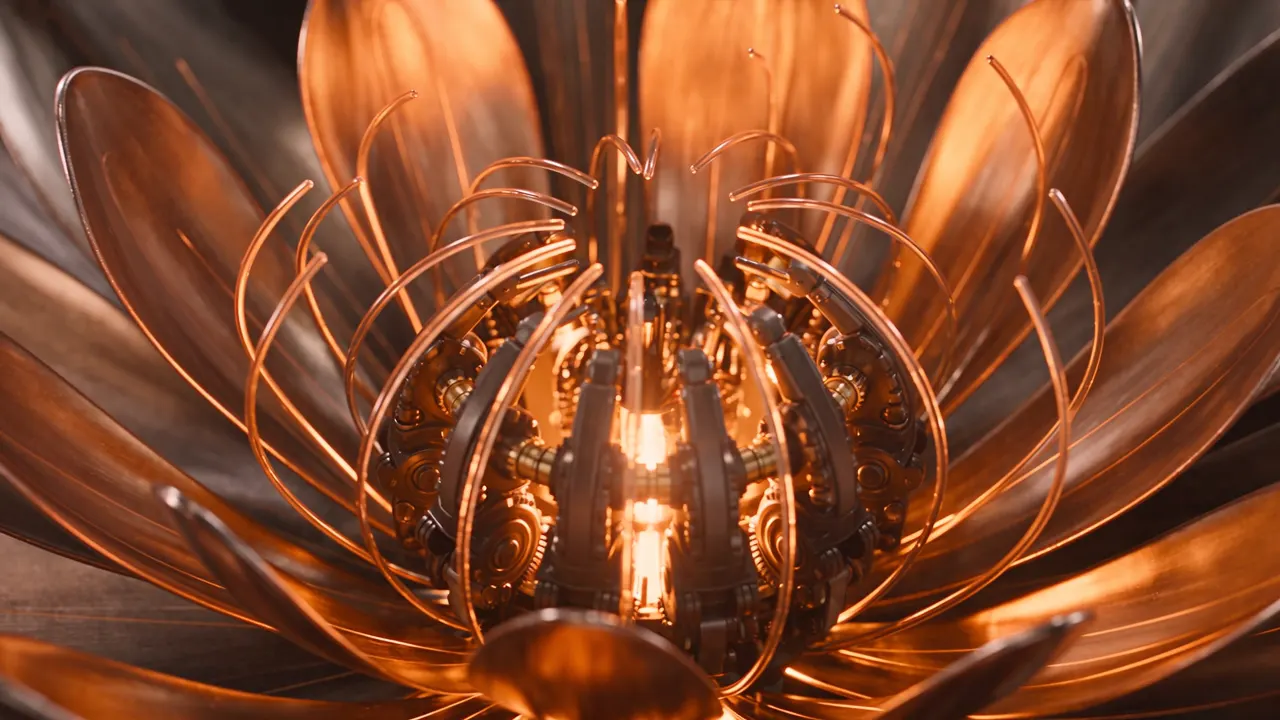
機械仕掛けの花の広告
“The theme is "mechanical flower bloom". The image needs to highlight the generative video model's strengths in lighting and shadow, art detail, realism, camera movement, and cinematic character feel. The overall style is a high-end tech-brand ad with strong visual impact. The video uses a single-take macro push-in shot, starting from a metal flower bud in darkness, gradually entering the precision mechanical structure inside the petals, and finally climaxing on the image of the mechanical flower fully blooming with light radiating outward. It requires realistic physical lighting, refined metal and glass materials, delicate mechanical motion, stable composition, cinematic color grading, no subtitles.”Seedance 2.5, 15秒, 音声付き, 890クレジット, Dreaminaで生成
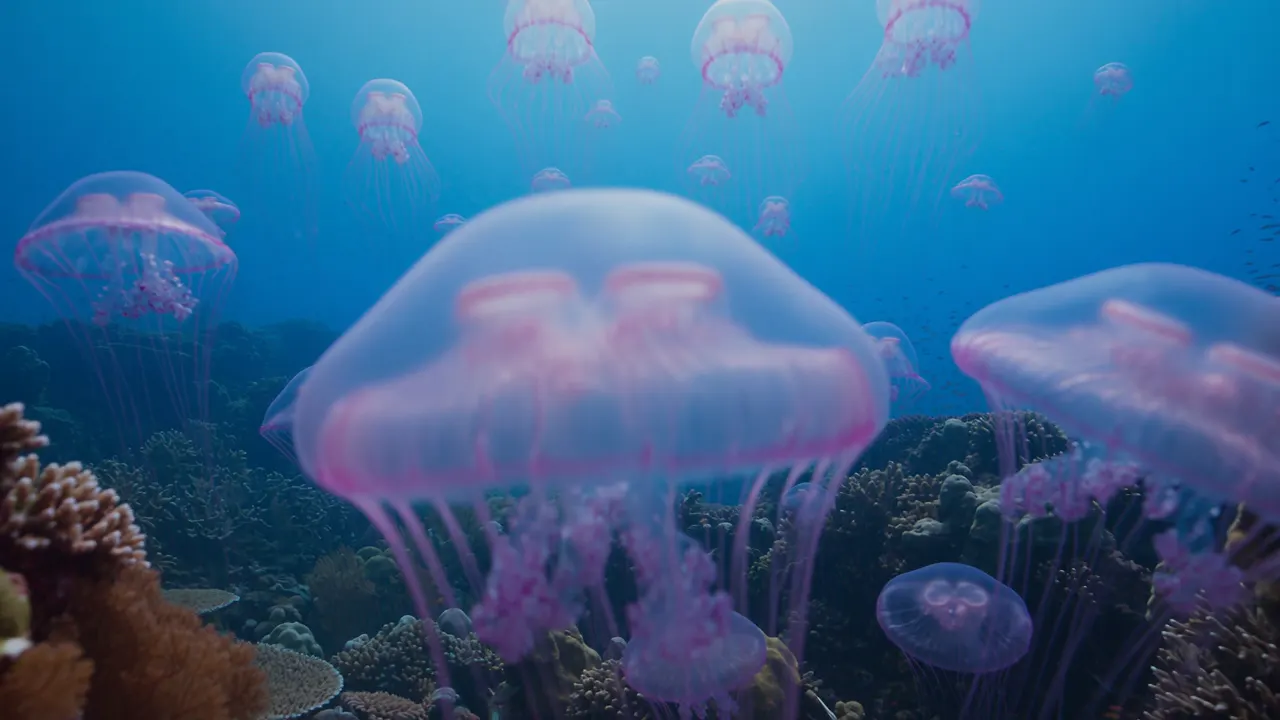
サンゴ礁とクラゲ
“A deep-sea coral-reef scene, a blue-toned tropical underwater world with large expanses of healthy, thriving colorful living coral, including branching coral, brain coral, plate coral, and soft sea-fan coral, with large schools of tropical fish weaving naturally among them. The foreground is crisp and vivid; the distance gradually turns bluer and grayer with reduced contrast. Natural light from above is filtered through the seawater into soft volumetric light, with fine suspended particles and a gentle sense of flow in the water, the soft corals swaying lightly and the fish schools moving smoothly and in coordination. Add a group of semi-transparent pale-lavender glowing jellyfish slowly appearing, 8-12 of them, in varying sizes. Their bell bodies carry a soft bioluminescent effect, tentacles drifting gently with the current, the tentacle tips bearing faint purple light points. The jellyfish are proportioned harmoniously with the corals and fish, the glow soft and not harsh, forming dreamy light spots against the dark seawater background. The jellyfish swarm's movement path is natural, rising in a slow ascending spiral, with some jellyfish swimming past in front of the lens to produce a slight lens-flare effect. Maintain the underwater blue-toned lighting, the jellyfish glow coexisting harmoniously with the faint reflections of the surrounding coral.”Seedance 2.5, 10秒, 音声付き, 595クレジット, Dreaminaで生成
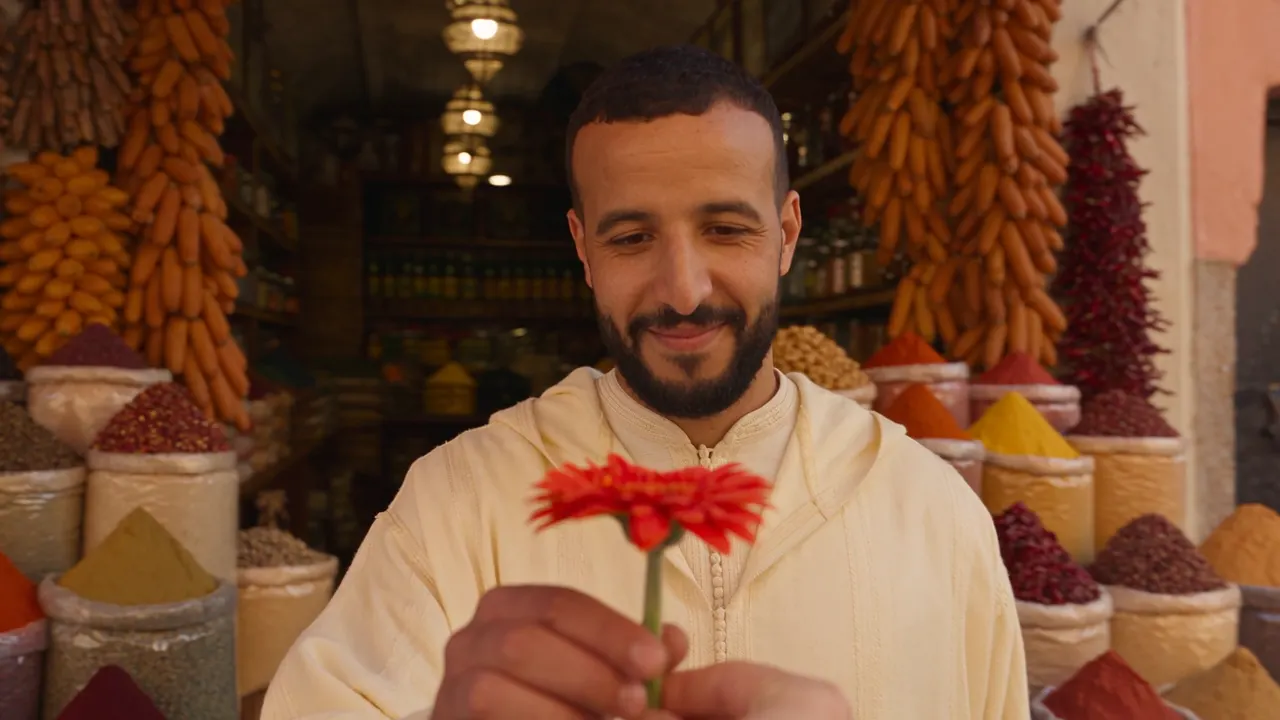
世界の「ありがとう」
“Live-action style, fast editing, cinematic, 4K, 24fps, warm natural light, real human performance, natural lip-sync, no subtitles. The passing of a single flower serves as the core visual thread for the whole video, the flower passing quickly from one country to the next, linking different regions and people around the globe. In each scene, a character receives the flower, shows a sincere smile, and says "thank you" in their local language. The overall pacing is light and fluid, the camera full of motion, emphasizing a real street/life vibe, warm cross-cultural connection, and the passing of goodwill between people.”Seedance 2.5, 15秒, 音声付き, 890クレジット, Dreaminaで生成
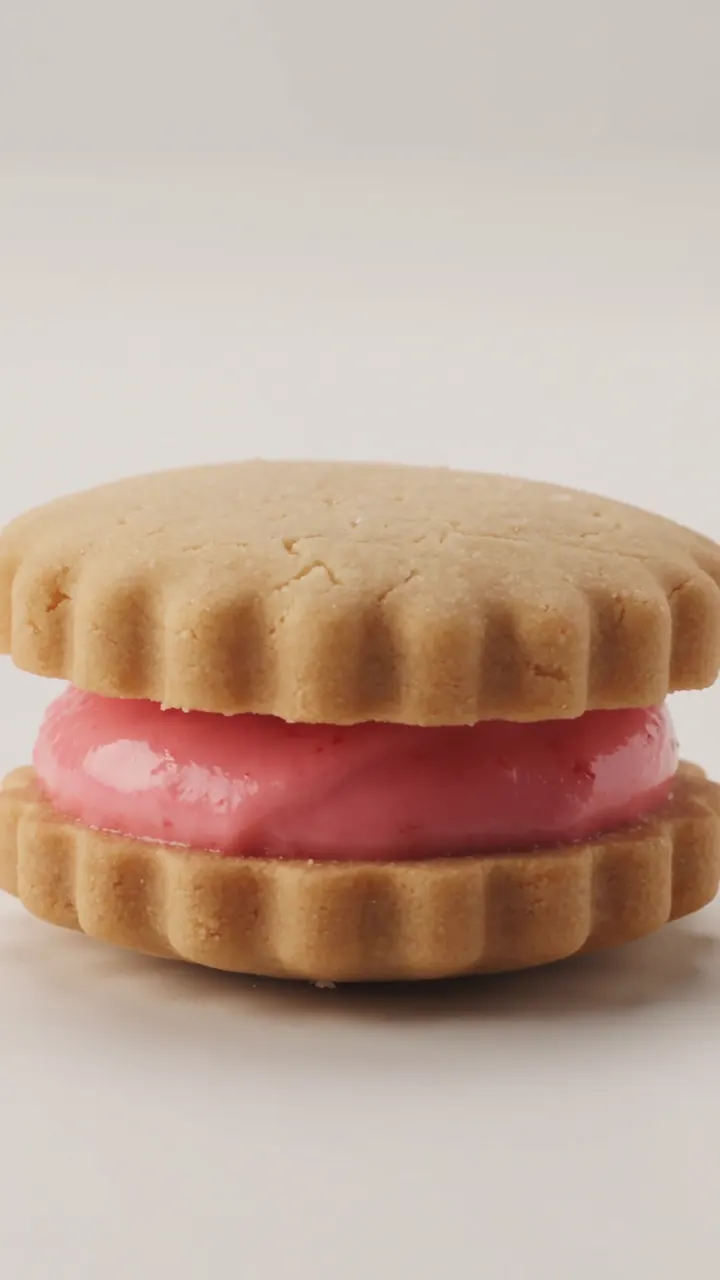
回転するクッキー、縦動画
“A strawberry sandwich cookie slowly completes one full rotation while the camera moves smoothly around it and keeps the product centered.”Seedance 2.5, 6秒, 音声付き, 360クレジット, Dreaminaで生成
商品画像を1回転
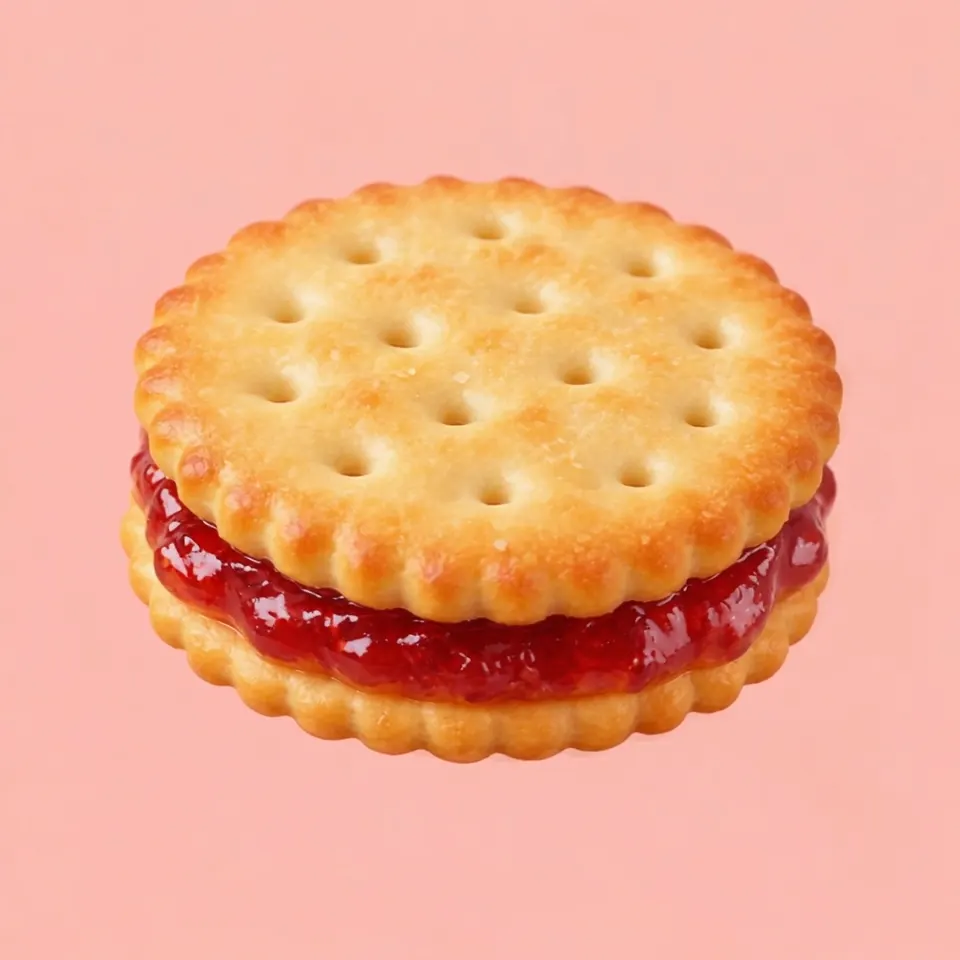
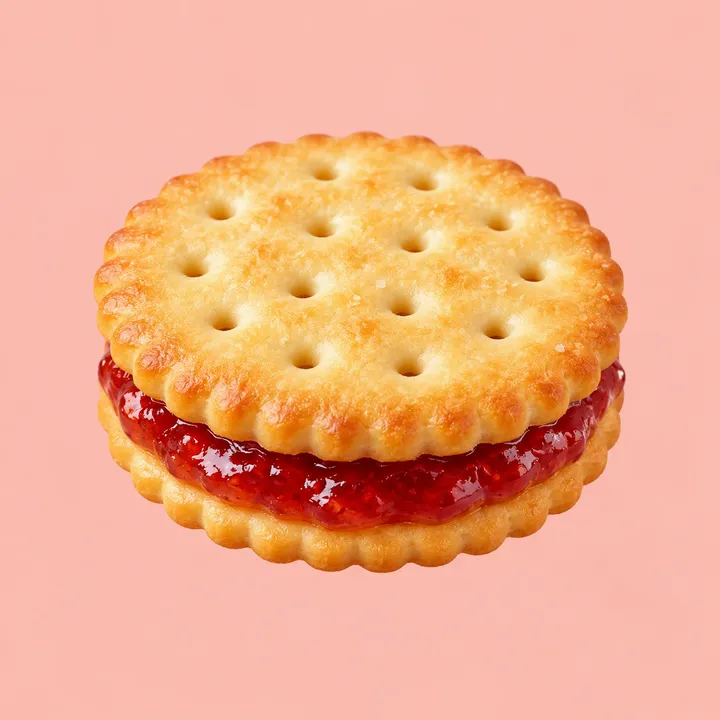
“A strawberry sandwich cookie slowly completes one full rotation while the camera moves smoothly around it and keeps the product centered.”Seedance 2.5, 画像から動画, 5秒, 音声付き, 300クレジット, Dreaminaで生成, 入力画像はGPT Image 2で生成
動き出す絵画
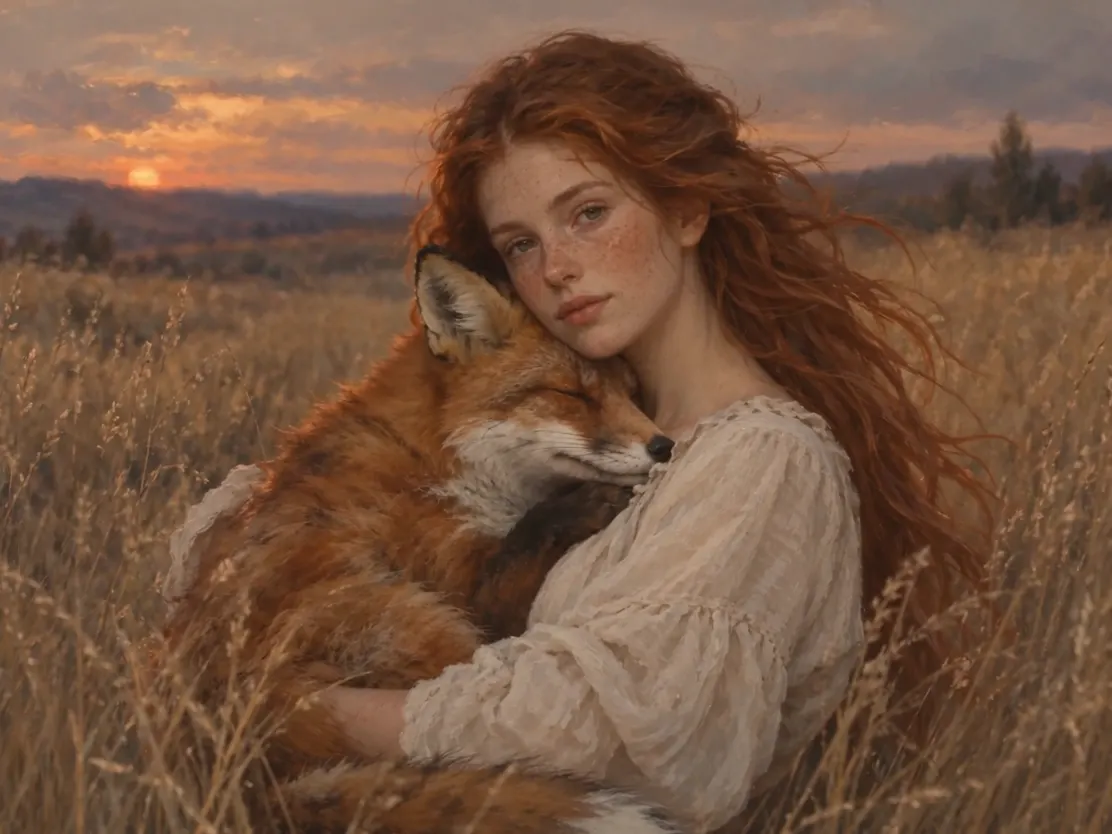
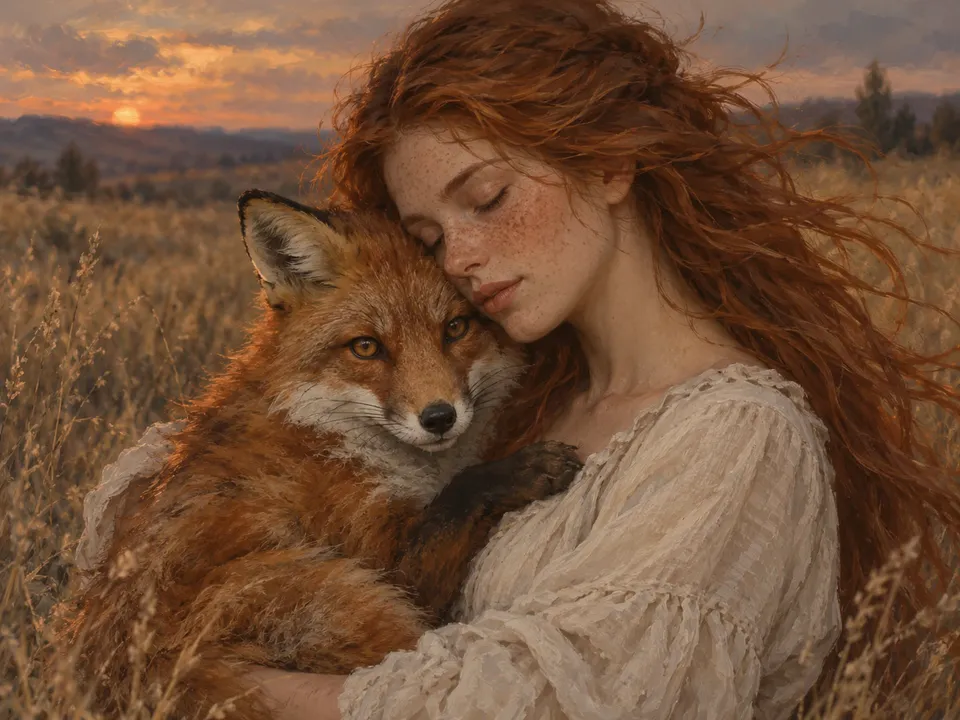
“A girl holds a fox. She opens her eyes and looks gently at the camera while the fox hugs her. The camera slowly pulls back, the wind blows through the girl's hair, and the sound of the wind can be heard.”Seedance 2.5, 画像から動画, 5秒, 音声付き, 300クレジット, Dreaminaで生成, 入力画像はGPT Image 2で生成
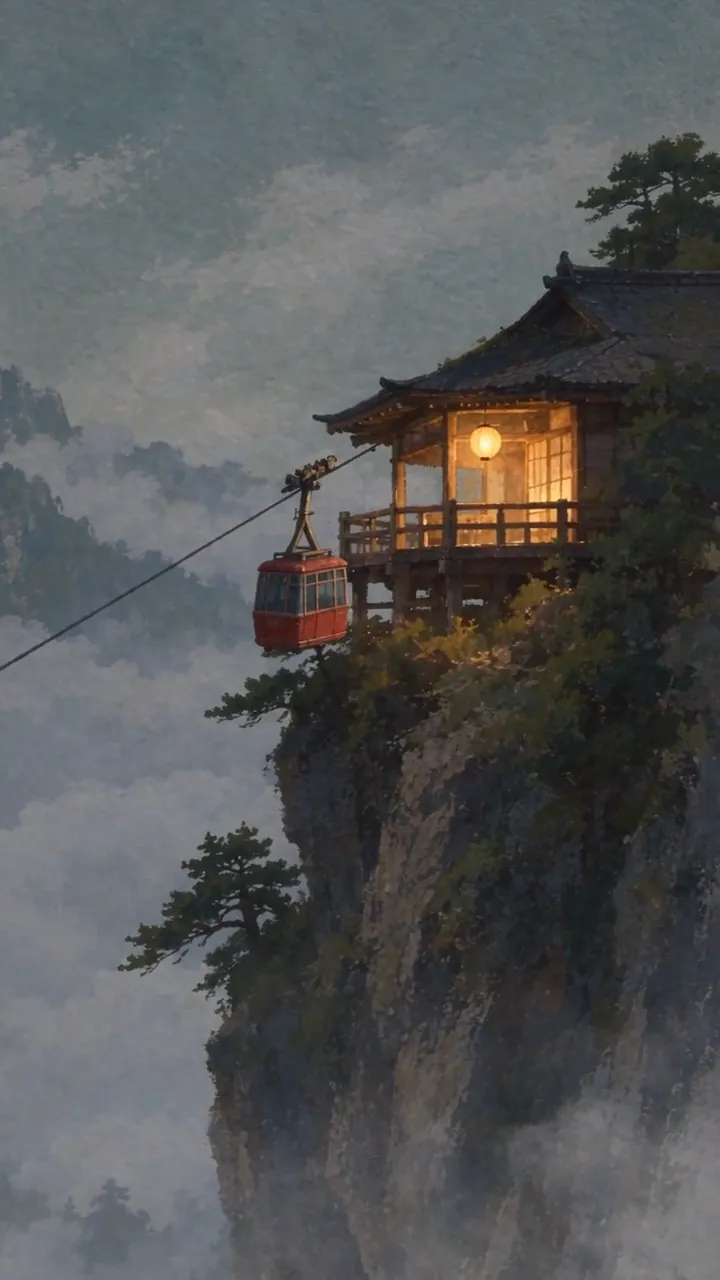
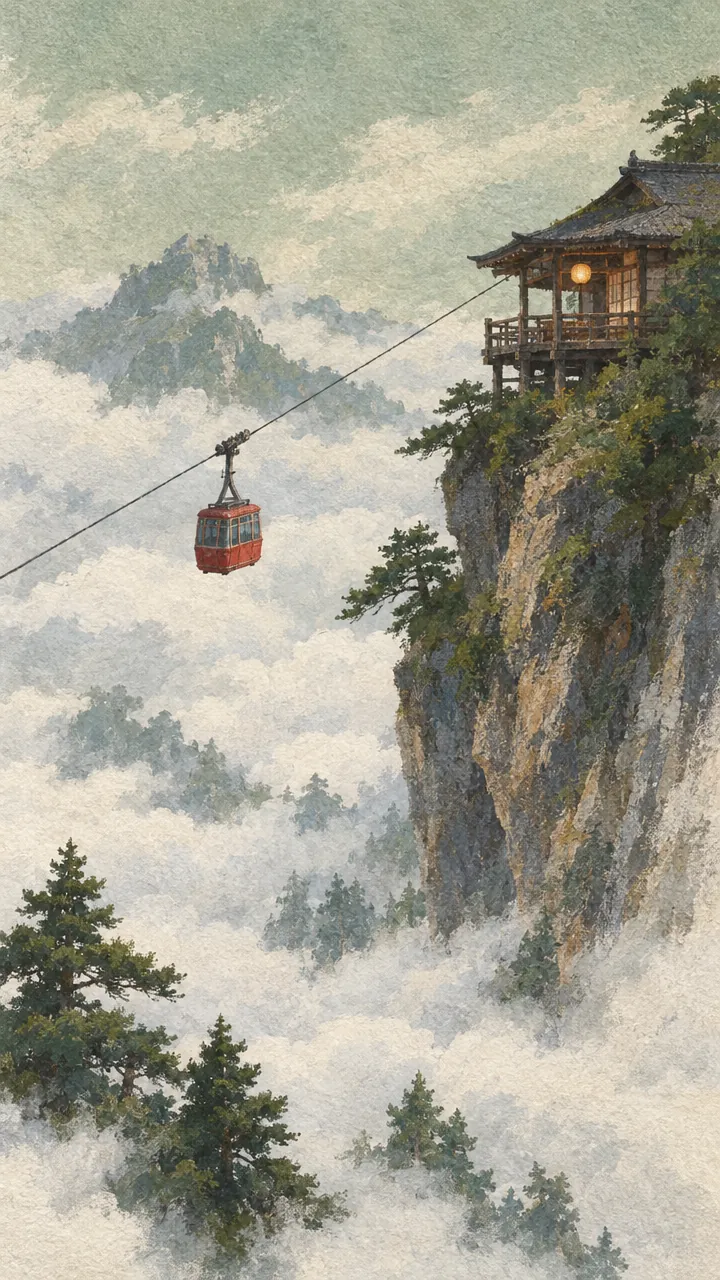
動き出すガッシュ画
“The cable car sways and climbs slowly toward the top of frame. Cloud crosses the span from the right and hides the car completely for about a second, then the car comes back out on the same line, at the same speed, with the same sway. The lantern on the balcony swings and its light warms as the ambient light drops. The camera tilts up a few degrees to follow the climb. Every frame stays a gouache painting on rough paper: hold the brush texture, the dry-brush rock edges and the paper grain, and never let the image resolve toward photography. Audio: wind across the cable, the steel cable ticking through the sheave, one distant bell from the teahouse. No music.”Seedance 2.5, 画像から動画, 10秒, 音声付き, 595クレジット, Dreaminaで生成, 入力画像はGPT Image 2.5で生成

Seedance 2.5で作れるもの

それぞれに、最初に試す設定とプロンプト、かかるクレジットを載せています。そのまま使うことも、編集して使うこともできます。

砂漠に浮かぶ美術館
Dreaminaで生成

映画のようなワンカット

15秒をカットなしの1ショットで撮ったような映像です。砂漠の全景から舞う砂を抜け、宙に浮かぶ白い建物へ入り、ローブの人物の周りを回り、最後に壁が開いて空が現れます。光、砂、風に揺れる布の質感が最後まで途切れません。

  • テキストから動画
  • 720p
  • 15秒
  • 音声付き
  • 16:9

“Cinematic quality, high-end feel, a golden desert at dawn, a minimalist white art-museum building floating above the dunes, the building's surface carrying fine stone texture and soft reflections. Sunlight passes through the airborne sand to form volumetric light, with distinct layers of distant dunes. The camera starts on an ultra-wide desert panorama, slowly pushing forward, passing through the flying sand grains, into the interior of the floating building. Inside there are suspended sculptures, semi-transparent silk installations, and a character in a white robe, the fabric swaying naturally in the wind. The camera makes a smooth orbiting move around the character, and finally the building walls slowly open to reveal the vast sky and desert. High-end art-advertising style, realistic lighting, refined materials, cinematic composition, elegant motion, surreal yet believable.”

ヒント:カメラの動きを順番に書き(「starts on…, slowly pushing forward…, finally…」)、各段階に動きを1つずつ割り当てます。ByteDanceのガイドは、複数の動きを同時に重ねると映像が不安定になると注意しています。

890クレジット
機械仕掛けの花の広告
Dreaminaで生成

高級感のある商品広告風の映像

金属やガラスに当たる光の表現がもっとも得意な分野です。プロンプトでスタイル(テック系ブランドの広告)、ショット(マクロでの1回の寄り)、素材を指定すると、暗闇のつぼみから内部の歯車へ入り、光を放って花が開くまでを、その通りに描きます。

  • テキストから動画
  • 720p
  • 15秒
  • 音声付き
  • 16:9

“The theme is "mechanical flower bloom". The image needs to highlight the generative video model's strengths in lighting and shadow, art detail, realism, camera movement, and cinematic character feel. The overall style is a high-end tech-brand ad with strong visual impact. The video uses a single-take macro push-in shot, starting from a metal flower bud in darkness, gradually entering the precision mechanical structure inside the petals, and finally climaxing on the image of the mechanical flower fully blooming with light radiating outward. It requires realistic physical lighting, refined metal and glass materials, delicate mechanical motion, stable composition, cinematic color grading, no subtitles.”

ヒント:自社の商品で作るなら「参考画像から動画」に切り替え、商品のきれいな写真を@Image1としてアップロードします。構成はそのまま、スタイル・1ショット・素材・「no subtitles」の順で書きます。

890クレジット
サンゴ礁とクラゲ
Dreaminaで生成

音まで生成される自然の風景

サンゴ、魚、光るクラゲが重なり合う密度の高い水中のシーンに、水中の音が同時に付きます。見た目はプロンプトに忠実ですが、数は守られません。プロンプトでは8〜12匹のクラゲを指定していますが、実際には数十匹います。

  • テキストから動画
  • 720p
  • 10秒
  • 音声付き
  • 16:9

“A deep-sea coral-reef scene, a blue-toned tropical underwater world with large expanses of healthy, thriving colorful living coral, including branching coral, brain coral, plate coral, and soft sea-fan coral, with large schools of tropical fish weaving naturally among them. The foreground is crisp and vivid; the distance gradually turns bluer and grayer with reduced contrast. Natural light from above is filtered through the seawater into soft volumetric light, with fine suspended particles and a gentle sense of flow in the water, the soft corals swaying lightly and the fish schools moving smoothly and in coordination. Add a group of semi-transparent pale-lavender glowing jellyfish slowly appearing, 8-12 of them, in varying sizes. Their bell bodies carry a soft bioluminescent effect, tentacles drifting gently with the current, the tentacle tips bearing faint purple light points. The jellyfish are proportioned harmoniously with the corals and fish, the glow soft and not harsh, forming dreamy light spots against the dark seawater background. The jellyfish swarm's movement path is natural, rising in a slow ascending spiral, with some jellyfish swimming past in front of the lens to produce a slight lens-flare effect. Maintain the underwater blue-toned lighting, the jellyfish glow coexisting harmoniously with the faint reflections of the surrounding coral.”

ヒント:正確な数は期待しないでください。また、ByteDanceによると、水・波・反響といった音の指示を入れると、泡の音や反響のノイズが入りやすくなります。1080pで作る前に音を確認しましょう。

595クレジット
世界の「ありがとう」
Dreaminaで生成

1本の動画で複数の言語を話す

1段落のプロンプトから、ネオンの街角、スパイス市場、ヤシの木の広場、石畳の広場のカフェの4か所を切り替え、それぞれ別の人が花を受け取り、自分の言語で「ありがとう」と言います。声は映像と一緒に生成され、口の動きも合っています。

  • テキストから動画
  • 720p
  • 15秒
  • 音声付き
  • 16:9

“Live-action style, fast editing, cinematic, 4K, 24fps, warm natural light, real human performance, natural lip-sync, no subtitles. The passing of a single flower serves as the core visual thread for the whole video, the flower passing quickly from one country to the next, linking different regions and people around the globe. In each scene, a character receives the flower, shows a sincere smile, and says "thank you" in their local language. The overall pacing is light and fluid, the camera full of motion, emphasizing a real street/life vibe, warm cross-cultural connection, and the passing of goodwill between people.”

ヒント:セリフを正確に指定したいときは、各セリフを Dialogue (speaker, emotion): "line" の形で書き、言語を明記し、最後に「No subtitles」と付けます。

890クレジット
回転するクッキー、縦動画
Dreaminaで生成

リール・TikTok・ショート向けの縦動画

9:16では、横長の映像を切り抜くのではなく、最初から縦の画面(720pなら720×1280)で生成し、音も付けます。この6秒の商品が回る映像は、ByteDance自身のチュートリアルにある1文のプロンプトから作ったものです。

  • テキストから動画
  • 720p
  • 6秒
  • 音声付き
  • 9:16

“A strawberry sandwich cookie slowly completes one full rotation while the camera moves smoothly around it and keeps the product centered.”

ヒント:被写体は画面の中央に置くと、字幕やアプリのボタンに隠れません。自分の商品写真があれば、「画像から動画」で同じ1文を使ってください。

360クレジット
商品画像を1回転
Dreaminaで生成、入力画像はGPT Image 2で生成

商品写真をそのまま回転させる

上の縦動画のクッキーと同じ1文のプロンプトに、商品画像を開始フレームとして加えたものです。テキストだけでは別のクッキーになりましたが、画像があると形・穴・ジャムが写真の通りのまま回転します。メルカリやネットショップの商品紹介の動画にも応用できます。

  • 画像から動画
  • 720p
  • 5秒
  • 音声付き
  • 1:1

“A strawberry sandwich cookie slowly completes one full rotation while the camera moves smoothly around it and keeps the product centered.”

ヒント:動画は入力画像の形(ここでは正方形)になります。ByteDanceのガイドでは、入力画像は出力(720p)以下の大きさにするよう勧めています。細かい模様の表面では、鮮明すぎる画像だと指紋のような質感が出ることがあるためです。実在の人物の写真は使えません。

300クレジット
動き出す絵画
Dreaminaで生成、入力画像はGPT Image 2で生成

イラストを動かす

開始フレームは1枚の絵です。筆のタッチを保ったまま、少女が目を開けてカメラを見つめ、狐が寄り添い、カメラがゆっくり引いていきます。音声には風の音が入ります。プロンプトはByteDanceのチュートリアルのものをそのまま使っています。

  • 画像から動画
  • 720p
  • 5秒
  • 音声付き
  • 4:3

“A girl holds a fox. She opens her eyes and looks gently at the camera while the fox hugs her. The camera slowly pulls back, the wind blows through the girl's hair, and the sound of the wind can be heard.”

ヒント:動きは1つ、カメラワークも1つにします。ByteDanceのガイドによると、1つのショットに複数のカメラワークを重ねると不安定になります。

300クレジット

Seedance 2.5の特長

映像と同時に生成される音声

Seedance 2.5は、セリフ・効果音・環境音・BGMを映像と同じ処理で生成します。足音、ドアの閉まる音、話すセリフが、画面の出来事とタイミングよく重なります。セリフは10以上の言語で話せます。

使い方: 音声をオンのまま、音の内容をプロンプトに書きます。例:「café chatter」「Dialogue (man, quietly): "We're late."」「an upbeat synth beat」。一部の音を入れたくないときは「No BGM; only ambient and action sounds.」のようにはっきり書きます。自分で音楽を付けるなら、音声をオフにしてください。

料金は同じ:300クレジット(720p、5秒)

参考画像から動画

キャラクター、商品、場所、スタイルの画像を渡すと、それを保ったまま新しいシーンを作ります。複数の動画を1つのキャンペーンや1つの物語としてそろえたいときに役立ちます。同じ被写体を複数の角度から写した画像も参考にできます(2.0では推奨されていませんでした)。

使い方: 「参考画像から動画」を選び、画像を最大9枚(zzo.aiの上限)アップロードします。画像はアップロード順に番号が付く(@Image1、@Image2…)ので、プロンプトでそれぞれを指定します。例:「the knight in @Image1」「use @Image2 for the lighting」。被写体は1〜8つがもっとも安定します。

秒単位で演出する

Seedance 2.5は整数秒のタイムスタンプに従うので、何秒目に何が起きるかを指定できます。Seedance 2.0は「Shot 1、Shot 2」という番号にしか従いませんでした。

使い方: まず1文で全体を書き(被写体・場所・出来事・スタイル・カメラ)、次に「0-3s … 3-7s … 7-10s」のような連続した区間でタイムラインを書き、最後にカメラの角度・場所・音・雰囲気など全体で変わらない要素を書きます。「1秒に3回うなずく」のような速い繰り返しには、タイムスタンプは向きません。

Seedance 2.5の得意なこと・苦手なこと

得意なこと

  • 音声と映像が一度に生成されるため、口の動き・足音・環境音が合った状態で出力されます。音を後から付ける作業は不要です。
  • 秒単位で指定した細かいプロンプトにも沿います。カメラワーク・動き・セリフを「何秒目に何をするか」で配置できます。
  • 参考画像から動画(Reference to video)を使うと、キャラクター・衣装・商品の見た目を複数のカットでそろえられます。
  • 光の当たり方、演技、カメラの動きがリアルです。ByteDanceは2.5を、2.0より実写の映像に近いモデルと位置づけています。

苦手なこと

  • 実在の人物の写真は入力画像として使えません(モデル側で実在の人の顔がブロックされます)。イラストやAIで生成したキャラクターは使えます。
  • zzo.aiで作れるのは1本4〜15秒です。それより長いシーンは、複数のクリップを編集ソフトでつなげてください。
  • 看板やラベルなど、画面内の小さな文字はつづりを間違えることがよくあります。
  • 1080pは720pの約2.5倍のクレジット(生成に使う残高)を消費します。まず480pか720pで下書きするのがおすすめです。

Seedance 2.5で最初からいい結果を出す手順

下書きは安く、仕上げは高画質で。各ステップの設定と料金を載せています。

  1. 1

    480pでアイデアを試す

    いちばん低い解像度で同じプロンプトを何回か生成し、欲しいテイク・動き・音を探します。変えるのは一度に1か所だけにします。

    • 480p
    • 5秒
    • 音声付き
    • 16:9

    3回 × 140 = 420クレジット

  2. 2

    720pで確認する

    いちばんよかったプロンプトを720pでもう一度生成します。SNS用の動画なら、たいていここで完成です。

    • 720p
    • 5秒
    • 音声付き
    • 16:9

    300クレジット

  3. 3

    1080pで仕上げる

    クライアント向けや大きな画面で使う場合は、採用するテイクを必要な長さの1080pで生成します。

    • 1080p
    • 8秒
    • 音声付き
    • 16:9

    1,185クレジット

全体で約1,905クレジット(標準レートで$19.05)。失敗した生成はクレジットが戻るので、数に入りません。

設定の解説

各オプションで何が変わり、料金がどう変わるか。

モード

テキストから動画は、文章だけから作ります。画像から動画は、画像を開始フレームにして、そのアスペクト比で出力します。参考画像から動画は、最大9枚の画像でキャラクター・商品・場所・スタイルをそろえます。

料金は同じ:300クレジット(720p、5秒)

解像度

480pは下書き、720pはほとんどのSNS投稿、1080pは仕上げや大きな画面向けです。解像度が上がるとクレジットの消費が大きく増えるので、先にアイデアを固めましょう。出力より大きな参考画像を使うと、草や葉に指紋のような質感が出ることがあります。出力サイズに縮小してからアップロードしてください。

480p: 140 · 720p: 300 · 1080p: 740 クレジット(5秒)

動画の長さ

zzo.aiでは4〜15秒で生成できます(モデル自体は30秒まで対応)。消費するクレジットは長さに比例します。タイムスタンプで時間配分を決めましょう。区間が短すぎるとモデルが即興で埋め、長すぎるとカットが増えたり、話の一部が抜けたりします。

4秒: 240 · 5秒: 300 · 15秒: 890 クレジット(720p)

音声

初期設定はオンです。自分で音楽やナレーションを付けるときはオフにしてください。

料金は同じ:300クレジット(720p、5秒)

アスペクト比

16:9はYouTubeやWeb、9:16の縦動画はリール・TikTok・ショート、1:1と3:4はフィード投稿、21:9は映画のような横長の映像向けです。画像から動画ではこの設定は使われず、入力画像の形に合わせます。

16:9, 9:16, 1:1, 4:3, 3:4, 21:9 · 料金は変わりません

Seedance 2.5のスペック

2026年10月26日更新

開発元ByteDance
種類動画
モードテキストから動画, 画像から動画, 参照画像から動画
動画の長さ4–15s
解像度480p, 720p, 1080p
音声オン・オフを選択可
アスペクト比16:9, 9:16, 1:1, 4:3, 3:4, 21:9
商用利用可(利用規約の範囲内)
失敗した生成クレジットは自動で戻ります
最低料金115 ($1.15)

Seedance 2.5の1回あたりの料金

クレジットは生成を開始したときにだけ消費され、失敗した場合は戻ります。いちばん安い設定は115クレジットです。

解像度・長さクレジット標準価格$199.99のパックの場合
480p · 4秒 · 音声115$1.15$1.05
480p · 5秒 · 音声140$1.40$1.27
480p · 15秒 · 音声415$4.15$3.77
720p · 4秒 · 音声240$2.40$2.18
720p · 5秒 · 音声300$3.00$2.73
720p · 15秒 · 音声890$8.90$8.09
1080p · 4秒 · 音声595$5.95$5.41
1080p · 5秒 · 音声740$7.40$6.73
1080p · 15秒 · 音声2,220$22.20$20.18

$199.99なら$2.73で生成できます。

プロンプトのコツ

ByteDanceのSeedance 2.5公式ガイドでは、プロンプトを3つの部分に分けて書くことを勧めています。

  1. 全体を1文でまとめる: 被写体・場所・出来事・スタイル・カメラ。例:「Realistic nature documentary: on a warm afternoon, a panda cub rolls down a grassy forest slope, low-angle handheld shot.」(写実的な自然ドキュメンタリー。暖かい午後、パンダの子が草の茂った森の斜面を転がり落ちる。ローアングルの手持ち撮影)
  2. 展開をタイムラインかショットで書く。 「0-3s … 3-8s …」のような連続した区間か「Shot 1, Shot 2」を使い、それぞれに映像・カメラの動き・動作・セリフ・音を書きます。
  3. 全体で変わらない要素: カメラの角度、場所、音、雰囲気。

ガイドのほかのポイント:

  • してほしくないことではなく、してほしいことを書く。 否定の指示は字幕と音声だけに使います(「No subtitles」「No BGM」)。
  • 一般的なカメラ用語を使う: ショットの大きさ(wide、medium、close-up)、動き(push in、pull out、pan、track、orbit、tilt、handheld)、アングル(low angle、overhead、first person)。専門的な技法は説明を添えます。例:「rack focus: the foreground trees blur as the character behind them comes into focus」。
  • 動作は大まかに書く(「trades a few quick blows」)。細かい描写は、大事な1〜2か所にとっておきます。
  • 参考画像があるなら、画像に任せる。 商品やキャラクターがすでに画像に写っているなら、もう一度説明せず「keep it exactly as in @Image1」と書きます。

上の例のとおり、プロンプトは英語で書くと公式ガイドの書き方をそのまま使えます。

うまくいかないとき

Seedance 2.5でよくある問題と、その原因、変えるべきところ。

画像が拒否される(実在の人物が写っている可能性)

原因: Seedance 2.5は、実在の人の顔が写った画像を受け付けません。チェックはモデル側で行われます。

対処: イラストやAIで生成したキャラクターを使うか、テキストから動画のプロンプトで人物を説明してください。拒否された生成のクレジットは自動で戻ります。

字幕は不要と書いたのに字幕が出る

原因: セリフの言葉を繰り返したり、口調や動作を1つの単語に結び付けたりすると、字幕が出ることがあります。ByteDanceによると、2.0より少なくなったものの、まだ起こり得ます。

対処: セリフは Dialogue (speaker, emotion): "line" の形で書き、プロンプトの最後に「No subtitles」と付けます。参考画像にキャプションが入っていないことも確認してください。

「No BGM」と書いたのに音楽が流れる

原因: モデルが一部の効果音を音楽として表現することがあります。

対処: 人の声と自然の環境音だけを流すと書き、除外したい言葉(music、BGM、score、instrumental、melody)を並べ、そのルールをプロンプトの最初と最後で繰り返します。または音声をオフにして、自分で音を付けてください。

音声に泡の音、反響、かすかな笛のような音が入る

原因: 水・波・反響についての音の指示があると、こうしたノイズが出やすくなります。

対処: 水・波・反響の記述をプロンプトから外すか、音声なしで生成して編集ソフトで音を付けてください。

看板やラベルの文字のつづりが違う

原因: 画面内の文字は苦手な分野で、文字が入れ替わったり、増えたり、抜けたりします。

対処: 単語を1文字ずつ書き、その順番で表示するよう指示します。または正確な文字を画像としてアップロードし、プロンプトで参照します(「the logo in @Image2」)。

キャラクターの見た目や声が別の人物のものになる

原因: 参考画像が複数あると、モデルがキャラクターと画像の組み合わせを間違えることがあります。

対処: キャラクターが最初に登場する順に画像をアップロードし、プロンプトでも番号を合わせて書きます:「@Image1 is the knight, @Image2 is the princess」。

感情の強いプロンプトで目が光る

原因: 「fanatical」「extremely shocked」のような強い感情の言葉を使うと、瞳が光ることがあります。

対処: 「amazed」のような穏やかな言葉に変え、「normal human eyes, no glowing eyes」を加えてください。

JPGをアップロードするとデコードエラーになる

原因: 一部のJPGは標準的でない色形式を使っており、ほかのアプリでは普通に開けても、モデルが読み込めないことがあります。

対処: 画像をPNGで保存し直してから、もう一度アップロードしてください。

生成が失敗した、またはタイムアウトした

原因: モデルの提供元がエラーを返したか、時間がかかりすぎました。

対処: クレジットは消費されず、残高に戻ります。もう一度試すか、解像度を下げてみてください。

Seedance 2.5とSeedance 2.0の比較

ByteDanceによると、Seedance 2.5はSeedance 2.0を置き換えるものではなく、その上に積み上げたモデルです。より長い動画、より多くの参考素材、より細かい制御で、制作の現場向けに作られています。見た目も変わっており、同じプロンプトと画像でも2.5では明らかに違う画風になることがあります。1つのプロジェクトで2つのバージョンを混ぜるときは、事前に確認してください。

  • 1回の生成で最長30秒(2.0は15秒)。zzo.aiでは現在4〜15秒で提供しています。
  • 1回のリクエストで使える参考素材が2.0より多く、画像に加えて参考動画や音声も使えます。zzo.aiでは現在、画像を最大9枚まで受け付けています。
  • プロンプトで整数秒のタイムスタンプが使えます。2.0はショット番号にしか従いませんでした。
  • 同じ被写体を複数の角度から写した画像を参考にできます。2.0では推奨されていませんでした。
  • 10以上の言語でセリフを生成できます。
  • 動画の編集と延長(一部の変更・追加・削除、前後への延長)。zzo.aiではまだ提供していません。

出典: ByteDance: Seedance 2.5 prompt guide · 2026-10-26確認

Seedance 2.5とほかのモデルの比較

Seedance 2.5Kling 4.0Wan 3.0
開発元ByteDanceKuaishouAlibaba
リリース日—2026-10-152026-08-06
種類動画動画動画
モードテキストから動画, 画像から動画, 参照画像から動画テキストから動画, 画像から動画テキストから動画, 画像から動画, 参照画像から動画
動画の長さ4–15s5–30s5–30s
解像度480p, 720p, 1080p720p, 1080p480p, 720p, 1080p
音声オン・オフを選択可常に音声付きオン・オフを選択可
アスペクト比16:9, 9:16, 1:1, 4:3, 3:4, 21:916:9, 9:16, 1:1, 21:916:9, 9:16, 1:1, 4:3, 3:4
商用利用可(利用規約の範囲内)可(利用規約の範囲内)可(利用規約の範囲内)
失敗した生成クレジットは自動で戻りますクレジットは自動で戻りますクレジットは自動で戻ります
最低料金115 ($1.15)160 ($1.60)50 ($0.50)

よくある質問

Seedance 2.5の料金はいくらですか?

zzo.aiのSeedance 2.5は、720p・5秒の音声付き動画1本で300クレジット($3.00)です。サブスクはなく、一度購入したクレジット(生成に使う残高)に有効期限はありません。解像度と長さによって、1回の生成は115から2,220クレジット(標準レートで$1.15から$22.20)です。$199.99なら$1.05で生成できます。失敗した生成のクレジットは自動で戻ります。

Seedance 2.5を使うのにサブスクは必要ですか?

必要ありません。zzo.aiにはサブスクがありません。クレジットパックを一度購入すれば、Seedance 2.5にもほかのモデルにも使えます。クレジットに有効期限はありません。

Seedance 2.5では何秒・どの解像度の動画が作れますか?

zzo.aiのSeedance 2.5では、4秒から15秒の動画を480p, 720p, 1080pで生成できます。アスペクト比は16:9, 9:16, 1:1, 4:3, 3:4, 21:9から選べます。

Seedance 2.5で10秒の動画を作るといくらですか?

720p・10秒の音声付き動画は595クレジットです。標準レートで$5.95、$199.99なら$5.41です。サブスクはありません。

Seedance 2.5はAPIやClaudeから使えますか?

使えます。設定でAPIキーを作成すると、zzo.aiのMCPサーバーを通じて、Claude、Cursor、ご自身のコードからSeedance 2.5を使えます。サイトと同じ残高から、同じ料金で消費されます。

Seedance 2.5とは?どこの国のAI?

Seedance 2.5は、中国のByteDance(TikTokの運営会社)が開発した動画生成AIです。zzo.aiはByteDanceの公式サイトではありません。複数の動画・画像生成AIを同じクレジットで使える独立したサイトです。生成のため、プロンプトとアップロードした画像はモデルを動かす提供元に送られ、そこからモデルの開発元に渡されます。そのデータの扱いは各社の規約とプライバシーポリシーに従います。また、利用ポリシーに沿った内容かを確認するため、OpenAIのモデレーションAPIにも送られます。詳しくはプライバシーポリシーをご覧ください。

Seedance 2.5で作った動画は商用利用できますか?

はい。zzo.aiで生成した動画は、商用を含めてご自身で利用できます。ただし、内容が利用規約や第三者の権利(著作権・商標・肖像など)を侵害しないことが条件です。似た動画がほかのユーザーにも生成される可能性があり、著作権で保護されることまでは保証できません。

画像がエラーで使えないのはなぜ?

Seedance 2.5は、実在の人物の写真を入力として受け付けません。リクエストが拒否された場合、消費したクレジットは自動で戻ります。イラストのキャラクターを使うか、人物はプロンプトの文章で説明してください。

Seedance 2.5は音声も生成できますか?

はい。音声は初期設定で映像と一緒に生成され、追加のクレジットはかかりません。生成画面でオフにもできます。

日本語のプロンプトや日本語のセリフは使えますか?

ByteDanceは、Seedance 2.5のセリフが10以上の言語で生成できるとしていますが、その中に日本語が含まれるかは公式の資料で確認できておらず、zzo.aiでも検証していません。英語のプロンプトのほうが安定する場合があります。特定の言語でセリフを話させるときは、プロンプトで言語を明記してください。

DreaminaとSeedanceの関係は?

DreaminaはByteDanceのアプリで、Seedanceのモデルを使えます(ByteDanceのガイドでもモデル名は「Dreamina Seedance 2.5」と書かれています)。このページのサンプル動画は、Dreaminaで同じモデル・同じプロンプト・同じ設定で生成したもので、各サンプルにその旨を表示しています。zzo.aiはDreaminaとは別のサイトで、サブスクではなくクレジットパックを購入して使います。

アニメ風・イラストの動画も作れますか?

はい。画像から動画では、イラストやAIで生成したキャラクターを開始フレームに使えます。下の「イラストを動かす」の例では、絵のタッチを保ったまま人物と狐が動きます。既存の作品のキャラクターは使わず、オリジナルのキャラクターで作ってください(他人の著作権や商標を侵害する内容は利用規約で禁止しています)。

料金は日本円でいくらですか?

料金は米ドル建てで、このページの料金表と生成ボタンに表示されます。日本円での請求額は、お使いのカード会社の為替レートによって決まります。税は決済画面で別途計算され、支払い前に表示されます。

Seedance 2.5は有料ですか?

はい、有料です。クレジットパックを購入し、生成するたびにクレジットを消費します。月額料金はなく、クレジットに有効期限はありません。生成に失敗した場合、クレジットは自動で戻ります。

ほかのモデル