
AI画像編集:言葉で指示して写真を加工、ほかはそのまま
2つのモデルで、1回の編集に写真を最大4枚使い、最大4Kで写真を編集できます。料金は1回5クレジット($0.05)から。サブスクなしで、クレジットに有効期限はありません。 Artificial Analysis Image Editing Arena(2026年10月30日確認)では、GPT Image 2.5が1位(Elo 1,199)、Nano Banana 2.1が6位です。
写真を4枚までアップロードし、何を変えて何を残すかを書くと、GPT Image 2.5かNano Banana 2.1(ナノバナナ)が加工した写真を返します。インストール不要で、ブラウザだけで使える画像加工AIです。料金は実行する前に表示され、1回ごとに購入するクレジット(生成に使う残高)で編集ごとに支払います。クレジットに有効期限はありません。
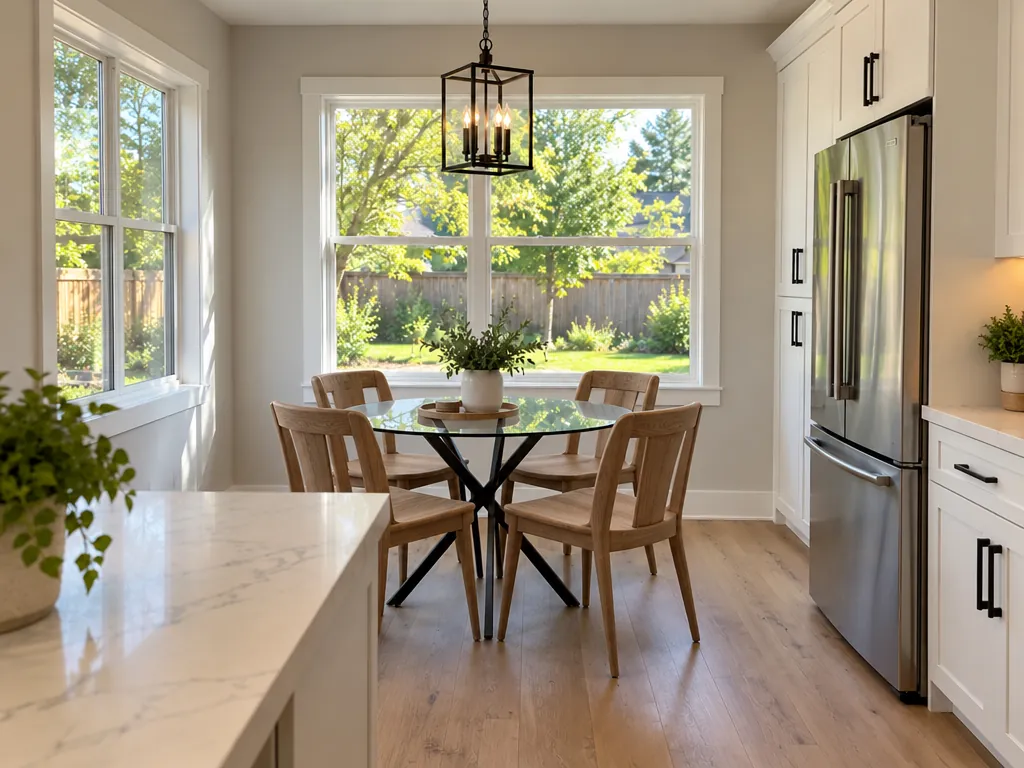
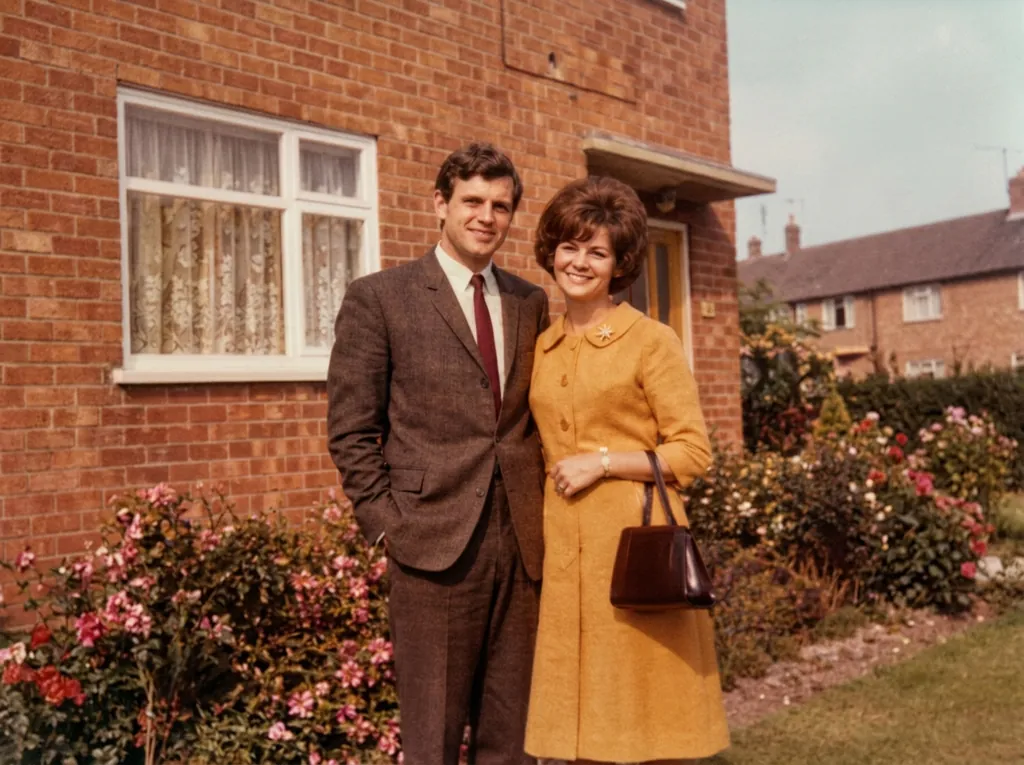
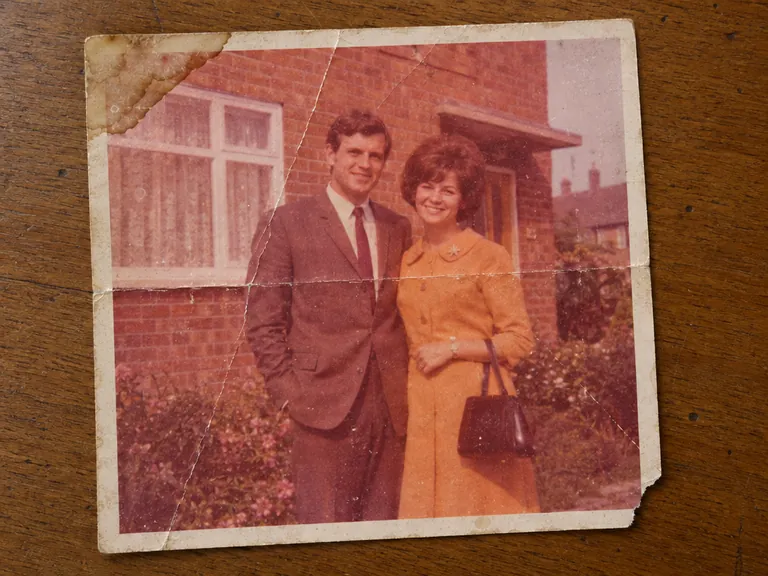
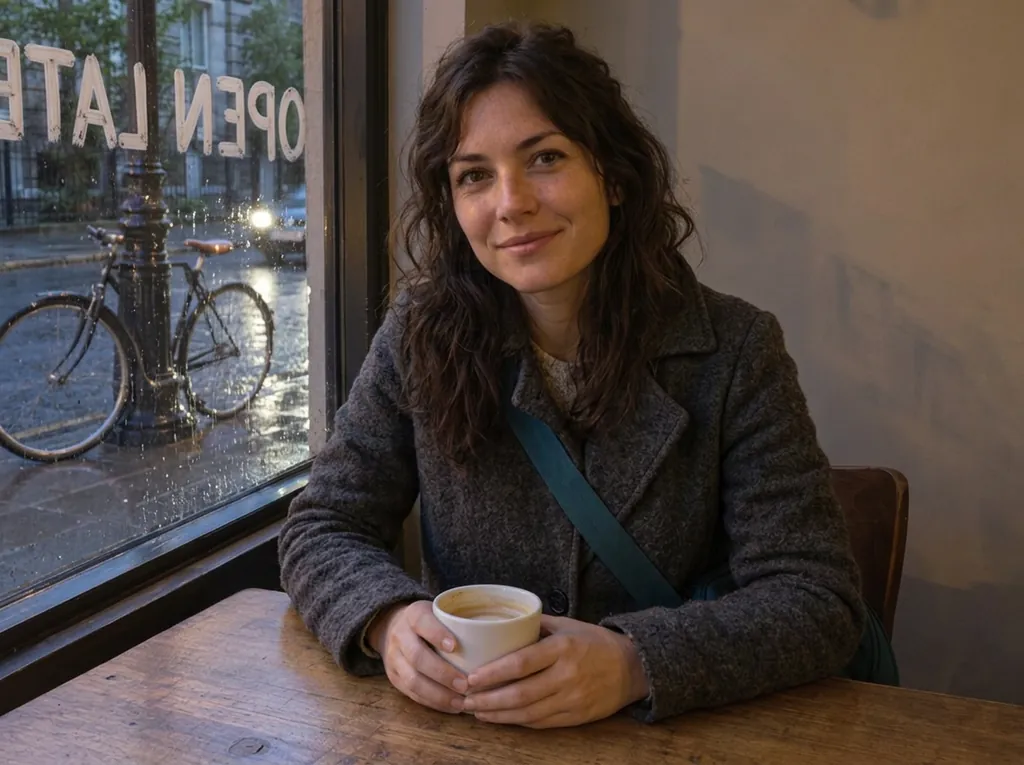
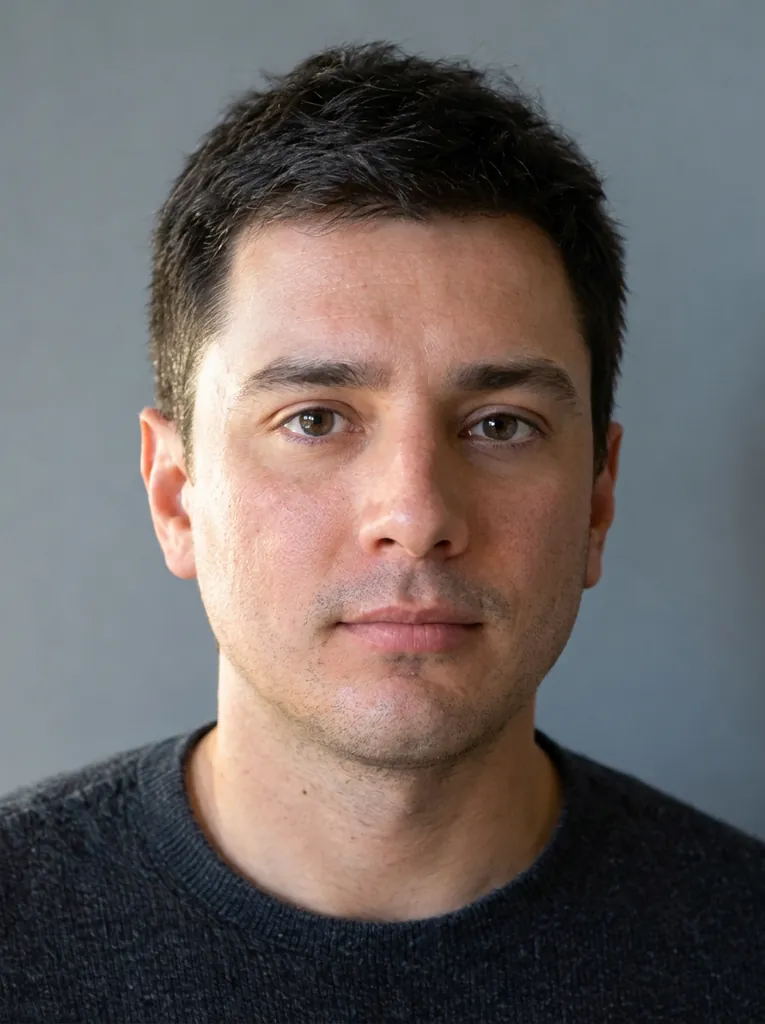
元の画像編集後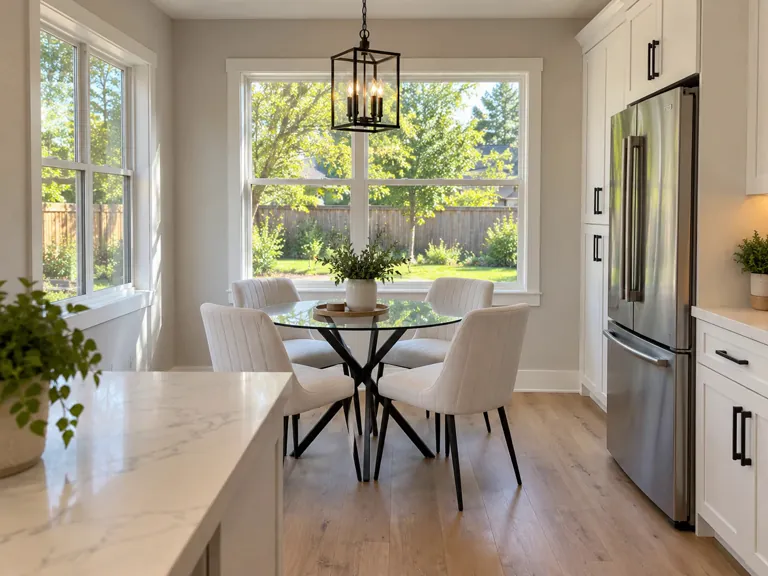
各モデルで作ったサンプル
それぞれにプロンプト、モデル、zzo.aiでの料金を表示しています。選ぶと、その内容から始められます。
対応モデルと料金
2026年10月27日更新
| モデル | 1回の枚数 | 長辺 | アスペクト比 | 背景透過 | 1枚あたり | Arena順位 |
|---|---|---|---|---|---|---|
| GPT Image 2.5 | 4 | 1,280 px | 1:1, 4:3, 3:4, 16:9, 9:16 | 対応 | 5〜45クレジット$0.05–$0.45 | 1位・Elo 1,199GPT Image 2.5 Sunburst (max) |
| Nano Banana 2.1 | 4 | 6,336 px | 1:1, 16:9, 9:16, 4:3, 3:4, 3:2, 2:3, 21:9, 4:1, 8:1 | 非対応 | 10〜30クレジット$0.10–$0.30 | 6位・Elo 1,151 |
1枚あたりの料金で、いちばん低い画質設定からいちばん高い設定までの幅です。1回で複数枚生成すると、枚数分かかります。 Arena順位は、ブラインドの1対1比較の投票による順位とEloスコアです(AA-Image-Editing v2.1、2026年10月30日確認)。出典: Artificial Analysis Image Editing Arena
プロンプトで編集できること
- 人や物を消す: 散らかった物、通りすがりの人、誰かが手に持っている物。
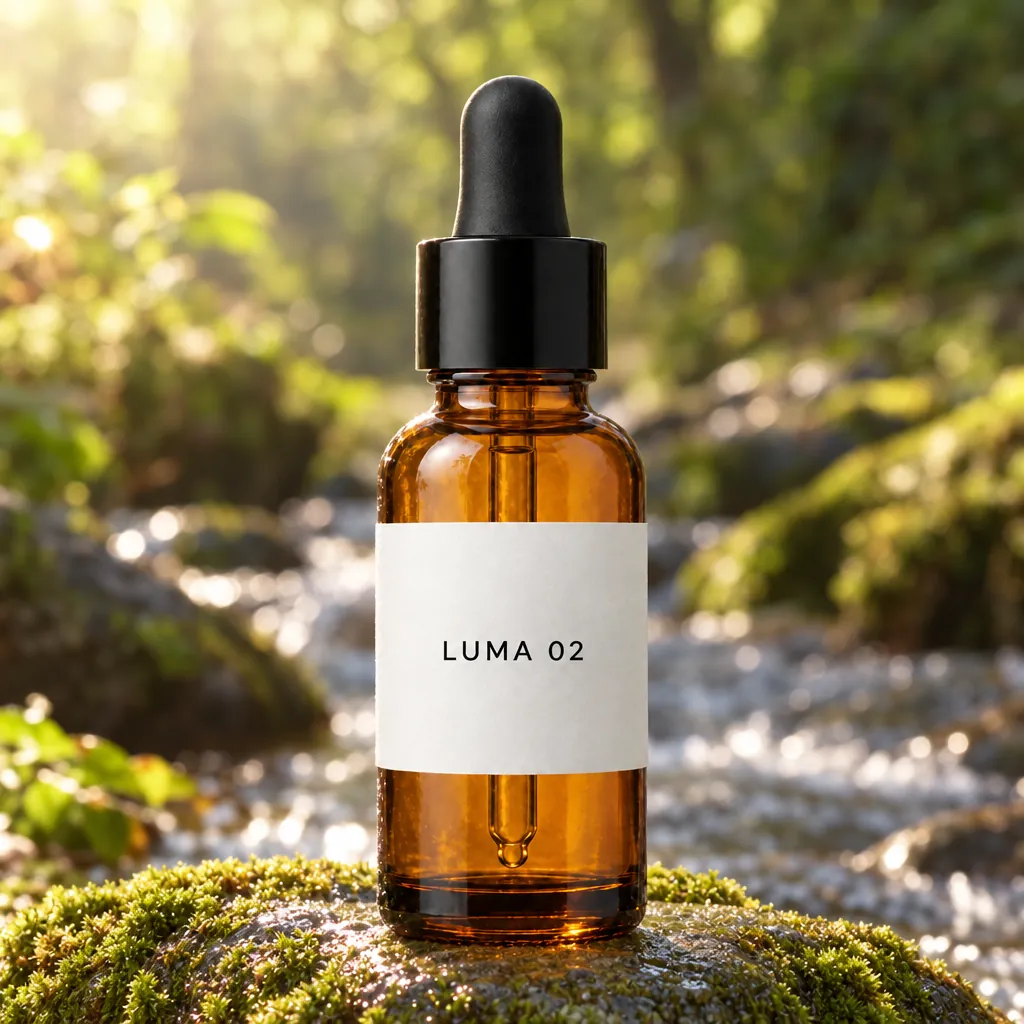
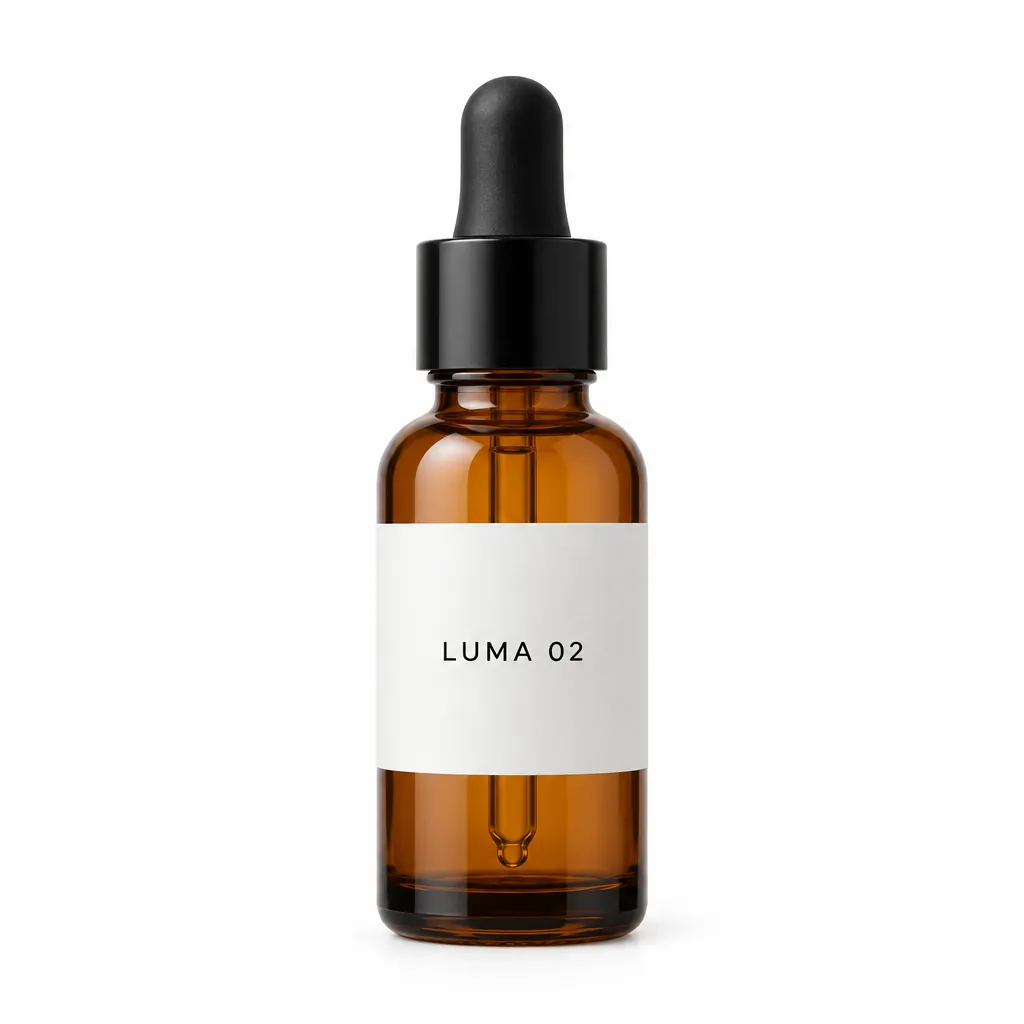
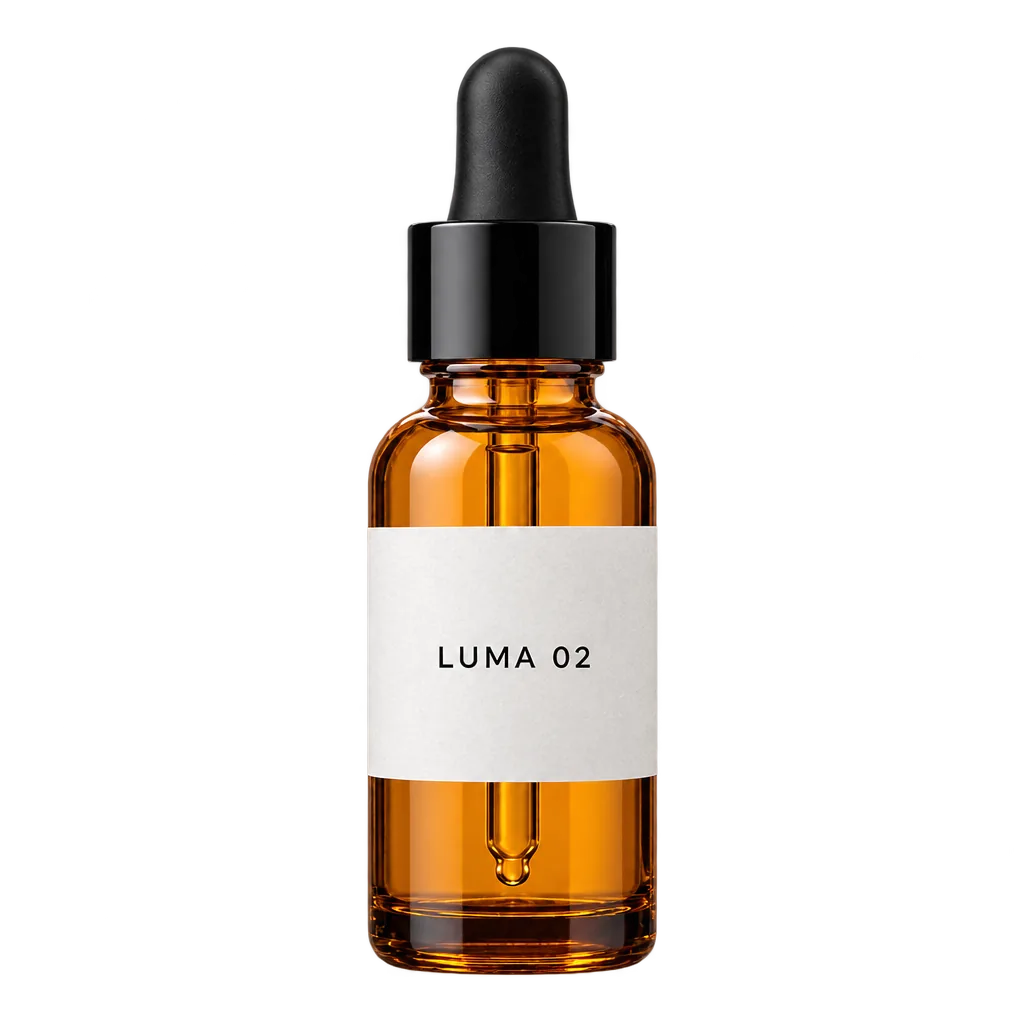
- 背景や場所を変える。 上の琥珀色のボトルは、スタジオの商品写真から苔むした石の上へ移り、ラベルとキャップは変わっていません。同じボトルを市松模様の上で切り抜き、背景透過のPNGにもしました。
- 1つだけ替える。 上のキッチンでは椅子だけが変わり、光、影、カウンターの上の物はそのままです。
- 服、天気、時間帯を変える。 1回の編集で、いくつかまとめて変えることもできます。
- 2枚の写真を合わせる: ペット、人、商品を場面に加えます。
- ポートレートのレタッチや、古い写真の修復。
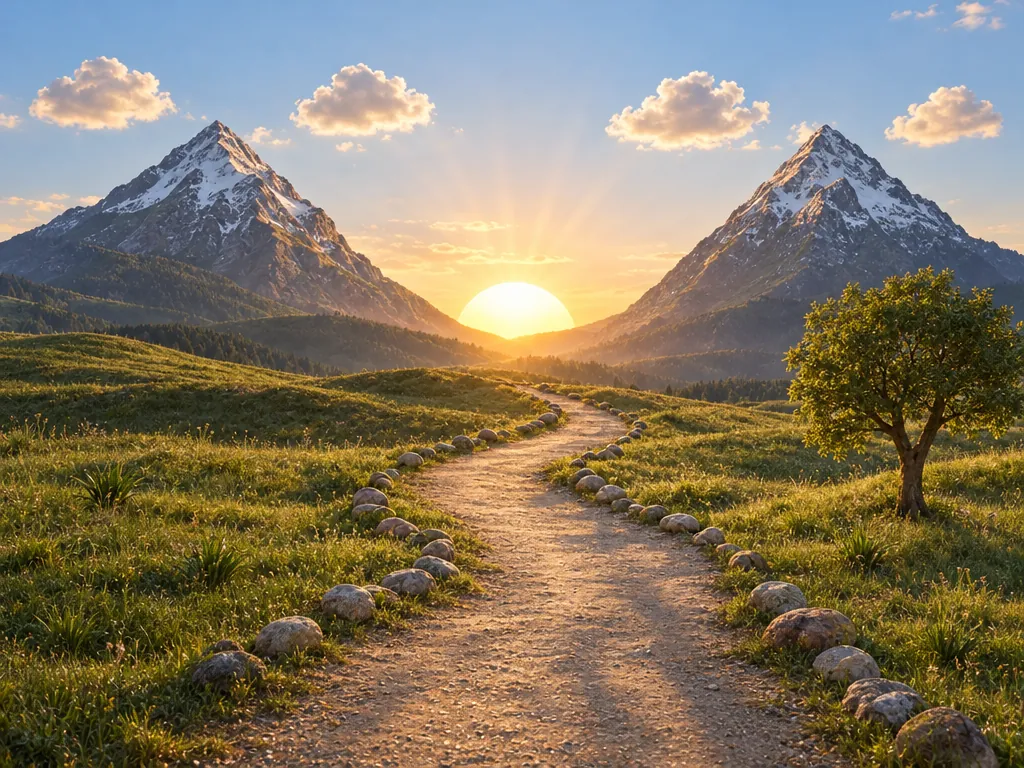
- スケッチを写真に。 谷の絵は、山、太陽、木、石が絵のとおりの位置に残りました。
顔を変えずに写真を編集するには
どちらのモデルも画像全体を描き直すので、「顔を保つ」は指示であってロックではありません。OpenAIとGoogleのガイド、ユーザーのテストから、効果のある方法をまとめます。
- 1回の編集で変えるのは1つだけにし、それを最初に書きます。
- 保つものを並べる: 顔、顔立ち、肌の色、表情、髪型、ポーズ。OpenAI自身の表現は「Do not change her face, facial features, skin tone, body shape, pose, or identity in any way.」です。
- 何かがずれたら、そこだけを名指しする。 Redditのあるユーザーのテストでは、レタッチで口が閉じてしまいましたが、「Keep the mouth and gaze exactly as in the original」で直りました。
- 何度か編集したら元の写真に戻る。 編集した画像をさらに編集し続けないようにします。
顔をピクセル単位で保つ必要があるなら、OpenAIは、仕上がった編集を画像編集ソフトで元の写真に貼り込むことを勧めています。
GPT Image 2.5とNano Banana 2.1、どちらを選ぶか
当サイトの同じ写真でのテスト(上のサンプルの組み合わせ)と、この2つのモデルで行われた公開テスト(CellCog、Fuser、BulkImagen)をもとにしています。どれもプロンプトを1回ずつ実行したものなので、傾向として読んでください。全体の比較はNano Banana 2.1とGPT Image 2.5の比較にあります。
-
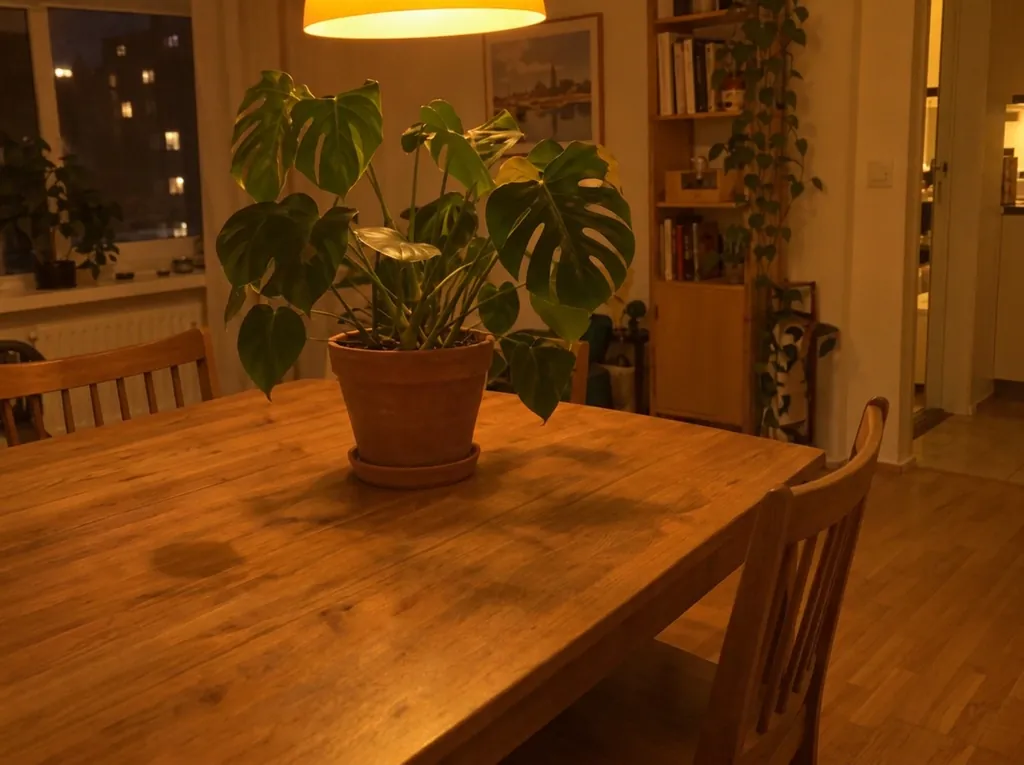
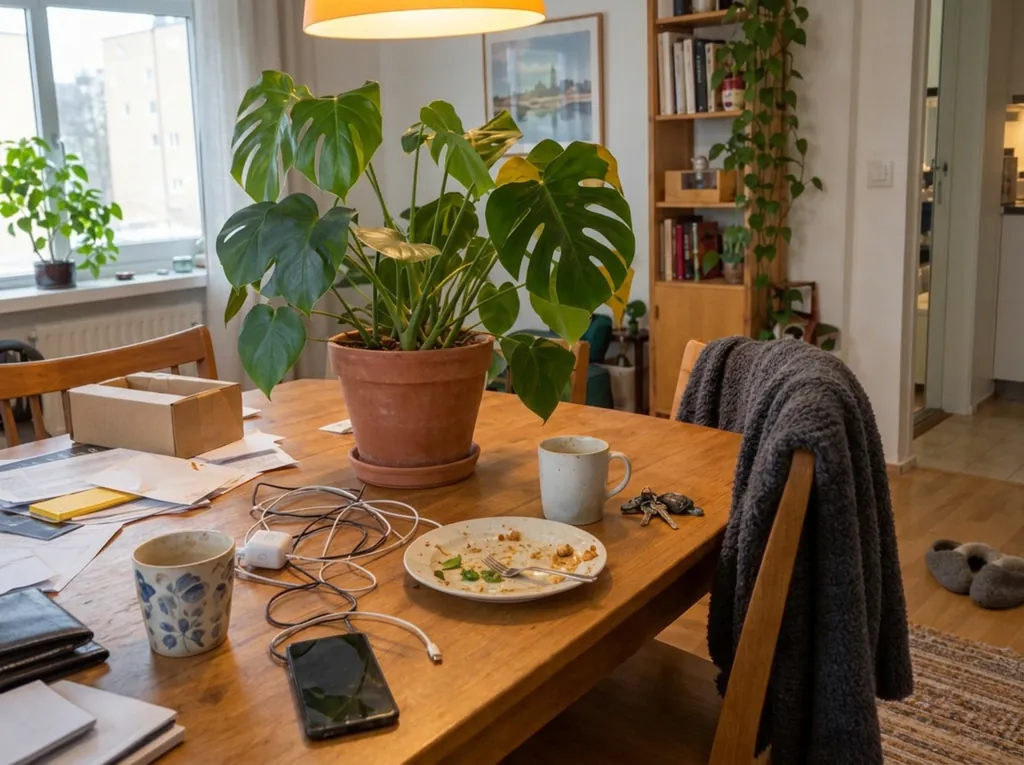
ほとんどの編集:GPT Image 2.5。 当サイトの同じ写真での9つの編集では、GPT Image 2.5が4回上回り(花を消す、犬を加える、テーブルを片付ける、夏を冬に)、Nano Banana 2.1が2回、3回は引き分けでした。
-
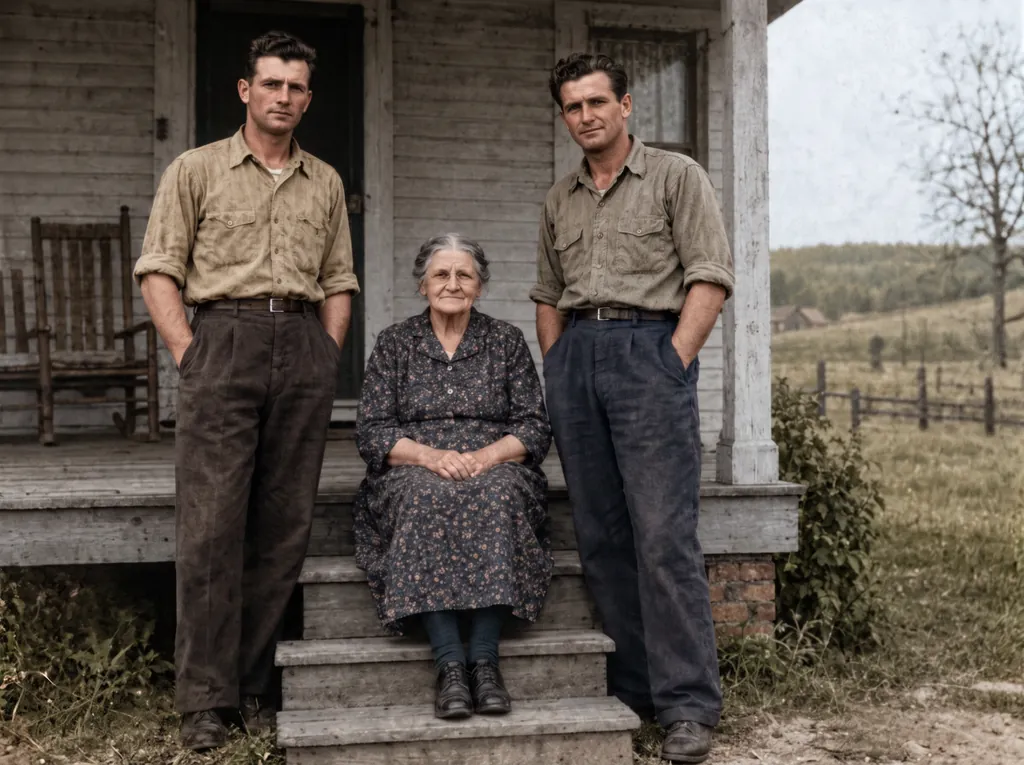
古い写真の修復:Nano Banana 2.1。 当サイトの2つの修復では、どちらも顔と構図を保ちました。GPT Image 2.5は寄りぎみに切り取り、顔を描き直し、服の色を変えました。
-
服、天気、窓の文字を1回で:どちらでも。 どちらも女性の顔、カップ、自転車を保ちました。GPT Image 2.5はOPEN LATEを店内から読める向きに書きましたが、バッグのストラップを落としました。Nano Banana 2.1はストラップを保ちましたが、文字を鏡文字にしました。
-
ポートレートのレタッチ:どちらでも。 どちらも肌荒れを消して顔立ちを保ちました。Nano Banana 2.1のほうが肌の質感を少し多く残しました。
-
写真のほかの部分をそのまま保つ:GPT Image 2.5。 CellCogによると「changed what we asked and left the wall, plant, shadows and framing almost untouched」。Nano Banana 2.1はそれぞれの変更を正しく行いましたが、どの写真も寄りぎみに切り取りました。
-
商品の小さな細部を保つ:GPT Image 2.5。 Fuserのボトルの編集では、プロンプトが保つよう指示したものを何も変えませんでした。Nano Banana 2.1はキャップの首の部分のデザインを変えました。
-
ペットや物を加える:両方試す。 当サイトの犬のテストでは、GPT Image 2.5は自然に配置し、Nano Banana 2.1の犬は貼り付けたように見えました。CellCogの猫のテストでは、2.1の猫が「the most natural」でした。
-
1枚の写真から顔を引き継ぐ:たいていはGPT Image 2.5。 Fuserのテストでは顔をはっきり引き継ぎ、Nano Banana 2.1は巻き毛をゆるめ、そばかすを薄くしました。ただし毎回ではありません。BulkImagenのハロウィンのテストでは、2.1のほうが顔を保ちました。
-
散らかった物を消す:どちらでも。細部は確認を。 どちらも当サイトのテーブルを片付けました。Nano Banana 2.1はラグまで消して跡を残し、GPT Image 2.5はそうしませんでした。BulkImagenでは、2.1が6枚の写真すべてを片付けました。
-
大きな結果: Nano Banana 2.1、最大4K。
-
背景透過のPNG: GPT Image 2.5のみ。
どちらも同じクレジットで使えるので、大事な編集では同じプロンプトを両方で試してください。
コピーして使える写真編集のプロンプト
どれも出典の一字一句そのままの英語です。先に写真をアップロードしてください。
物を消す(OpenAIのGPT Image 2.5ガイド):
Remove the flower from man's hand. Do not change anything else.
服、天気、文字を1回で変える(Fuserの10モデルのテスト。GPT Image 2.5は部屋を保ちました):
Change her yellow rain jacket to a charcoal-grey wool coat. Make it a rainy evening outside the window, with wet street reflections. Write the words OPEN LATE in white painted letters on the window glass. Keep her face, hair, pose, the coffee cup, the table and the bicycle exactly the same.
部屋の中の1つだけを替える(GoogleのGemini画像編集のドキュメント):
Using the provided image of a living room, change only the blue sofa to be a vintage, brown leather chesterfield sofa. Keep the rest of the room, including the pillows on the sofa and the lighting, unchanged.
ポートレートのレタッチ(Redditのユーザーのテストで「a clean win」と評価されたもの):
Retouch this photo professionally: even out skin tone, reduce blemishes, sharpen focus, and balance lighting and color. Do not change the person's face shape, features, proportions, hairstyle, or expression. Keep the result looking like a real, unedited photo of the same person.
古い写真の修復(BulkImagenの5モデルのテスト):
Restore the old photograph from the reference image. Show only the photo itself, filling the frame: no table, no paper border, no background around it. Remove all creases, folds, scratches, dust, stains and tears, rebuild any missing corner, and fix the faded and shifted colors. Colorize it with natural, realistic skin tones and period-appropriate clothing colors. Keep every person exactly as they are: same face, same features, same expression, same age, same hairstyle, same pose and same clothing. Do not beautify, slim, smooth or modernize anyone. Keep the original composition and framing. The result should look like a clean, well-preserved original photograph from the same era, not a modern photo.
季節を変える(OpenAIのガイド):
Make it look like a winter evening with snowfall.
2枚目の写真からペットを加える(OpenAIのガイド。2枚ともアップロード):
Place the dog from the second image into the setting of image 1, right next to the woman, use the same style of lighting, composition and background. Do not change anything else.
AIで写真を編集する3ステップ
- アップロード: 写真を1枚、または合成するなら4枚まで。
- 変えることを書く: 1文で変更を書き、そのあとに保つものを書きます。
- 生成して見比べる: 元の写真と比べ、残った細部はもう1回の編集で直します。失敗した編集や拒否された編集にクレジットはかかりません。
まだ失敗しやすいところ
- 顔と笑顔。 モデルは笑顔を加えたり、顔をきれいに整えたりしがちです。古い写真の修復では特にそうです。
- 小さな細部。 キャップの首、チョークの下線、レースが変わったり消えたりします。ある指に頼んだ指輪が、隣の指に付くこともあります。
- 色。 編集後は少し明るくなることがあり、白黒写真がいつの間にかカラーになることもあります。「keep it black and white」と書きましょう。
- 画面全体。 モデルが構図を組み直したり、頼んでいない壁を描き直したりすることがあります。
- 同じ画像が返ってくる。 どちらのモデルも、変更されていない画像を返すことがあります。言い回しを変えて、もう一度実行してください。
人物写真を編集するときの注意
写っている人の同意がない写真や、有名人の写真は編集しないでください。編集した人物写真を、本人が実際にそうしたかのように見せる使い方も避けてください。人物写真の編集は、公開する前に本人に確認してもらうようにしましょう。
よくある質問
2026年10月27日更新
言葉で指示するだけで、AIで写真を編集できますか?
はい。写真をアップロードし、変えたいことを書きます。たとえばOpenAIのガイドにある「Remove the flower from man’s hand. Do not change anything else.」のように書くと、GPT Image 2.5かNano Banana 2.1が加工した写真を返します。料金は、実行する前にボタンに表示されます。
画像の一部だけを変更できますか?
はい。変える部分を1つだけ名指しし、残りは変えないよう書きます。Googleのドキュメントの例では、リビングの写真で青いソファだけを茶色の革のソファに替え、クッションと照明はそのままにするよう指示しています(下のプロンプト集にあります)。ただしモデルは画像全体を描き直すので、ほかの部分がわずかに変わることがあります。元の写真と見比べてください。
顔を変えずにAIで写真を加工できますか?
おおむねできますが、ピクセル単位ではありません。どちらのモデルも画像全体を描き直すので、顔がわずかに変わることがあります。保つものを書き(OpenAIのガイドの表現は「Do not change her face, facial features, skin tone, body shape, pose, or identity in any way」)、1回の編集で1つだけ変え、元の写真と見比べてください。Google自身のモデルカードも、Nano Banana 2.1のキャラクターの一貫性は「is not always perfect」としています。
AIで編集すると顔が変わってしまうのはなぜですか?
モデルは切り貼りをするのではなく、指示に沿った新しい画像を描きます。顔は小さな違いがいちばん目立つ部分です。編集を重ねるたびに、少しずつずれていきます。新しい編集は、いちばん良い結果か元の写真から始め、どこか1か所が変わったときは、そこを名指しして、ほかは直前の編集のまま保つよう頼んでください。
AIで写真から人や物を消すには?
写真をアップロードし、消すものを名指しして、残すものを書きます:「Remove the flower from man’s hand. Do not change anything else.」。Google自身のガイドは「Remove the man from the photo」という例を使い、そのまま残すものを明確に書くよう勧めています。
背景を変えたり、白や透過にしたりできますか?
はい。新しい背景を説明し、「change only the background and lighting」と書きます。無地の白い背景が欲しいなら、そう頼みます。背景をなくしたいときは、GPT Image 2.5を選んで背景透過をオンにすると、本物の透過背景のPNGになります。
2枚の写真を合成したり、人やペットを写真に加えたりできますか?
はい。1回の編集に4枚まで写真を追加し、どの写真が何をするかを書きます。OpenAIの例では「Place the dog from the second image into the setting of image 1, right next to the woman… Do not change anything else.」としています。GPT Image 2.5では、写真を1枚追加するごとに料金が少し上がり、ボタンの料金にはその分も含まれます。
画像の中の文字を書き換えられますか?
はい。新しい文言を引用符で囲み、残すものを書きます:「Change only the headline to ‘Summer Sale’. Keep the layout, colours and photo exactly as they are.」。結果のつづりは確認してください。混み合った画像の文字をすべて翻訳するのは、あまり確実ではありません。当サイトのスペイン語のテストでは、レイアウトは保たれましたが文法が崩れました。日本語の文字への書き換えは確かめていないので、使う前に必ず読み直してください。
日本語の指示でも編集できますか?
指示は、zzo.aiでは翻訳せず入力したまま各モデルに送ります。日本語の指示でどこまで意図どおりになるかは、まだ十分に確かめていません。このページのプロンプトはすべて英語で、思ったとおりにならないときは、下のプロンプト集のように英語で書くと安定する場合があります。
ChatGPTやGeminiでの画像編集と同じですか?
同じ系列のモデルです。GPT Image 2.5はOpenAIの現在の画像モデルで、Nano Banana 2.1は、Geminiアプリで有料のGoogle AIプランの人が使えるGoogleのモデルです(有料プランでなければ、ひとつ前のNano Banana 2になります)。ここではモデルと画質を選べ、編集ごとに事前に料金がわかり、サブスクではなく編集ごとに支払います。
編集すると画質は落ちますか?解像度は?
編集後の写真は、選んだサイズの新しい画像になります。GPT Image 2.5は正方形で最大1024×1024、長辺で1280ピクセルまで、Nano Banana 2.1は最大4Kです。細かい模様、小さな文字、顔は、編集を重ねるほど変わりやすくなるので、元の写真は残しておいてください。
ウォーターマーク(透かし)は入りますか?商用利用できますか?
zzo.aiはウォーターマークを入れません。どちらのモデルも、AIで作った画像であることを示す目に見えない印を埋め込みます(SynthID。GPT Image 2.5はC2PAのメタデータも付けます)。プラットフォームによってはそれを読み取ります。当サイトの利用規約では、アップロードした写真の権利と、写っている人全員の同意があれば、結果を商用利用できます。
写真は非公開ですか?AIの学習に使われますか?
写真とプロンプトは、編集のためだけに、モデルを動かすサービスに送られ、そこからモデルの開発元(OpenAIまたはGoogle)に渡されます。OpenAIは、APIで送られたデータは、顧客が同意しない限りモデルの学習に使わないとしています。結果は、削除するまで履歴に残ります。詳しくはプライバシーポリシーをご覧ください。
支払いなしで編集できますか?サブスクは必要ですか?
無料ではありません。編集はすべてクレジットで支払い、サブスクはありません。クレジットパックを1回購入すれば、どのモデルにも使え、クレジットに有効期限はありません。支払いは1回の試行ごとで、失敗した編集や拒否された編集のクレジットは自動で戻り、料金は実行する前にボタンに表示されます。
編集が拒否されたのはなぜですか?
どちらのモデルも、有名人、未成年、一部の実在の人物の写真などの編集を拒否します。GPT Image 2.5は水着の編集もブロックします。同意のない人物の写真はアップロードしないでください。拒否された編集にクレジットはかからず、自動で戻ります。