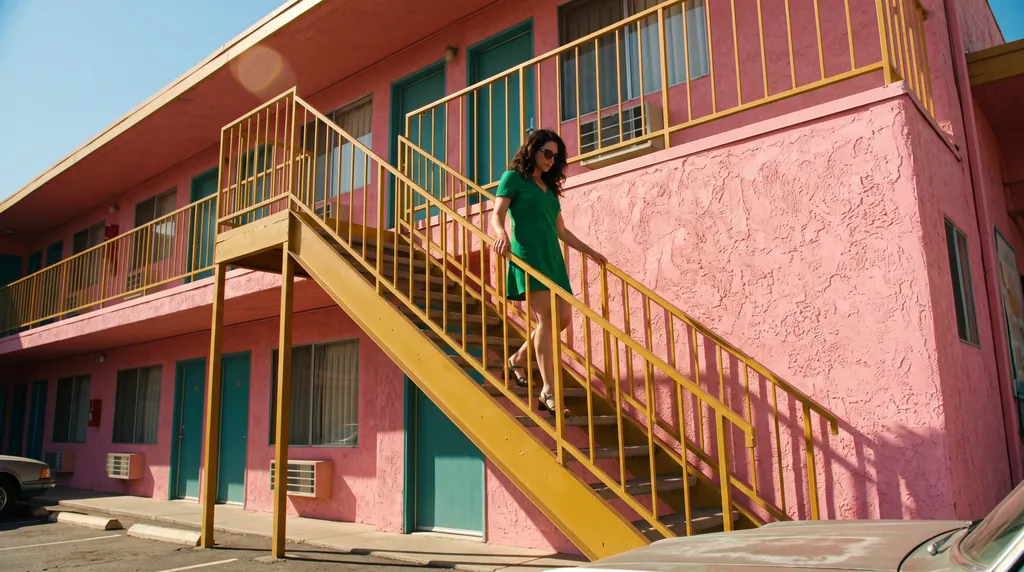
“A 16:9 horizontal cinematic still, shot from street level looking up at the sharp diagonal steel exterior staircase of a two-story retro motel painted vibrant mustard-yellow against a flamingo-pink stucco facade. An adult woman in an emerald-green mini dress descends the staircase, her hand trailing along the yellow railing. The bright yellow, pink, and green color clash creates a delightful, sun-drenched cinematic mood.”Nano Banana 2.1, 15 积分
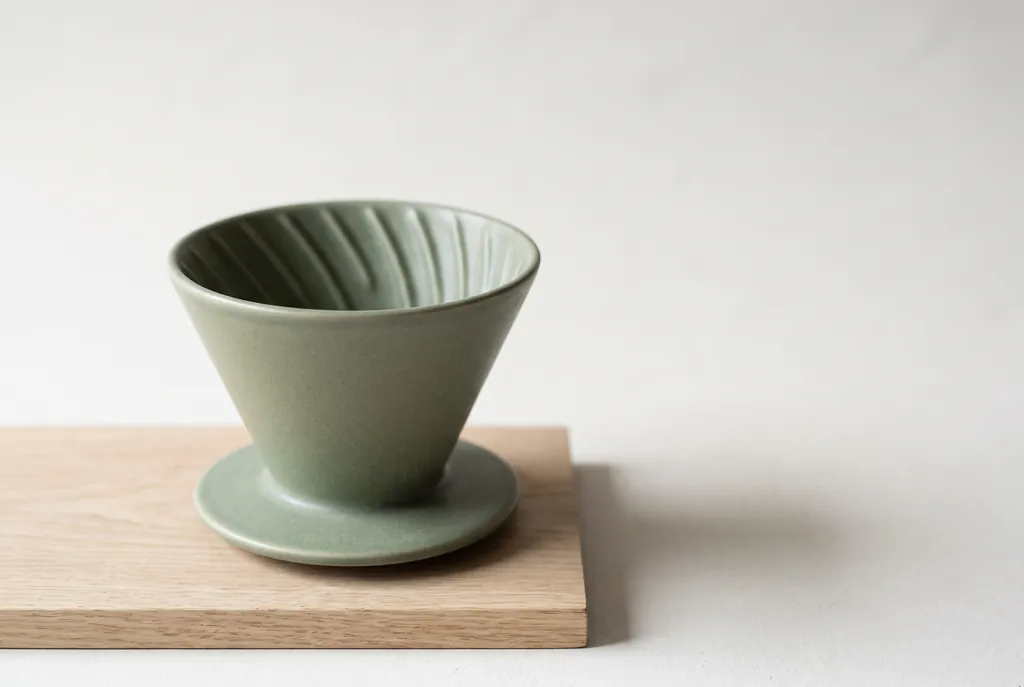
“Studio product photograph of a matte sage-green ceramic pour-over coffee dripper sitting on a pale oak board. Soft window light from the left, a gentle shadow to the right, clean off-white background, with empty space on the right third of the frame for ad copy. Real photograph, no props.”Nano Banana 2.1, 15 积分
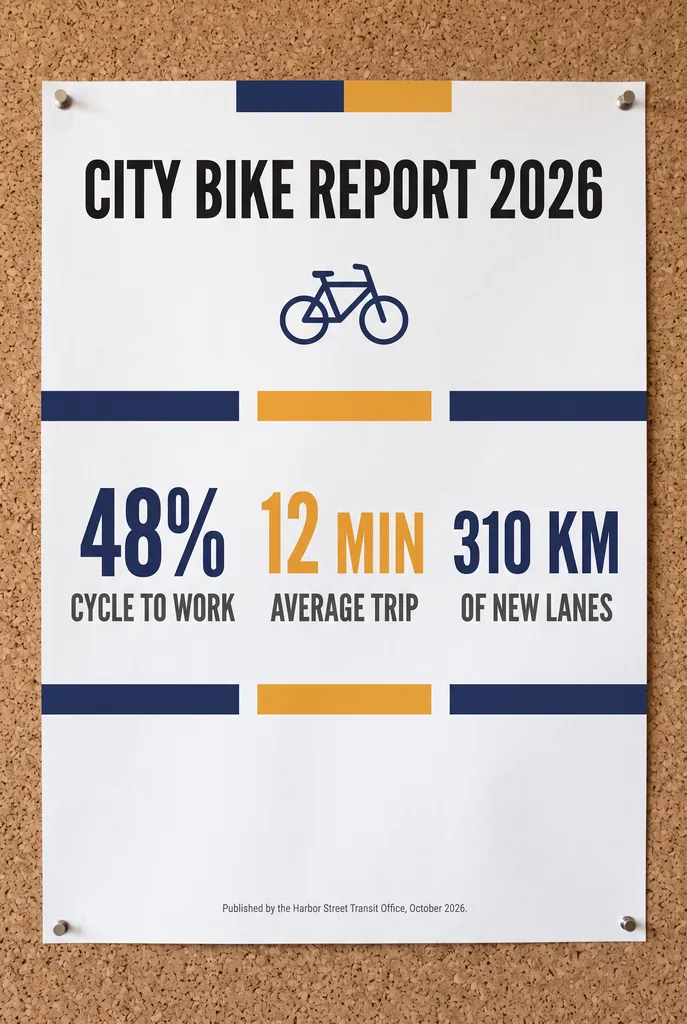
“A clean A2 infographic poster pinned to a cork board in a bright office, photographed straight on. Headline at the top in bold black sans-serif: CITY BIKE REPORT 2026. Below it, three large statistics in a row, each with a short label underneath: 48% CYCLE TO WORK, 12 MIN AVERAGE TRIP, 310 KM OF NEW LANES. At the bottom a small gray footer line: Published by the Harbor Street Transit Office, October 2026. Flat navy and amber color blocks, one simple bicycle icon, generous white space, no other words anywhere on the poster. Photorealistic matte print texture, soft daylight.”Nano Banana 2.1, 15 积分
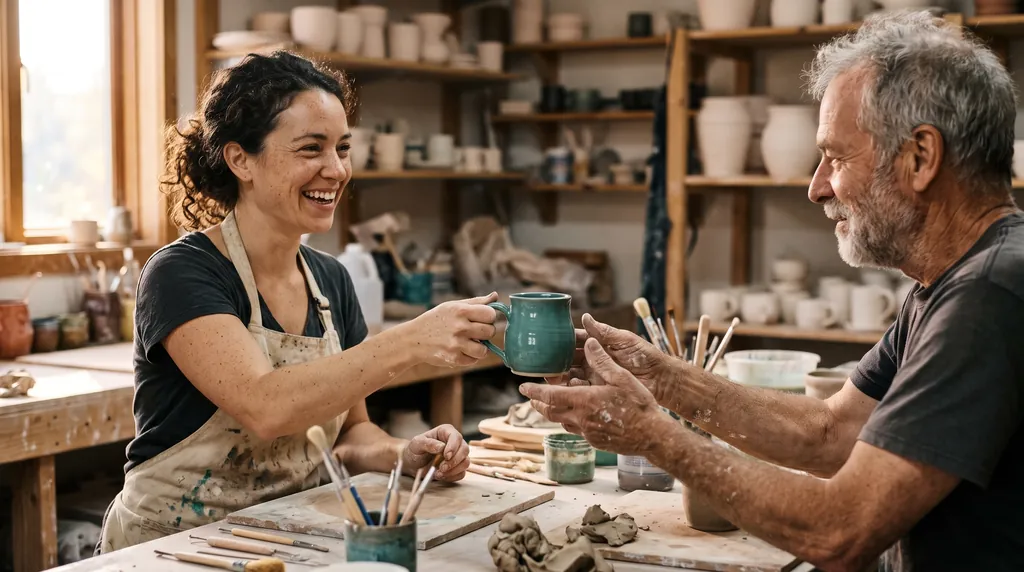
“Candid documentary photograph inside a small ceramics studio. A woman in her early thirties with freckles and curly dark hair laughs while handing a freshly glazed teal mug across a worktable to an older man with a short gray beard and clay-dusted hands. Both faces fully visible and in sharp focus, natural skin texture with visible pores and fine lines, no retouching. Late afternoon window light from the left, dust in the air, shelves of unglazed pots softly blurred behind them. Shot on a 50mm lens at f/2, warm film grain.”Nano Banana 2.1, 15 积分
“A panoramic banner of a Mediterranean coastal town at sunset, colorful houses along the harbor, film photography. No text.”Nano Banana 2.1, 15 积分
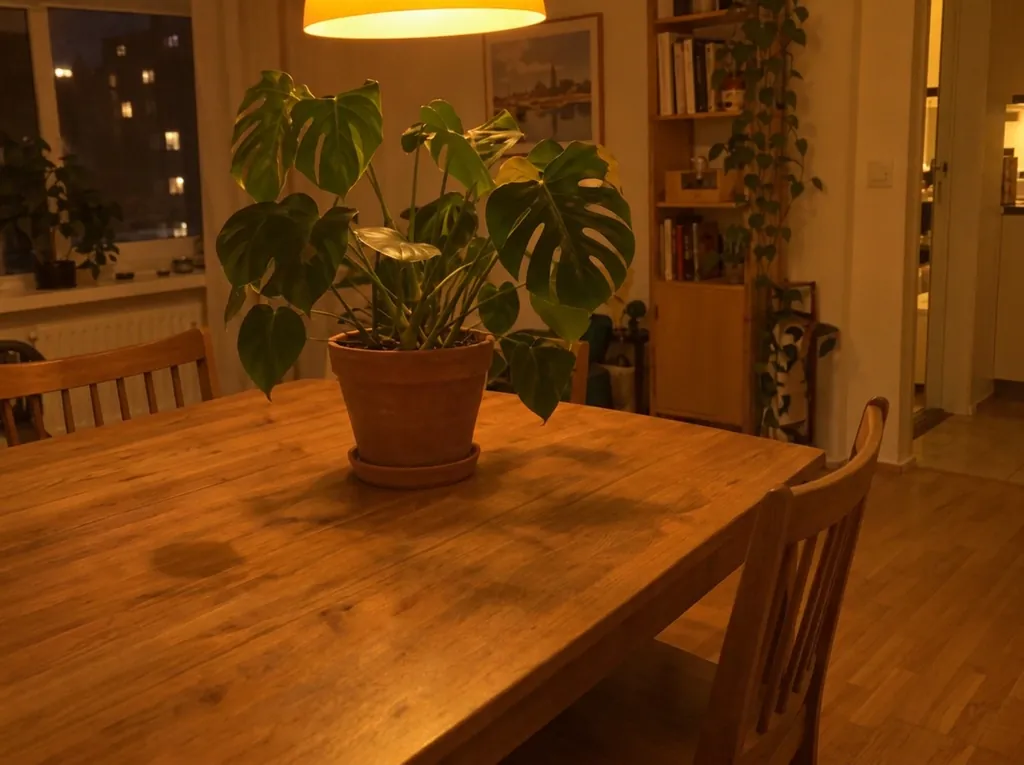
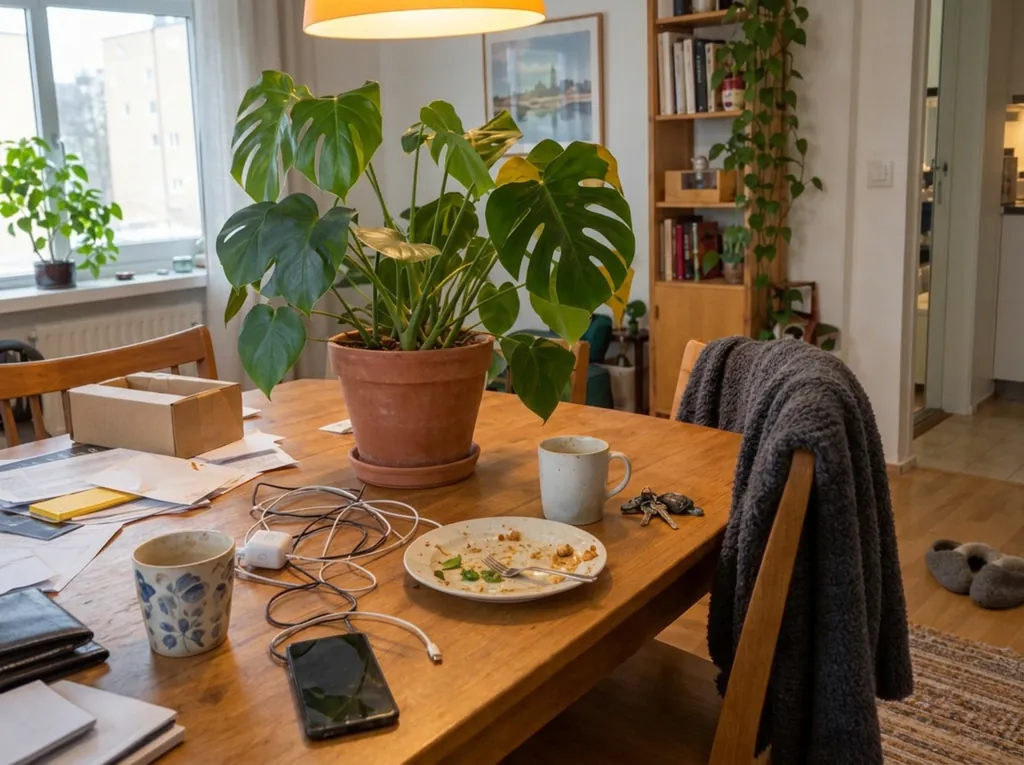
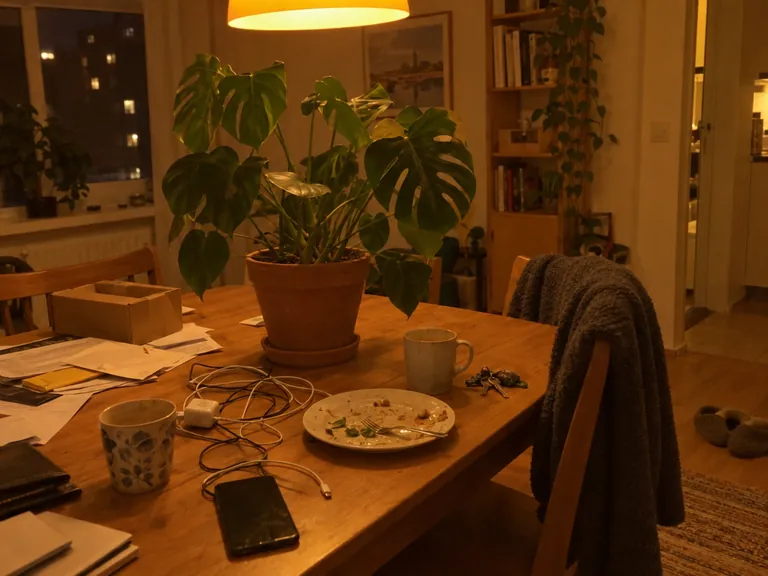
“Clean up this photo: remove the loose clutter around the plant (cables, mugs, dishes, food, papers, envelopes, boxes, clothes, laundry rack, vacuum, cleaning bottles, keys, slippers, toys, tissues) and fill the gaps naturally with the same surface, floor and wall. Keep the furniture, the room, the lighting and any date stamp as they are. Keep the plant, every leaf, the pot and the camera angle exactly as they are in the reference photo; do not add, remove or redesign any leaves, and do not change the pot.”Nano Banana 2.1, 改图, 10 积分, 输入图也是在 GPT Image 2.5 上生成的
“Fix the lighting and color of this photo: correct the yellow-orange cast to a neutral white balance, brighten the exposure so it looks like soft daylight, and make it slightly sharper. Do not add, remove or move any object; keep the room, the clutter, the framing and any date stamp exactly as they are. Keep the plant, every leaf, the pot and the camera angle exactly as they are in the reference photo; do not add, remove or redesign any leaves, and do not change the pot.”Nano Banana 2.1, 改图, 10 积分, 输入图也是在 GPT Image 2.5 上生成的
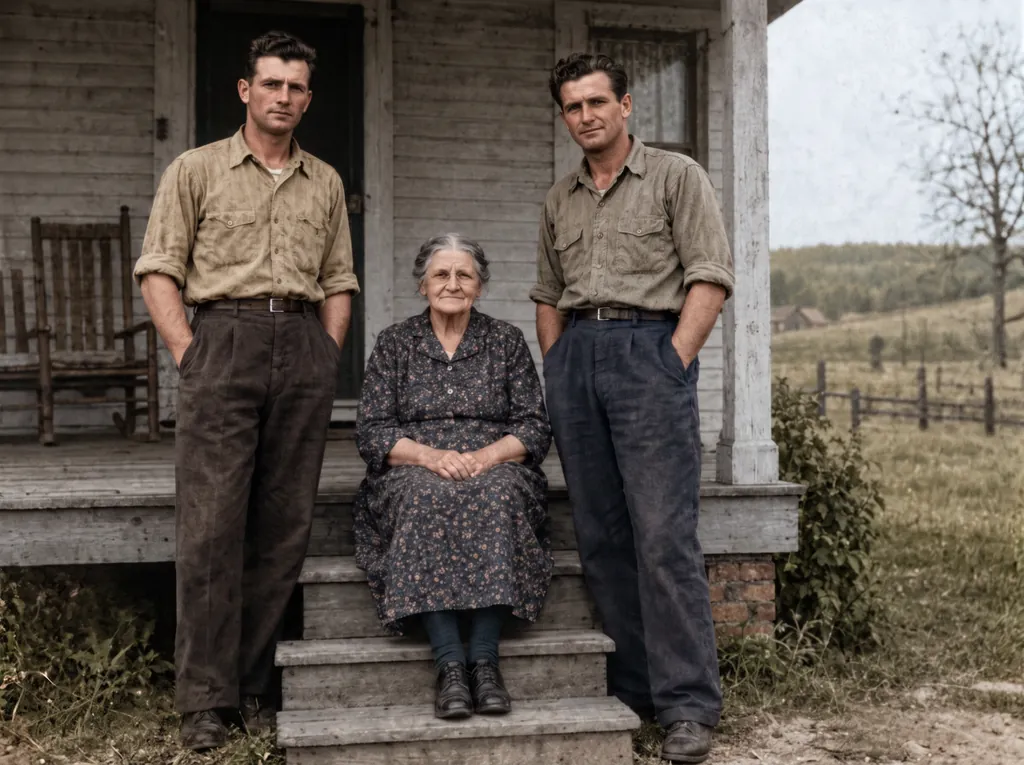
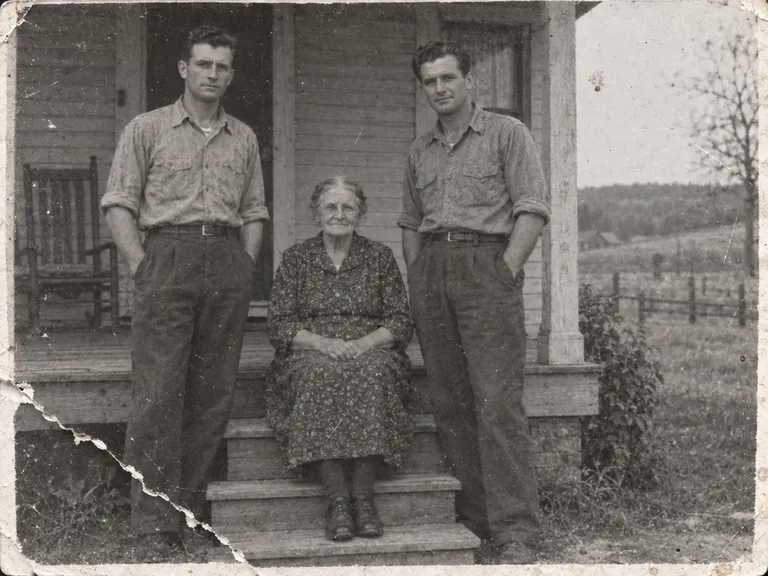
“Restore this damaged 1948 black-and-white family photograph while preserving the exact identities, ages, facial proportions, poses, clothing, porch architecture, framing, and historical period.
Repair the lower-left tear, remove scratches and dust, recover balanced contrast and fine facial detail, and add restrained historically plausible natural color: weathered gray porch boards, muted cream and brown clothing, natural skin tones, and subdued green countryside.
Do not beautify faces, change expressions, invent jewelry, alter clothing, add people, remove people, crop, modernize, add text, logo, or watermark. Keep subtle film grain so it remains an archival photograph rather than a modern digital portrait.”Nano Banana 2.1, 改图, 15 积分, 输入图也是在 GPT Image 2.5 上生成的
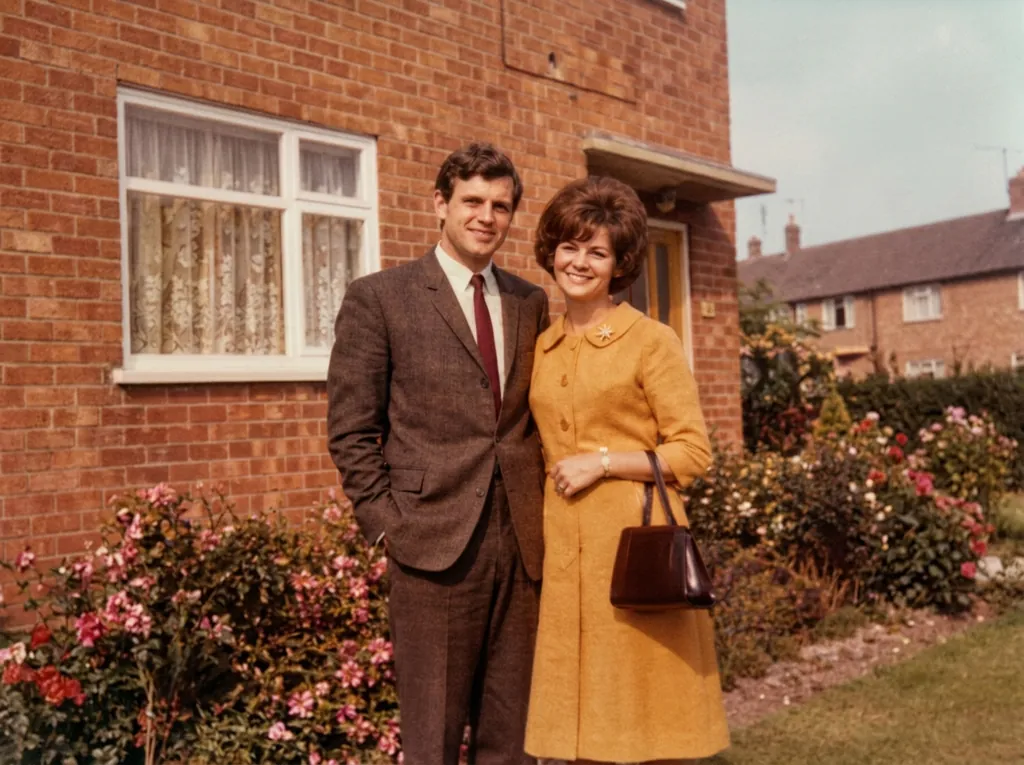
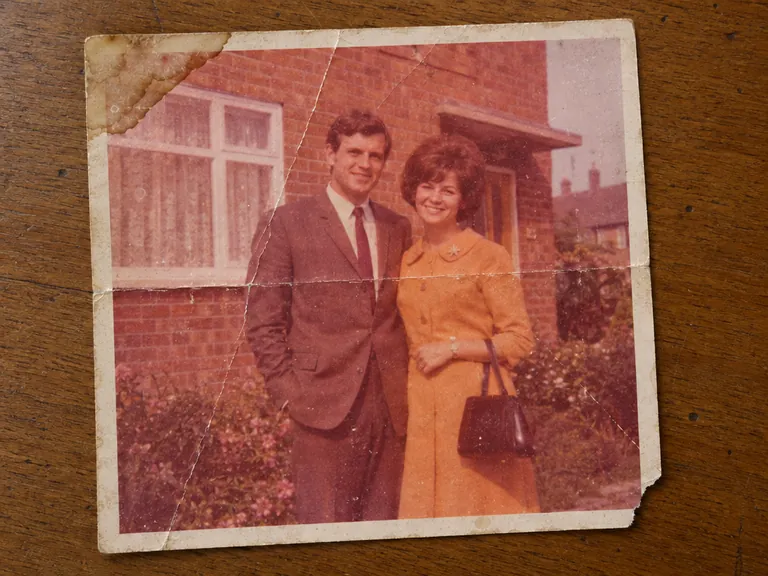
“Restore the old photograph from the reference image. Show only the photo itself, filling the frame: no table, no paper border, no background around it. Remove all creases, folds, scratches, dust, stains and tears, rebuild any missing corner, and fix the faded and shifted colors. Colorize it with natural, realistic skin tones and period-appropriate clothing colors. Keep every person exactly as they are: same face, same features, same expression, same age, same hairstyle, same pose and same clothing. Do not beautify, slim, smooth or modernize anyone. Keep the original composition and framing. The result should look like a clean, well-preserved original photograph from the same era, not a modern photo.”Nano Banana 2.1, 改图, 10 积分, 输入图也是在 GPT Image 2.5 上生成的
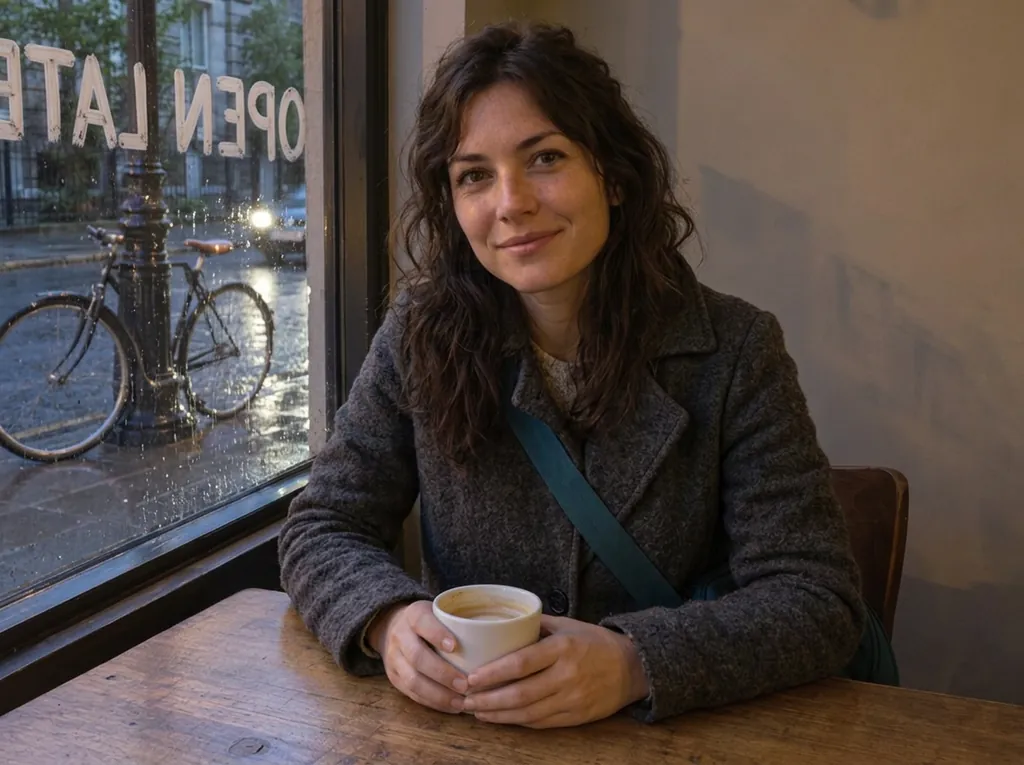
“Change her yellow rain jacket to a charcoal-grey wool coat. Make it a rainy evening outside the window, with wet street reflections. Write the words OPEN LATE in white painted letters on the window glass. Keep her face, hair, pose, the coffee cup, the table and the bicycle exactly the same.”Nano Banana 2.1, 改图, 10 积分, 输入图也是在 GPT Image 2.5 上生成的
“Retouch this photo professionally: even out skin tone, reduce blemishes, sharpen focus, and balance lighting and color. Do not change the person's face shape, features, proportions, hairstyle, or expression. Keep the result looking like a real, unedited photo of the same person.”Nano Banana 2.1, 改图, 10 积分, 输入图也是在 GPT Image 2.5 上生成的
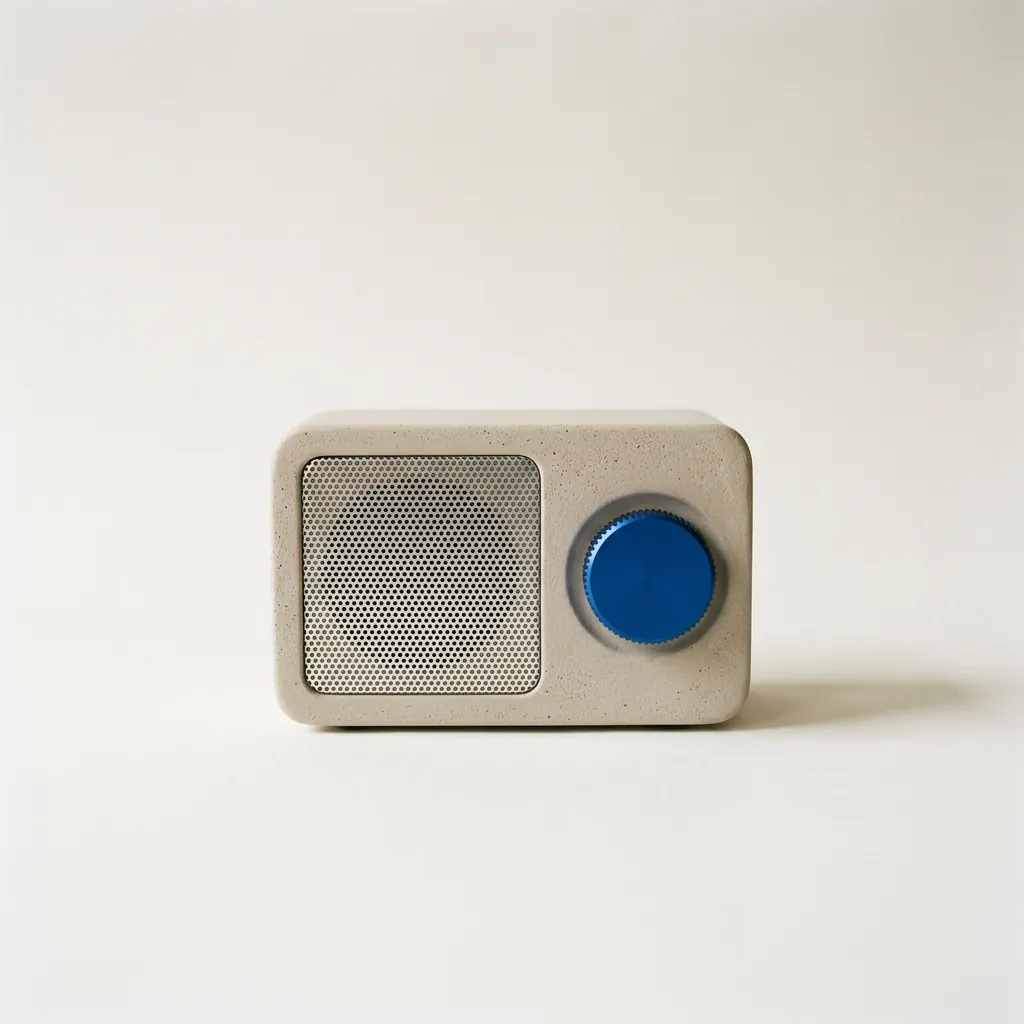
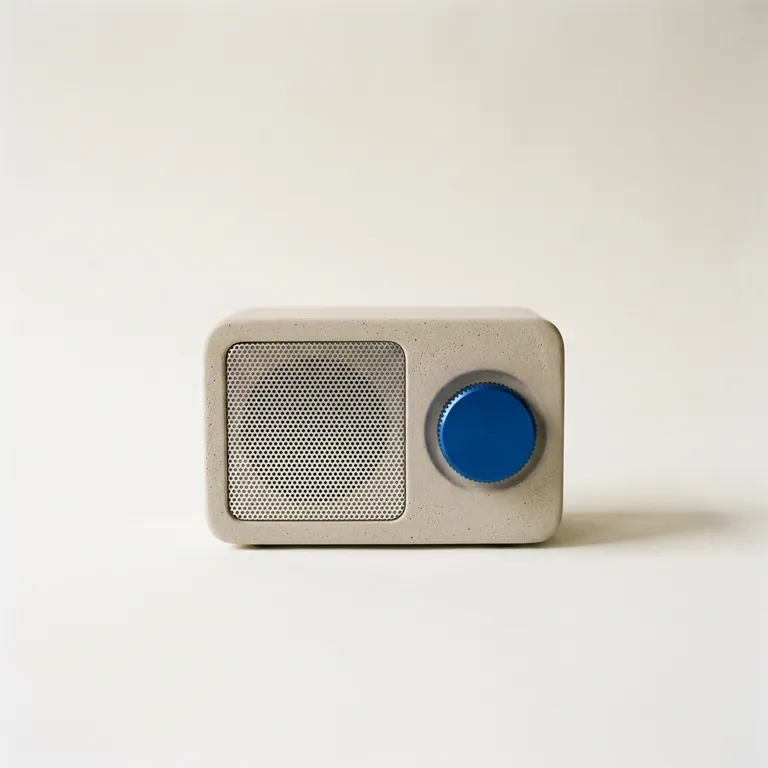
“A studio product photograph of a compact tabletop radio with a pale warm-grey plaster-textured body, a perforated aluminium speaker grille and a single cobalt-blue tuning dial, standing on seamless off-white paper. Soft north-window light from the left gives a gentle falloff and a short, soft shadow to the right. Shot straight-on at eye level on medium-format film, with the radio in the centre of a square frame and generous space around it. Sharp focus on the dial's knurled edge. No logos or text anywhere.”Nano Banana 2.1, 10 积分
“Studio product photograph of a matte sage-green ceramic pour-over coffee dripper sitting on a pale oak board. Soft window light from the left, a gentle shadow to the right, clean off-white background, with empty space on the right third of the frame for ad copy. Real photograph, no props.”
“A clean A2 infographic poster pinned to a cork board in a bright office, photographed straight on. Headline at the top in bold black sans-serif: CITY BIKE REPORT 2026. Below it, three large statistics in a row, each with a short label underneath: 48% CYCLE TO WORK, 12 MIN AVERAGE TRIP, 310 KM OF NEW LANES. At the bottom a small gray footer line: Published by the Harbor Street Transit Office, October 2026. Flat navy and amber color blocks, one simple bicycle icon, generous white space, no other words anywhere on the poster. Photorealistic matte print texture, soft daylight.”
“Candid documentary photograph inside a small ceramics studio. A woman in her early thirties with freckles and curly dark hair laughs while handing a freshly glazed teal mug across a worktable to an older man with a short gray beard and clay-dusted hands. Both faces fully visible and in sharp focus, natural skin texture with visible pores and fine lines, no retouching. Late afternoon window light from the left, dust in the air, shelves of unglazed pots softly blurred behind them. Shot on a 50mm lens at f/2, warm film grain.”
15 积分
电影感剧照
谷歌自己的 2.1 示例。黄色楼梯、粉色灰泥墙和绿色裙子都和描述一样,在强烈的阳光下从低角度拍摄。
文生图
2K
16:9
“A 16:9 horizontal cinematic still, shot from street level looking up at the sharp diagonal steel exterior staircase of a two-story retro motel painted vibrant mustard-yellow against a flamingo-pink stucco facade. An adult woman in an emerald-green mini dress descends the staircase, her hand trailing along the yellow railing. The bright yellow, pink, and green color clash creates a delightful, sun-drenched cinematic mood.”
“Clean up this photo: remove the loose clutter around the plant (cables, mugs, dishes, food, papers, envelopes, boxes, clothes, laundry rack, vacuum, cleaning bottles, keys, slippers, toys, tissues) and fill the gaps naturally with the same surface, floor and wall. Keep the furniture, the room, the lighting and any date stamp as they are. Keep the plant, every leaf, the pot and the camera angle exactly as they are in the reference photo; do not add, remove or redesign any leaves, and do not change the pot.”
“Fix the lighting and color of this photo: correct the yellow-orange cast to a neutral white balance, brighten the exposure so it looks like soft daylight, and make it slightly sharper. Do not add, remove or move any object; keep the room, the clutter, the framing and any date stamp exactly as they are. Keep the plant, every leaf, the pot and the camera angle exactly as they are in the reference photo; do not add, remove or redesign any leaves, and do not change the pot.”
“Restore this damaged 1948 black-and-white family photograph while preserving the exact identities, ages, facial proportions, poses, clothing, porch architecture, framing, and historical period.
Repair the lower-left tear, remove scratches and dust, recover balanced contrast and fine facial detail, and add restrained historically plausible natural color: weathered gray porch boards, muted cream and brown clothing, natural skin tones, and subdued green countryside.
Do not beautify faces, change expressions, invent jewelry, alter clothing, add people, remove people, crop, modernize, add text, logo, or watermark. Keep subtle film grain so it remains an archival photograph rather than a modern digital portrait.”
“Restore the old photograph from the reference image. Show only the photo itself, filling the frame: no table, no paper border, no background around it. Remove all creases, folds, scratches, dust, stains and tears, rebuild any missing corner, and fix the faded and shifted colors. Colorize it with natural, realistic skin tones and period-appropriate clothing colors. Keep every person exactly as they are: same face, same features, same expression, same age, same hairstyle, same pose and same clothing. Do not beautify, slim, smooth or modernize anyone. Keep the original composition and framing. The result should look like a clean, well-preserved original photograph from the same era, not a modern photo.”
10 积分
12
输入图也是在 Nano Banana 2.1 上生成的
把 logo 放到产品上
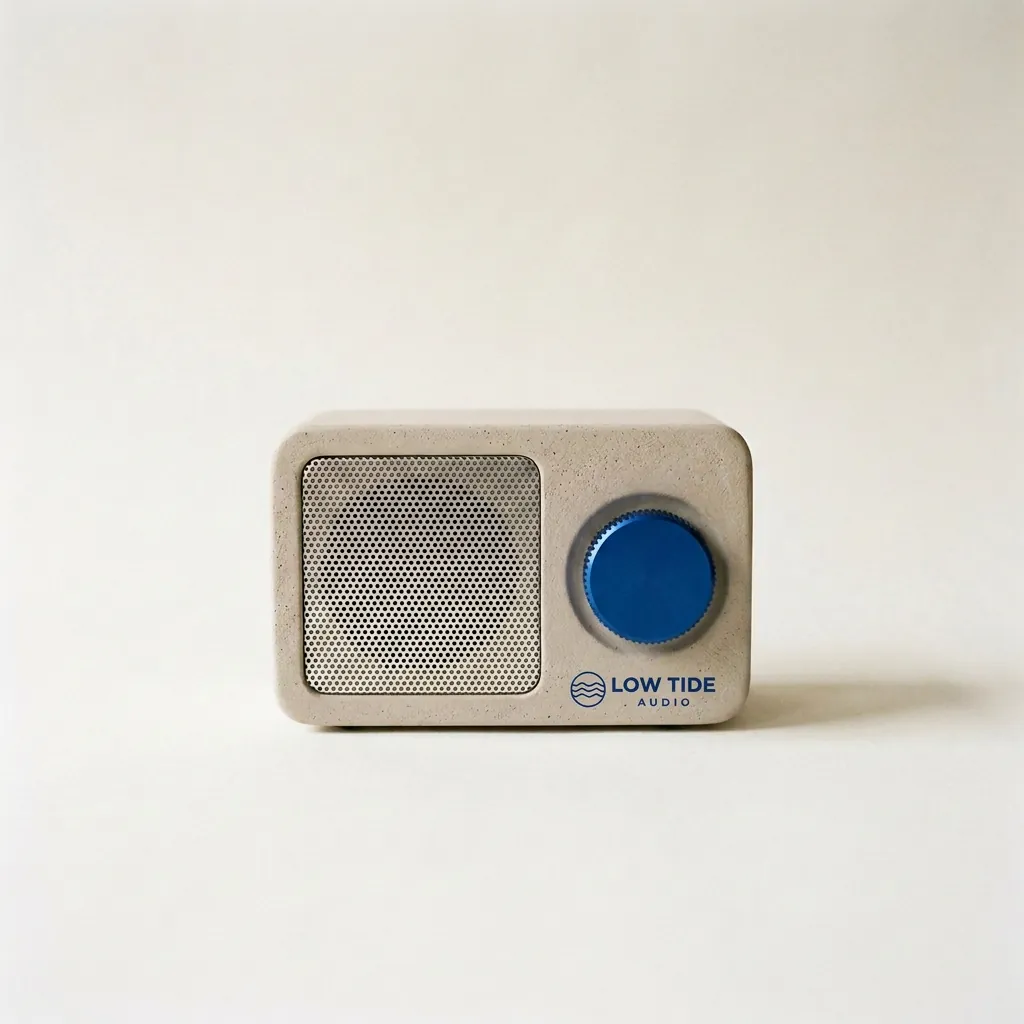
Fuser 三步流程的最后一步:收音机和 logo 都是用 2.1 做的,再合到一起。logo 以小字印刷的样子放在旋钮下方,收音机、背景和影子都没动。
改图
1K
1:1
“Take the radio from the first image. Print the LOW TIDE AUDIO logo from the second image onto the radio's front panel, below the cobalt dial, as a small, crisp cobalt-blue screen print that sits flat on the plaster texture. Keep the radio's shape, the cobalt dial, the speaker grille, the paper backdrop, the window light and the shadow exactly the same.”