
留白的生活场景图

AI 商品图:一张手机照片,做出亚马逊主图、白底图和场景图

2 个模型可选,图片最高 4K,每次最多 4 张。每张 5 积分($0.05)起,不用开会员,积分永久有效。 在 Artificial Analysis Image Editing Arena(2026年10月30日 核对)上,GPT Image 2.5 排第 1(Elo 1,199), Nano Banana 2.1 第 6。

用 AI 做商品图,只要一张普通的产品照片。上传它,再说清楚你要哪种图:白底主图、生活场景图、透明背景抠图,或者带标注的细节图。产品的外形和标签保持原样。不用开会员,从一次性买的积分包里按张扣积分,生成失败自动退回积分。

这张图用的提示词。可以直接改,也可以自己写。
要修改的图片

用这些模型生成的

每个都写了提示词、模型和在这里生成要花多少。选一个,从它开始改。

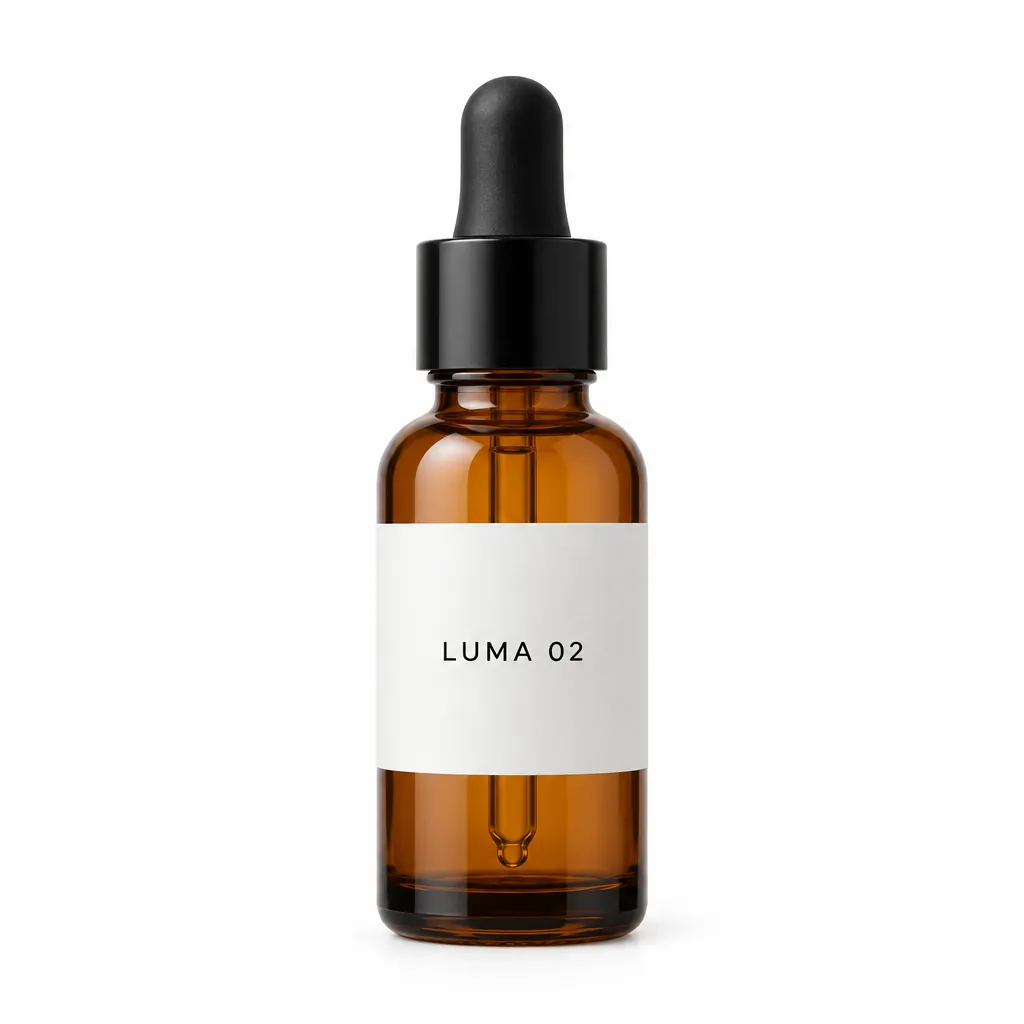
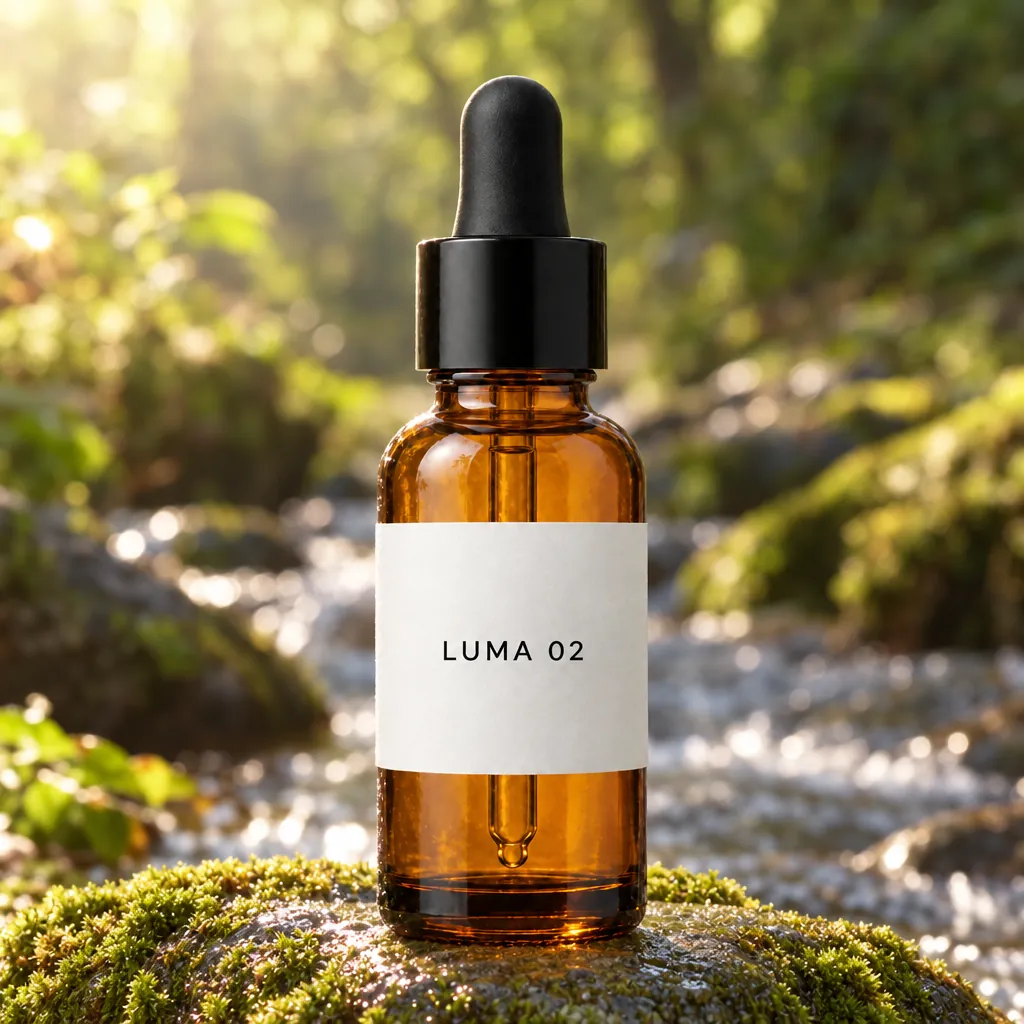
同一个瓶子,换个场景
“Place this exact bottle on a wet, moss-covered river stone outdoors in soft morning sunlight, with a blurred forest stream behind it. Change only the setting and lighting. Keep the bottle's shape, amber glass, black dropper cap and the label text "LUMA 02" exactly as they are.”GPT Image 2.5, 改图, 15 积分, 输入图也是在 GPT Image 2.5 上生成的
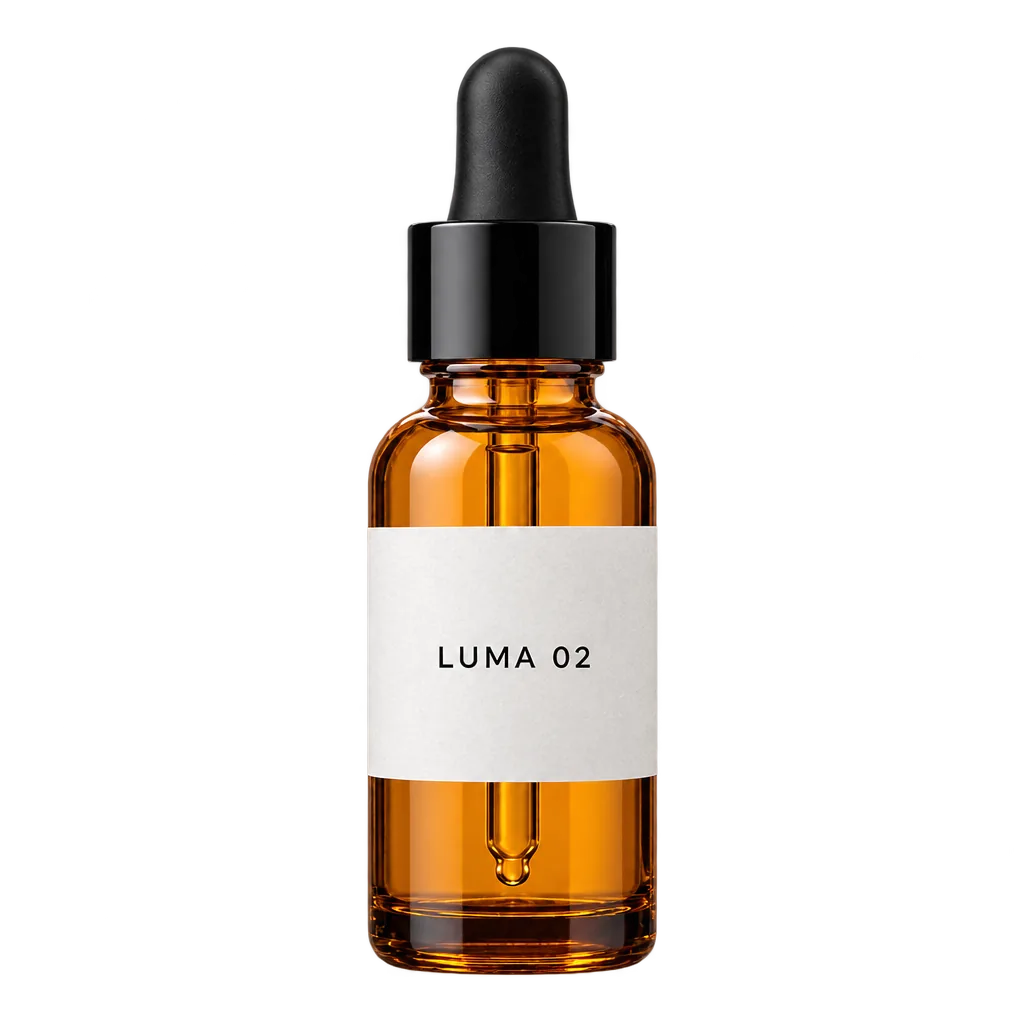
透明底抠图
“Extract the product from the input image and isolate it on a fully transparent background. Output: centered product, crisp silhouette, no halos/fringing. Preserve product geometry and label legibility exactly. Add only light polishing. Do not add a solid backdrop, checkerboard, scenery, or shadow. Do not restyle the product; remove the background and preserve clean alpha transparency.”GPT Image 2.5, 改图, 透明 PNG, 15 积分, 输入图也是在 GPT Image 2.5 上生成的
把 Logo 印到商品上
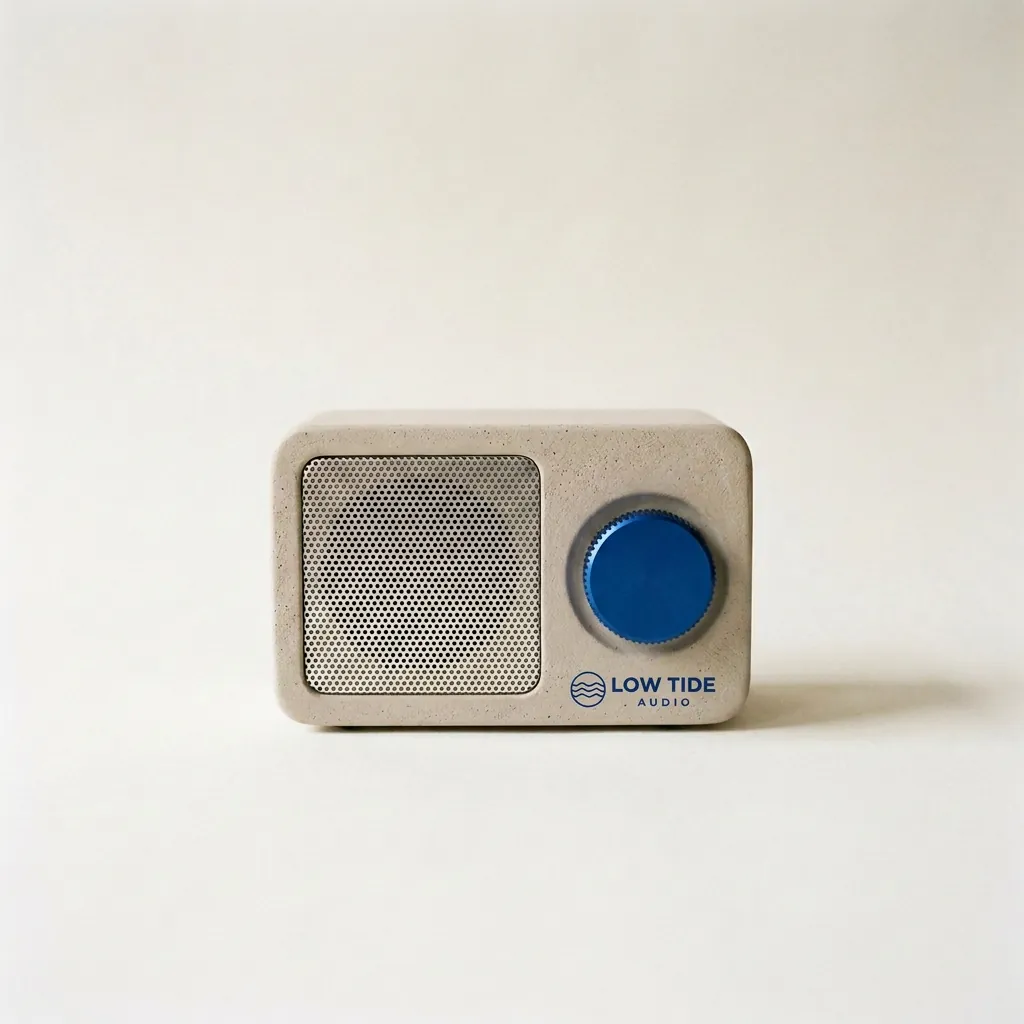
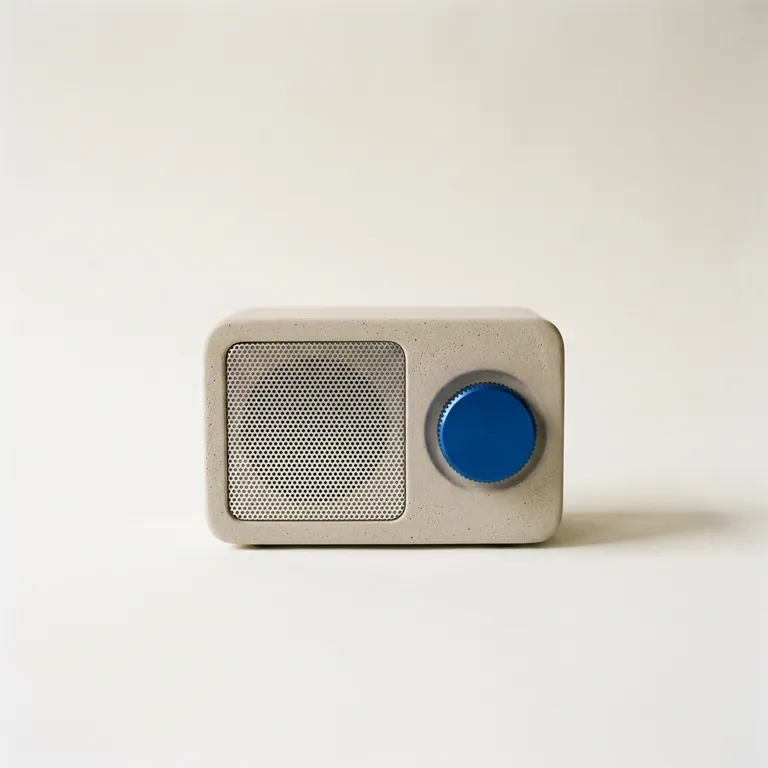
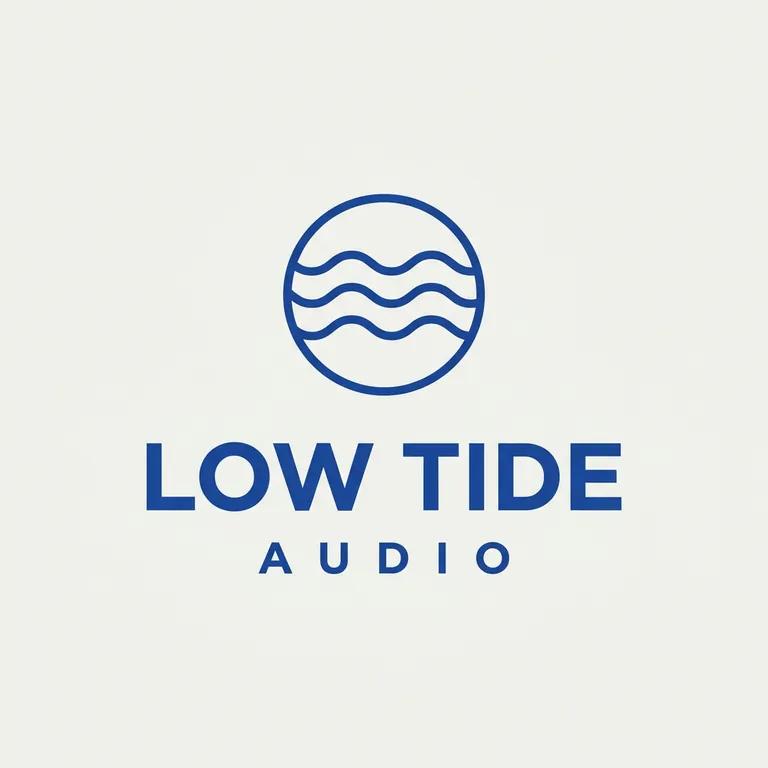
“Take the radio from the first image. Print the LOW TIDE AUDIO logo from the second image onto the radio's front panel, below the cobalt dial, as a small, crisp cobalt-blue screen print that sits flat on the plaster texture. Keep the radio's shape, the cobalt dial, the speaker grille, the paper backdrop, the window light and the shadow exactly the same.”Nano Banana 2.1, 改图, 10 积分, 输入图也是在 Nano Banana 2.1 上生成的
用商品图做复古海报
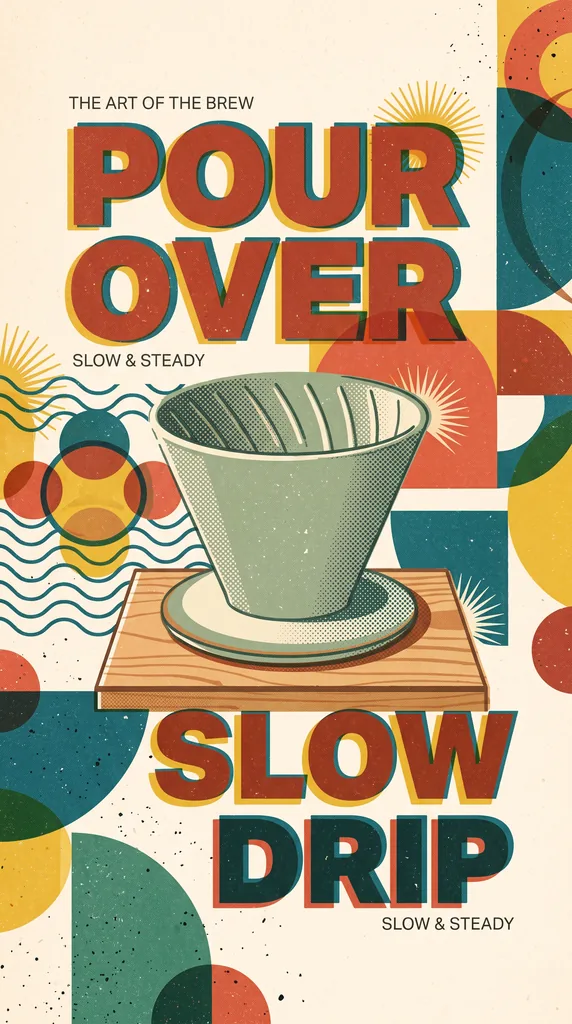
“Analyze the attached product photo. Create minimalist retro, mid-century modern illustration style poster combined with minimalist graphic design creative editorial with halftone primary colors and abstract retro geometric pattern minimalist shapes , some cropped off the page 9:16 The central focus is bold, blocky typography, risograph style Don't use periods in headline text”Nano Banana 2.1, 改图, 15 积分, 输入图也是在 Nano Banana 2.1 上生成的
手机照片变白底图
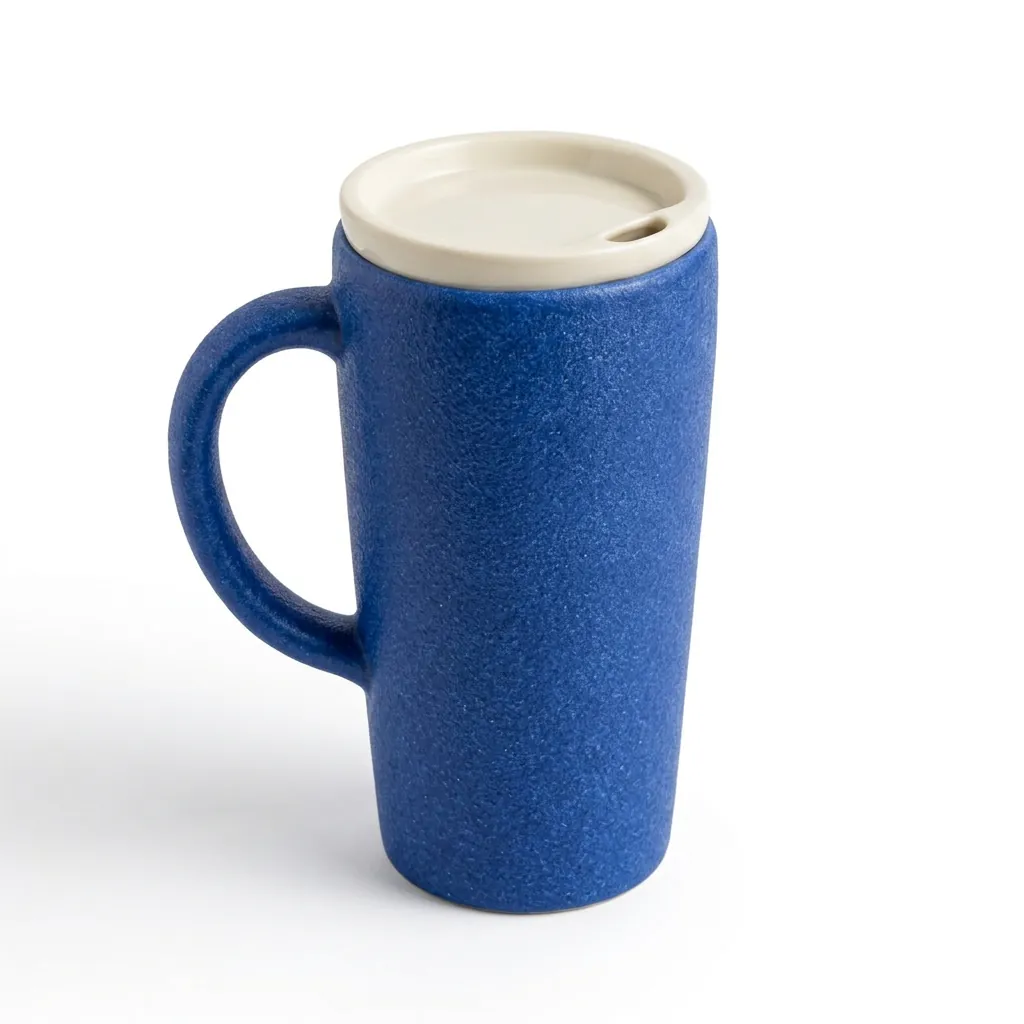
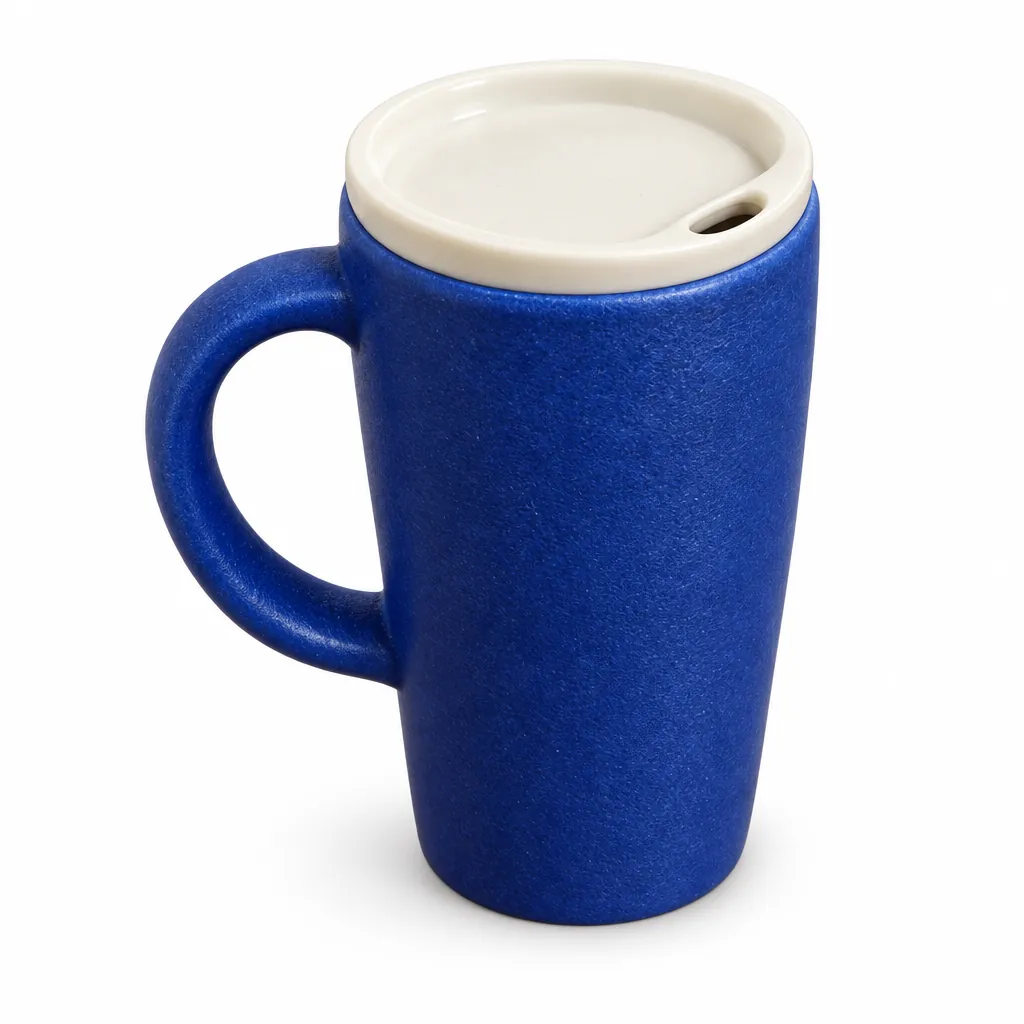
“Create a square ecommerce catalog photograph using the supplied blue travel mug as the exact product reference. Preserve the cobalt-blue ceramic body, the curved handle on the left, the ivory drinking lid, the lid opening, the body proportions and surface texture. Remove the limestone block and the original environment. Show the complete mug centered on a pure white background, three-quarter view, with one subtle natural contact shadow beneath it. Product fills about 75% of the canvas height. No added objects, no text, no logo, no badge, no watermark. Do not redesign the product. Square 1:1.”Nano Banana 2.1, 改图, 10 积分, 输入图也是在 GPT Image 2.5 上生成的
手捧杯子,冬日窗边
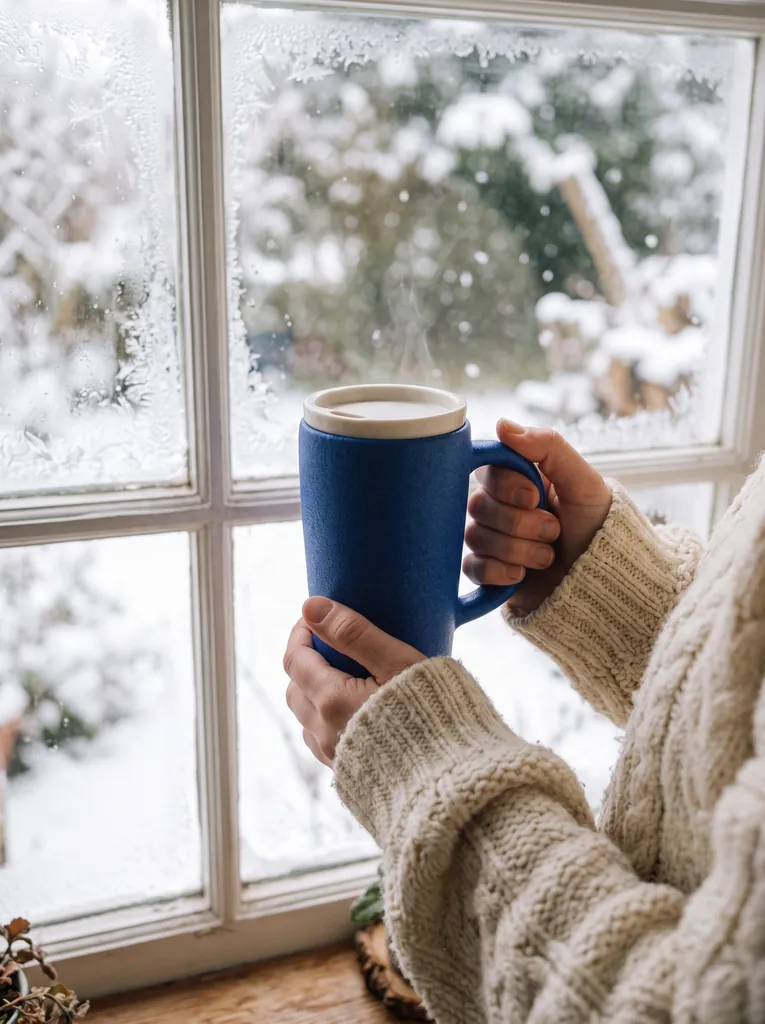
“Two hands in a chunky cream knit sweater holding the product by a frosty window with snow falling outside, soft morning light, lifestyle product photo. Keep the product from the reference image exactly as it is: same shape and proportions, same colors and finish, same printed design; do not redesign it, do not add logos or any text to the product.”Nano Banana 2.1, 改图, 15 积分, 输入图也是在 GPT Image 2.5 上生成的
礼盒平铺图
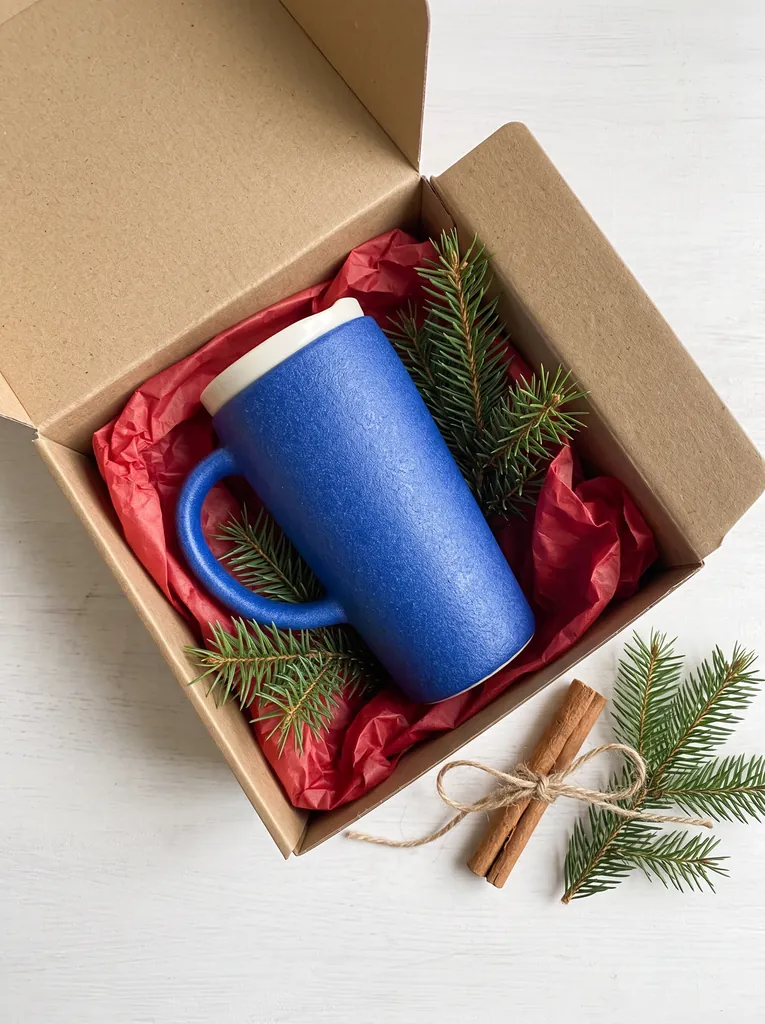
“Top-down flat lay: the product sitting in an open kraft paper gift box with red tissue paper, tied twine, sprigs of fir and a cinnamon stick beside it, clean light background, product photography. Keep the product from the reference image exactly as it is: same shape and proportions, same colors and finish, same printed design; do not redesign it, do not add logos or any text to the product.”Nano Banana 2.1, 改图, 15 积分, 输入图也是在 GPT Image 2.5 上生成的
手机照片变白底图
“Create a square ecommerce catalog photograph using the supplied blue travel mug as the exact product reference. Preserve the cobalt-blue ceramic body, the curved handle on the left, the ivory drinking lid, the lid opening, the body proportions and surface texture. Remove the limestone block and the original environment. Show the complete mug centered on a pure white background, three-quarter view, with one subtle natural contact shadow beneath it. Product fills about 75% of the canvas height. No added objects, no text, no logo, no badge, no watermark. Do not redesign the product. Square 1:1.”GPT Image 2.5, 改图, 15 积分, 输入图也是在 GPT Image 2.5 上生成的
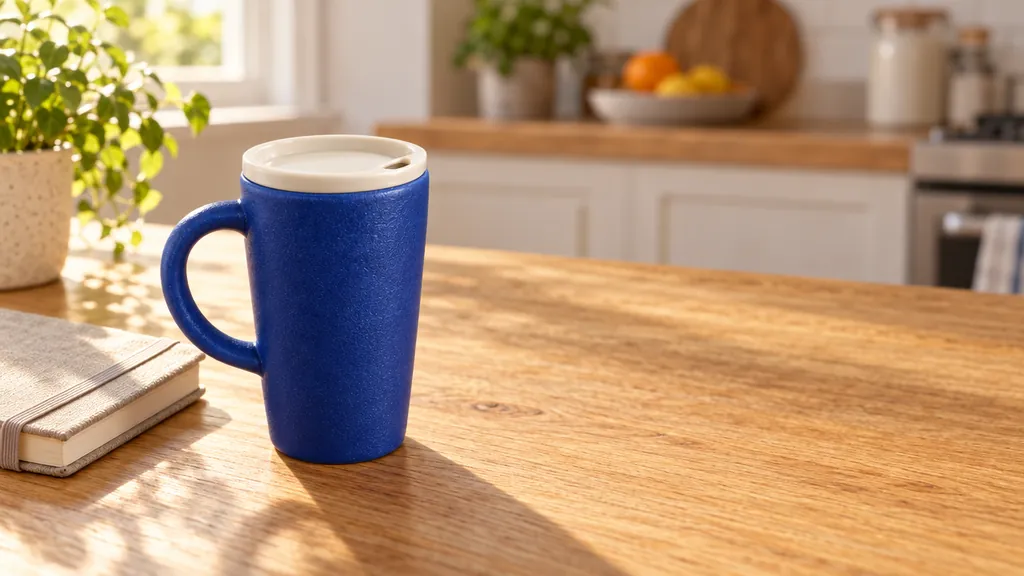
留白的生活场景图
“Create a realistic landscape lifestyle advertising photograph using the supplied blue travel mug as the exact product reference. Preserve its cobalt-blue ceramic body, curved handle, ivory drinking lid, and proportions. Place the complete mug on a light oak breakfast table next to one closed linen notebook in a quiet sunlit apartment kitchen. The mug is the sharp hero subject on the left third; the kitchen is softly out of focus. Warm morning light comes from the left. Leave the right third uncluttered as copy space. Natural believable scale and contact shadows. No people, no additional mugs, no text, no logo, no watermark. Landscape 16:9.”GPT Image 2.5, 改图, 15 积分, 输入图也是在 GPT Image 2.5 上生成的
带标注的细节图
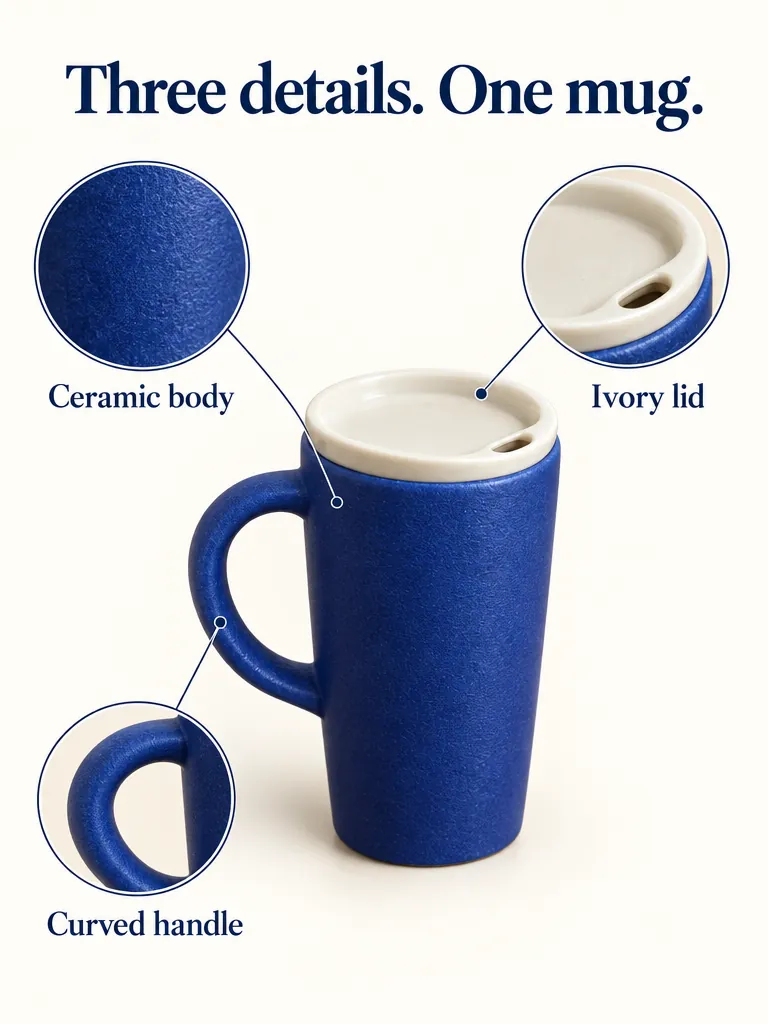
“Create a portrait ecommerce product detail graphic using the supplied blue travel mug as the exact product reference. Preserve its cobalt-blue ceramic body, left handle, ivory drinking lid, proportions, and texture. Put one full product view in the center, with three small circular detail crops around it: the ceramic body surface, the ivory lid, and the curved handle. Each detail crop must correspond to the same product. Add exactly this English headline: "Three details. One mug.". Add exactly these three labels next to their corresponding detail crops: "Ceramic body", "Ivory lid", "Curved handle". All text must be in English; do not add translations or another language. Use thin connector lines that point to the correct feature, generous spacing, a warm off-white background, navy text, refined commercial editorial layout. No invented performance claims, no numbers, no prices, no other words, no watermark. Portrait 4:5.”GPT Image 2.5, 改图, 15 积分, 输入图也是在 GPT Image 2.5 上生成的
咖啡袋商品图
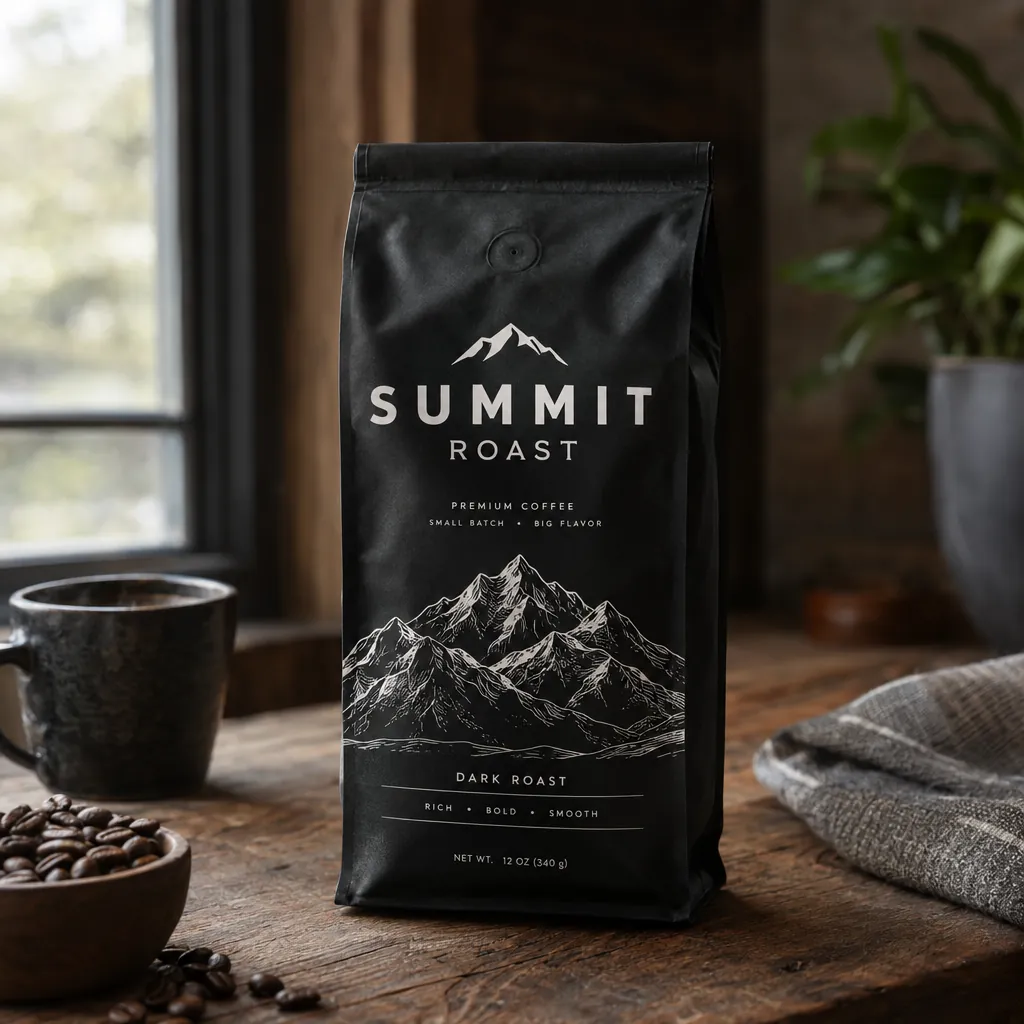
“A premium product photo of a matte black coffee bag labeled SUMMIT ROAST with mountain line-art on rustic wood, soft window light, sharp readable packaging typography, photoreal commercial mockup”GPT Image 2.5, 15 积分
按需求文案出商品图
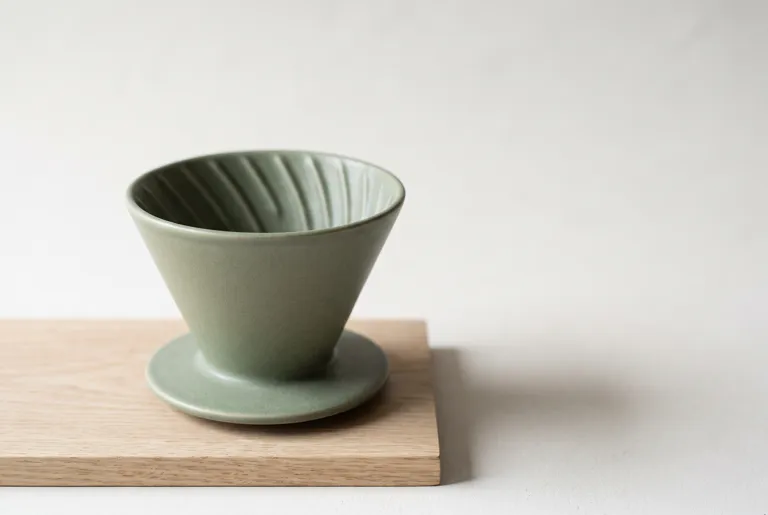
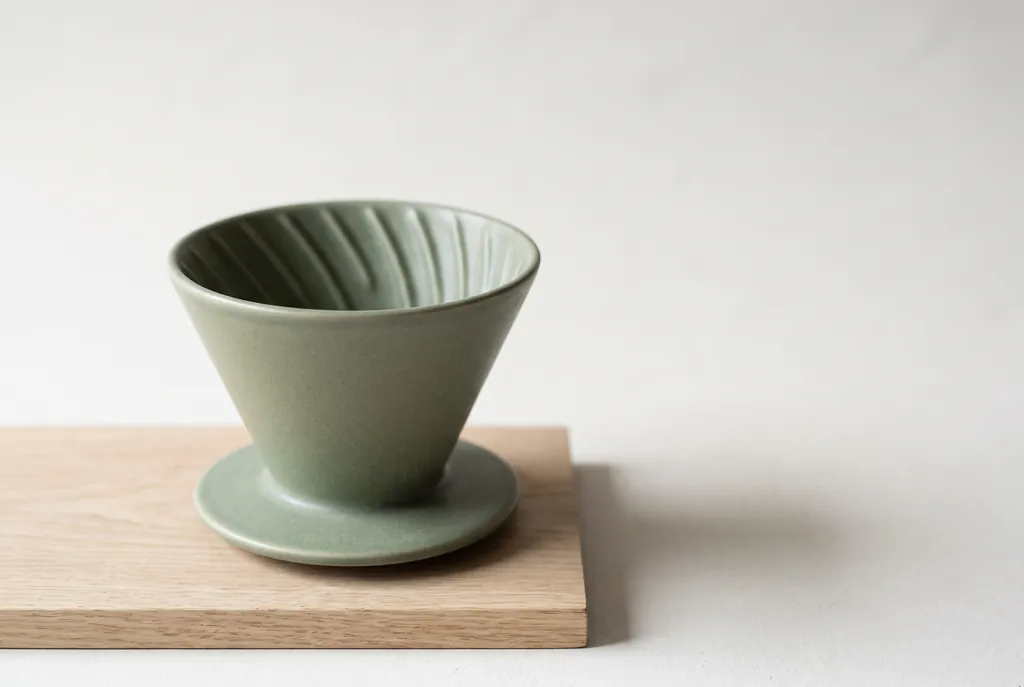
“Studio product photograph of a matte sage-green ceramic pour-over coffee dripper sitting on a pale oak board. Soft window light from the left, a gentle shadow to the right, clean off-white background, with empty space on the right third of the frame for ad copy. Real photograph, no props.”Nano Banana 2.1, 15 积分

AI 商品图怎么做:4 步

  1. 1

    拍一张清楚的照片

    手机拍的就行,只要产品完整入镜、对焦清楚、光线均匀。背景是乱糟糟的餐桌也没关系,反正会换掉。

  2. 2

    上传照片,说要哪种图

    上传后描述你要的效果:白底、场景、拿在手里、礼盒、细节图。再写清楚哪些地方不能改。

  3. 3

    选模型、画质和比例

    默认选的是 GPT Image 2.5;要大图就选 Nano Banana 2.1。按图片的用途设好画面比例。扣积分之前,价格会先显示出来。

  4. 4

    和实物对一遍

    上架前,把把手、盖子、标签和颜色跟原图对一遍。哪个细节走样了,就再改一次,并在提示词里点名这个细节。

支持的模型和价格

更新于 2026-10-30

模型每次张数最长边画面比例透明背景每张榜单排名
GPT Image 2.541,280 px1:1, 4:3, 3:4, 16:9, 9:16支持5–45 积分$0.05–$0.45第 1 · Elo 1,199GPT Image 2.5 Sunburst (max)
Nano Banana 2.146,336 px1:1, 16:9, 9:16, 4:3, 3:4, 3:2, 2:3, 21:9, 4:1, 8:1不支持10–30 积分$0.10–$0.30第 6 · Elo 1,151

每张的价格,从最低到最高画质;一次出多张,每张都按这个价。 榜单排名是盲测投票得出的名次和 Elo 分(AA-Image-Editing v2.1,2026年10月30日 核对),来源: Artificial Analysis Image Editing Arena

一张手机照片,六种商品图

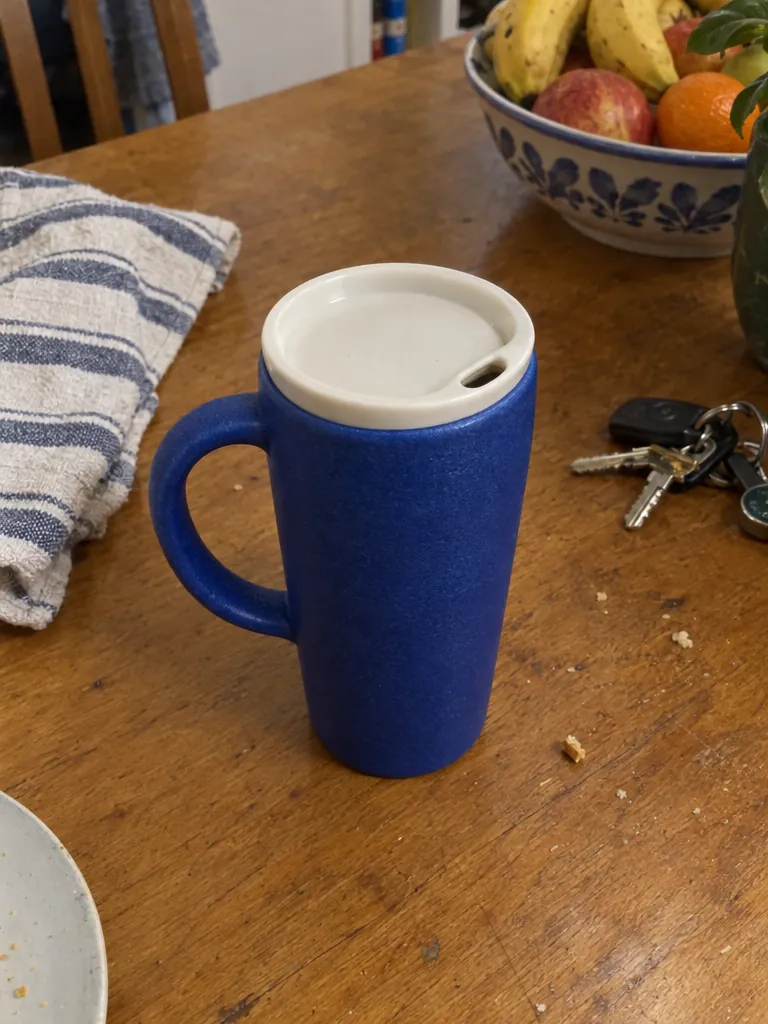
起点是一张很日常的手机照片:厨房餐桌上的一个钴蓝色随行杯。这个杯子是虚构的(照片是我们用 GPT Image 2.5 生成的),不涉及任何真实品牌。每张结果都用公开发表过的提示词,在 zzo.ai 上跑一次,再和原图逐一核对。

所有结果都从这张手机照片开始
所有结果都从这张手机照片开始 · 输入图也是在 GPT Image 2.5 上生成的

下面 6 张都是对这张照片的一次编辑,提示词写在每张下面。点开可以看大图,也可以把提示词用在你自己的照片上。

GPT Image 2.5: 白底主图

GPT Image 2.5

白底主图

15 积分
  • 高
  • 1:1

纯白背景,把手在左边,杯盖的开口也保留了。杯子约占画面高度的 88%,比提示词要求的 75% 多。提示词来自 Felo 的 GPT Image 2.5 和 Nano Banana 2.1 对比测试。

“Create a square ecommerce catalog photograph using the supplied blue travel mug as the exact product reference. Preserve the cobalt-blue ceramic body, the curved handle on the left, the ivory drinking lid, the lid opening, the body proportions and surface texture. Remove the limestone block and the original environment. Show the complete mug centered on a pure white background, three-quarter view, with one subtle natural contact shadow beneath it. Product fills about 75% of the canvas height. No added objects, no text, no logo, no badge, no watermark. Do not redesign the product. Square 1:1.”

Nano Banana 2.1: 同一张白底图,换 Nano Banana 2.1

Nano Banana 2.1

同一张白底图,换 Nano Banana 2.1

10 积分
  • 1K
  • 1:1

同样的提示词:角度是更柔和的四分之三侧面,阴影也更柔,杯子约占画面高度的 78%。和 Felo 的测试一样,两个模型都保住了把手和杯盖,谈不上谁明显更好。

“Create a square ecommerce catalog photograph using the supplied blue travel mug as the exact product reference. Preserve the cobalt-blue ceramic body, the curved handle on the left, the ivory drinking lid, the lid opening, the body proportions and surface texture. Remove the limestone block and the original environment. Show the complete mug centered on a pure white background, three-quarter view, with one subtle natural contact shadow beneath it. Product fills about 75% of the canvas height. No added objects, no text, no logo, no badge, no watermark. Do not redesign the product. Square 1:1.”

GPT Image 2.5: 留出文案位置的场景图

GPT Image 2.5

留出文案位置的场景图

15 积分
  • 高
  • 16:9

杯子放在橡木早餐桌的左三分之一处,阳光从左边照进来,右边三分之一空着,留给广告文字。按要求没有人、没有文字,也没有第二个杯子。

“Create a realistic landscape lifestyle advertising photograph using the supplied blue travel mug as the exact product reference. Preserve its cobalt-blue ceramic body, curved handle, ivory drinking lid, and proportions. Place the complete mug on a light oak breakfast table next to one closed linen notebook in a quiet sunlit apartment kitchen. The mug is the sharp hero subject on the left third; the kitchen is softly out of focus. Warm morning light comes from the left. Leave the right third uncluttered as copy space. Natural believable scale and contact shadows. No people, no additional mugs, no text, no logo, no watermark. Landscape 16:9.”

Nano Banana 2.1: 拿在手里

Nano Banana 2.1

拿在手里

15 积分
  • 2K
  • 3:4

一双穿着针织毛衣的手,在结霜的窗边,手指穿过把手,这正是 AI 常画错的地方。杯子被转了方向,把手到了右边。提示词来自 BulkImagen 的节日商品图测试。

“Two hands in a chunky cream knit sweater holding the product by a frosty window with snow falling outside, soft morning light, lifestyle product photo. Keep the product from the reference image exactly as it is: same shape and proportions, same colors and finish, same printed design; do not redesign it, do not add logos or any text to the product.”

Nano Banana 2.1: 礼盒俯拍图

Nano Banana 2.1

礼盒俯拍图

15 积分
  • 2K
  • 3:4

俯拍的平铺图:牛皮纸礼盒里垫着红色包装纸,配上冷杉枝、麻绳和肉桂。杯子侧躺在盒子里,平放的杯子本来就该这样。

“Top-down flat lay: the product sitting in an open kraft paper gift box with red tissue paper, tied twine, sprigs of fir and a cinnamon stick beside it, clean light background, product photography. Keep the product from the reference image exactly as it is: same shape and proportions, same colors and finish, same printed design; do not redesign it, do not add logos or any text to the product.”

GPT Image 2.5: 带标注的细节图

GPT Image 2.5

带标注的细节图

15 积分
  • 高
  • 3:4

大标题和三个标注一字不差,每条引线都指向正确的部位。Felo 发现 GPT Image 2.5 有时会把指向杯盖的线放错,你的图也要检查一下。

“Create a portrait ecommerce product detail graphic using the supplied blue travel mug as the exact product reference. Preserve its cobalt-blue ceramic body, left handle, ivory drinking lid, proportions, and texture. Put one full product view in the center, with three small circular detail crops around it: the ceramic body surface, the ivory lid, and the curved handle. Each detail crop must correspond to the same product. Add exactly this English headline: "Three details. One mug.". Add exactly these three labels next to their corresponding detail crops: "Ceramic body", "Ivory lid", "Curved handle". All text must be in English; do not add translations or another language. Use thin connector lines that point to the correct feature, generous spacing, a warm off-white background, navy text, refined commercial editorial layout. No invented performance claims, no numbers, no prices, no other words, no watermark. Portrait 4:5.”

做商品图选 GPT Image 2.5 还是 Nano Banana 2.1

GPT Image 2.5Nano Banana 2.1
产品保持不变两个模型里更擅长改图的一个,测试者和我们的同图测试都是这样;在 Fuser 的瓶子测试里,提示词要求保留的地方它“一处都没改”。上面每张图都保住了杯子的把手和杯盖,但改图时更常重新裁切、重新布景;在 Fuser 的瓶子测试里,它改了瓶盖的样式。
按文字描述生成新图不错,对比度和质感更强。赢了 Fuser 的商品图测试:布景、光线方向和留白位置,都和描述的完全一致。
透明背景抠图可以:输出带真正透明通道(alpha)的 PNG。不行:背景总会被填满。
图片和包装上的文字按你给的文案写;我们的细节图一字不差。拼写不错,但有时会自己加字;提示词结尾加上“No other text”。
最大尺寸在 zzo.ai 上长边最大 1280 像素。最高 4K,适合可放大查看的商品图、横幅和印刷。

更多 AI 商品图示例(附提示词)

每个都附上原样的提示词、设置和价格。可以直接在上面的生成器里用,也可以先改再用。

同一个瓶子,换个场景
输入图也是在 GPT Image 2.5 上生成的

GPT Image 2.5

白底图换成场景图

一张普通的棚拍产品图,换到了溪边长满青苔的石头上。瓶身形状、琥珀色玻璃、滴管、瓶颈套圈和“LUMA 02”标签都没变。提示词来自 Fuser 的测试,他们发现套圈是最容易被改掉的细节。

  • 改图
  • 高
  • 1:1

“Place this exact bottle on a wet, moss-covered river stone outdoors in soft morning sunlight, with a blurred forest stream behind it. Change only the setting and lighting. Keep the bottle's shape, amber glass, black dropper cap and the label text "LUMA 02" exactly as they are.”

建议:先列出不能改的地方,生成后再把瓶盖、标签和颜色跟原图对一遍。

15 积分
透明底抠图
输入图也是在 GPT Image 2.5 上生成的

GPT Image 2.5

透明背景 PNG 抠图

打开“透明背景”,用 OpenAI 官方指南里的抠图提示词,得到一张背景完全透明的 PNG。玻璃边缘干净,也没有青苔留下的绿边。玻璃颜色稍微亮了一点。

  • 改图
  • 高
  • 透明 PNG
  • 1:1

“Extract the product from the input image and isolate it on a fully transparent background. Output: centered product, crisp silhouette, no halos/fringing. Preserve product geometry and label legibility exactly. Add only light polishing. Do not add a solid backdrop, checkerboard, scenery, or shadow. Do not restyle the product; remove the background and preserve clean alpha transparency.”

建议:用之前,把抠图分别放到深色和浅色背景上看一看。

15 积分
把 Logo 印到商品上
输入图也是在 Nano Banana 2.1 上生成的

Nano Banana 2.1

把你的 logo 放到产品上

收音机和 logo 分两张图上传,再合成:logo 以小印花的样子出现在调台旋钮下方,收音机、背景和阴影都没动。步骤来自 Fuser 的测试。

  • 改图
  • 1K
  • 1:1

“Take the radio from the first image. Print the LOW TIDE AUDIO logo from the second image onto the radio's front panel, below the cobalt dial, as a small, crisp cobalt-blue screen print that sits flat on the plaster texture. Keep the radio's shape, the cobalt dial, the speaker grille, the paper backdrop, the window light and the shadow exactly the same.”

建议:先传产品图,再传 logo,并说明 logo 放在哪里。

10 积分
按需求文案出商品图

Nano Banana 2.1

还没拍照?用文字描述生成商品图

还没有产品照片?Nano Banana 2.1 用这条提示词赢了 Fuser 的商品图测试。我们跑出来的结果每一条都对上了:单独一块橡木板,光从左边来,阴影在右边,右边三分之一留空放文案。

  • 文生图
  • 2K
  • 3:2

“Studio product photograph of a matte sage-green ceramic pour-over coffee dripper sitting on a pale oak board. Soft window light from the left, a gentle shadow to the right, clean off-white background, with empty space on the right third of the frame for ad copy. Real photograph, no props.”

建议:写清楚布景、光线方向和留白的位置。

15 积分
咖啡袋商品图

GPT Image 2.5

用文字生成包装效果图

一句话的提示词,就出了一张可信的商业摄影图,袋子上的品牌名很清楚。它自己加了几行小字(烘焙程度、重量),拼写都对。

  • 文生图
  • 高
  • 1:1

“A premium product photo of a matte black coffee bag labeled SUMMIT ROAST with mountain line-art on rustic wood, soft window light, sharp readable packaging typography, photoreal commercial mockup”

建议:如果包装上只能出现你写的字,加上“No other text on the packaging”。

15 积分

亚马逊主图要求,以及 Shopify、Etsy 的图片规则

摘自各平台自己的卖家页面,并注明核对日期。规则会变,有些规则按类目不同,上传前请看一下链接里的原页面。

亚马逊 Amazon

以下出自亚马逊自己的卖家指南。亚马逊正式的图片政策在卖家平台(Seller Central)里,要登录卖家账号才能看,记得也去那里核对,特别是你所在类目的要求。

Shopify

Etsy

Etsy 对 AI 修过的图规定得最清楚:一个 Etsy 商品页需要的图片,不能全靠 AI 生成。

  • 每个商品页至少要有一张没修过的实物照片,背景是真实的(部分商品类型有例外)。 (Etsy Help: image requirements, 2026年10月30日 核对)
  • 图片必须如实呈现商品的颜色、成色、大小和材质。其他照片可以用 AI 修(光线、颜色、裁剪、背景),但不能用来掩盖瑕疵,或者改变商品的样子。 (Etsy Help: image requirements, 2026年10月30日 核对)
  • 照片的宽和高都应至少 2000 像素。支持 JPG、PNG、GIF、SVG、HEIC;不支持透明 PNG,超过 1 MB 的文件可能上传不完。 (Etsy Help: image requirements, 2026年10月30日 核对)
  • 商品四周留出空白,这样缩略图可以裁成方图、竖图或横图。 (Etsy Help: image requirements, 2026年10月30日 核对)
  • 每个商品页最多 20 张照片。 (Etsy Help: how to create a listing, 2026年10月30日 核对)
  • 如果商品本身是用 AI 做的,要在商品描述里写明。 (Etsy Help: what can I sell, 2026年10月30日 核对)

商品图提示词怎么写

提示词里写什么,按模型最好理解的顺序。

把照片叫作“the supplied product”,并描述一次

告诉模型这张照片就是准确的参考,再点出它独有的细节:颜色、材质、把手在哪边、盖子、标签上的字。

“Use the supplied blue travel mug as the exact product reference. Preserve the cobalt-blue ceramic body, the curved handle on the left, the ivory lid…”

只说要改什么,别的不动

点名唯一要改的东西(背景、场景、光线),再加上“change only …”。一次改好几处,产品最容易走样。

“Change only the setting and lighting.”

用数字说清楚构图

做主图和横幅时,写明产品占画面多少,留白放在哪里。

“Product fills about 75% of the canvas height. Leave the right third uncluttered as copy space.”

不想要的东西,一样一样排除

模型喜欢加道具、logo、徽章,或者多放一个产品。每一样都明确说不要。

“No added objects, no text, no logo, no badge, no watermark. Do not redesign the product.”

图上的每个字都放进引号

标题和标注原样写进引号,并说明用哪种语言。上传之前,逐字、逐条引线检查。

“Add exactly this English headline: "Three details. One mug." All text must be in English.”

产品照片怎么拍

照片拍得越好,模型要猜的就越少。产品完整入镜,对焦清楚,光线均匀,窗边的自然光就够了。按你想要的角度拍:正面照变不成背面照,除非让模型凭空编一个背面。产品上有标签或 logo 的话,要让它在照片里看得清。周围乱一点没关系:我们的杯子示例,原图就放在一张摆着钥匙、毛巾和果盘的餐桌上。

怎么让产品保持原样

OpenAI 的改图指南归结起来就三点:写“change only …”,列出必须保留的东西(形状、颜色、瓶盖、标签上的字、logo),每次只改一处。做一整套图时,在上一张结果上接着改,并重复写明要保留的东西。最后和原图逐个细节对比:Atlas Cloud 提醒过,背景换得再漂亮,也可能悄悄改掉瓶盖高度、标签上的某个字、颜色或 logo 边缘。

对买家要如实

AI 商品图是用来展示你在卖的产品,不是一个更好看的版本。颜色、大小和细节要和买家收到的一致,不要加产品没有的功能、配件或认证。场景图没问题,只要图里的产品是准确的。

本页示例图是怎么做的

杯子是虚构的产品,它的手机照片也是用 GPT Image 2.5 生成的,所以不涉及任何真实品牌或真人。每张结果用的都是公开测试(Felo、BulkImagen、Fuser)或 OpenAI 指南里的提示词,来源写在每张卡片上,在 zzo.ai 上跑一次,再和原图核对。所有图片都没有后期修改;结果和提示词不一致的地方,说明里都写了。

结果不对怎么办

常见的问题、原因和改法。

产品的某个细节变了

原因: 就算场景看起来很完美,改图也可能悄悄改掉瓶盖高度、标签上的某个字、颜色或 logo 边缘。

改法: 在提示词里把这些细节列为必须保留,生成后和原图对比,哪里走样就针对那一处再改一次。

多出了产品、道具或 logo

原因: 模型会用符合场景的东西把空的地方填满。

改法: 加上“no additional products, no props, no logo, no text”,并把背景描述成纯色或空的。

白底不够白

原因: 阴影和柔光会让白色背景带上一点灰或别的颜色。

改法: 要求纯白背景加一道淡淡的接触阴影,然后检查四个角的像素颜色。一定要纯白,就先做透明背景抠图,再自己放到白底上。

手画得不对

原因: 手指握着把手、细小的部件,是 AI 最常出错的地方。

改法: 在提示词里写明手指穿过把手,仔细检查结果,不对就再生成一次。

细节图上的标注拼错了,或者指错了部位

原因: 小字和引线很容易出一点小错。

改法: 标注少一点、短一点,放进引号里;上架前逐字、逐条线检查。

图片被拒绝或生成失败

原因: 模型自带的过滤或我们的内容审核拦下了图片、提示词或结果,也可能是模型超时。

改法: 不扣积分,积分会自动退回。不要上传别家品牌的 logo,也不要上传未经本人同意的人物照片。

常见问题

更新于 2026-10-30

怎么用自己的产品照片做 AI 商品图?

上传一张清楚的产品照片,描述你要的图,再写明哪些地方不能变:形状、颜色、把手、盖子、标签上的字。生成后和原图对比,哪个细节不对,就再改一次。

手机拍的照片能做商品图吗?

能。上面六张示例图,都是从同一张厨房餐桌上随手拍的手机照片开始的。产品要完整入镜、清楚、光线均匀;背景乱不乱不重要。

做电商主图,用哪个 AI 模型好?

要求产品一点不变的改图、带标注的细节图、透明背景抠图,用 GPT Image 2.5,它在 Artificial Analysis 的图片编辑排行榜上排第一。要 4K 大图,或者没有照片、按文字描述生成新图,用 Nano Banana 2.1。一个账号、一份积分,两个模型都能用,网页上直接用,不用下载软件。

AI 生成的商品图能用在亚马逊上吗?

能,只要每张图展示的都是你真正在卖的产品:亚马逊说,用 AI 做的商品页内容,卖家要负责如实呈现商品。它的卖家指南要求白底(RGB 255, 255, 255),商品占画面 85% 以上,详见上面的平台规则。你所在类目的正式政策,以卖家平台(Seller Central)为准。

亚马逊主图有什么要求?尺寸多大?

按亚马逊卖家指南:大多数情况下用纯白背景,商品占画面 85% 以上;图片最长边 500 到 10,000 像素,每条边都大于 1,000 像素时买家可以放大查看;首选 JPEG,也可以用 TIFF、PNG 或非动态 GIF;每个商品页最多 9 张图。正式政策以卖家平台里你所在类目的要求为准。

用 AI 生成的模特图、场景图可以做主图吗?

先看平台规则。亚马逊的卖家指南要求大多数情况下用白底,展示使用场景的图放在其他图片里;同时,AI 做的商品页内容,卖家要负责如实呈现商品。Etsy 要求每个商品页至少有一张没修过的实物照片。不管放在哪里,图里的商品都必须和买家收到的一样。

白底图怎么生成场景图?能一键换背景吗?

能。上传白底图或任何一张产品照片,描述新场景,再加上“change only the setting and lighting”,产品本身不动。上面“白底图换成场景图”的例子,就是把一张棚拍图换到了溪边的石头上。换完把瓶盖、标签和颜色跟原图对一遍。

能用在 Shopify 或 Etsy 上吗?

Shopify 可以:它的规则只管文件格式和大小,不管照片是怎么做的。Etsy 更严:每个商品页至少要有一张没修过的实物照片,背景是真实的;AI 可以改光线、颜色、裁剪或背景,但不能改变商品的样子。其他照片可以用 AI 做。

淘宝、拼多多的主图也能用 AI 做吗?

生成的图可以下载,用在哪个平台由你决定。本页只整理了亚马逊、Shopify、Etsy 官方写明的图片规则;淘宝、拼多多等平台对尺寸和 AI 图片的要求,请以平台自己的规则为准。

能抠图、生成透明背景的 PNG 吗?

能,用 GPT Image 2.5:打开“透明背景”,上传照片,让它把产品单独抠出来。你会得到一张带真正透明通道的 PNG,价格不变。注意检查毛发、玻璃、阴影和细边。

能做白底主图吗?

能。要求纯白背景,产品居中、占画面大部分,加一道淡淡的阴影,就像上面第一张示例图。上传到平台之前,检查背景颜色和产品本身。

AI 会不会把我的产品或标签改走样?

不应该会。上面每张图里,两个模型都保住了杯子的把手和杯盖,但每次都要检查。在提示词里点名重要的细节,上架前和原图对比。

能做人拿着、用着产品的图吗?

能:描述这个人(比如“two hands in a knit sweater holding the mug”),或者用一张你有权使用的照片做起点。不要上传未经本人同意的真人照片;公众人物会被拒绝。

能做一整套风格统一的图吗?

能。用同一条提示词,只换产品照片,整个系列的背景和光线就都一样。提示词可以从生成记录里找回来。

生成的图片有多大?

Nano Banana 2.1 最高 4K;GPT Image 2.5 在 zzo.ai 上长边最大 1280 像素。页面顶部的表格列出了两者,平台规则那一节列出了各平台的要求。

生成的商品图可以商用吗?

可以,用在商品页、店铺和广告上都行,前提是你对上传的产品照片有权利,内容也符合我们的条款。

要开会员吗?怎么收费?

不用开会员。一次性买一个积分包,任何模型都能用,积分永久有效,不清零。每张图的价格在生成前就显示在按钮上,生成失败或被拒绝都会自动退回积分。

更多工具