
AI 修图:用一句话告诉它怎么改,其余保持不变
2 个模型可选,改图结果最高 4K,每次最多用 4 张照片。每次 5 积分($0.05)起,不用开会员,积分永久有效。 在 Artificial Analysis Image Editing Arena(2026年10月30日 核对)上,GPT Image 2.5 排第 1(Elo 1,199), Nano Banana 2.1 第 6。
用 AI 修图,网页上直接用,不用下载软件。上传最多四张照片,说清楚要改什么、哪些不动,GPT Image 2.5 或 Nano Banana 2.1 就会返回改好的图。改之前先看到价格,从一次性买的积分包里改一次扣一次积分,积分永久有效,不清零。
原图修改后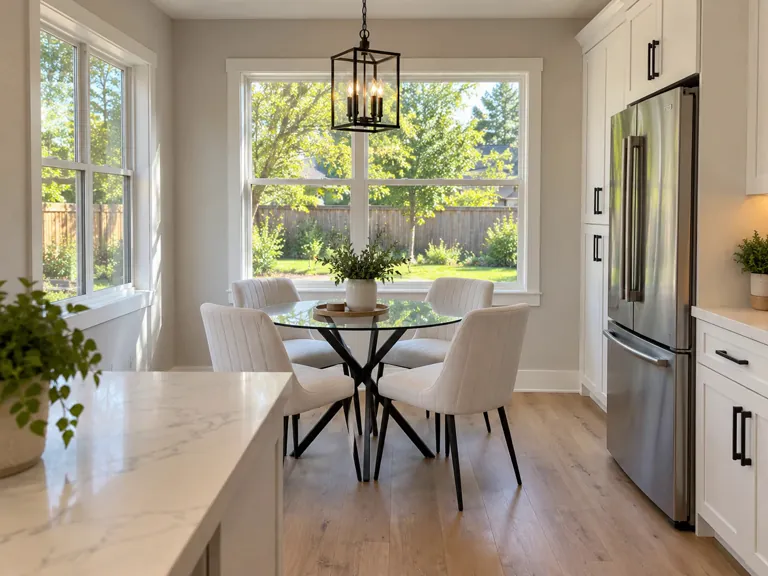
用这些模型生成的
每个都写了提示词、模型和在这里生成要花多少。选一个,从它开始改。
支持的模型和价格
更新于 2026-10-27
| 模型 | 每次张数 | 最长边 | 画面比例 | 透明背景 | 每张 | 榜单排名 |
|---|---|---|---|---|---|---|
| GPT Image 2.5 | 4 | 1,280 px | 1:1, 4:3, 3:4, 16:9, 9:16 | 支持 | 5–45 积分$0.05–$0.45 | 第 1 · Elo 1,199GPT Image 2.5 Sunburst (max) |
| Nano Banana 2.1 | 4 | 6,336 px | 1:1, 16:9, 9:16, 4:3, 3:4, 3:2, 2:3, 21:9, 4:1, 8:1 | 不支持 | 10–30 积分$0.10–$0.30 | 第 6 · Elo 1,151 |
每张的价格,从最低到最高画质;一次出多张,每张都按这个价。 榜单排名是盲测投票得出的名次和 Elo 分(AA-Image-Editing v2.1,2026年10月30日 核对),来源: Artificial Analysis Image Editing Arena
一句话能改什么
- 消除路人或物体: 杂物、路过的人、别人手里拿着的东西。
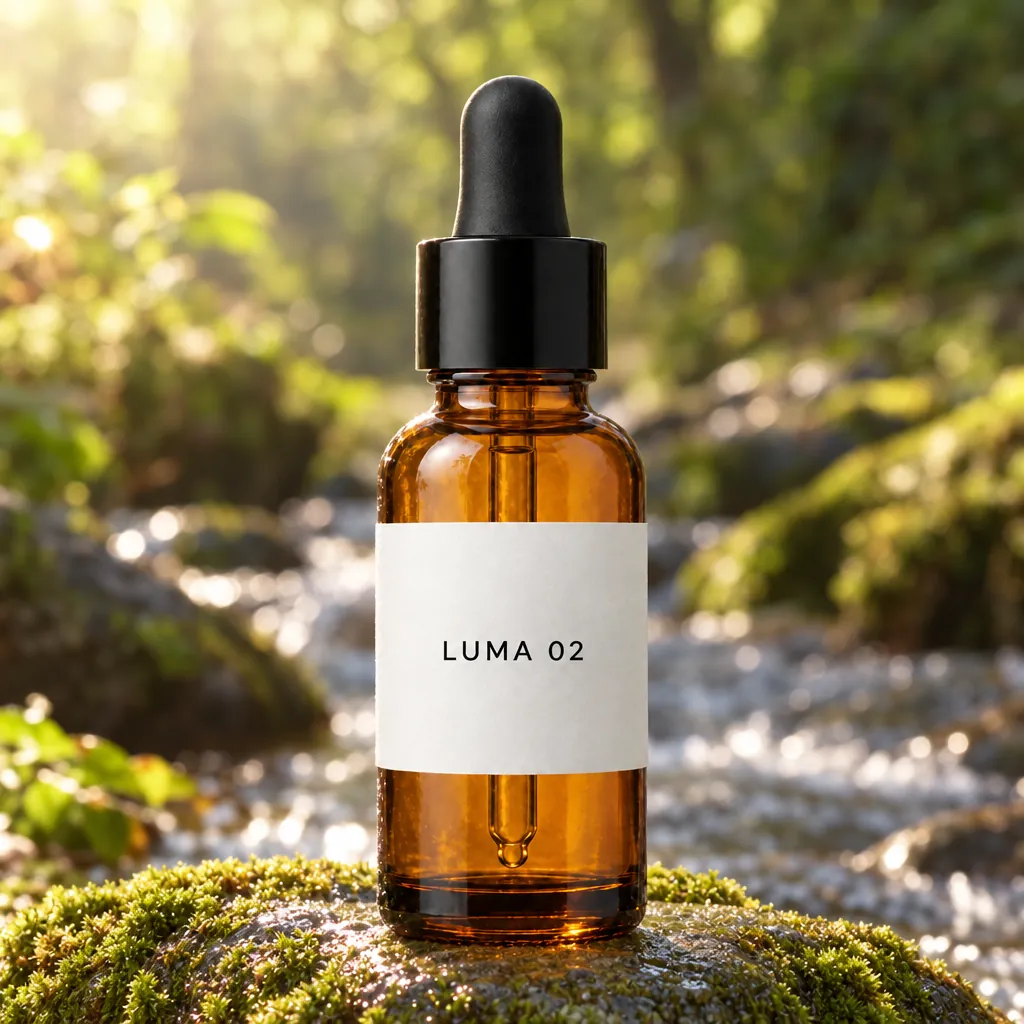
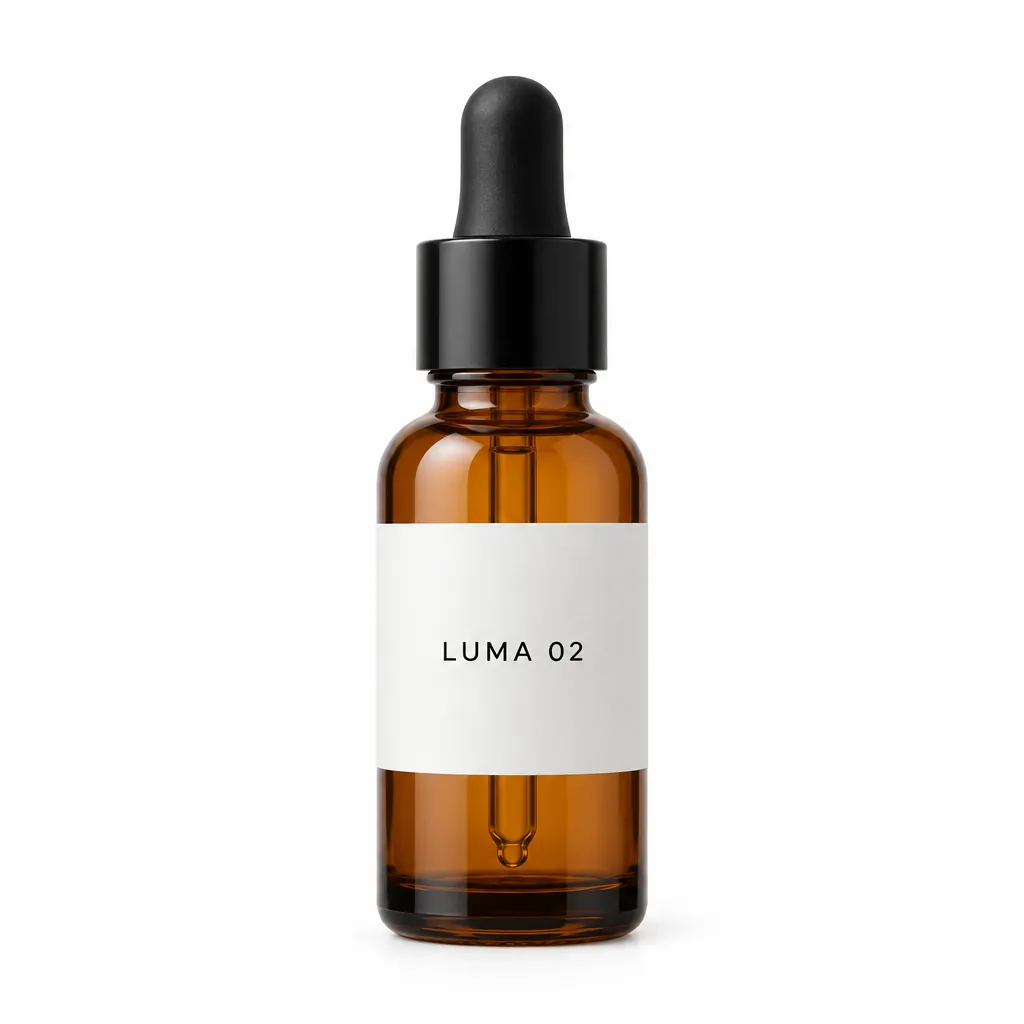
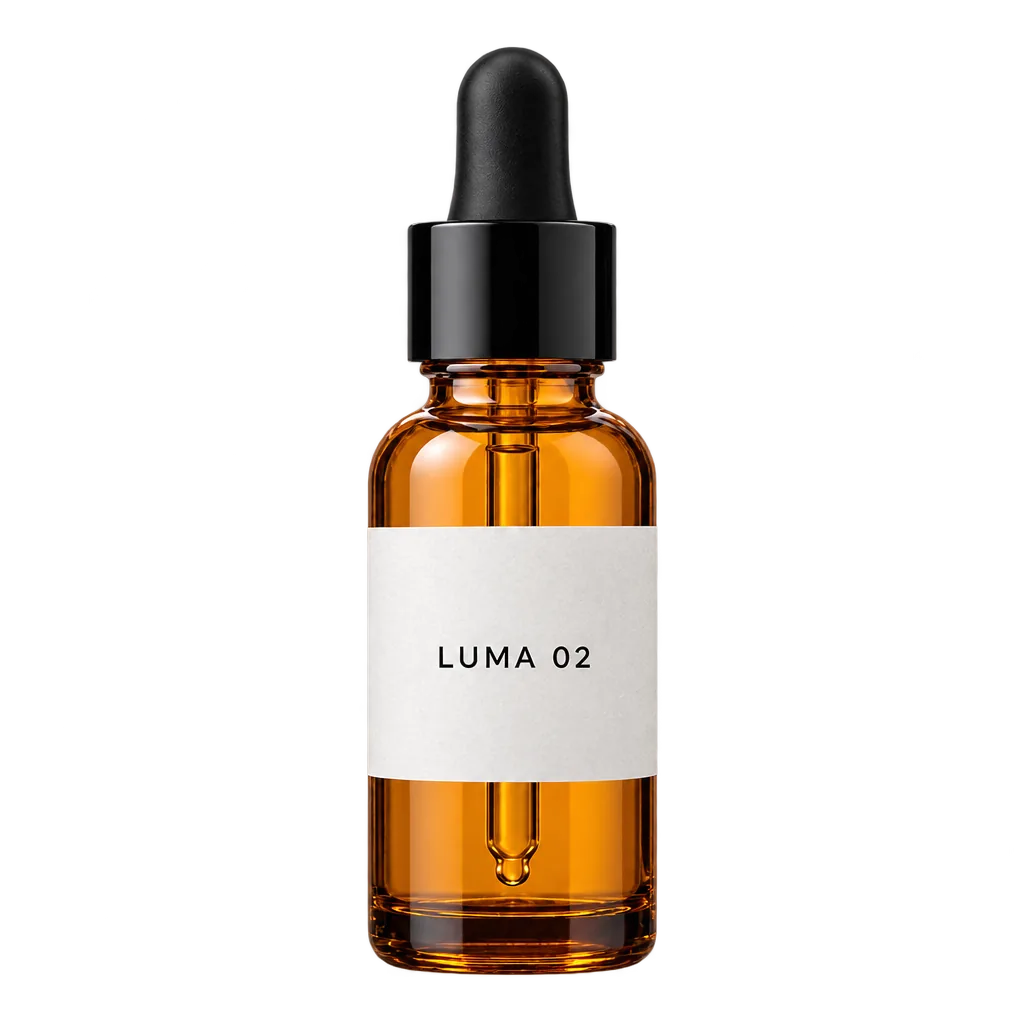
- 换背景、换场景。 上面那只琥珀色瓶子,从棚拍图换到了长满青苔的石头上,标签和瓶盖都没变;同一只瓶子在棋盘格背景上的那张,是抠成了透明 PNG。
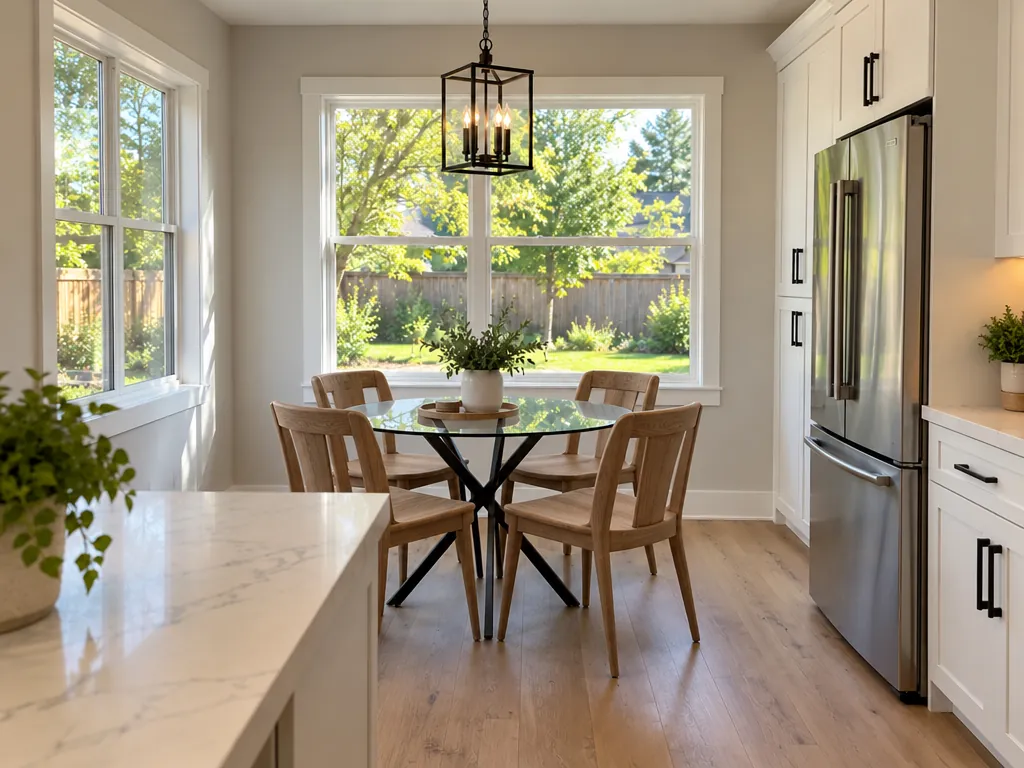
- 只换一样东西。 上面的厨房里只换了椅子,光线、阴影和台面上的东西都没动。
- 换衣服、换天气、换时间, 也可以在一次修改里同时换好几样。
- 合成两张照片: 把宠物、人或产品放进另一张照片的场景里。
- 人像精修,或者修复老照片。
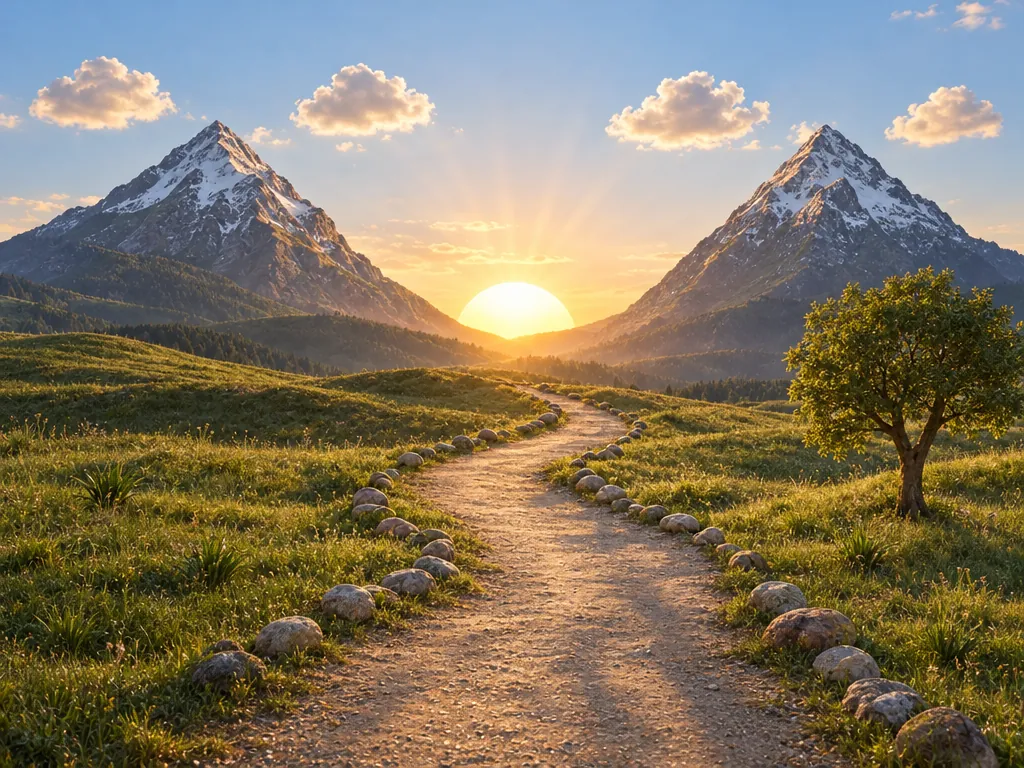
- 把手绘草图变成照片。 山谷那张图里,山、太阳、树和石头都留在了草图画的位置上。
用 AI 修图,怎么让脸不变
两个模型都会重画整张图,所以“保持脸不变”只是一条指令,不是一把锁。根据 OpenAI 和谷歌的指南,以及用户的实测,这几点有用:
- 每次只改一处, 并且先写它。
- 列出必须保留的东西: 脸、五官、肤色、表情、发型、姿势。OpenAI 的原话是:“Do not change her face, facial features, skin tone, body shape, pose, or identity in any way.”
- 哪里变了,就只点名那一处。 Reddit 上有位测试者发现,一次精修把人物的嘴闭上了;加上“Keep the mouth and gaze exactly as in the original”就修好了。
- 改过几轮之后,回到原图重新开始, 不要在改过的图上一直改下去。
如果脸必须像素级不变,OpenAI 的建议是:在修图软件里把满意的修改结果贴回原图。
改图选 GPT Image 2.5 还是 Nano Banana 2.1
结论来自我们自己的同图测试(上面成对的示例图),以及跑过这两个模型的公开测试(CellCog、Fuser、BulkImagen)。每条提示词都只跑了一次,所以只能看作倾向。完整的对比见 Nano Banana 2.1 vs GPT Image 2.5。
-
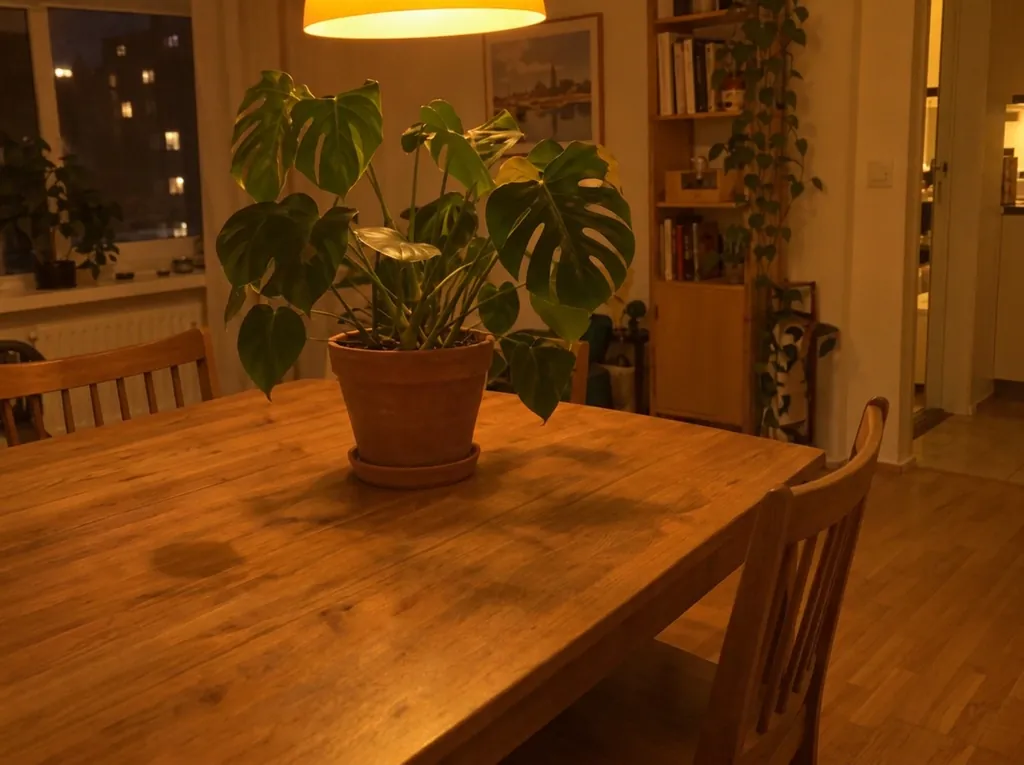
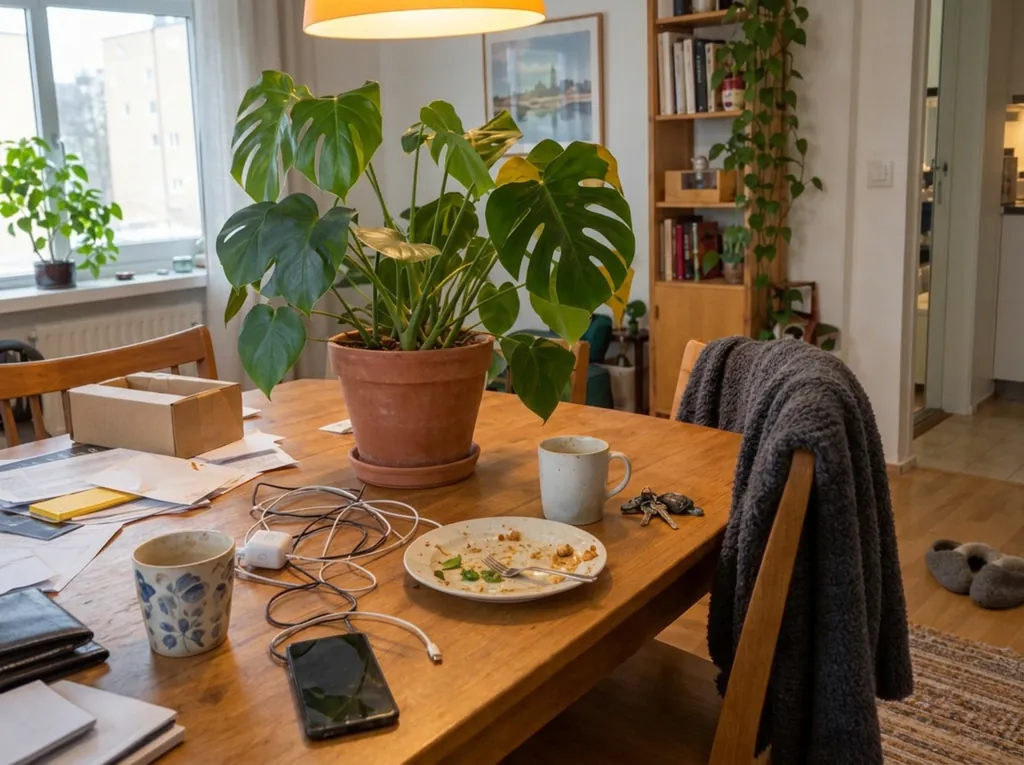
大多数修改:GPT Image 2.5。 在我们九组同图修改里,它赢了四次(去掉一朵花、加一只狗、清理桌面、夏天变冬天),Nano Banana 2.1 赢了两次,三次打平。
-
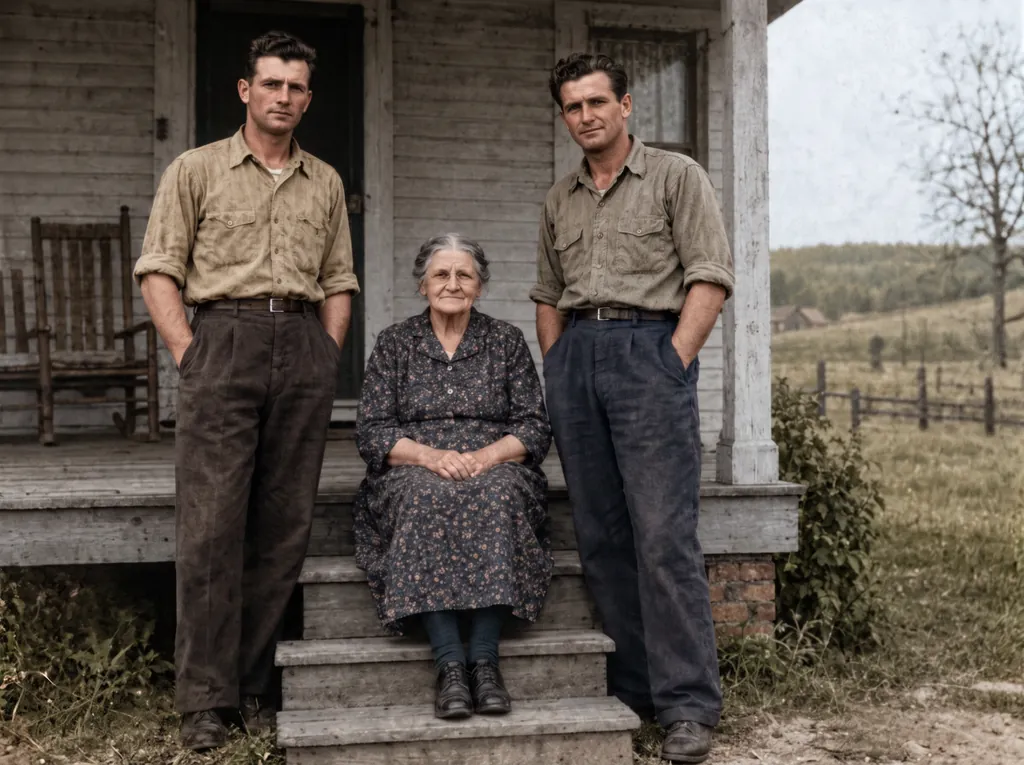
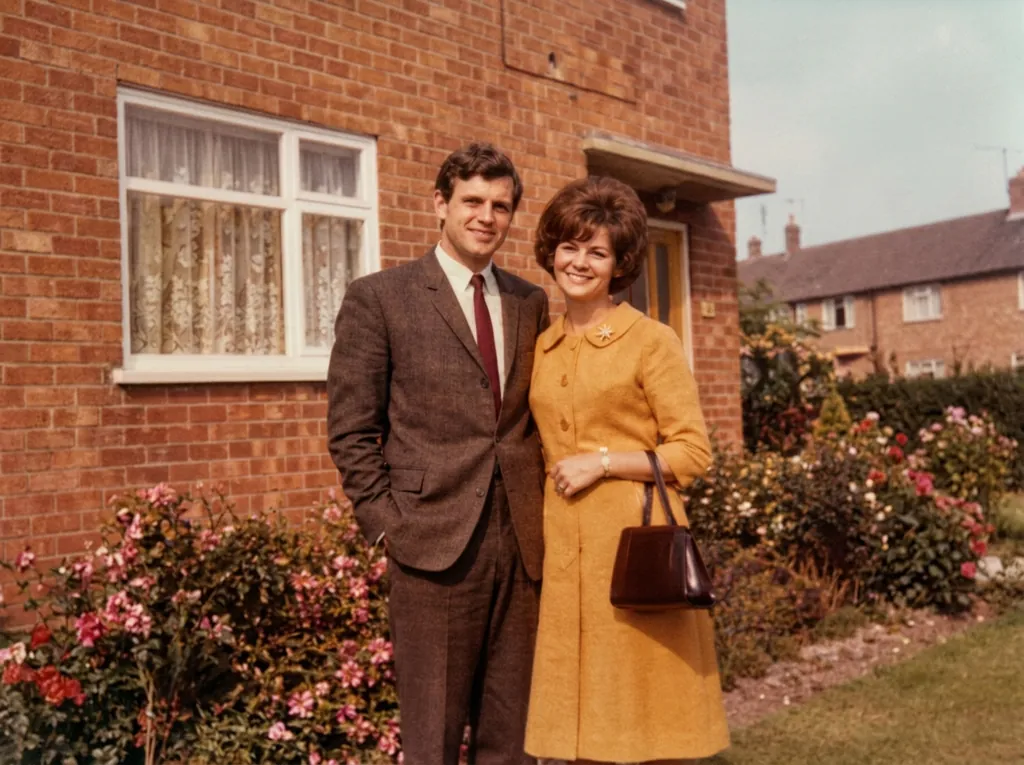
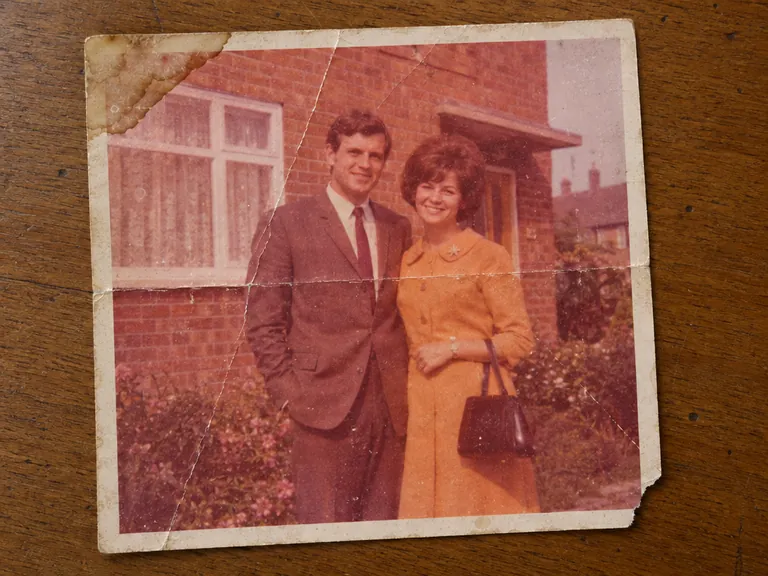
修复老照片:Nano Banana 2.1。 我们两次修复里,它都保住了人脸和构图;GPT Image 2.5 裁近了画面、重画了人脸,还改了衣服的颜色。
-
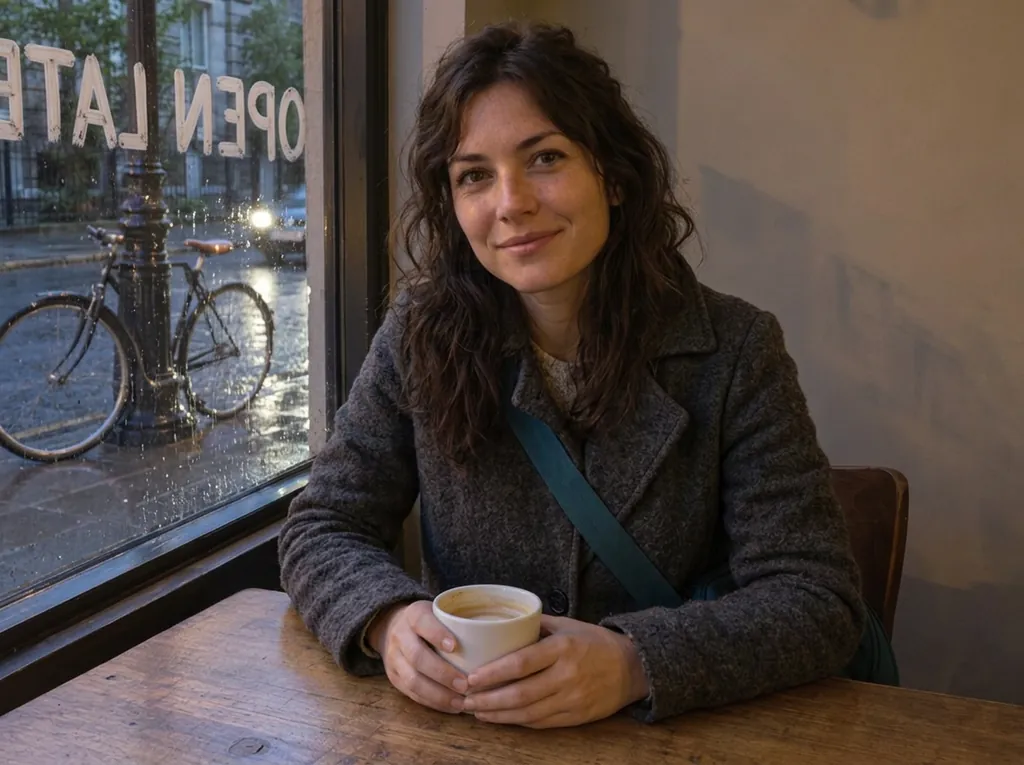
一次改衣服、天气,再在窗上写字:两个都行。 两个都保住了她的脸、杯子和自行车。GPT Image 2.5 写的 OPEN LATE 从室内看是正的,但丢了她的包带;Nano Banana 2.1 保住了包带,字却写成了镜像。
-
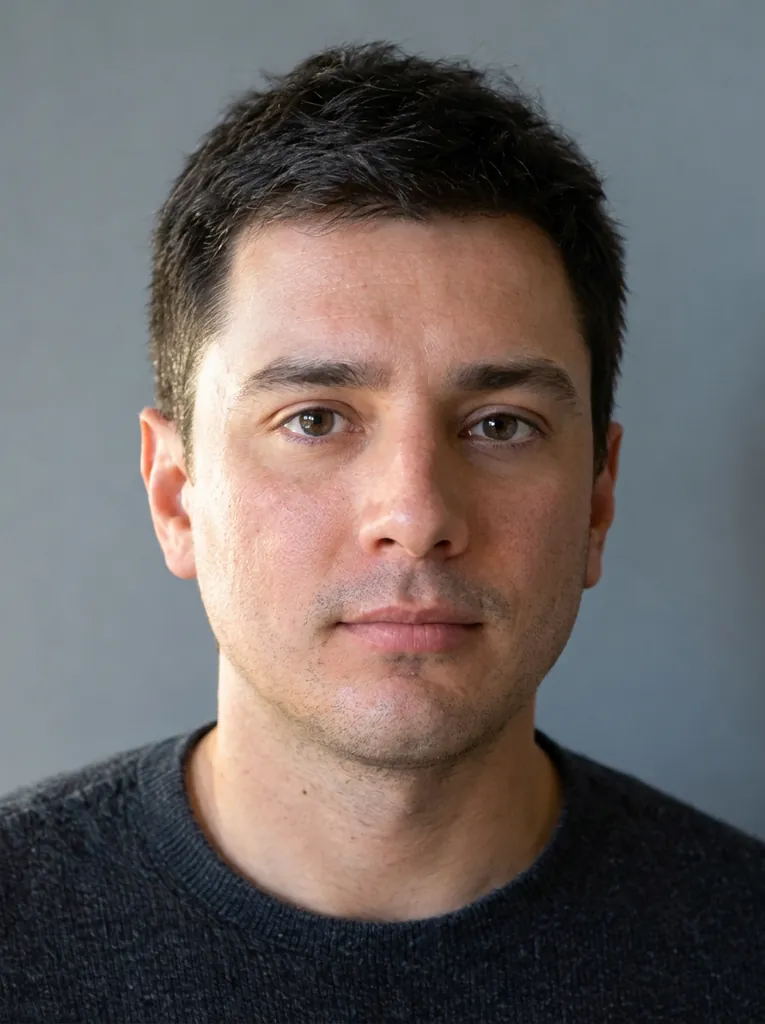
人像精修:两个都行。 两个都去掉了瑕疵、保住了他的五官;Nano Banana 2.1 留下的皮肤质感稍多一点。
-
照片其余部分保持原样:GPT Image 2.5。 CellCog 的结论:它“改了要改的地方,墙、植物、阴影和构图几乎没动”;Nano Banana 2.1 每处修改都对,但每张照片都裁得更紧。
-
保住产品的小细节:GPT Image 2.5。 在 Fuser 的瓶子修改测试里,提示词要求保留的地方它一处都没改;Nano Banana 2.1 改了瓶颈套圈的样式。
-
加宠物或物体:两个都试试。 我们的加狗测试里,GPT Image 2.5 放得很自然,Nano Banana 2.1 的像是贴上去的;在 CellCog 的加猫测试里,2.1 的猫“最自然”。
-
保住某张照片里的脸:通常选 GPT Image 2.5。 在 Fuser 的测试里,它把脸清楚地带了过来,Nano Banana 2.1 则把卷发弄松了、雀斑也淡了。但不是每次都这样:在 BulkImagen 的万圣节测试里,2.1 的脸保持得更好。
-
清理杂物:两个都行,但要检查细节。 两个都清空了我们的桌面;Nano Banana 2.1 还顺手去掉了地毯,并留下一块痕迹,GPT Image 2.5 没有。BulkImagen 发现 2.1 把他们的六张照片都清理干净了。
-
要大图: Nano Banana 2.1,最高 4K。
-
要透明 PNG: 只有 GPT Image 2.5 能做。
两个模型用的是同一份积分,要紧的图,可以把同一条指令在两个模型上各跑一次。
可以直接复制的 AI 修图指令
每条都是来源里的英文原文,一字未改。先上传你的照片。
消除物体(OpenAI 的 GPT Image 2.5 指南):
Remove the flower from man's hand. Do not change anything else.
一次换衣服、天气,再加一行字(Fuser 的十个模型对比测试;GPT Image 2.5 保住了房间):
Change her yellow rain jacket to a charcoal-grey wool coat. Make it a rainy evening outside the window, with wet street reflections. Write the words OPEN LATE in white painted letters on the window glass. Keep her face, hair, pose, the coffee cup, the table and the bicycle exactly the same.
只换房间里的一样东西(谷歌 Gemini 图片编辑文档):
Using the provided image of a living room, change only the blue sofa to be a vintage, brown leather chesterfield sofa. Keep the rest of the room, including the pillows on the sofa and the lighting, unchanged.
人像精修(来自一位 Reddit 用户的测试,他评价为“a clean win”):
Retouch this photo professionally: even out skin tone, reduce blemishes, sharpen focus, and balance lighting and color. Do not change the person's face shape, features, proportions, hairstyle, or expression. Keep the result looking like a real, unedited photo of the same person.
修复老照片(BulkImagen 的五个模型对比测试):
Restore the old photograph from the reference image. Show only the photo itself, filling the frame: no table, no paper border, no background around it. Remove all creases, folds, scratches, dust, stains and tears, rebuild any missing corner, and fix the faded and shifted colors. Colorize it with natural, realistic skin tones and period-appropriate clothing colors. Keep every person exactly as they are: same face, same features, same expression, same age, same hairstyle, same pose and same clothing. Do not beautify, slim, smooth or modernize anyone. Keep the original composition and framing. The result should look like a clean, well-preserved original photograph from the same era, not a modern photo.
换季节(OpenAI 的指南):
Make it look like a winter evening with snowfall.
从第二张照片里把宠物加进来(OpenAI 的指南;两张都要上传):
Place the dog from the second image into the setting of image 1, right next to the woman, use the same style of lighting, composition and background. Do not change anything else.
AI 修图 3 步
- 上传照片,要合成的话最多传四张。
- 用一句话写要改什么, 再写哪些地方必须不变。
- 生成,然后和原图对比。 还有没改好的细节,就再改一次。失败或被拒绝的修改不扣积分。
AI 修图还容易出错的地方
- 脸和笑容。 模型喜欢给人加个笑容、把脸修得更精致,修复老照片时最明显。
- 小细节。 瓶颈套圈、粉笔画的下划线、蕾丝可能会变样或消失;让戒指戴在某根手指上,它可能戴到隔壁那根。
- 颜色。 改出来的图可能稍微偏亮,黑白照片也可能被悄悄上色;记得写“keep it black and white”。
- 整个画面。 模型可能会重新构图,或者重画一面你没让它动的墙。
- 原图不变。 两个模型有时会返回一张没改的图;换个说法写修改内容,再跑一次。
常见问题
更新于 2026-10-27
只用一句话描述,AI 就能帮我改图吗?
能。上传照片,写下要改什么,比如“Remove the flower from man’s hand. Do not change anything else.”(把男人手里的花去掉,别的都不改)。GPT Image 2.5 或 Nano Banana 2.1 会返回改好的照片。点生成之前,按钮上就会显示价格。
AI 修图的指令怎么写?
先写要改的一件事,再列出必须保留的东西(脸、五官、肤色、姿势、背景),最后加一句“Do not change anything else.”。一次只改一处,改好一处再改下一处。下面有几条可以直接复制的英文指令,都出自 OpenAI、谷歌的官方指南或公开测试。
用 AI 修图,脸能保持不变吗?
大体可以,但做不到像素级不变。两个模型都会重画整张图,所以脸可能会有细微变化。写明必须保留的东西(OpenAI 指南里的原话是“Do not change her face, facial features, skin tone, body shape, pose, or identity in any way”),每次只改一处,再和原图对比。谷歌自己的模型说明也写着,Nano Banana 2.1 的人物一致性“并不总是完美”。
为什么用 AI 修图,人脸会变、人会变形?
模型不是剪切粘贴,而是按你的指令重新画一张图,而脸是细微差别最显眼的地方。每多改一轮,就多一点偏差。新的修改从效果最好的一张或原图开始;哪个细节变了,就点名它,并要求其余部分保持上一次的样子。
怎么用 AI 消除照片里的路人或杂物?
上传照片,写明要去掉什么,再说哪些不动:“Remove the flower from man’s hand. Do not change anything else.” 谷歌自己的指南用的例子是“Remove the man from the photo”,并建议把要保持完全不变的东西写清楚。
AI 换背景怎么弄?能换成白底或透明背景吗?
能。描述新背景,再加上“change only the background and lighting”。要纯白背景,直接写出来。完全不要背景,就选 GPT Image 2.5,打开“透明背景”,得到一张背景真正透明的 PNG。
能把两张照片合成一张,或者把人、宠物加进照片吗?
能。一次修改最多可以放四张照片,说明每张是做什么的,比如 OpenAI 的例子:“Place the dog from the second image into the setting of image 1, right next to the woman… Do not change anything else.” 用 GPT Image 2.5 时,每多一张照片价格会多一点,按钮上的价格已经算进去了。
AI 能改图片上的文字吗?
能。把新文字放进引号,再说哪些不变:“Change only the headline to ‘Summer Sale’. Keep the layout, colours and photo exactly as they are.” 生成后检查拼写。把一张复杂图片上的文字整体翻译成另一种语言就没那么可靠:我们自己做的西班牙语测试里,排版保住了,语法却错了。
AI 能修复老照片吗?
能,修复老照片建议用 Nano Banana 2.1。我们做的两次修复里,它都保住了人脸和构图;GPT Image 2.5 则裁近了画面、重画了人脸,还改了衣服的颜色。模型容易给人加上笑容、把脸修得更光滑,下面有一条测试过的修复指令,要求它别这么做。
这和在 ChatGPT、Gemini 里改图一样吗?
是同一系列的模型:GPT Image 2.5 是 OpenAI 目前的图片模型;Nano Banana 2.1 是谷歌的模型,Gemini App 只给付费 Google AI 方案的用户用(没有付费方案用的是旧版 Nano Banana 2)。在这里你可以自己选模型和画质,每次改图前先看到价格,按次扣积分,不用开会员。
修图会降低画质吗?能输出多大的图?
改好的照片是按你选的尺寸新生成的一张图:GPT Image 2.5 方图最大 1024×1024,长边最大 1280 像素;Nano Banana 2.1 最高 4K。细密的花纹、小字和人脸可能会变,改的次数越多变得越多,所以记得保留原图。
下载的图有水印吗?可以商用吗?
zzo.ai 不加水印。两个模型都会嵌入肉眼看不见的标记,用来识别 AI 生成的图片(SynthID;GPT Image 2.5 还会加 C2PA 元数据),有些平台会读取这些标记。按我们的条款,改好的图可以商用,前提是你对上传的照片有权利,照片里的人也同意。
我的照片安全吗?会被拿去训练 AI 吗?
你的照片和提示词会发给运行模型的服务商,再由它转给模型的开发者(OpenAI 或谷歌),只用来完成这次修图。OpenAI 表示,通过它的 API 发送的数据不会用来训练模型,除非客户主动选择加入。你的结果会一直留在生成记录里,直到你删除。详情见我们的隐私政策。
AI 修图要花钱吗?要开会员吗?
每次修图都要用积分,但不用开会员:一次性买一个积分包,任何模型都能用,积分永久有效,不清零。按次扣积分,失败或被拒绝的修改会自动退回积分,点生成之前按钮上就会显示价格。
为什么我的修改被拒绝了?
两个模型都会拒绝一些修改,比如涉及公众人物、未成年人和部分真人照片的修改;GPT Image 2.5 还会拦下泳装相关的修改。不要上传未经本人同意的人物照片。被拒绝的修改不扣积分,积分会退回。