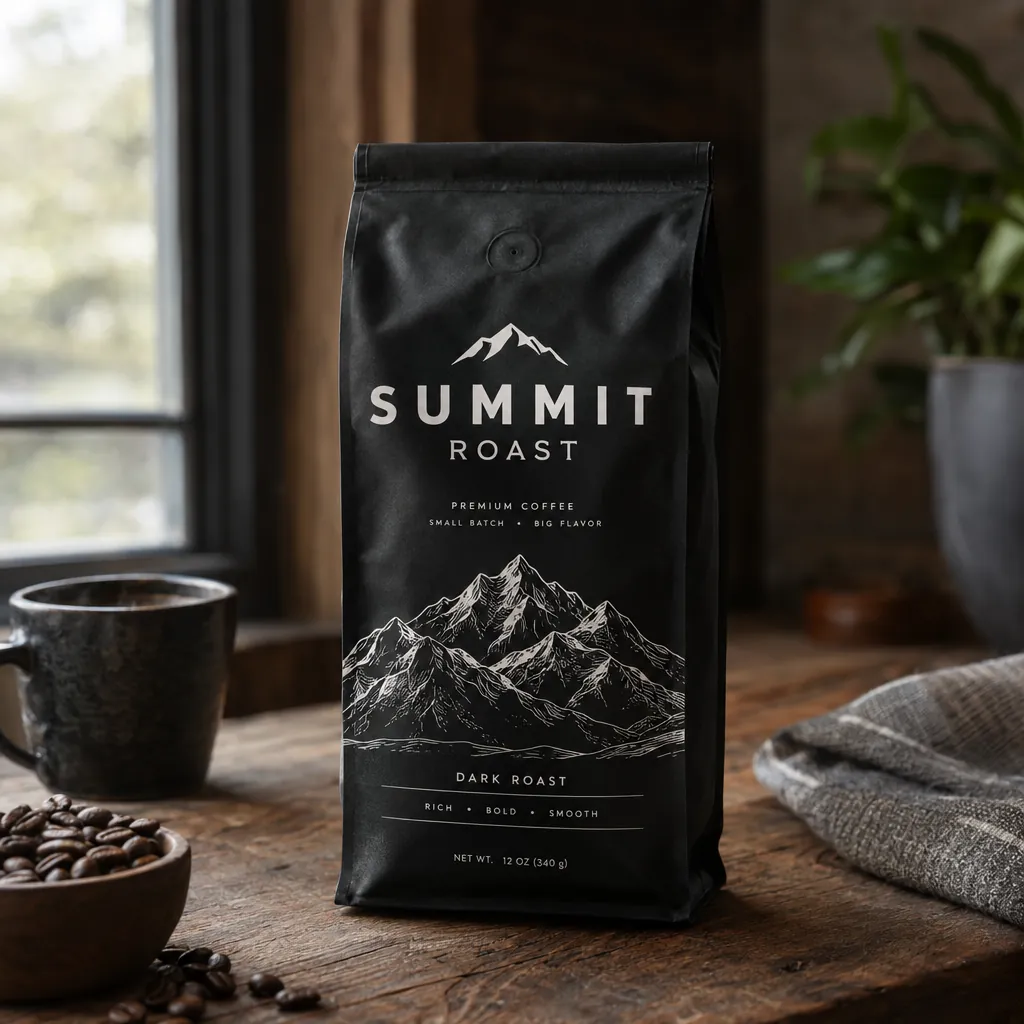
“A premium product photo of a matte black coffee bag labeled SUMMIT ROAST with mountain line-art on rustic wood, soft window light, sharp readable packaging typography, photoreal commercial mockup”GPT Image 2.5, 15 积分
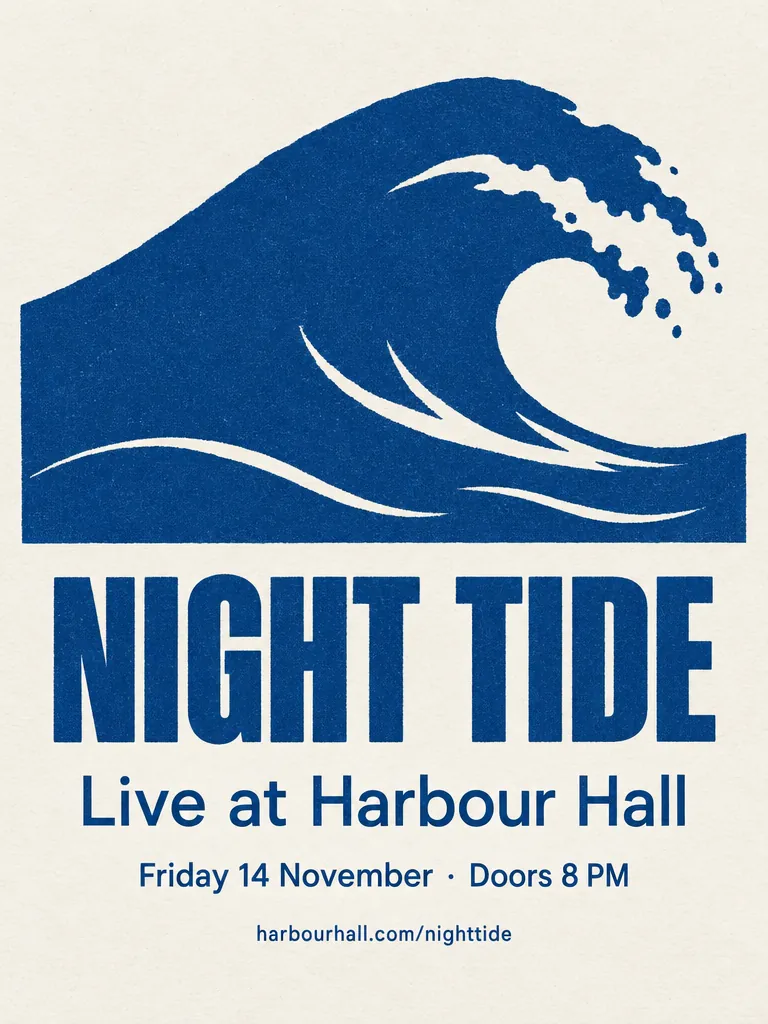
“A minimalist screen-printed concert poster on off-white paper. A large deep-blue wave shape fills the top half. Below it, the headline "NIGHT TIDE" in a bold condensed sans-serif, then "Live at Harbour Hall" in a lighter weight, then "Friday 14 November · Doors 8 PM", and at the bottom "harbourhall.com/nighttide" in small type. No other text.”GPT Image 2.5, 15 积分
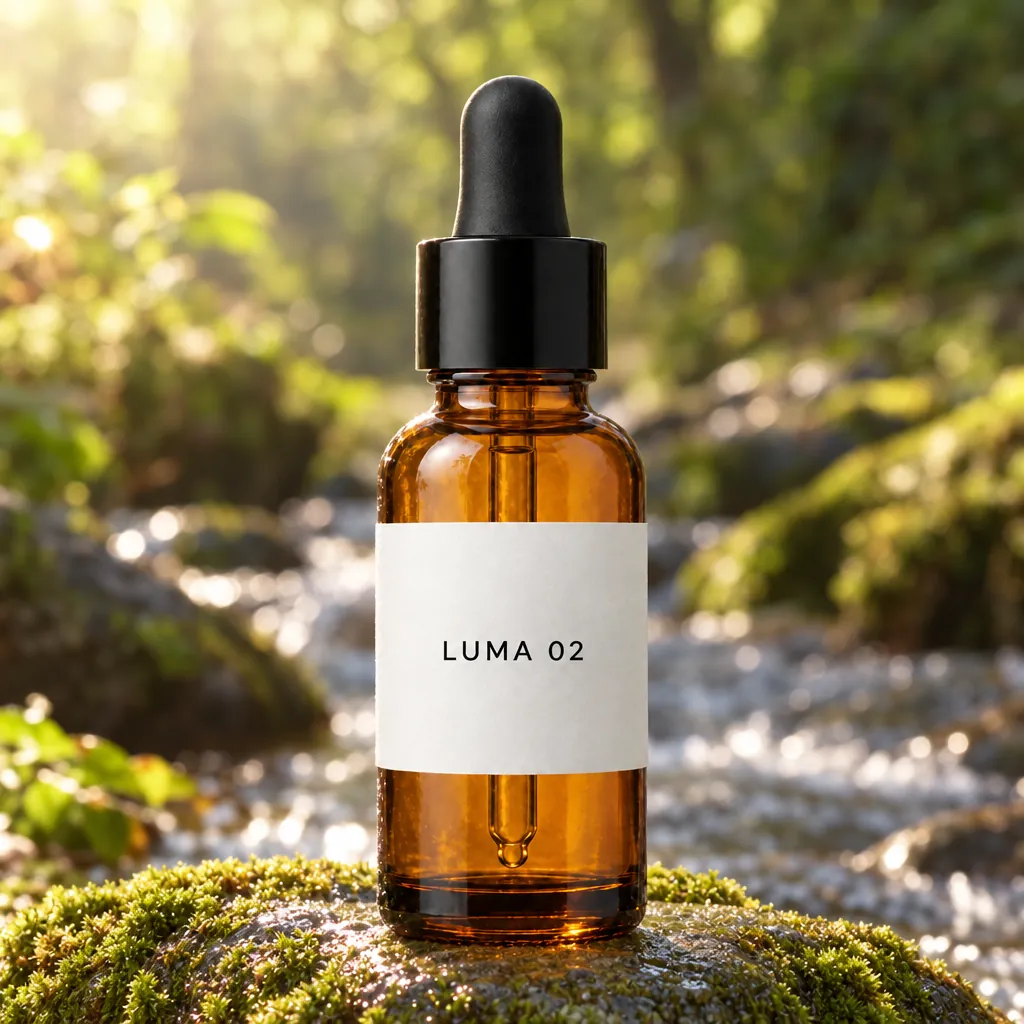
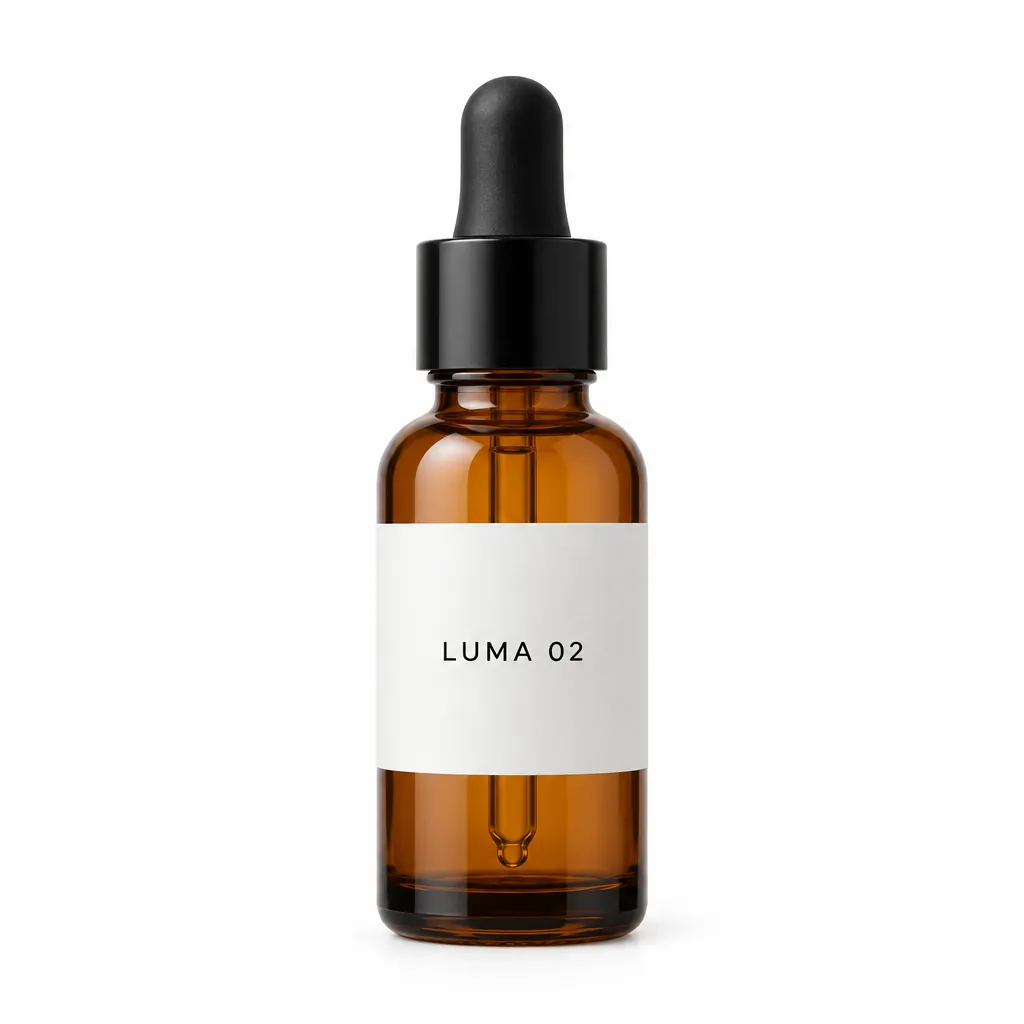
“Place this exact bottle on a wet, moss-covered river stone outdoors in soft morning sunlight, with a blurred forest stream behind it. Change only the setting and lighting. Keep the bottle's shape, amber glass, black dropper cap and the label text "LUMA 02" exactly as they are.”GPT Image 2.5, 改图, 15 积分, 输入图也是在 GPT Image 2.5 上生成的
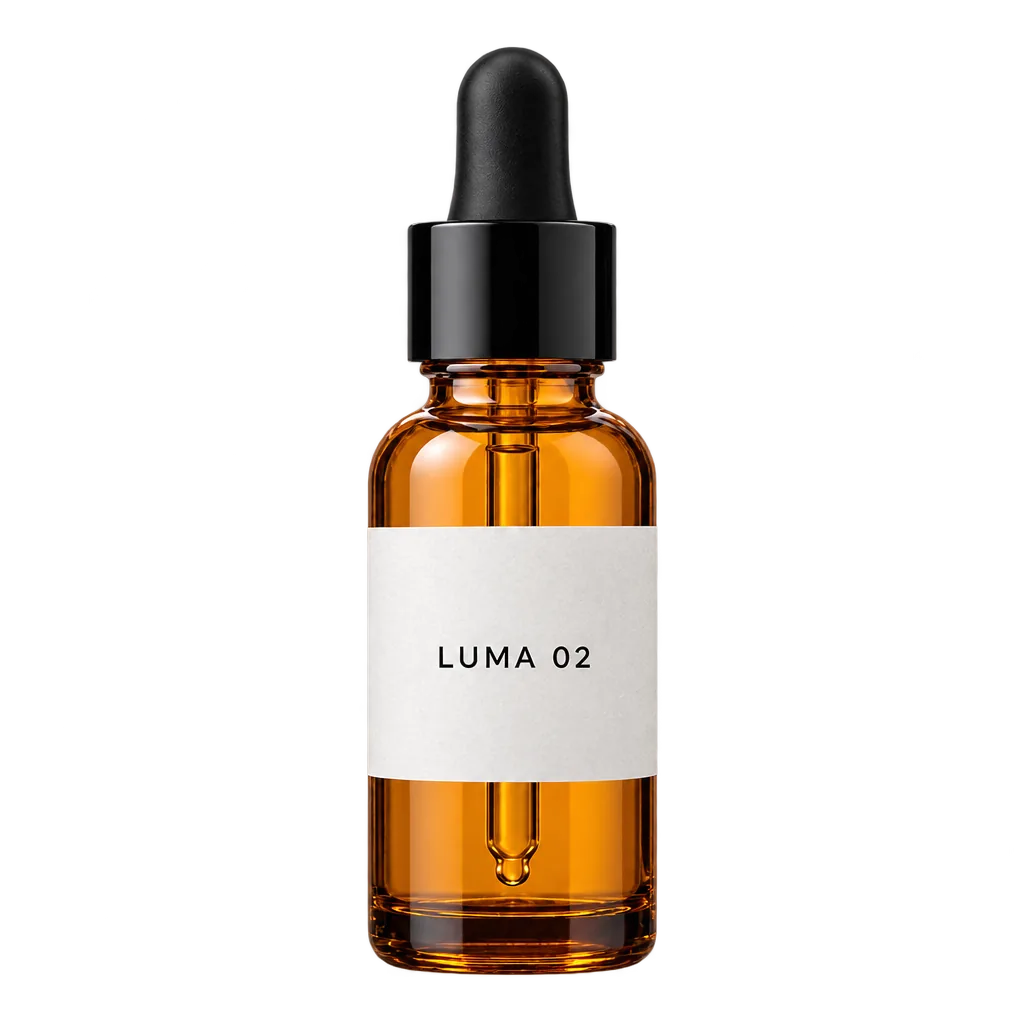
“Extract the product from the input image and isolate it on a fully transparent background.
Output: centered product, crisp silhouette, no halos/fringing.
Preserve product geometry and label legibility exactly.
Add only light polishing. Do not add a solid backdrop, checkerboard, scenery, or shadow.
Do not restyle the product; remove the background and preserve clean alpha transparency.”GPT Image 2.5, 改图, 透明 PNG, 15 积分, 输入图也是在 GPT Image 2.5 上生成的
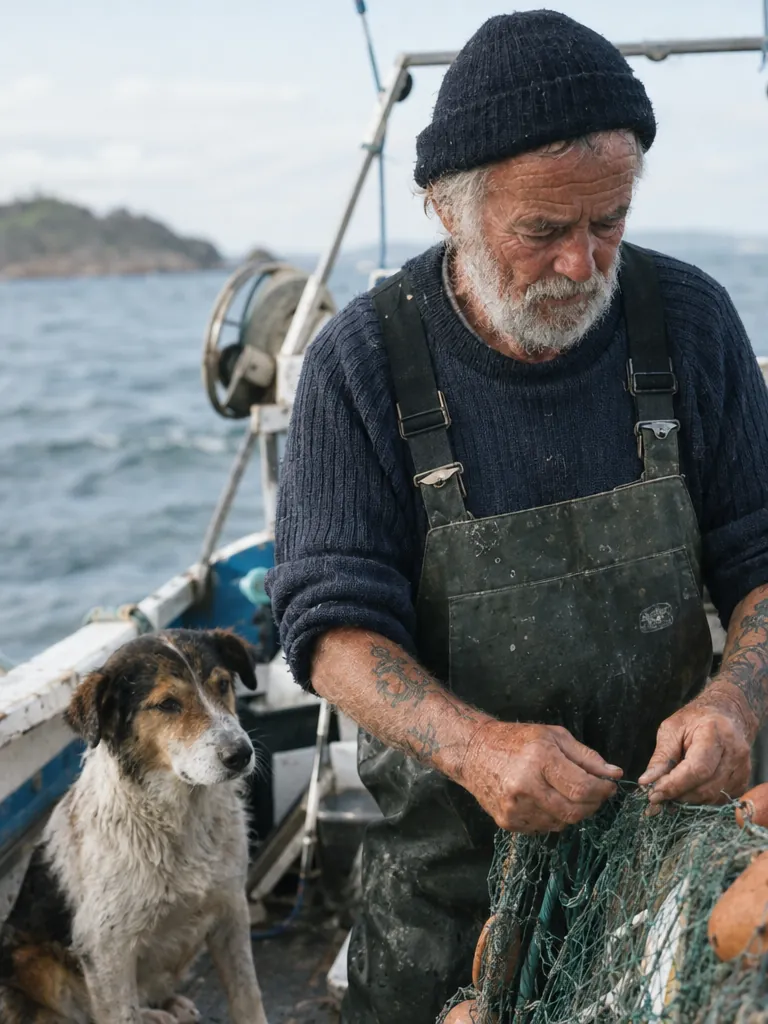
“Create a photorealistic candid photograph of an elderly sailor standing on a small fishing boat.
He has weathered skin with visible wrinkles, pores, and sun texture, and a few faded traditional sailor tattoos on his arms.
He is calmly adjusting a net while his dog sits nearby on the deck. Shot like a 35mm film photograph, medium close-up at eye level, using a 50mm lens.
Soft coastal daylight, shallow depth of field, subtle film grain, natural color balance.
The image should feel honest and unposed, with real skin texture, worn materials, and everyday detail. No glamorization, no heavy retouching.”GPT Image 2.5, 15 积分
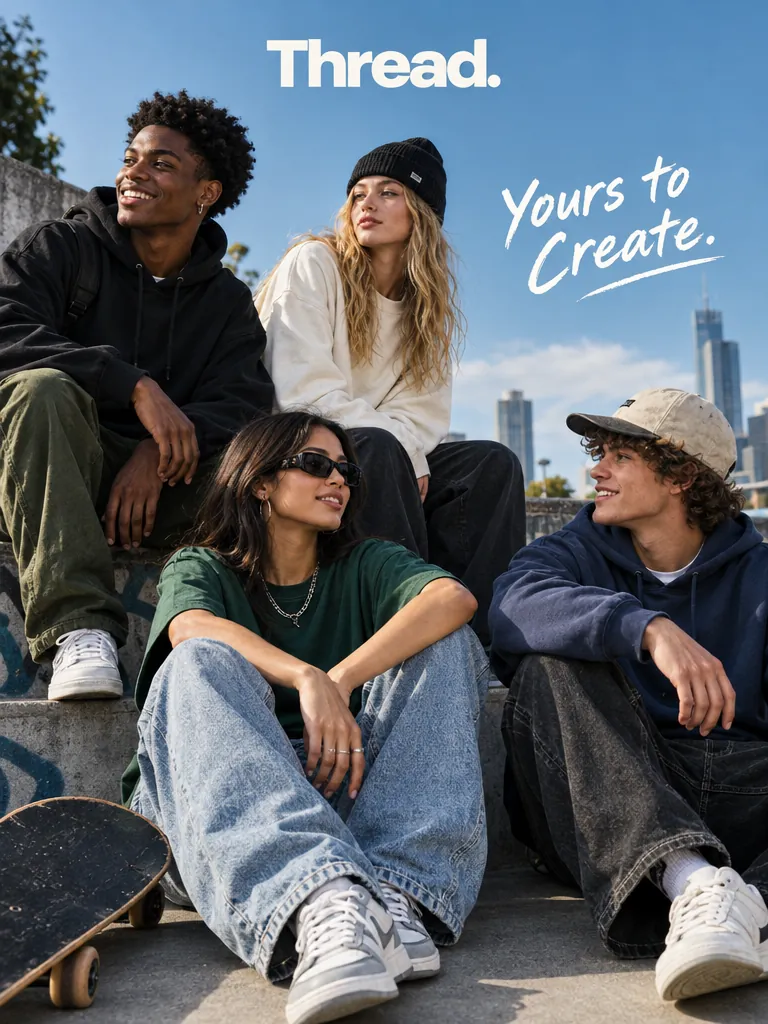
“Give me a cool in culture ad / fashion shot for a brand called Thread.
It's a hip young street brand. The ad shows a group of friends hanging out together with the tagline "Yours to Create."
Make it feel like a polished campaign image for a youth streetwear audience: stylish, contemporary, energetic, and tasteful.
Use clean composition, strong color direction, natural poses, and premium fashion photography cues.
Render the tagline exactly once, clearly and legibly, integrated into the ad layout.
No extra text, no watermarks, no unrelated logos.”GPT Image 2.5, 15 积分
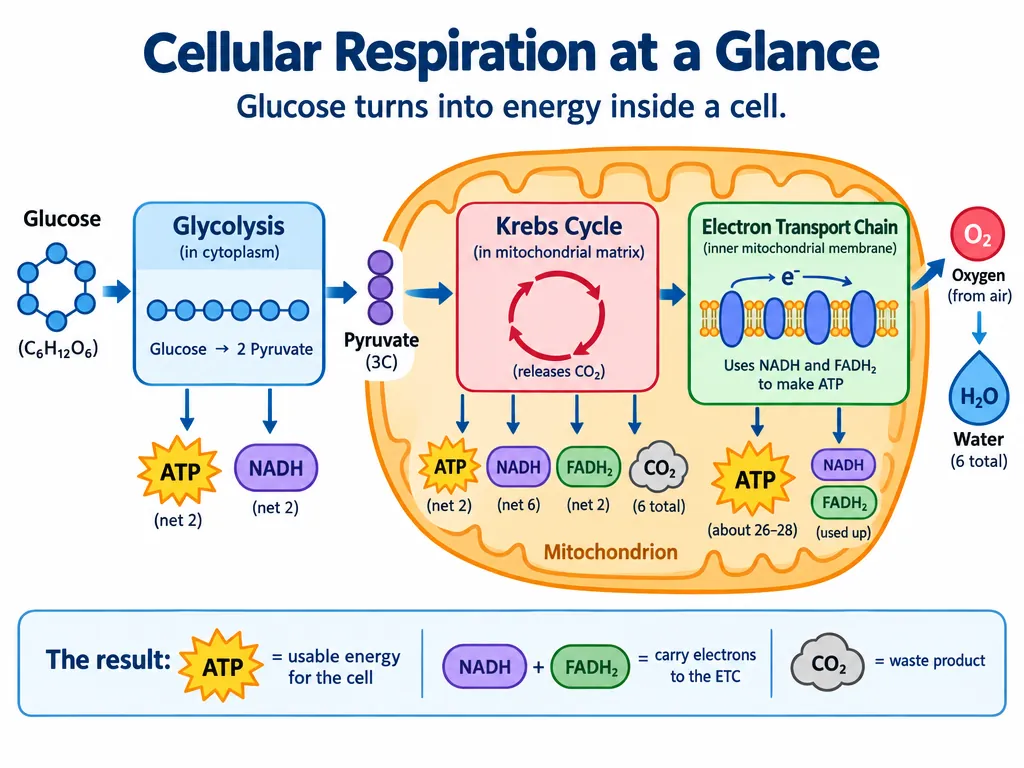
“Create a simple biology diagram titled "Cellular Respiration at a Glance" for high school students.
Show how glucose turns into energy inside a cell. Include glycolysis, the Krebs cycle, and the electron transport chain.
Use arrows to connect the steps, and label the main molecules: glucose, pyruvate, ATP, NADH, FADH2, CO2, O2, and H2O.
Make it look like a clean classroom handout or slide, with a white background, simple icons, clear labels, and easy-to-read text.
Avoid tiny text, extra decoration, or anything that makes the diagram hard to understand.”GPT Image 2.5, 15 积分
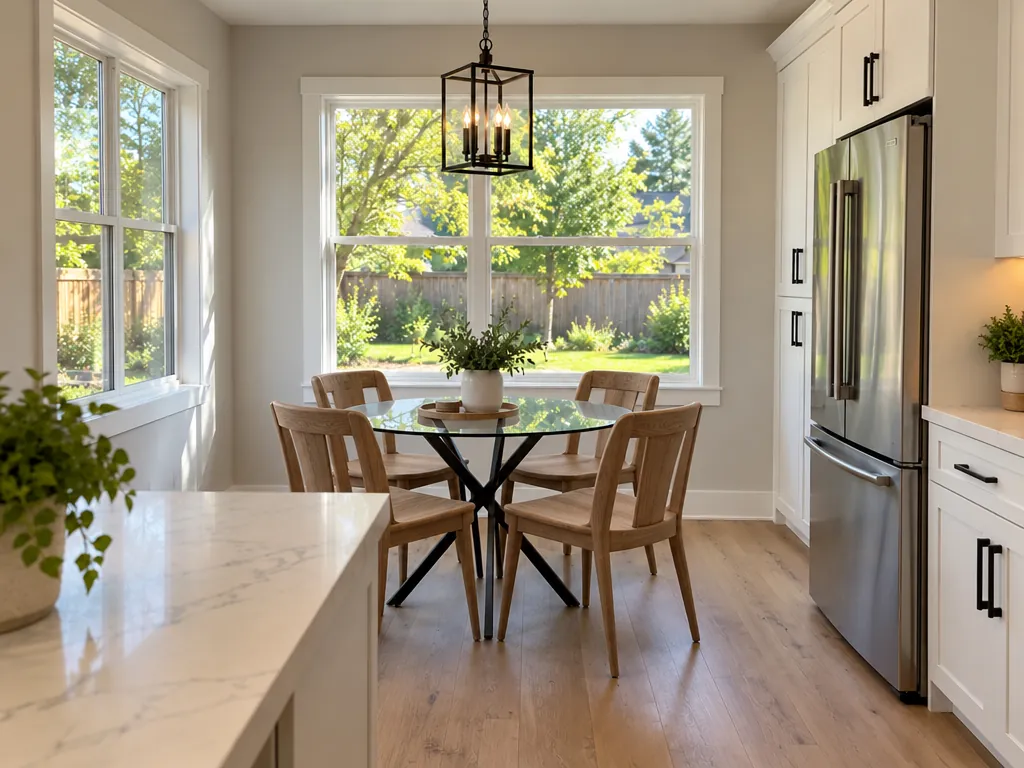
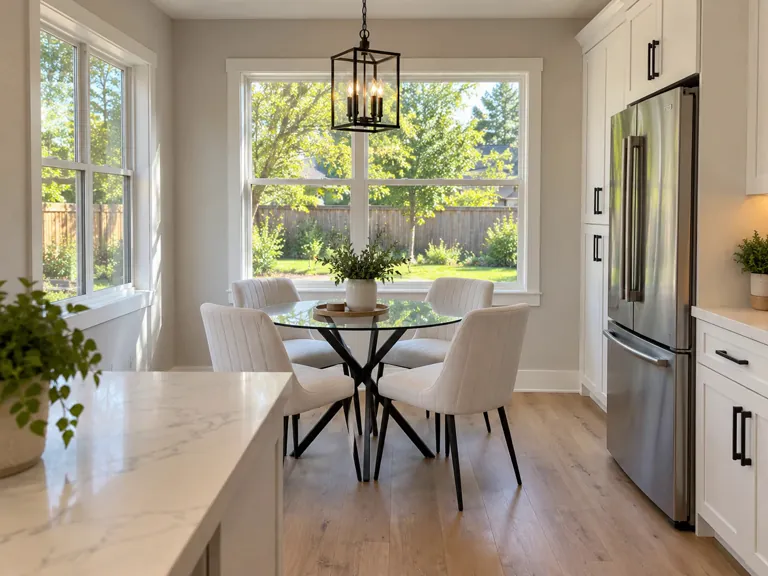
“In this room photo, replace ONLY the white chairs with chairs made of wood.
Preserve camera angle, room lighting, floor shadows, and surrounding objects.
Keep all other aspects of the image unchanged.
Photorealistic contact shadows and fabric texture.”GPT Image 2.5, 改图, 15 积分, 输入图也是在 GPT Image 2 上生成的
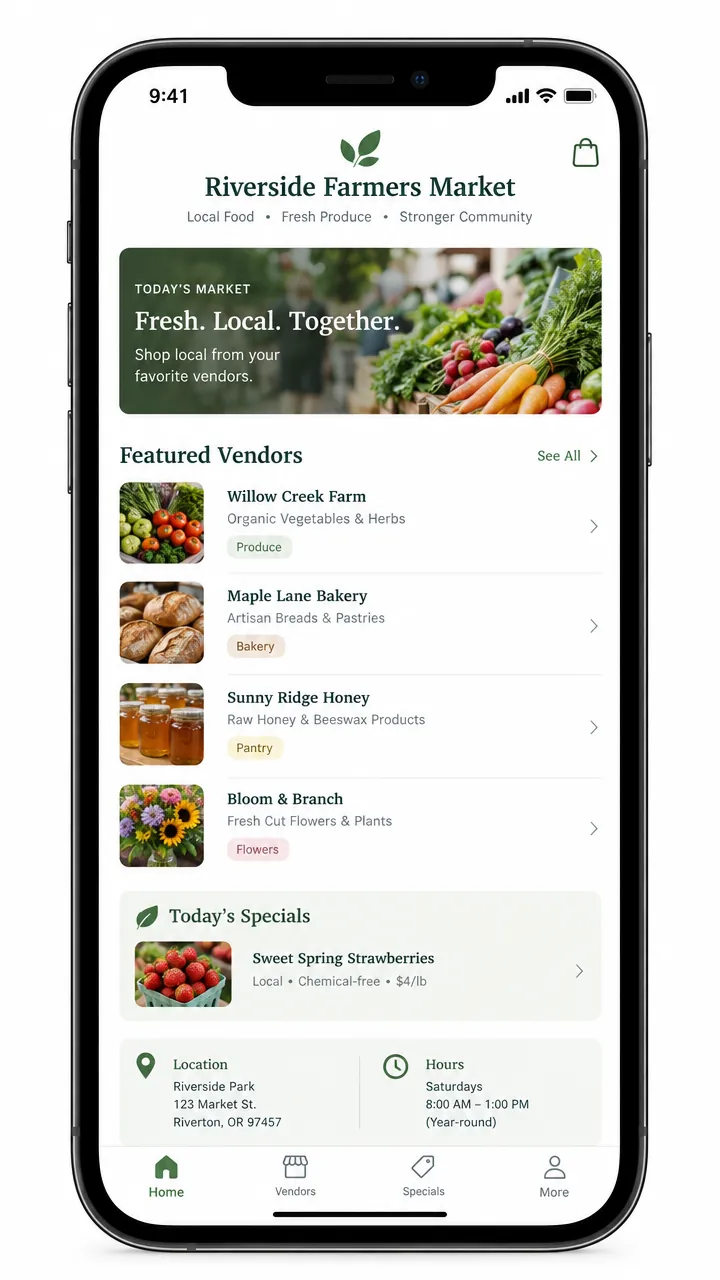
“Create a realistic mobile app UI mockup for a local farmers market.
Show today’s market with a simple header, a short list of vendors with small photos and categories, a small “Today’s specials” section, and basic information for location and hours.
Design it to be practical, and easy to use. White background, subtle natural accent colors, clear typography, and minimal decoration.
It should look like a real, well-designed, beautiful app for a small local market.
Place the UI mockup in an iPhone frame.”GPT Image 2.5, 15 积分
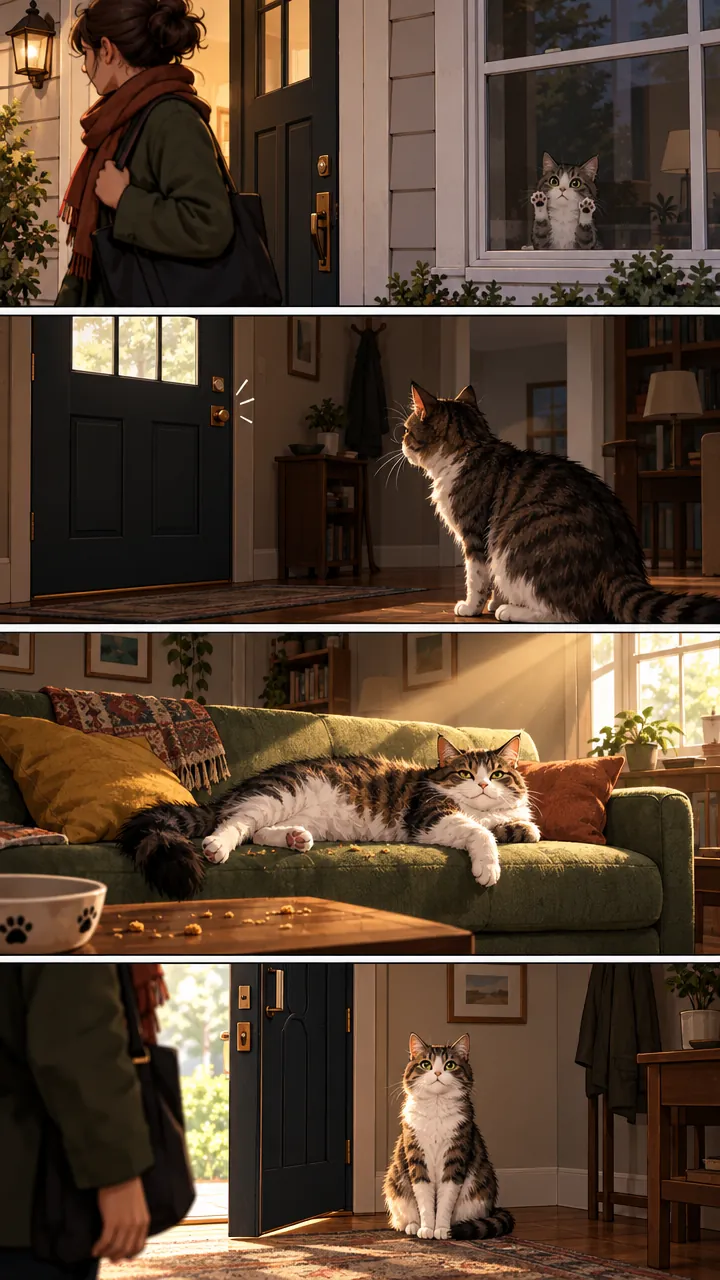
“Create a short vertical comic-style reel with 4 panels.
Panel 1: The owner leaves through the front door. The pet is framed in the window behind them, small against the glass, eyes wide, paws pressed high, the house suddenly quiet.
Panel 2: The door clicks shut. Silence breaks. The pet slowly turns toward the empty house, posture shifting, eyes sharp with possibility.
Panel 3: The house transformed. The pet sprawls across the couch like it owns the place, crumbs nearby, sunlight cutting across the room like a spotlight.
Panel 4: The door opens. The pet is seated perfectly by the entrance, alert and composed, as if nothing happened.”GPT Image 2.5, 15 积分
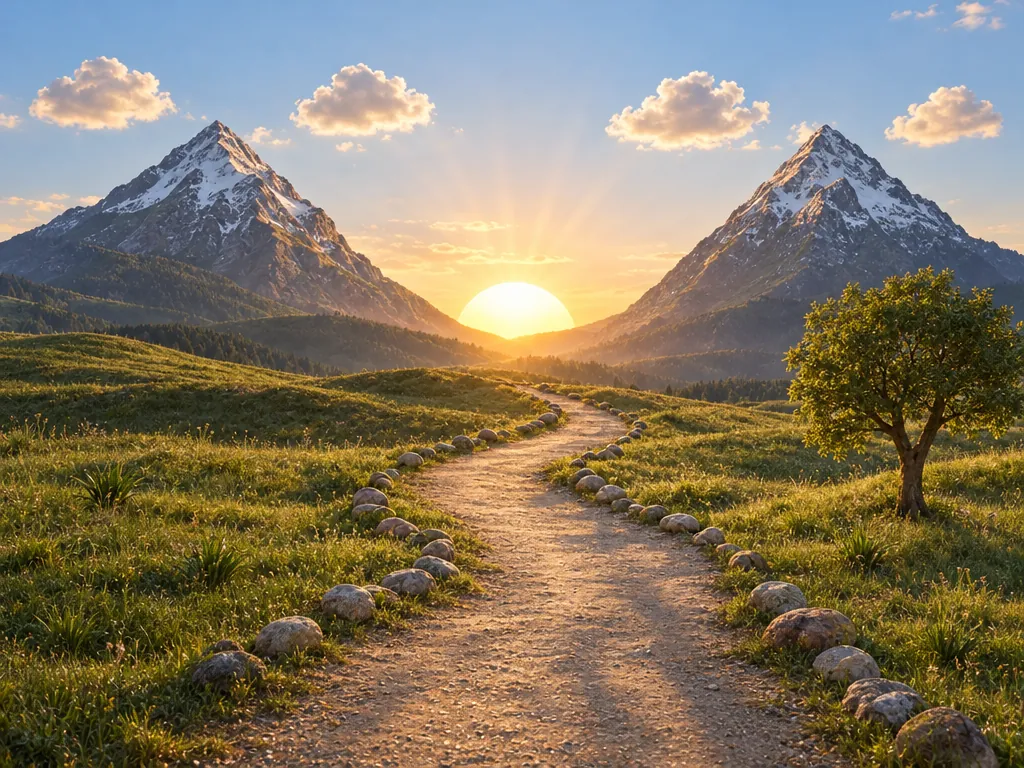
“Turn this drawing into a photorealistic image.
Preserve the exact layout, proportions, and perspective.
Choose realistic materials and lighting consistent with the sketch intent.
Do not add new elements or text.”GPT Image 2.5, 改图, 15 积分, 输入图也是在 GPT Image 2 上生成的
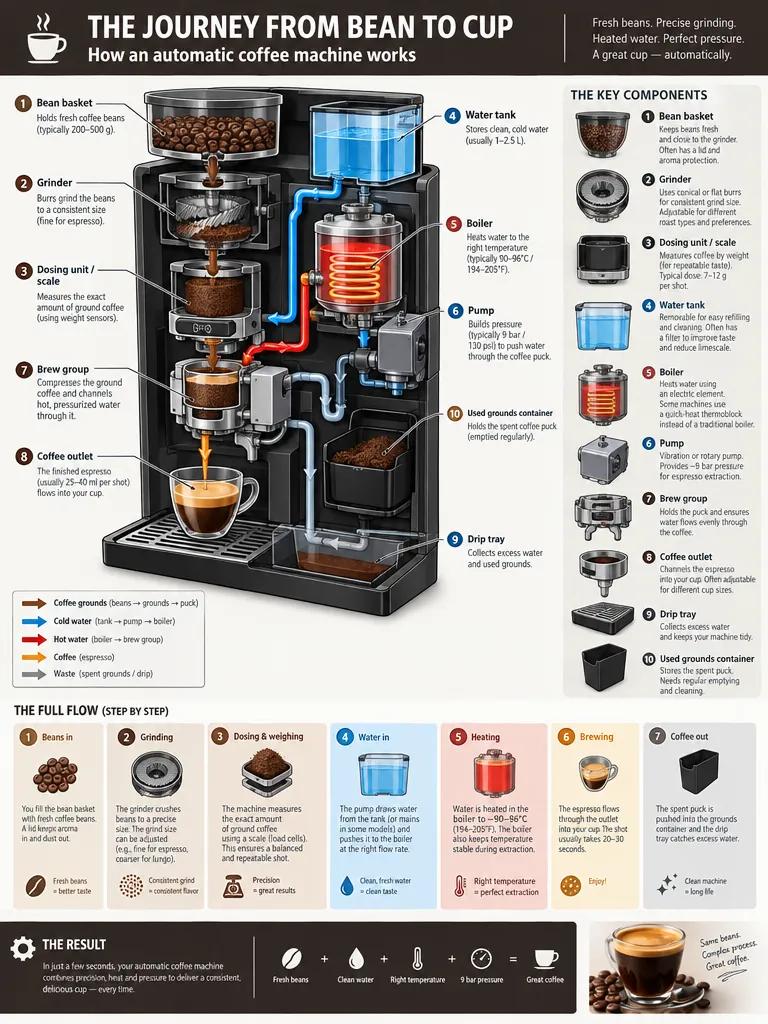
“Create a detailed Infographic of the functioning and flow of an automatic coffee machine.
From bean basket, to grinding, to scale, water tank, boiler, etc.
I'd like to understand technically and visually the flow.”GPT Image 2.5, 15 积分
用 GPT Image 2.5 能做什么
每个用途都附上我们会用的设置和提示词,以及要花多少。可以直接用,也可以改。
文字准确的海报和传单
四行字,每个字都和写的一样,连“Friday 14 November · Doors 8 PM”里的中间点都对,丝网印刷风格。这个提示词来自 Fuser 的测试,Fuser 说结果可以直接交给印刷厂。
文生图
高
3:4
“A minimalist screen-printed concert poster on off-white paper. A large deep-blue wave shape fills the top half. Below it, the headline "NIGHT TIDE" in a bold condensed sans-serif, then "Live at Harbour Hall" in a lighter weight, then "Friday 14 November · Doors 8 PM", and at the bottom "harbourhall.com/nighttide" in small type. No other text.”
建议:每行字都放进引号,写清楚字重和顺序(“then … in a lighter weight”),最后加“No other text”。
15 积分
包装和产品图
一句话的提示词,是一位 X 用户在发布第二天分享的,出来就是一张可信的商业产品照,袋子上的品牌名很清楚。它还自己加了小字(DARK ROAST、12 OZ (340 g)),拼写全对。
文生图
高
1:1
“A premium product photo of a matte black coffee bag labeled SUMMIT ROAST with mountain line-art on rustic wood, soft window light, sharp readable packaging typography, photoreal commercial mockup”
建议:如果袋子上只能有你写的字,加一句“No other text on the packaging”。
“Place this exact bottle on a wet, moss-covered river stone outdoors in soft morning sunlight, with a blurred forest stream behind it. Change only the setting and lighting. Keep the bottle's shape, amber glass, black dropper cap and the label text "LUMA 02" exactly as they are.”
“Extract the product from the input image and isolate it on a fully transparent background.
Output: centered product, crisp silhouette, no halos/fringing.
Preserve product geometry and label legibility exactly.
Add only light polishing. Do not add a solid backdrop, checkerboard, scenery, or shadow.
Do not restyle the product; remove the background and preserve clean alpha transparency.”
“In this room photo, replace ONLY the white chairs with chairs made of wood.
Preserve camera angle, room lighting, floor shadows, and surrounding objects.
Keep all other aspects of the image unchanged.
Photorealistic contact shadows and fabric texture.”
“Create a photorealistic candid photograph of an elderly sailor standing on a small fishing boat.
He has weathered skin with visible wrinkles, pores, and sun texture, and a few faded traditional sailor tattoos on his arms.
He is calmly adjusting a net while his dog sits nearby on the deck. Shot like a 35mm film photograph, medium close-up at eye level, using a 50mm lens.
Soft coastal daylight, shallow depth of field, subtle film grain, natural color balance.
The image should feel honest and unposed, with real skin texture, worn materials, and everyday detail. No glamorization, no heavy retouching.”
建议:写清楚你要的质感(35mm film、eye level、50mm),再加“No glamorization, no heavy retouching”。
15 积分
广告大片风格
一张为虚构街头服饰品牌拍的精致群像,广告语“Yours to Create”按提示词要求只出现一次,也没有多余的标志。
文生图
高
3:4
“Give me a cool in culture ad / fashion shot for a brand called Thread.
It's a hip young street brand. The ad shows a group of friends hanging out together with the tagline "Yours to Create."
Make it feel like a polished campaign image for a youth streetwear audience: stylish, contemporary, energetic, and tasteful.
Use clean composition, strong color direction, natural poses, and premium fashion photography cues.
Render the tagline exactly once, clearly and legibly, integrated into the ad layout.
No extra text, no watermarks, no unrelated logos.”
建议:要求广告语“exactly once”,并加上“no extra text, no watermarks, no unrelated logos”。
“Create a simple biology diagram titled "Cellular Respiration at a Glance" for high school students.
Show how glucose turns into energy inside a cell. Include glycolysis, the Krebs cycle, and the electron transport chain.
Use arrows to connect the steps, and label the main molecules: glucose, pyruvate, ATP, NADH, FADH2, CO2, O2, and H2O.
Make it look like a clean classroom handout or slide, with a white background, simple icons, clear labels, and easy-to-read text.
Avoid tiny text, extra decoration, or anything that makes the diagram hard to understand.”
“Create a realistic mobile app UI mockup for a local farmers market.
Show today’s market with a simple header, a short list of vendors with small photos and categories, a small “Today’s specials” section, and basic information for location and hours.
Design it to be practical, and easy to use. White background, subtle natural accent colors, clear typography, and minimal decoration.
It should look like a real, well-designed, beautiful app for a small local market.
Place the UI mockup in an iPhone frame.”
“Create a short vertical comic-style reel with 4 panels.
Panel 1: The owner leaves through the front door. The pet is framed in the window behind them, small against the glass, eyes wide, paws pressed high, the house suddenly quiet.
Panel 2: The door clicks shut. Silence breaks. The pet slowly turns toward the empty house, posture shifting, eyes sharp with possibility.
Panel 3: The house transformed. The pet sprawls across the couch like it owns the place, crumbs nearby, sunlight cutting across the room like a spotlight.
Panel 4: The door opens. The pet is seated perfectly by the entrance, alert and composed, as if nothing happened.”
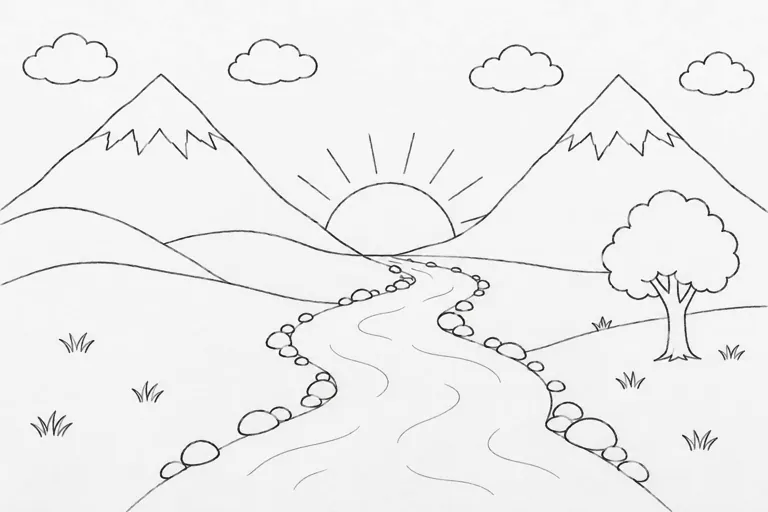
“Turn this drawing into a photorealistic image.
Preserve the exact layout, proportions, and perspective.
Choose realistic materials and lighting consistent with the sketch intent.
Do not add new elements or text.”
建议:在提示词里说明容易误解的地方(“the winding shape in the middle is a river”),或者在草图里画几道水波。
“Create a detailed Infographic of the functioning and flow of an automatic coffee machine.
From bean basket, to grinding, to scale, water tank, boiler, etc.
I'd like to understand technically and visually the flow.”
能,这是它最强的一项。把要写的字原样放进引号,说清楚放在哪里,再加一句“No other text”。小字用高画质,发布前检查拼写,排版很密的海报更要仔细看。
怎么改图片上已有的文字?
选“图片编辑”,上传图片,把新文字放进引号,比如:“Change only the headline to ‘Summer Sale’. Keep the layout, colours and photo exactly as they are.” OpenAI 的指南建议写清楚哪些地方必须保持不变。