Upload your photo and recreate the viral Instagram Lofi Dusk look with AI flash lighting, dark dusk tones, rim light, film grain, and warm skin tones.
The effect is more than a color filter. It is an AI relighting recipe for low-light portraits.
The background shifts into muted evening tones with a darker top edge, soft blur, and subtle grain.
MoodA direct flash brightens the face while keeping the scene cinematic, contrasty, and social-ready.
LightingStrong backlighting creates the glowing outline around hair, shoulders, and clothing that defines the trend.
SignatureGentle peachy highlights keep portraits flattering even when the background becomes darker.
PortraitFine grain, soft bloom, and CCD-style texture make the result feel like a real low-light camera shot.
TextureThe prompt tells the model to keep the face, pose, hair, and outfit while changing only the lighting and mood.
AI EditUse the Lofi Dusk prompt when you want a dramatic edit without changing who is in the photo.
Start with a simple indoor or outdoor portrait. The AI keeps the person recognizable while replacing the mood with a darker dusk scene and bold flash lighting.
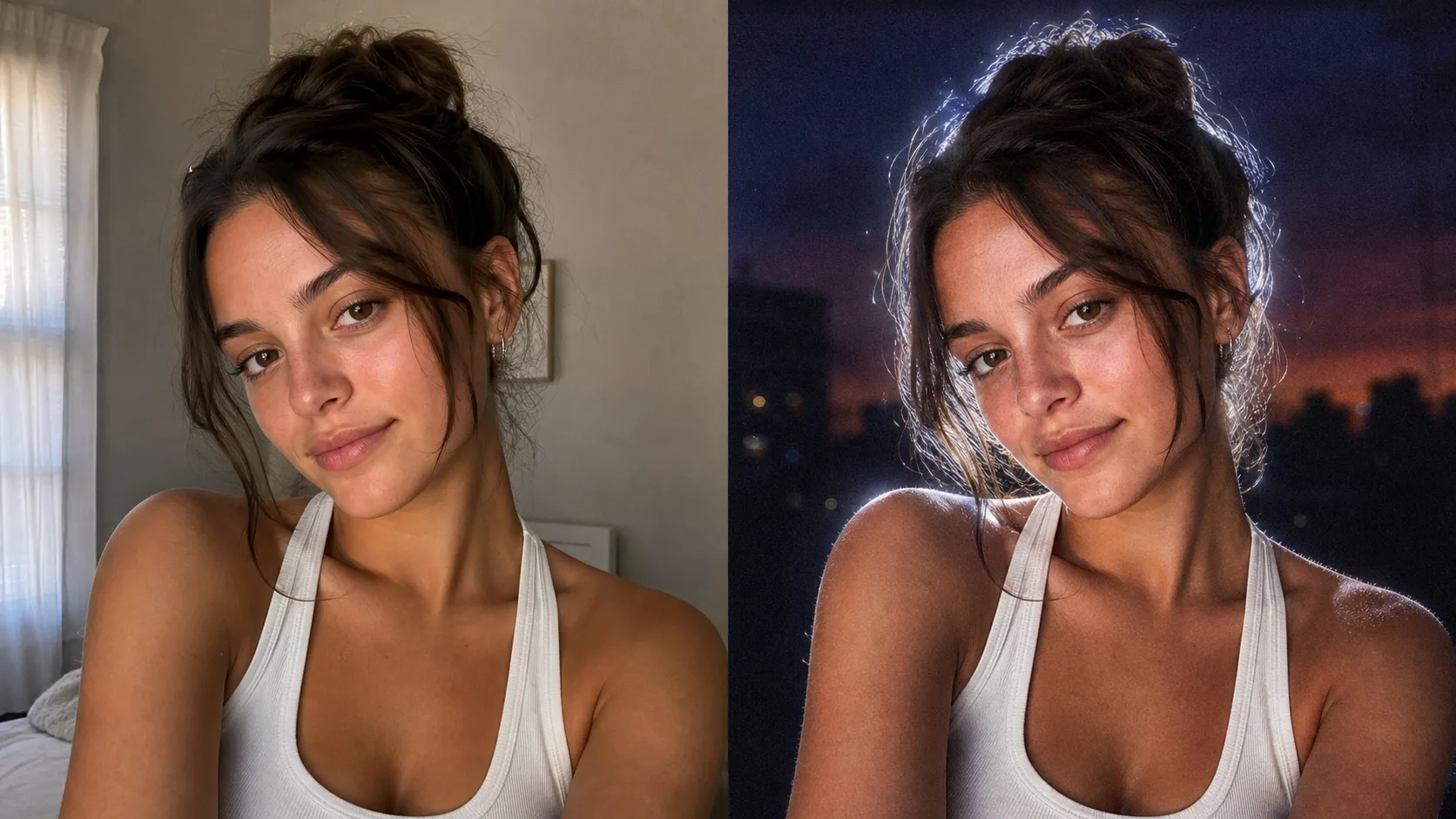
The white outline around the subject is usually hard to capture in-camera. The Lofi Dusk prompt asks the model to rebuild that backlight while keeping the face softly filled.
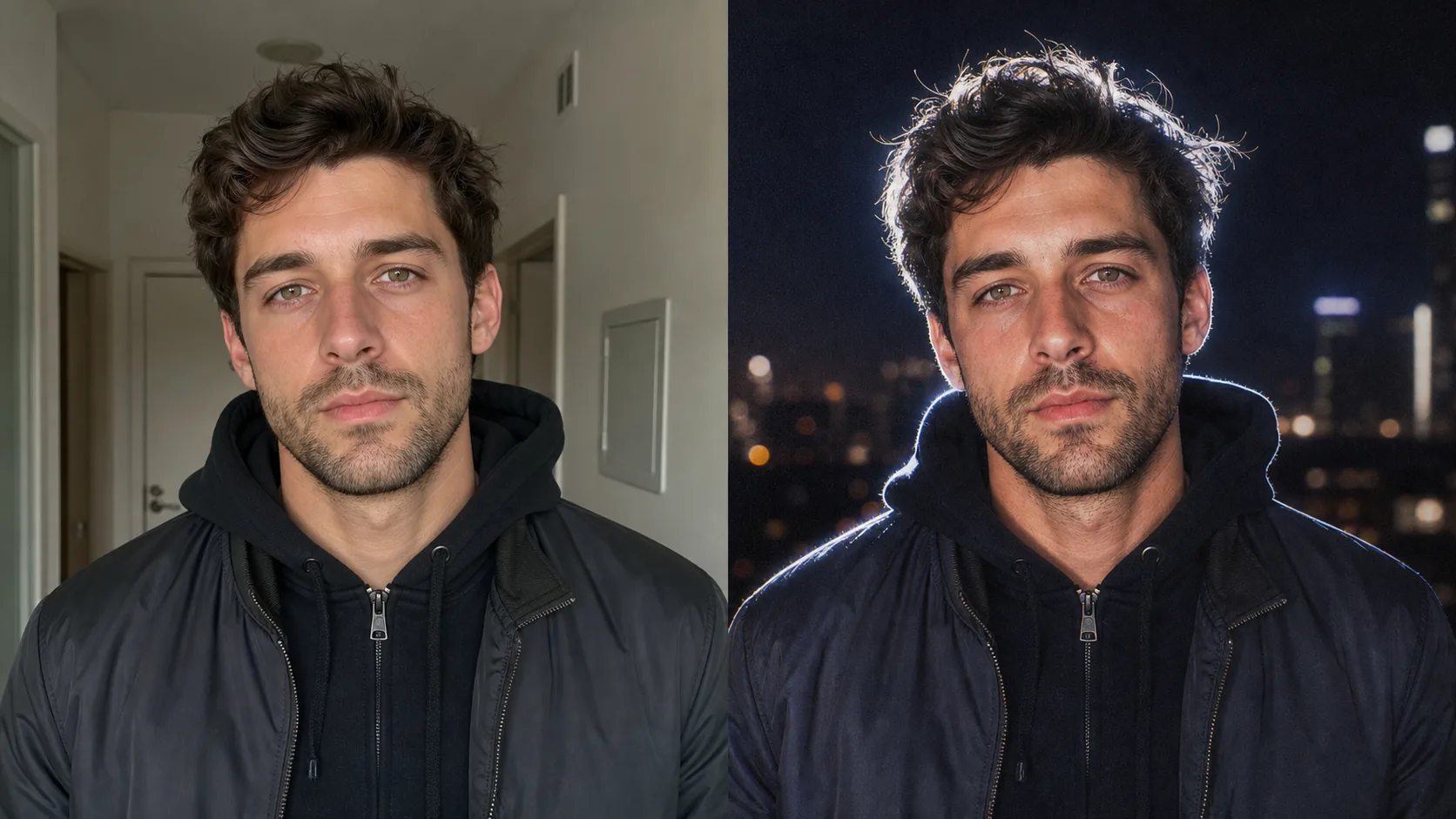
The combination of direct flash, warm skin, muted shadows, and realistic grain creates the low-light social portrait style people search for when they ask for the Lofi Dusk filter.
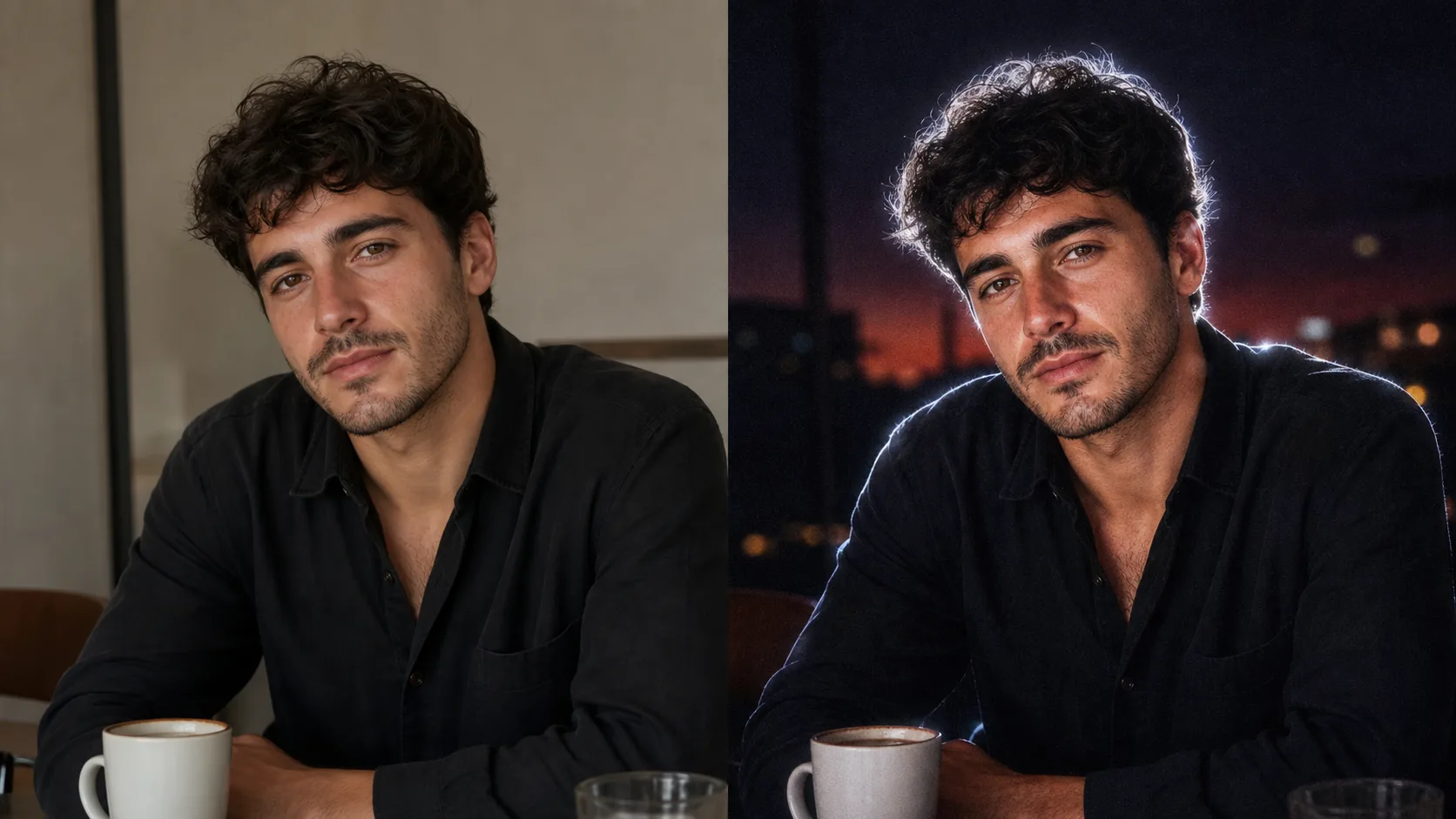
Use the prefilled prompt or copy it into any AI image editor that supports image-to-image editing.
Choose a clear selfie, headshot, or casual portrait. Photos with visible hair and shoulders usually show the rim light best.
The Lofi Dusk effect edits an existing photo. It should preserve the person while changing lighting, background mood, and texture.
The prompt asks for direct front flash, strong backlighting, white rim light, dark dusk tones, film grain, and warm skin.
The identity-preservation sentence matters: it tells the model not to invent a different face or pose.
If the result is too dark, add 'slightly brighter face and softer shadows'. If the effect is too subtle, add 'stronger white rim light and more visible flash'.
Quick answers for the prompt, Instagram trend, and best photo inputs.
Lofi Dusk is a viral portrait look built around dark dusk backgrounds, direct flash, white rim light, warm skin tones, and visible film grain. In AI tools, it works best as a relighting and mood-editing prompt.
It is designed to recreate the same visual idea with AI image editing. Instead of selecting a fixed app filter, you upload a photo and use a prompt to rebuild the lighting and mood.
Use the prefilled prompt on this page. The most important parts are preserving identity, adding a deep muted dusk background, direct front flash, strong white rim light, realistic grain, and gentle peachy skin tones.
The prompt explicitly asks the model to preserve identity, facial structure, expression, hairstyle, clothing, and pose. For best results, upload a sharp photo where the face is clearly visible.
Clear portraits, selfies, and half-body shots work best. Photos with visible hair edges and shoulders make the rim light more noticeable.
Yes. Any AI image editor that supports image editing can use the same prompt. This page simply preloads the prompt and model setup so you can try it faster.
Add a short refinement such as 'make the face slightly brighter, keep the dark dusk background, and soften the shadows'.
Please select a model to get started
Please select a model to get started