
Insights
GPT-5.2 is Here: Why OpenAI's "Code Red" is a Game Changer for Your zzo.ai Workflow
If you’ve been following the tech news cycle over the last 48 hours, you know the vibe in Silicon Valley has shifted from "holiday mode" to "war room."
In response to the massive success of Google’s Gemini 3 last month, OpenAI has pulled the emergency brake, reorganized its entire engineering team, and dropped GPT-5.2 weeks ahead of schedule. They call it "Code Red." We call it the biggest upgrade to your AI art workflow since the invention of Stable Diffusion.
At zzo.ai, we aren't just interested in the corporate drama between Sam Altman and Google. We care about one thing: How does this help you generate better images on our platform?
It turns out, GPT-5.2 isn't just a smarter chatbot. It is the world's most advanced Prompt Engineer. And if you know how to use it, you can take your zzo.ai creations to an entirely new level.
The "Thinking Mode": Why Slow is the New Fast
To understand why GPT-5.2 matters for your AI image generator, you have to understand what changed under the hood.
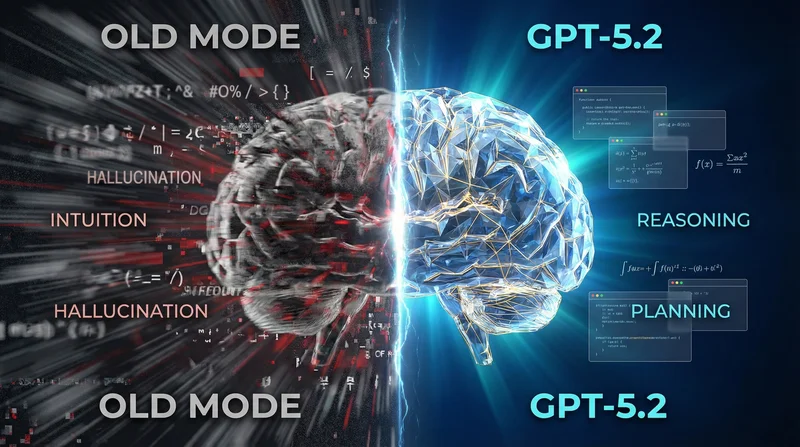
Previous models (like GPT-4 or GPT-5.1) were "prediction machines." You gave them a prompt, and they immediately guessed the next word. They were fast, but they often hallucinated or missed the logic.
GPT-5.2 introduces "Thinking Mode" (rumored internally as Project Garlic). When you ask it a complex question, it doesn't answer immediately. It pauses. It plans. It engages in what cognitive scientists call System 2 Thinking (deep reasoning).
The Insight: It doesn't just "hear" your prompt; it deconstructs it, analyzes the constraints, and plans the output before typing a single character.
The Ultimate AI Art Workflow: GPT-5.2 + zzo.ai
The biggest pain point for most users is the Semantic Gap. You have a vision in your head ("A sad robot in the rain"), but the image generation models need technical parameters to look good ("Rusted texture, moody lighting, volumetric fog, octane render, 8k").
Since GPT-5.2 now understands logic better than any human, you can treat it as your personal Art Director.
Here is the 3-Stage Workflow we recommend using right now to dominate the leaderboard on zzo.ai:
1. Concept Expansion
Don't just ask for a "cool astronaut." Tell GPT-5.2 to think about the mood.
- Your Prompt to GPT-5.2: "I want to generate an image of a lonely astronaut. Use your Thinking Mode to analyze the visual language of loneliness and write a detailed prompt for Stable Diffusion."
- GPT-5.2's Logic: "Lonely implies negative space. It needs a wide shot. The lighting should be stark and high-contrast to emphasize isolation..."
- The Result: It gives you a prompt focusing on composition and atmosphere that you never would have thought of.
2. Style Reverse Engineering
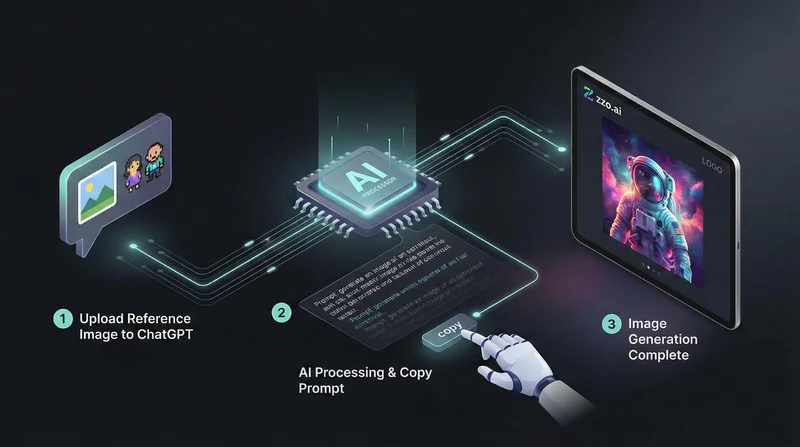
This is a massive hack. You can upload a reference image to GPT-5.2 and ask it to analyze the Lighting Setup, Color Theory, and Texture.
- The Workflow:
- Upload a movie still you love to ChatGPT.
- Ask it to extract the style parameters.
- Tell it: "Keep this exact aesthetic, but change the subject to a cat drinking coffee."
- Copy the output and paste it into zzo.ai
- Why it works: It grabs the specific artistic DNA of the image and translates it into prompt weights that our models understand perfectly.
3. Parametric Control
GPT-5.2 is currently the only model smart enough to understand complex Negative Prompts and Weights for any AI image generator without getting confused. It knows how to use syntax like (masterpiece:1.2) or [blur:1.3] effectively because it understands the logic of why you want those things excluded.
GPT-5.2 vs. Google Gemini 3: Which One for Art?
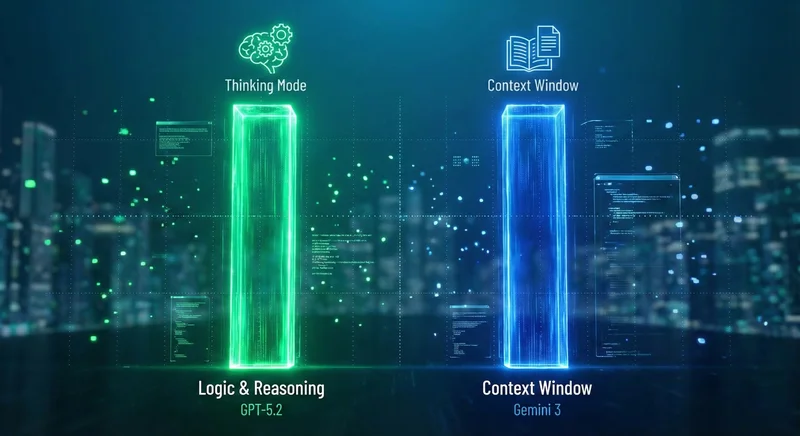
With Google’s Gemini 3 boasting a massive 1M+ context window, users are often confused about which model to pair with zzo.ai. Here is the breakdown:
| Feature | GPT-5.2 (Thinking Mode) | Google Gemini 3 |
|---|---|---|
| Superpower | Precision Logic. Perfect for crafting exact, glitch-free prompts for us. | Massive Context. Great for reading whole books or analyzing long videos. |
| Visuals | Great Art Director. Understands style, lighting, and composition rules. | Great Photographer. Good at photorealism, but struggles with stylized "vibe." |
| Best For... | zzo.ai Creators. If you want to create art, design, or fantasy concepts. | Researchers. If you need to summarize a novel or analyze a codebase. |
The "Code Red" Opportunity
OpenAI pushed this update to save their market share, but you can use it to save your time.
We are seeing a shift from "Prompt Guessing" (generating 50 images hoping one is good) to "Prompt Designing" (using GPT-5.2 to build one perfect prompt, and getting a good result on zzo.ai on the first try).
Our advice? Be lazy. Stop trying to memorize the dictionary of art terms. "Outsource" your artistic brain to GPT-5.2's Thinking Mode to master AI art, copy the "magic spell" it creates, and let zzo.ai 's powerful rendering engines do the heavy lifting.
What's Next?
We are actively analyzing the API capabilities of GPT-5.2 to see how we can bring this "Thinking Mode" directly into your zzo.ai workspace in the future.
But you don't have to wait for an update. Open ChatGPT in one tab, open zzo.ai in another, and start creating faster than ever.
Log in to zzo.ai today and try this workflow for yourself.