
GPT Image 1.5
Not just generation, but total control. Experience 4x faster generation, pixel-perfect editing, and flawless reproduction of your imagination with your intelligent creative hub.
Try It Now
You'll be redirected to the full Image Generator page
Why Choose GPT Image 1.5?
From generator to creative partner — discover the unique advantages that make GPT Image 1.5 your professional creative director
4x Faster Generation
Keep up with the speed of your thoughts — inspiration doesn't wait. GPT Image 1.5 generates images up to 4x faster than previous models.
Superior Instruction Following
Understands complex requirements with exceptional semantic understanding and logical execution. No more leaving it to chance.
Advanced Text Rendering
Posters, charts, UI interfaces — text renders clearly and legibly. Significantly improved dense text and typography capabilities.
Pixel-Perfect Editing
As precise as photo editing software, but with just one sentence. Supports add, remove, modify, and move operations with surgical precision.
Style Consistency
Define once, unlimited scenes. Maintains high consistency in style, lighting, and geometric structure across multiple editing rounds.
Production Ready
Commercial-grade quality output ready for immediate publication. Perfect lighting, considered composition, and vibrant colors like professional photography.
Infographics
Use infographics to explain structured information for a specific audience. For dense layouts or heavy in-image text, set output generation quality to 'high'.
| Prompt | Result |
|---|---|
Create a detailed Infographic of the functioning and flow of an automatic coffee machine like a Jura. From bean basket, to grinding, to scale, water tank, boiler, etc. I'd like to understand technically and visually the flow. | 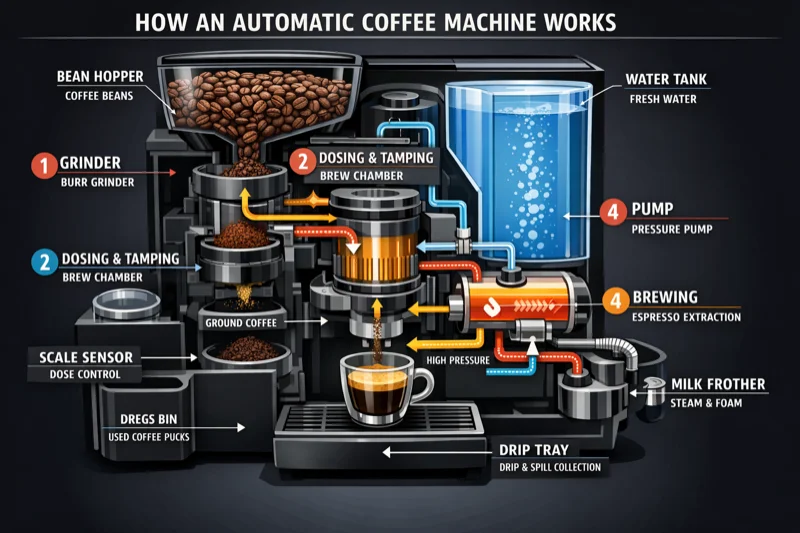 |
Translation in Images
Localize existing designs into another language without rebuilding the layout. Preserve typography style, placement, spacing, and hierarchy.
| Prompt | Result |
|---|---|
Translate the text in the infographic to Spanish. Do not change any other aspect of the image. | 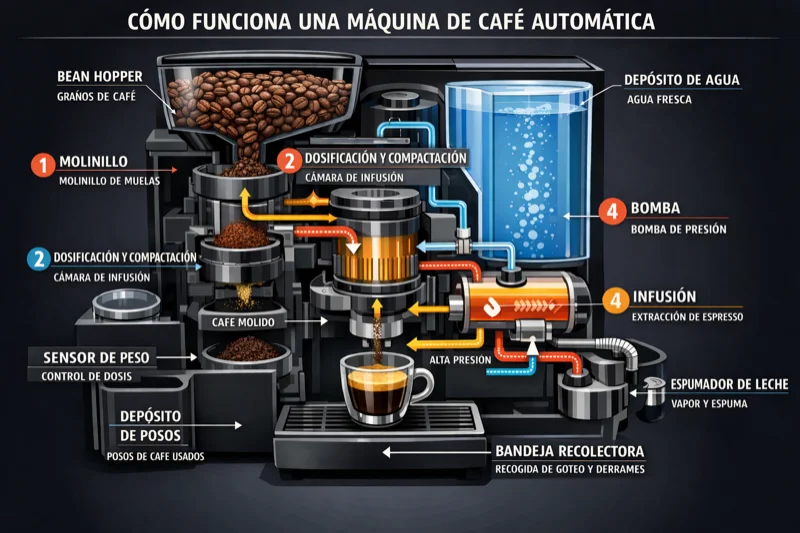 |
Photorealistic Images
Get believable photorealism by prompting as if a real photo is being captured. Use photography language (lens, lighting, framing) and ask for real texture.
| Prompt | Result |
|---|---|
Create a photorealistic candid photograph of an elderly sailor standing on a small fishing boat. He has weathered skin with visible wrinkles, pores, and sun texture, and a few faded traditional sailor tattoos on his arms. Shot like a 35mm film photograph, medium close-up at eye level, using a 50mm lens. Soft coastal daylight, shallow depth of field, subtle film grain. | 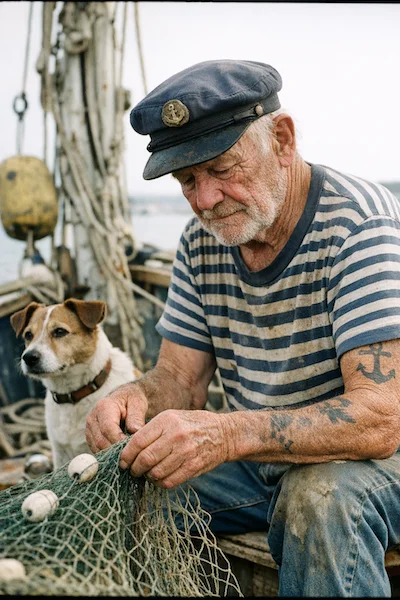 |
World Knowledge
GPT-image-1.5 has built-in reasoning and strong world knowledge. It can infer context and produce accurate, period-appropriate images.
| Prompt | Result |
|---|---|
Create a realistic outdoor crowd scene in Bethel, New York on August 16, 1969. Photorealistic, period-accurate clothing, staging, and environment. | 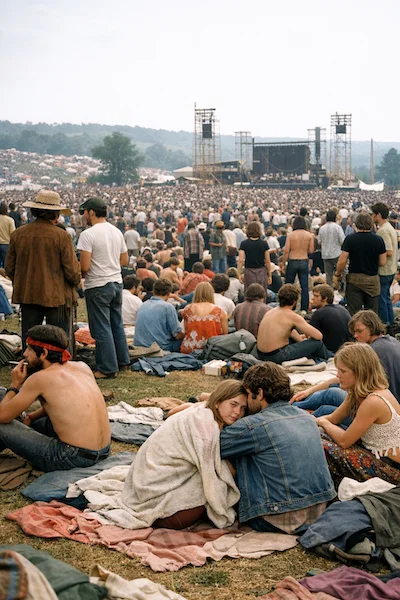 |
Logo Generation
Create clean, original marks with strong shape, balanced negative space, and scalability. Describe the brand's personality and use case.
| Prompt → Result (4 variations) | ||||
|---|---|---|---|---|
Create an original, non-infringing logo for a company called Field & Flour, a local bakery. The logo should feel warm, simple, and timeless. Use clean, vector-like shapes, a strong silhouette, and balanced negative space. Flat design, minimal strokes, no gradients unless essential. |  |  |  |  |
Story-to-Comic Strip
Define the narrative as a sequence of clear visual beats, one per panel. Keep descriptions concrete and action-focused.
| Prompt | Result |
|---|---|
Create a short vertical comic-style reel with 4 equal-sized panels. Panel 1: The owner leaves through the front door. The pet is framed in the window behind them. Panel 2: The door clicks shut. The pet slowly turns toward the empty house. Panel 3: The pet sprawls across the couch like it owns the place. Panel 4: The door opens. The pet is seated perfectly by the entrance. | 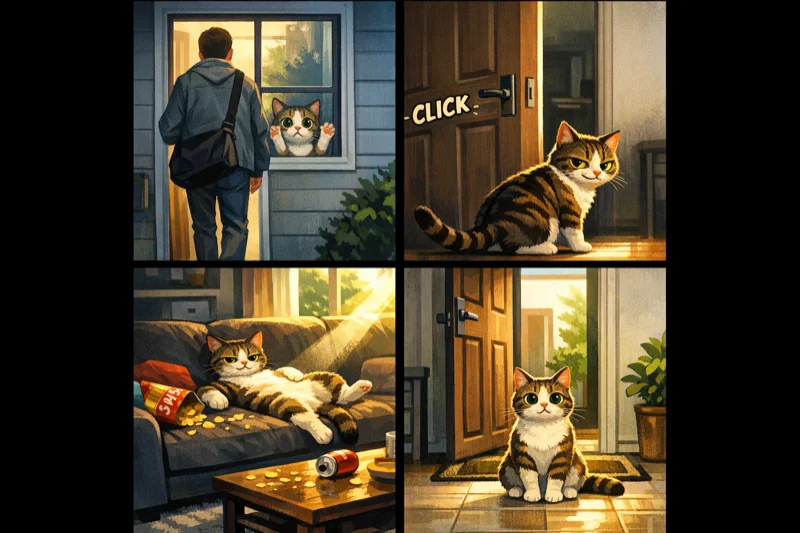 |
UI Mockups
Describe the product as if it already exists. Focus on layout, hierarchy, spacing, and real interface elements for shipped-quality results.
| Prompt | Result |
|---|---|
Create a realistic mobile app UI mockup for a local farmers market. Show today's market with a simple header, a short list of vendors with small photos and categories, a small 'Today's specials' section, and basic information for location and hours. White background, subtle natural accent colors, clear typography. | 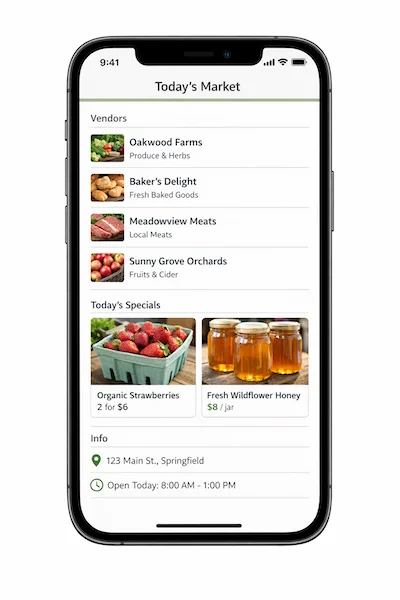 |
Style Transfer
Keep the visual language of a reference image (palette, texture, brushwork) while changing the subject or scene.
| Input → Prompt → Output | ||
|---|---|---|
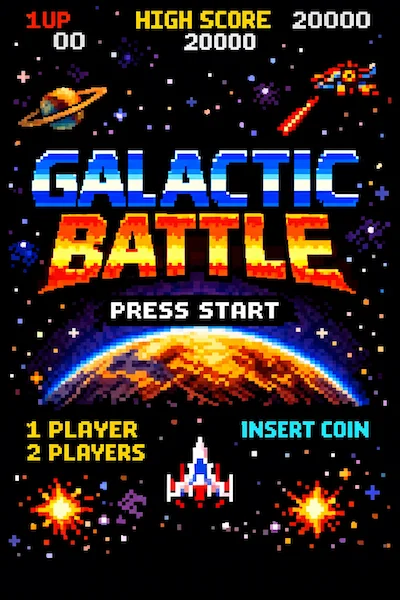 | Use the same style from the input image and generate a man riding a motorcycle on a white background. | 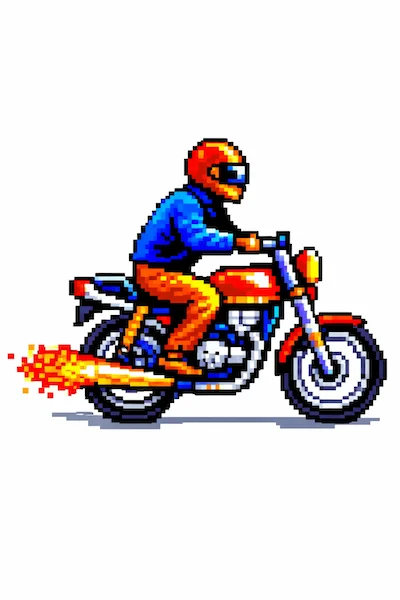 |
Virtual Clothing Try-On
Identity preservation is critical. Lock the person's face, body shape, pose, hair, and expression. Allow changes only to garments with realistic fit.
| Input Images → Prompt → Output | |||||
|---|---|---|---|---|---|
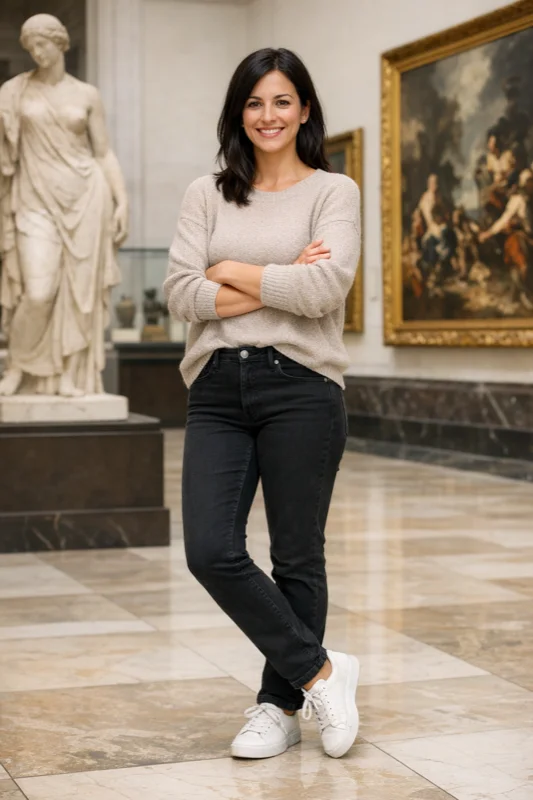 | 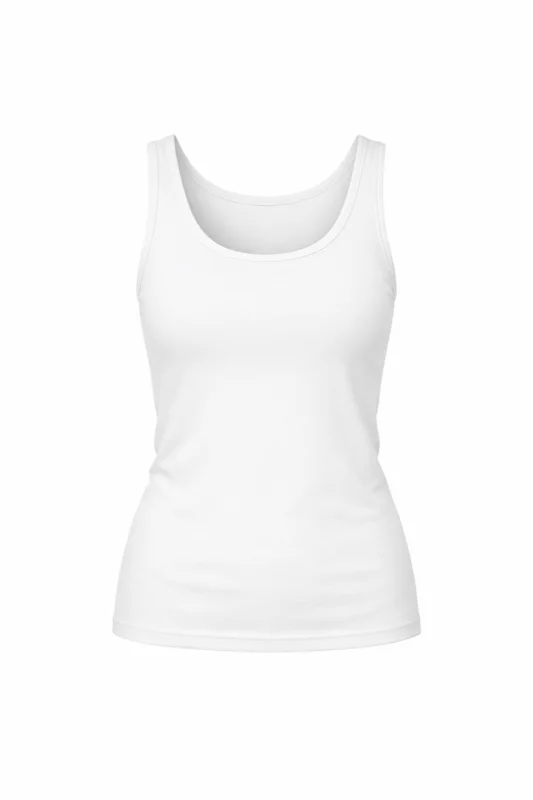 | 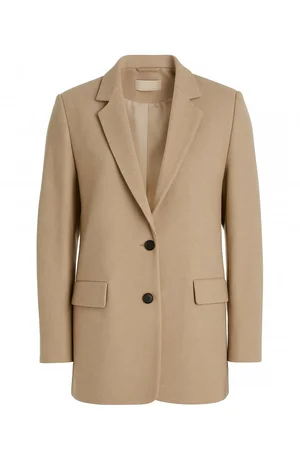 | 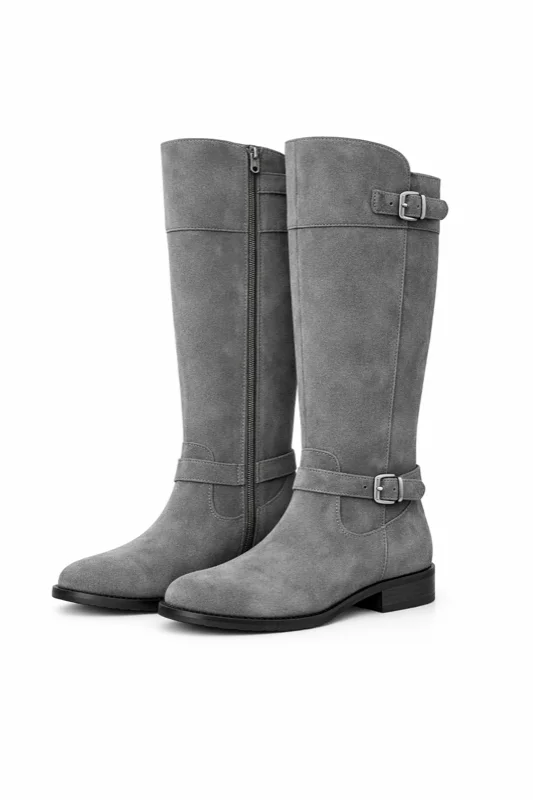 | Edit the image to dress the woman using the provided clothing images. Preserve her exact likeness, expression, hairstyle, and proportions. Replace only the clothing, fitting the garments naturally with realistic fabric behavior. | 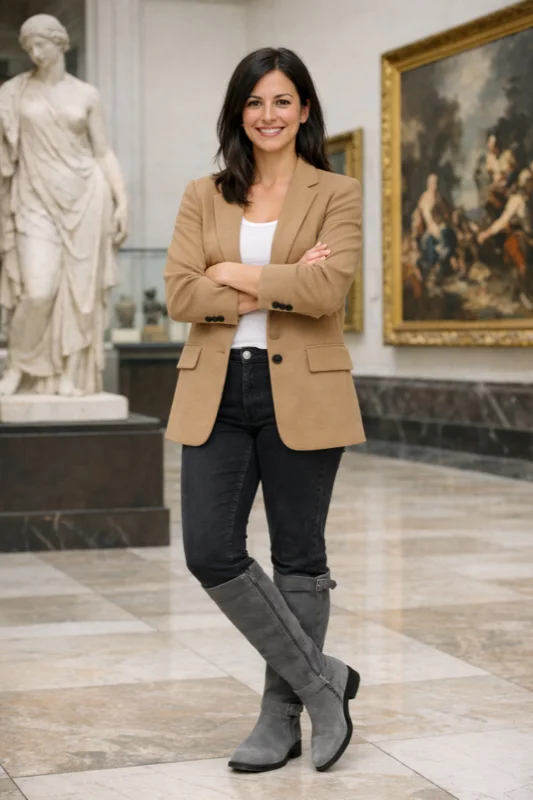 |
Drawing → Image (Rendering)
Turn rough drawings into photorealistic concepts while keeping the original intent. Preserve layout and perspective, add realistic materials and lighting.
| Input → Prompt → Output | ||
|---|---|---|
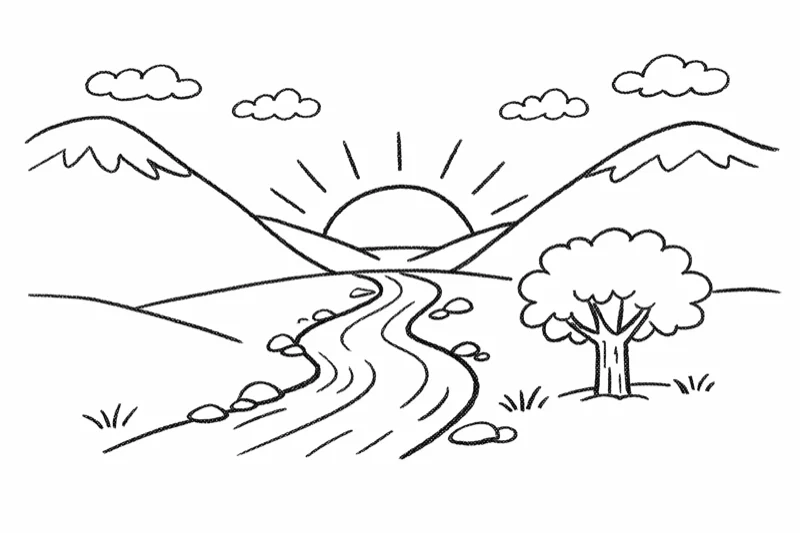 | Turn this drawing into a photorealistic image. Preserve the exact layout, proportions, and perspective. Choose realistic materials and lighting consistent with the sketch intent. Do not add new elements or text. | 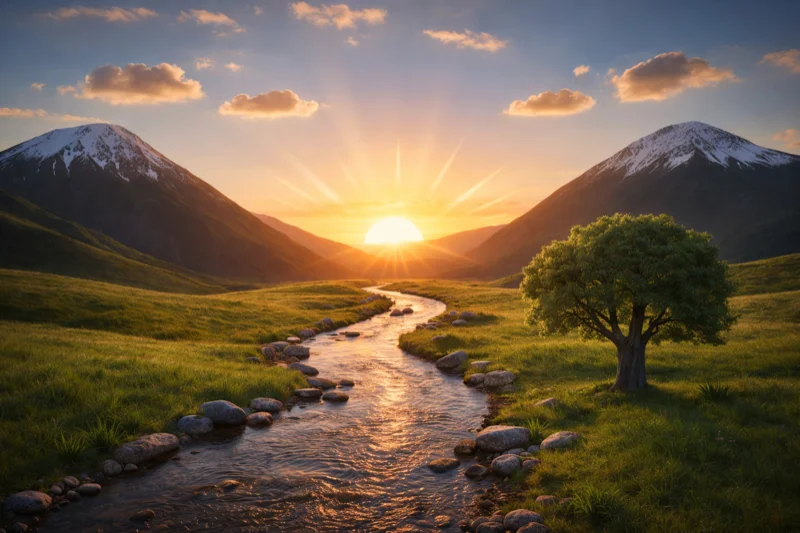 |
Product Mockups (Transparent Background)
Product extraction for catalogs and marketplaces. Clean silhouette, no fringing/halos, and preserved label integrity.
| Input → Prompt → Output | ||
|---|---|---|
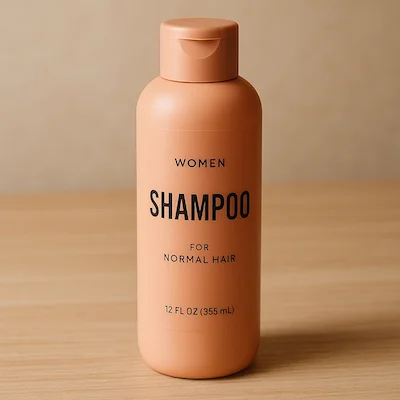 | Extract the product from the input image. Output: transparent background (RGBA PNG), crisp silhouette, no halos/fringing. Preserve product geometry and label legibility exactly. Optional: subtle, realistic contact shadow. | 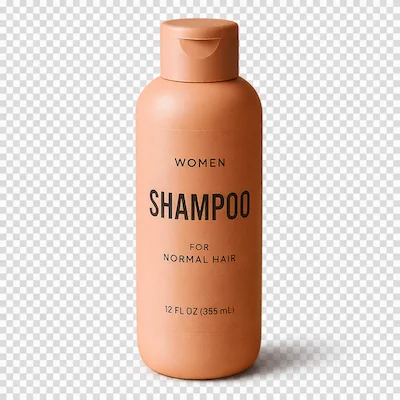 |
Marketing Creatives with Text
Rapid ad concepting with real in-image text. Put exact copy in quotes, demand verbatim rendering, and describe placement and font style.
| Input → Prompt → Output | ||
|---|---|---|
| Create a realistic billboard mockup of the shampoo on a highway scene during sunset. Billboard text (EXACT, verbatim, no extra characters): "Fresh and clean" Typography: bold sans-serif, high contrast, centered, clean kerning. | 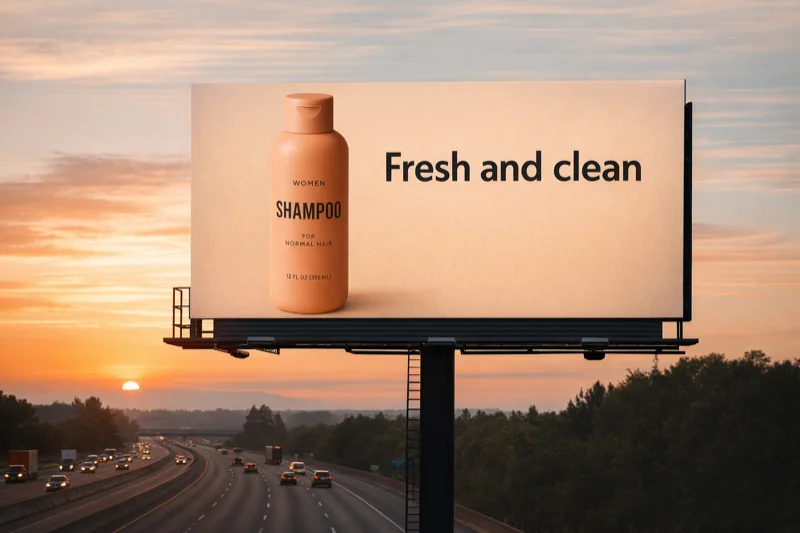 |
Lighting and Weather Transformation
Re-stage a photo for different moods, seasons, or time-of-day variants while keeping the scene composition intact.
| Input → Prompt → Output | ||
|---|---|---|
| Make it look like a winter evening with snowfall. | 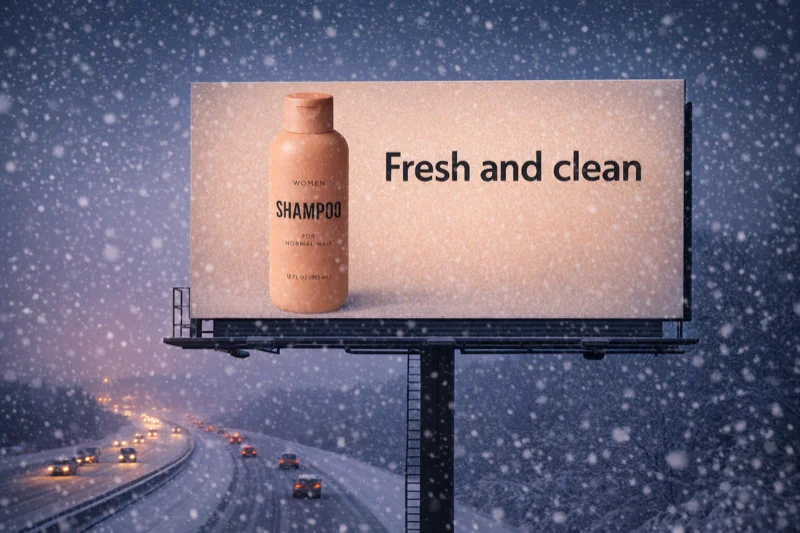 |
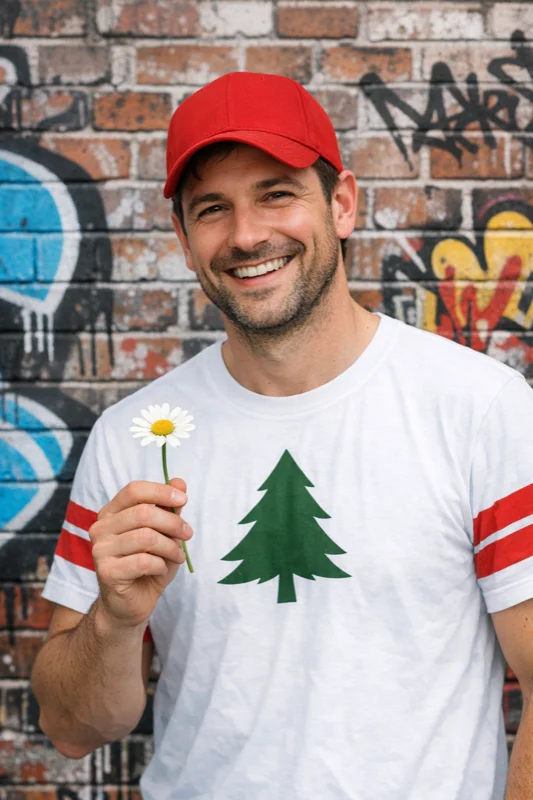
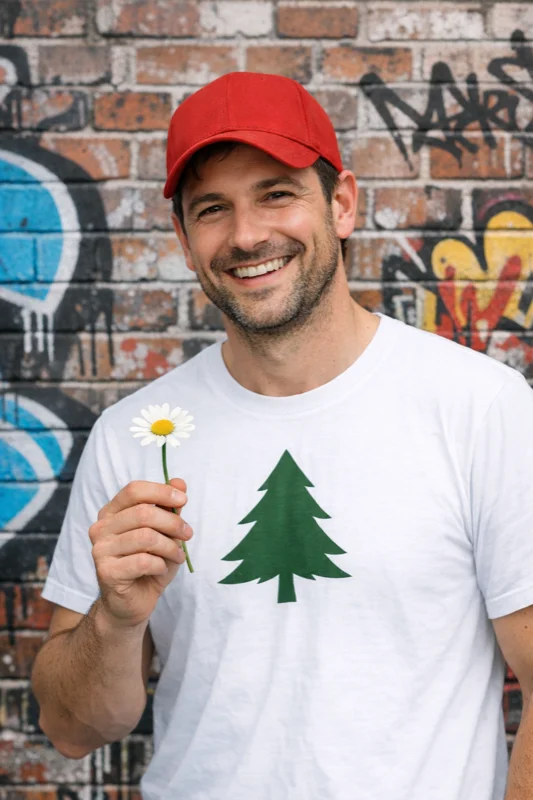
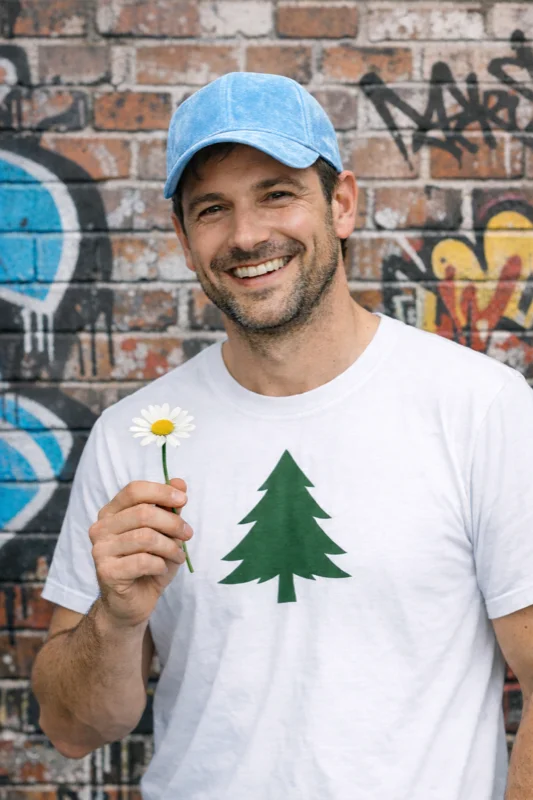
Object Removal & Editing
Surgical precision edits: remove logos, change colors, modify attributes while preserving everything else exactly.
| Step-by-step Editing Chain | ||
|---|---|---|
 |  |  |
Insert Person Into Scene
Person-in-scene compositing for storyboards and campaigns. Anchor realism with grounded photographic look and preserved identity.
| Input → Prompt → Output | ||
|---|---|---|
| Generate a highly realistic action scene where this person is running away from a large, realistic brown bear attacking a campsite. The campsite is in Yosemite National Park. The time of day is dusk, with natural lighting. Everything should feel grounded and authentic. | 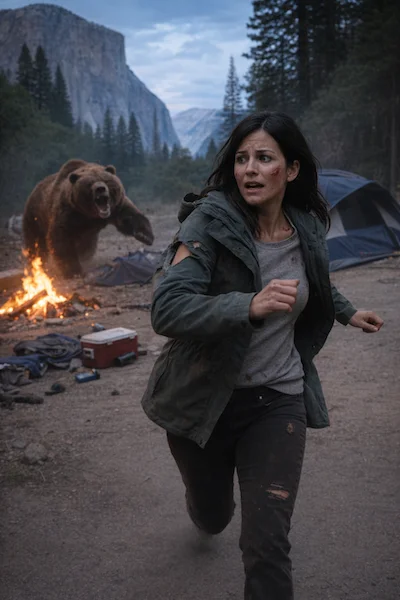 |
Multi-Image Compositing
Combine elements from multiple inputs into a single believable image. Match lighting, perspective, scale, and shadows naturally.
| Input Images → Prompt → Output | |||
|---|---|---|---|
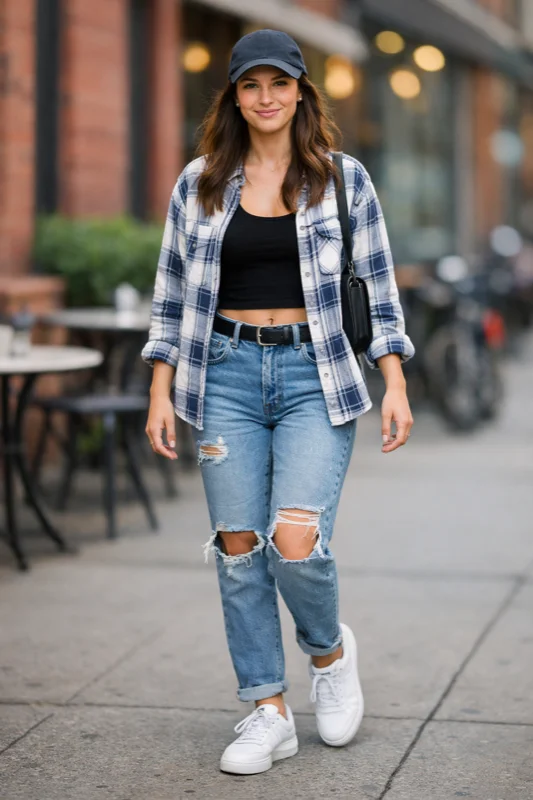 | 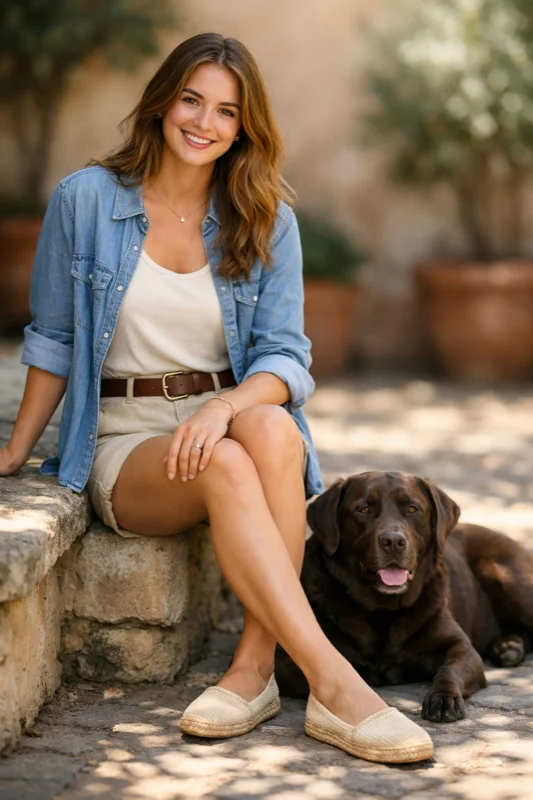 | Place the dog from the second image into the setting of image 1, right next to the woman, use the same style of lighting, composition and background. Do not change anything else. | 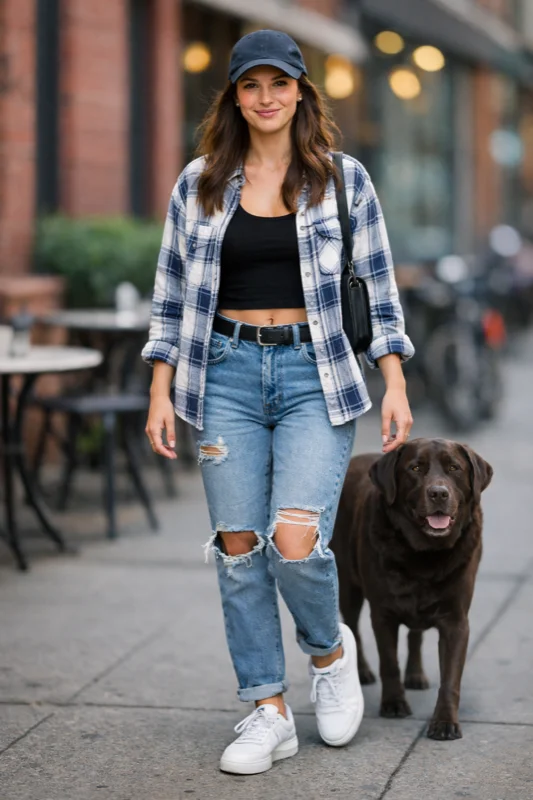 |
Interior Design Swap
Visualize furniture or decor changes in real spaces. Surgical realism: swap a single object while preserving camera angle, lighting, and shadows.
| Input → Prompt → Output | ||
|---|---|---|
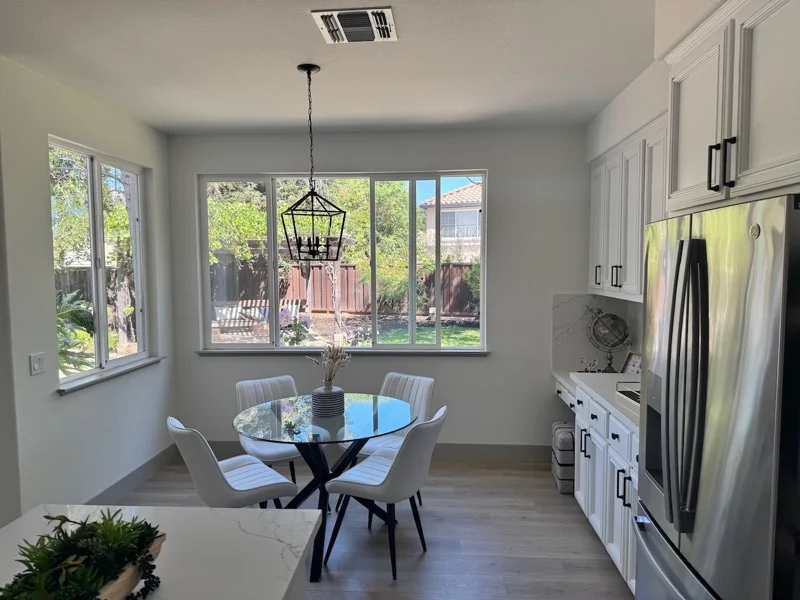 | In this room photo, replace ONLY white chairs with chairs made of wood. Preserve camera angle, room lighting, floor shadows, and surrounding objects. Keep all other aspects unchanged. Photorealistic contact shadows and fabric texture. | 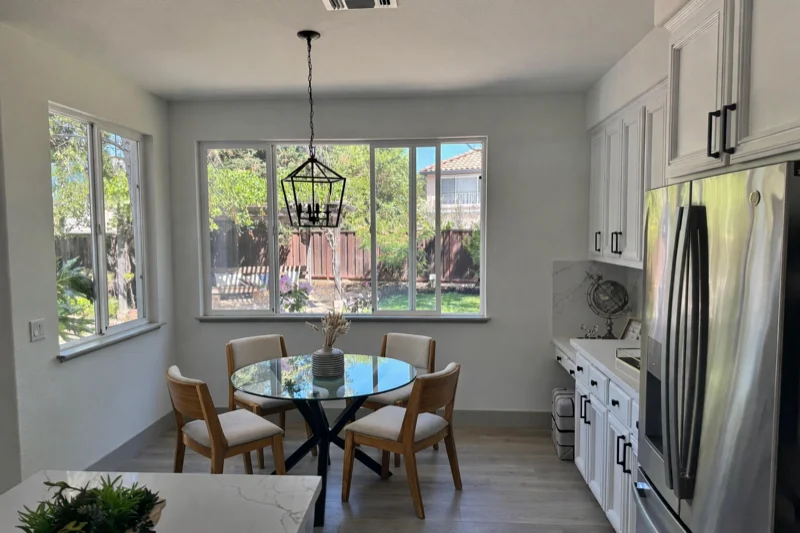 |
3D Pop-up Holiday Card
Seasonal marketing concepts with tactile realism—paper layers, fibers, folds, and soft studio lighting for a photographed physical product look.
| Prompt | Result |
|---|---|
Create a Christmas holiday card illustration. Scene: a cozy Christmas scene with an old teddy bear sitting inside a keepsake box, slightly worn fur, soft stitching repairs, placed near a window with falling snow outside. The scene suggests the child has grown up, but the memories remain. Style: Premium holiday card photography, soft cinematic lighting, realistic textures. Include ONLY this card text (verbatim): "Merry Christmas — some memories never fade." | 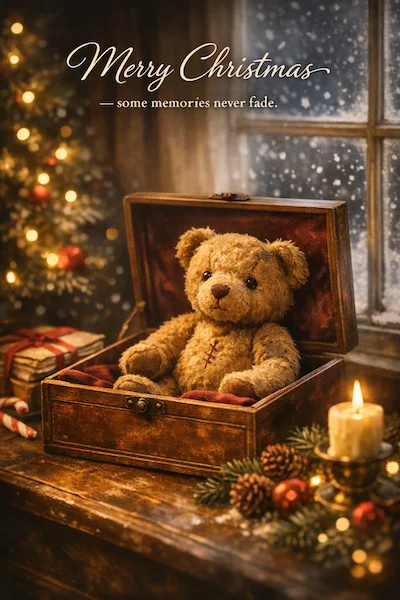 |
Collectible Action Figure
Early merch ideation and pitch visuals. Premium product photography cues with original, non-infringing designs.
| Prompt | Result |
|---|---|
Create a collectible action figure of a vintage-style toy propeller airplane with rounded wings, a front-mounted spinning propeller, slightly worn paint edges, classic childhood proportions. In blister packaging. Concept: A nostalgic holiday collectible inspired by the simple toy airplanes children used to play with during winter holidays. Style: Premium toy photography, realistic plastic and painted metal textures, studio lighting. Include ONLY this packaging text (verbatim): "Christmas Memories Edition" | 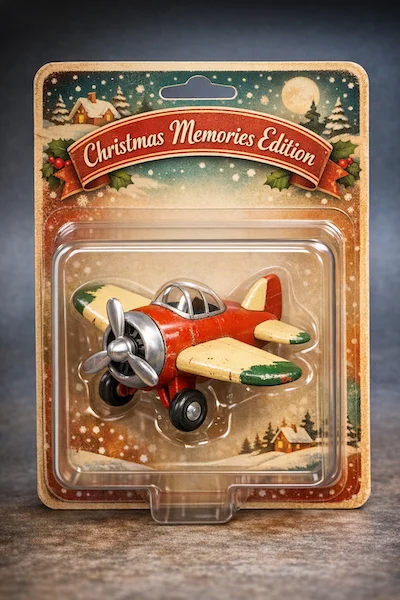 |
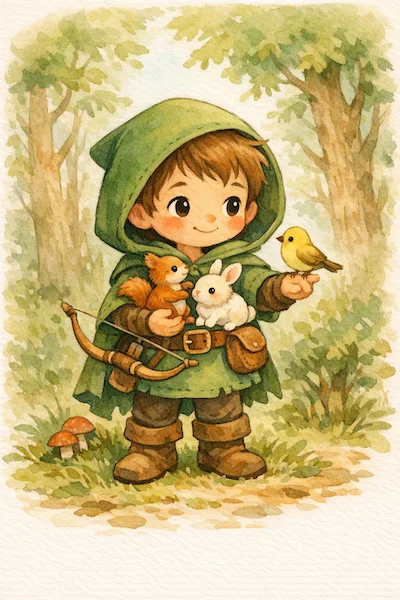
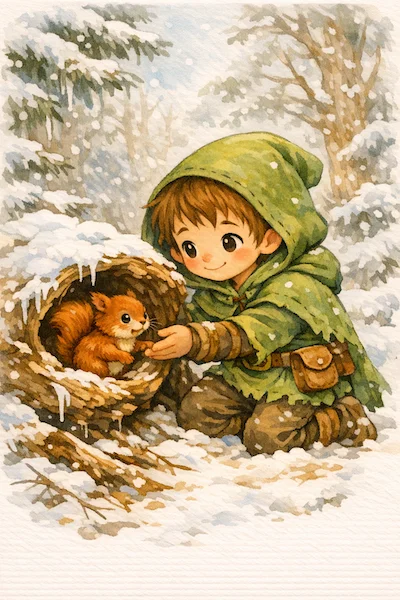
Children's Book Illustration
Multi-page illustration pipelines with character consistency. A reusable 'character anchor' ensures visual continuity across scenes.
| Step 1: Character Anchor | Step 2: Story Continuation |
|---|---|
 |  |
How to Use GPT Image 1.5
Follow these simple steps to master iterative image creation with GPT Image 1.5
Frequently Asked Questions
Common questions about GPT Image 1.5 answered
GPT Image 1.5 transforms AI from a 'slot machine' into a 'digital sculpting tool'. Unlike traditional models that generate images as one-off outputs, GPT Image 1.5 enables iterative, multi-turn editing with exceptional instruction following, 4x faster speed, and non-destructive editing capabilities.
GPT Image 1.5 primarily supports up to approximately 1.5 Megapixels (e.g., 1536x1024). For large-format printing needs, you may want to use upscaling tools in combination.
Yes! GPT Image 1.5 is supplied with a commercial use license, making it ideal for marketing materials, advertisements, product designs, and more.
GPT Image 1.5 features layer-like editing logic that understands and locks unchanged elements. It supports Add (insert objects with matched lighting), Subtract (smart removal with in-painting), Modify (change attributes without altering geometry), and Transpose (move elements) operations.
Yes! GPT Image 1.5 significantly improves character consistency, better 'remembering' facial features and clothing details. Through one-time likeness upload, you can reuse the same character across different scenes — essential for comics, storyboards, or sequential ad campaigns.
While Nano Banana excels at ultra-realistic 'casual snapshot' aesthetics with 4K resolution, GPT Image 1.5 focuses on 'studio-grade' refinement and controllability. GPT Image 1.5 wins in instruction following, editing precision, and commercial usability — the difference between a professional creative tool and an entertainment toy.