
Qwen Image Edit: Reshape Visuals with Words
Powered by Alibaba's 20B dual-stream architecture, Qwen Image Edit understands your intent and respects your pixels. Precise text replacement, seamless background synthesis, and character consistency — all through simple natural language commands.
Try It Now
You'll be redirected to the full Image Editor page
Why Choose Qwen Image Edit?
Qwen Image Edit solves the two biggest pain points in AI editing: 'AI doesn't understand instructions' and 'edits destroy the original'. With dual-brain architecture and v2512 photorealism engine, it's the intelligent assistant that truly gets you.
Precision Text Editing
Industry-leading Chinese/English text replacement. Edit signage, packaging, and posters while perfectly preserving font style, perspective, and lighting. No more Photoshop struggles with text distortion.
Semantic Understanding
Dual-stream architecture with Qwen2.5-VL brain. Understands context like 'turn the dog into a cat' while maintaining pose, lighting interaction, and scene logic. Not just pixel manipulation — true visual reasoning.
Seamless Object Replacement
Change 'red dress to blue jeans' or 'apple to pear' with natural language. AI reconstructs lighting, shadows, and material interactions automatically. Zero visible seams or color mismatches.
Character Consistency Lock
Lock facial features and clothing details across multiple edits. Perfect for comic creation, brand mascots, and marketing campaigns. Your character stays recognizable in any scene or pose.
Intelligent Removal
Remove complex obstructions like railings, stray hair, or crowds. AI analyzes background texture and fills gaps with pixel-perfect continuity. Smarter than traditional content-aware fill.
v2512 Photorealism
Latest v2512 engine delivers hair-strand detail and pore-level skin texture. Eliminates the 'plastic AI look' with natural fabric weaves, realistic skin, and authentic material rendering.
Precision Text Editing: The Killer Feature
Unlike Midjourney or Stable Diffusion that generate gibberish, Qwen Image Edit reads, understands, and replaces text while preserving design aesthetics.
| Original Image | Edit Instruction | Qwen Image Edit Result |
|---|---|---|
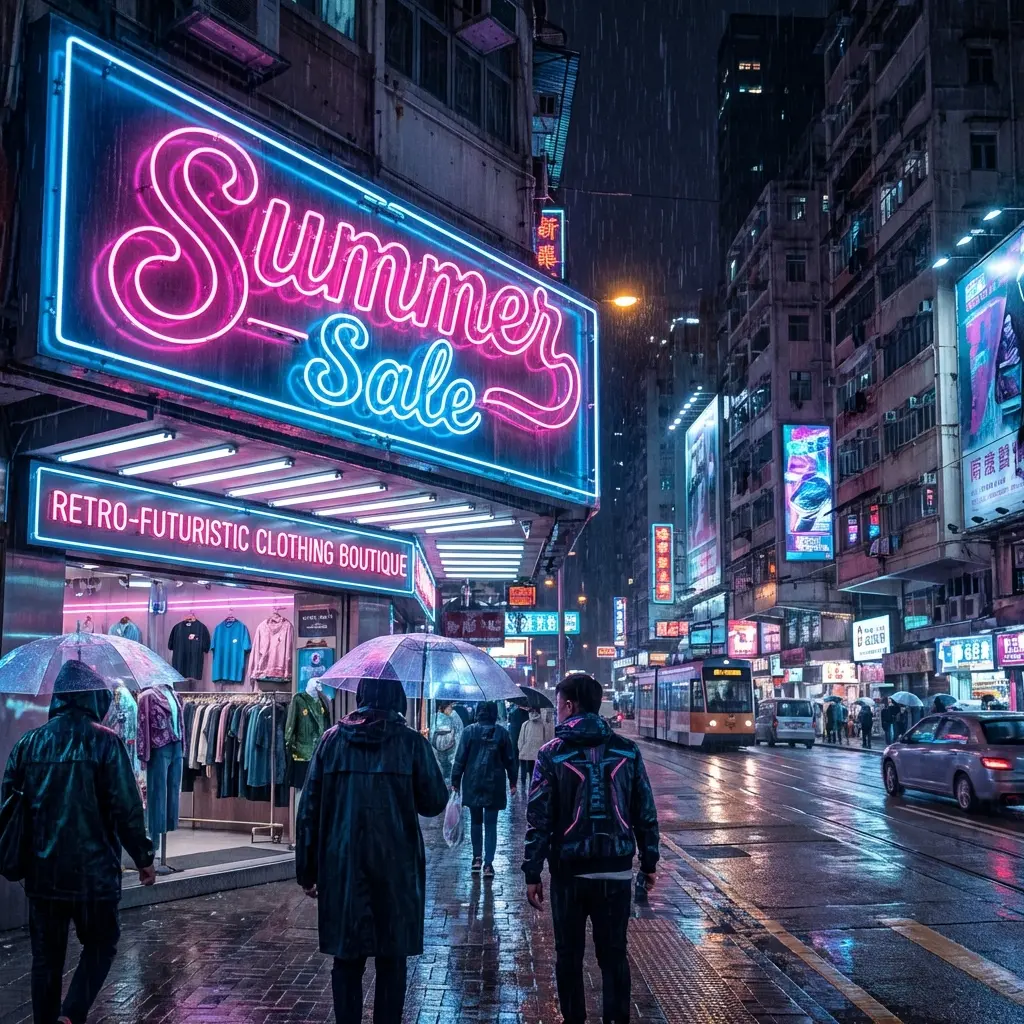 | Change the sign text to '秋季特惠' (Autumn Special) in Chinese, maintaining the neon glow and font style | 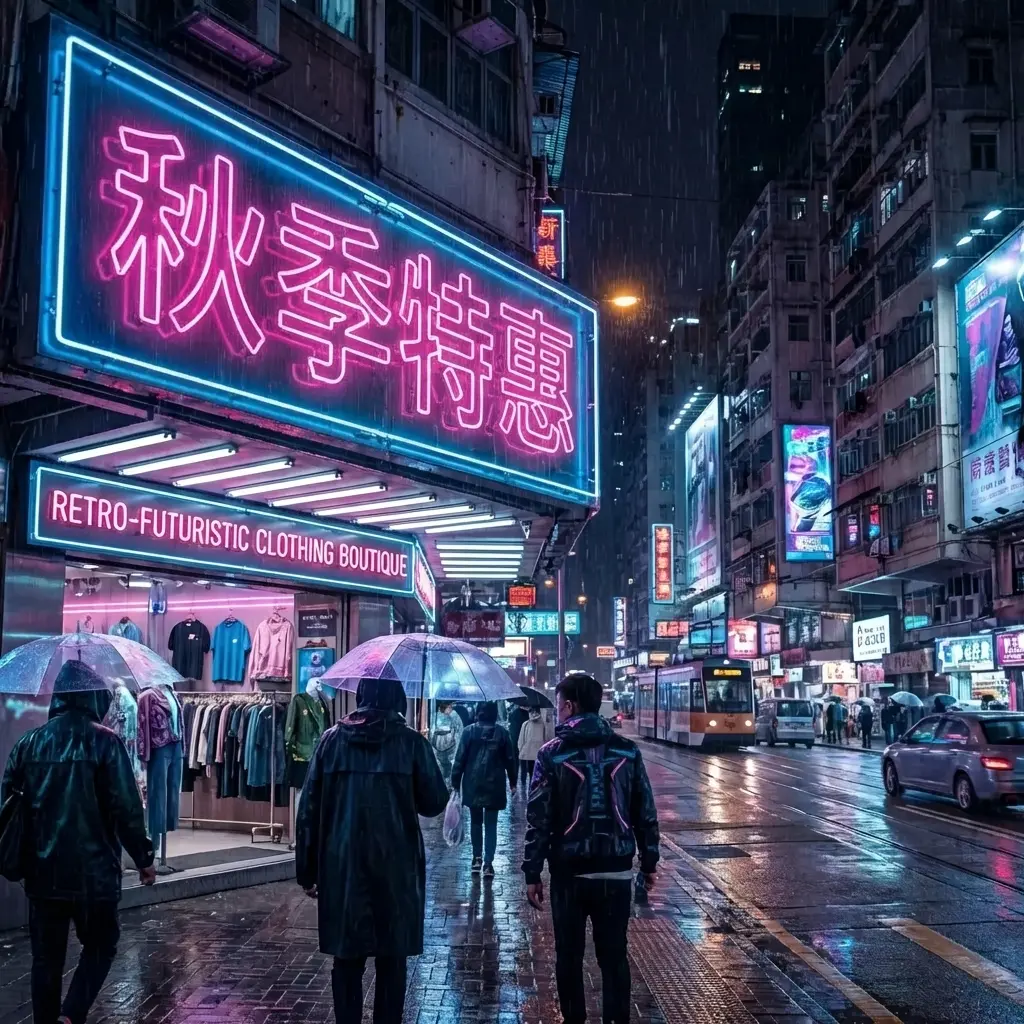 |
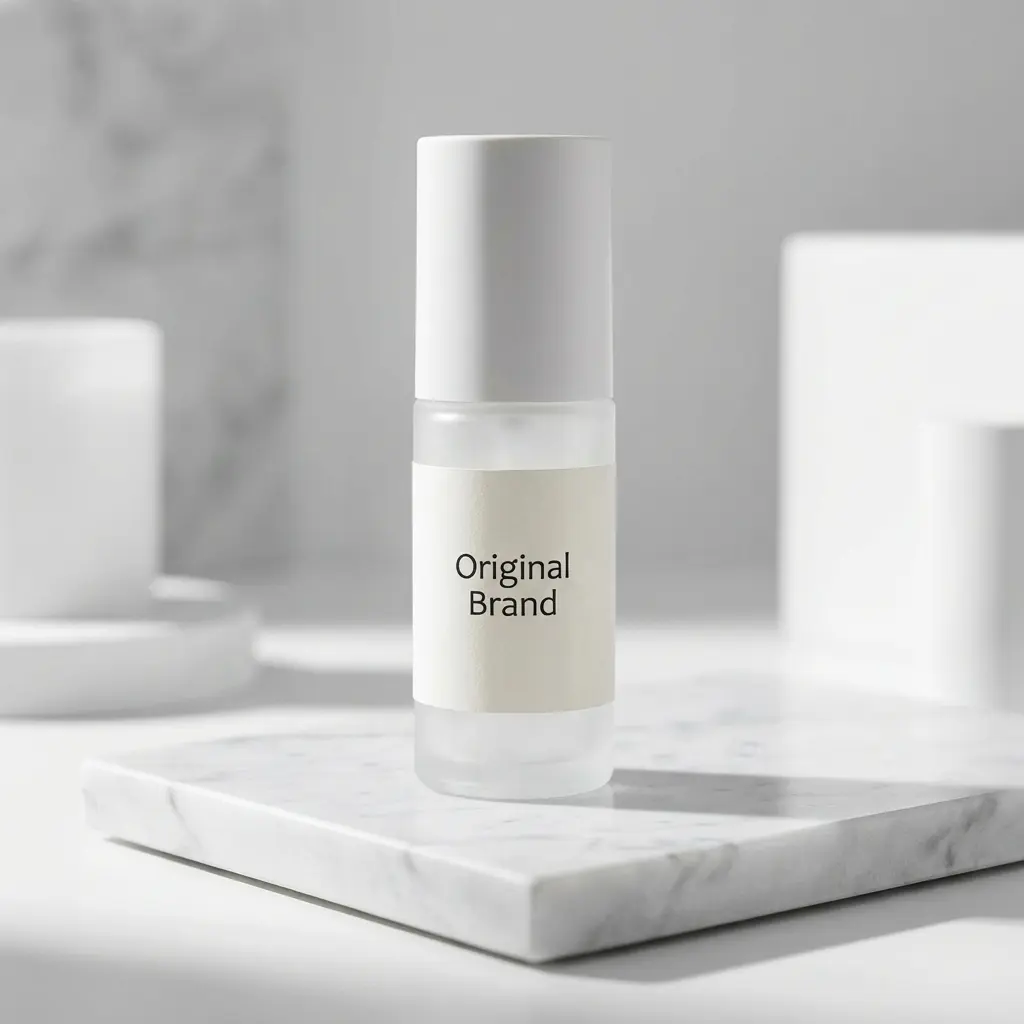 | Replace the brand name with 'EcoFresh' and tagline to 'Naturally Pure', keeping the label design intact | 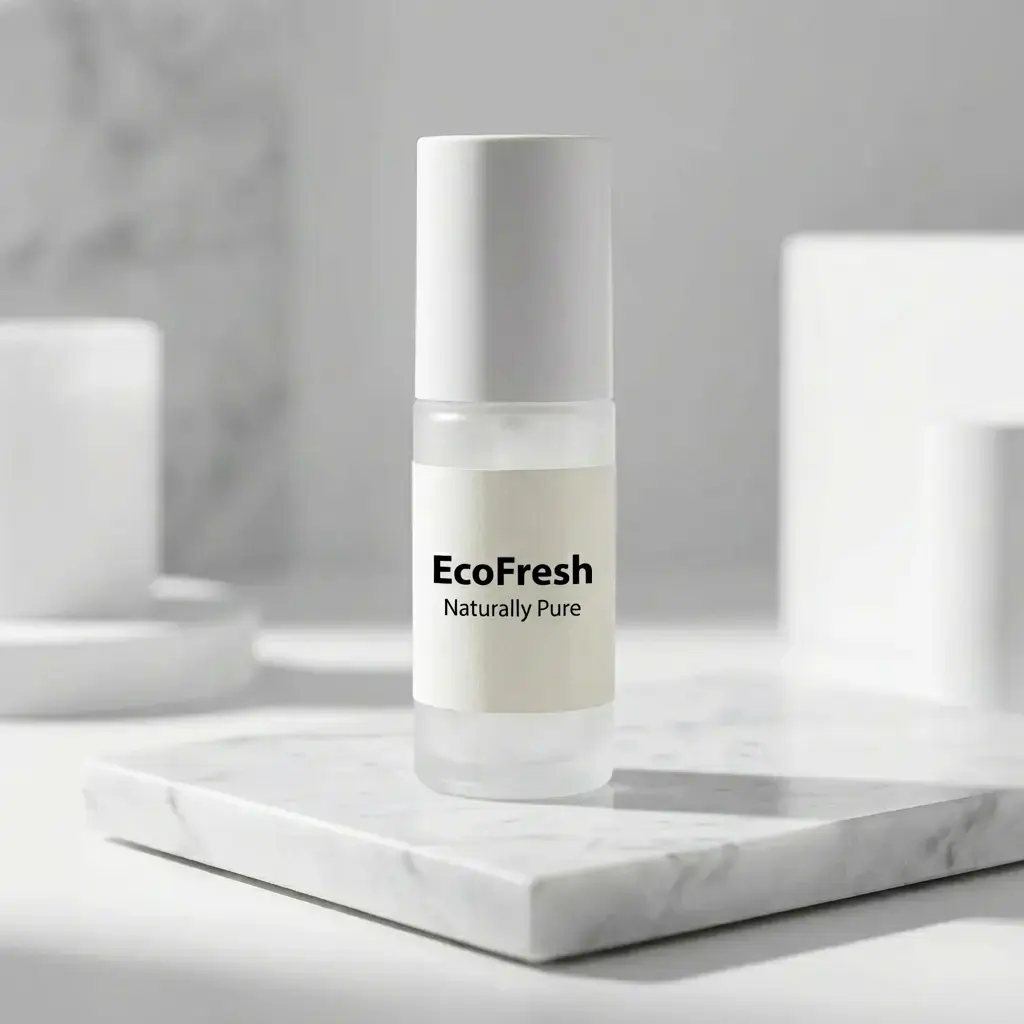 |
Semantic Object Replacement
Qwen Image Edit understands object relationships and physics. Change subjects while maintaining logical lighting, shadows, and spatial coherence.
| Before | Instruction | After |
|---|---|---|
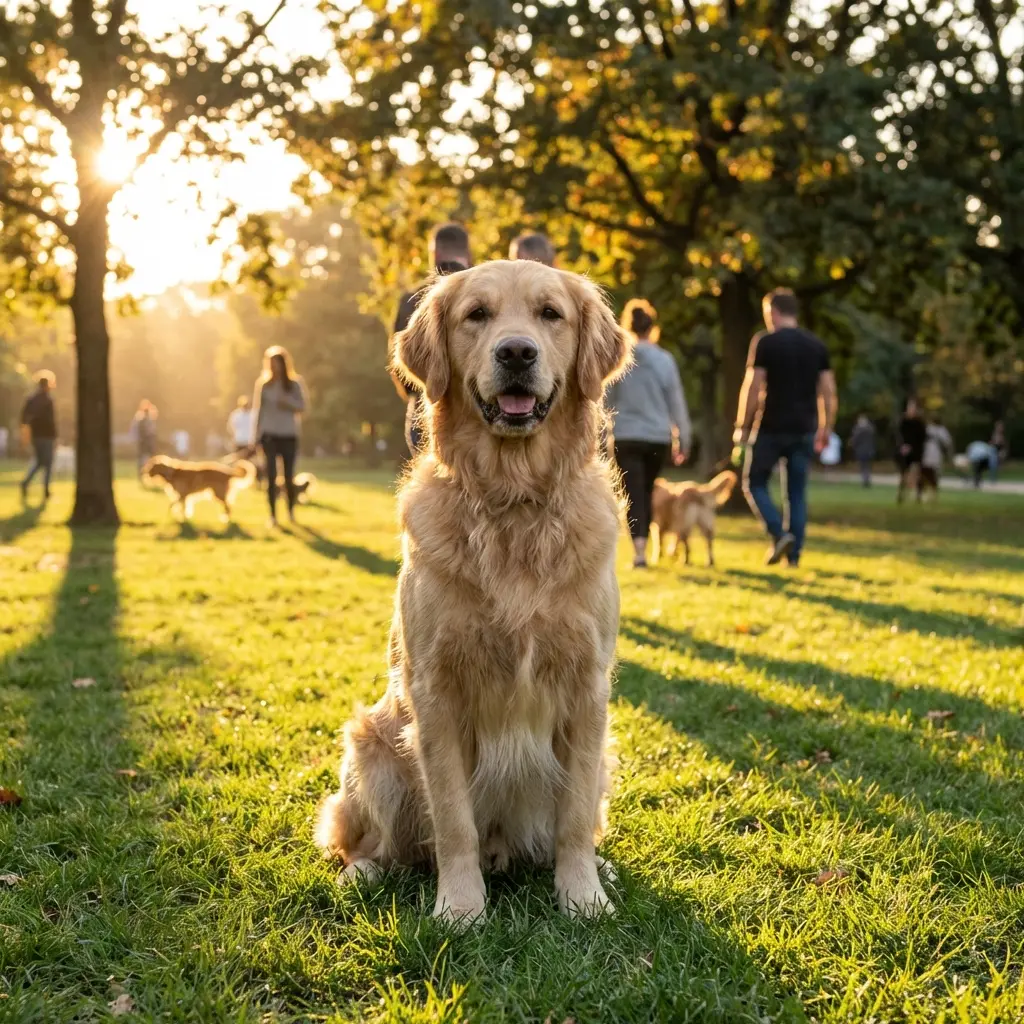 | Transform the dog into a tabby cat in the same pose, maintaining the grass texture and sunlight direction | 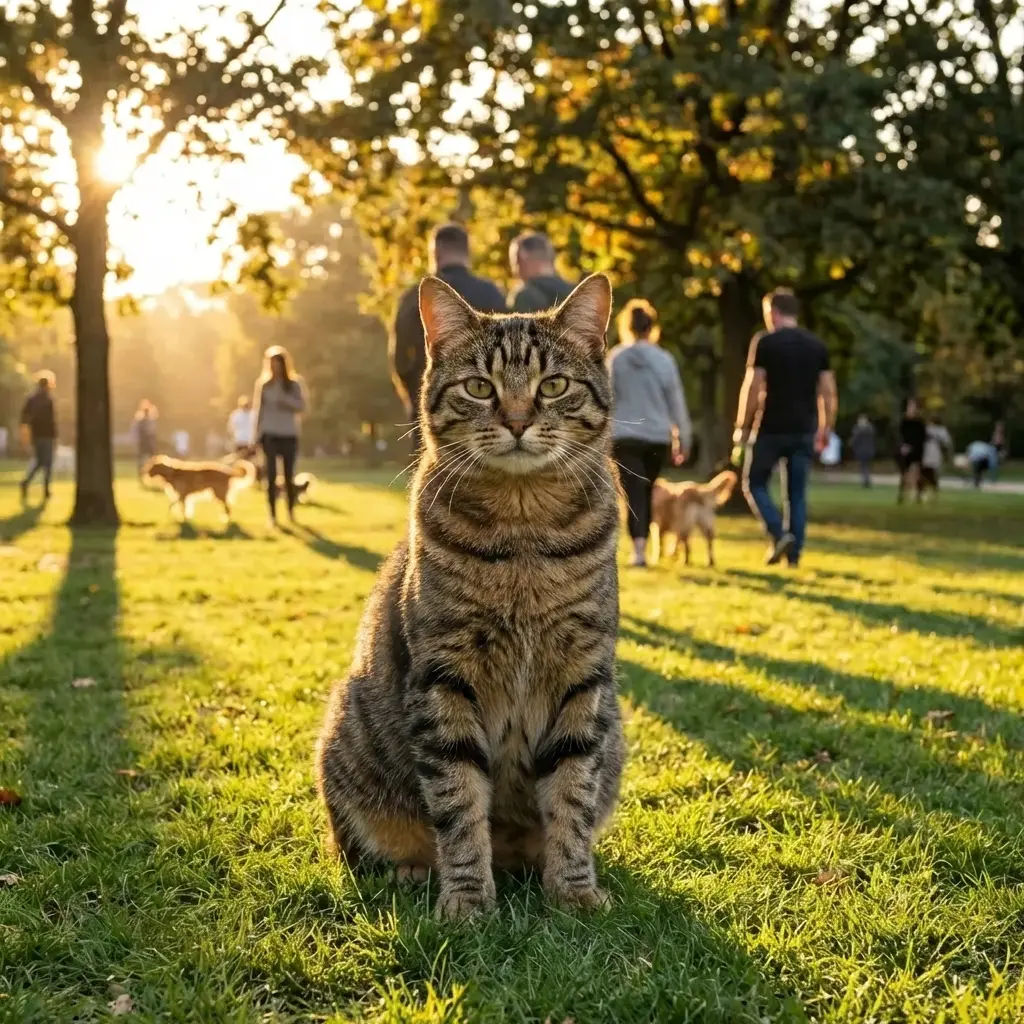 |
 | Change the red dress to blue denim jeans and white t-shirt, keeping the model's pose and facial features |  |
Style Transfer & Artistic Transformation
Convert photos to artistic styles while preserving facial features and composition. Perfect for creative campaigns and social media content.
| Original Photo | Target Style | Transformed Result |
|---|---|---|
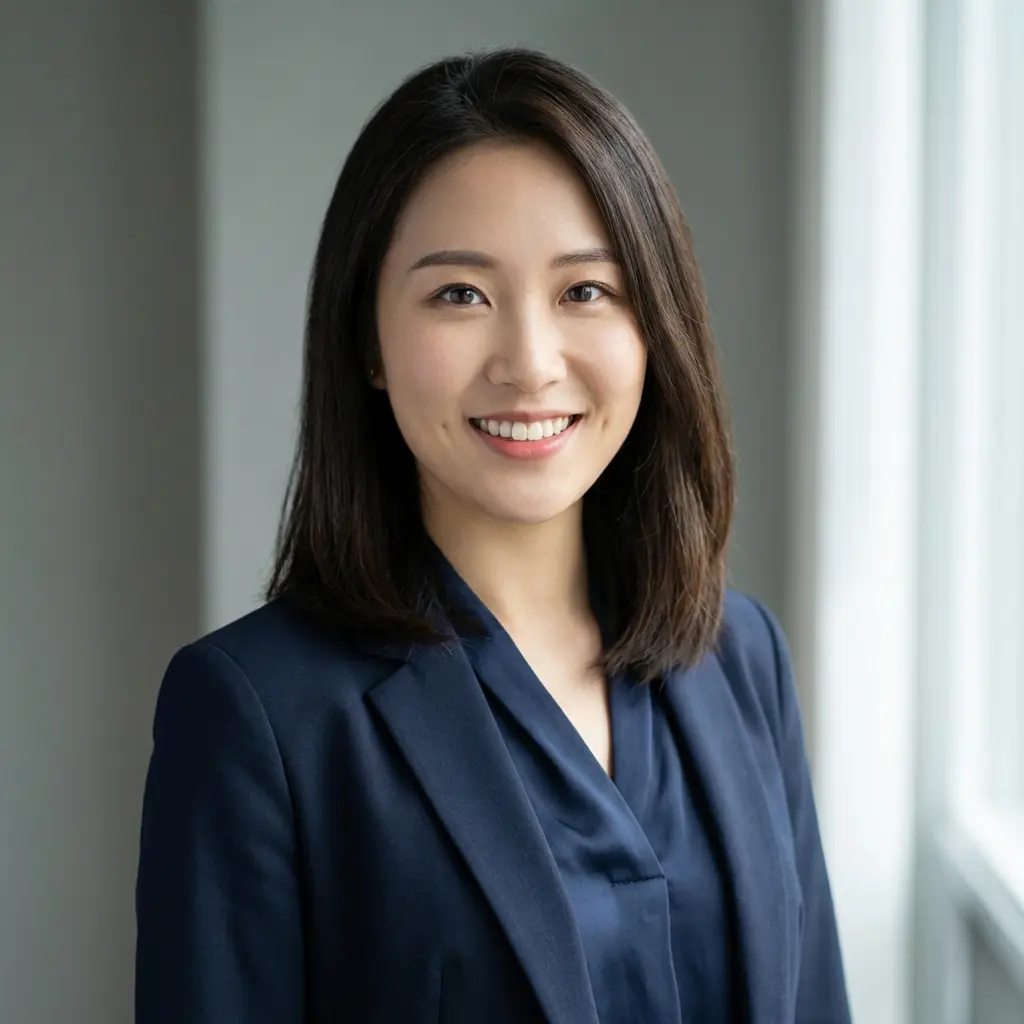 | Transform to Studio Ghibli animation style with watercolor aesthetics | 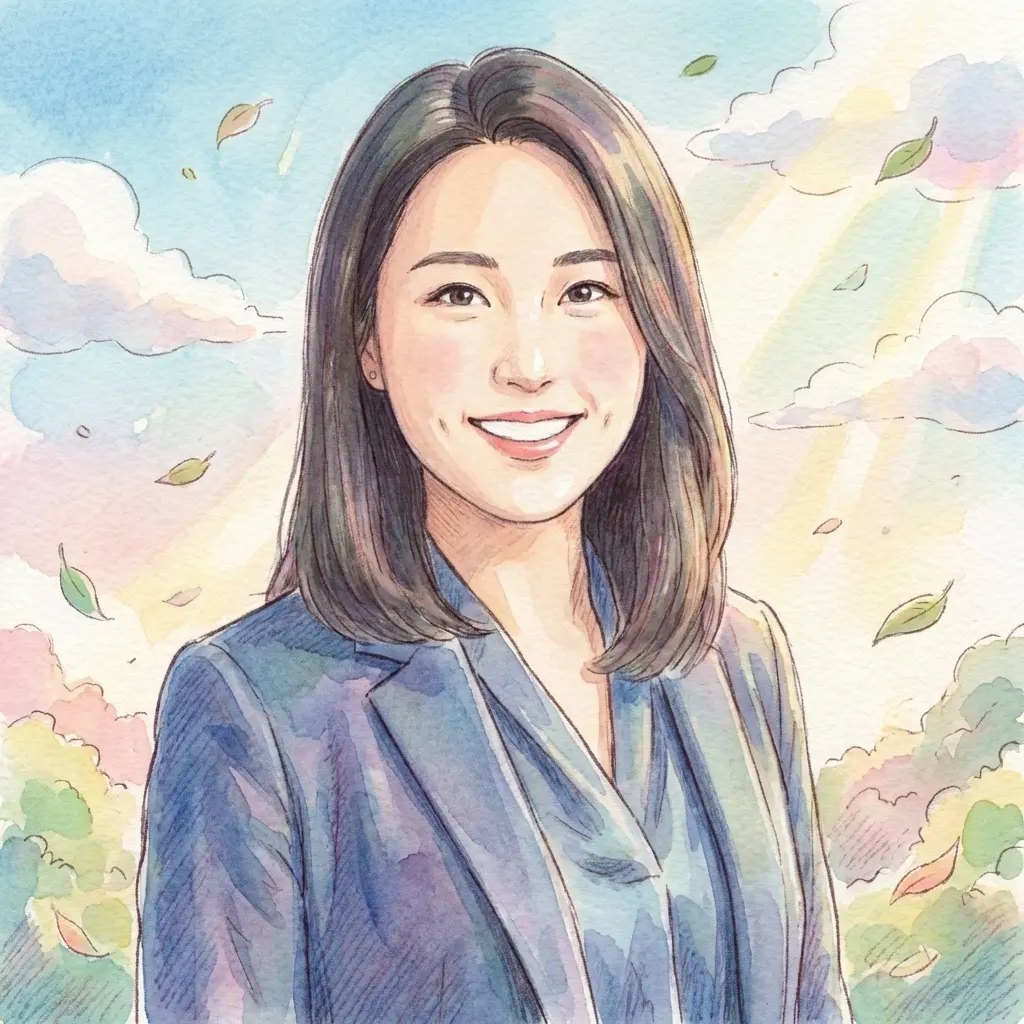 |
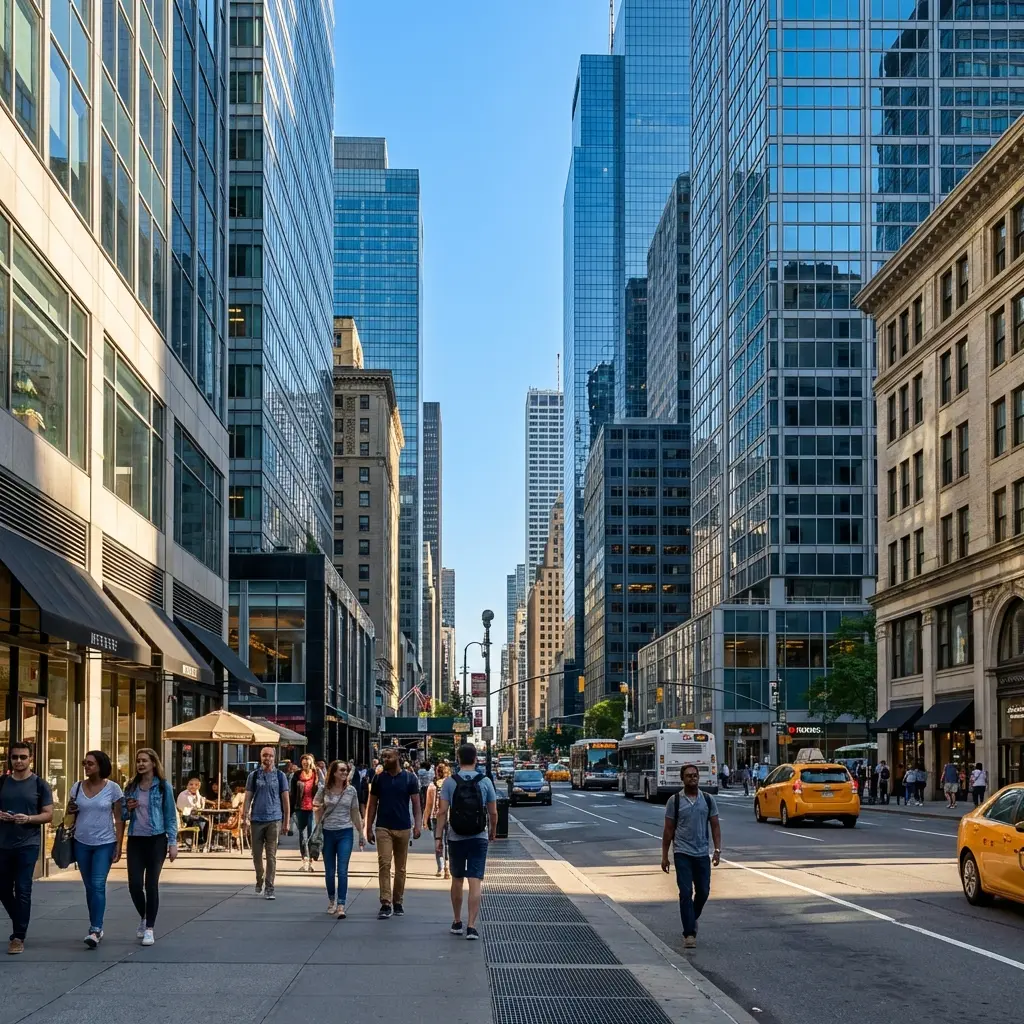 | Convert to cyberpunk neon aesthetic with rain-soaked streets and holographic billboards | 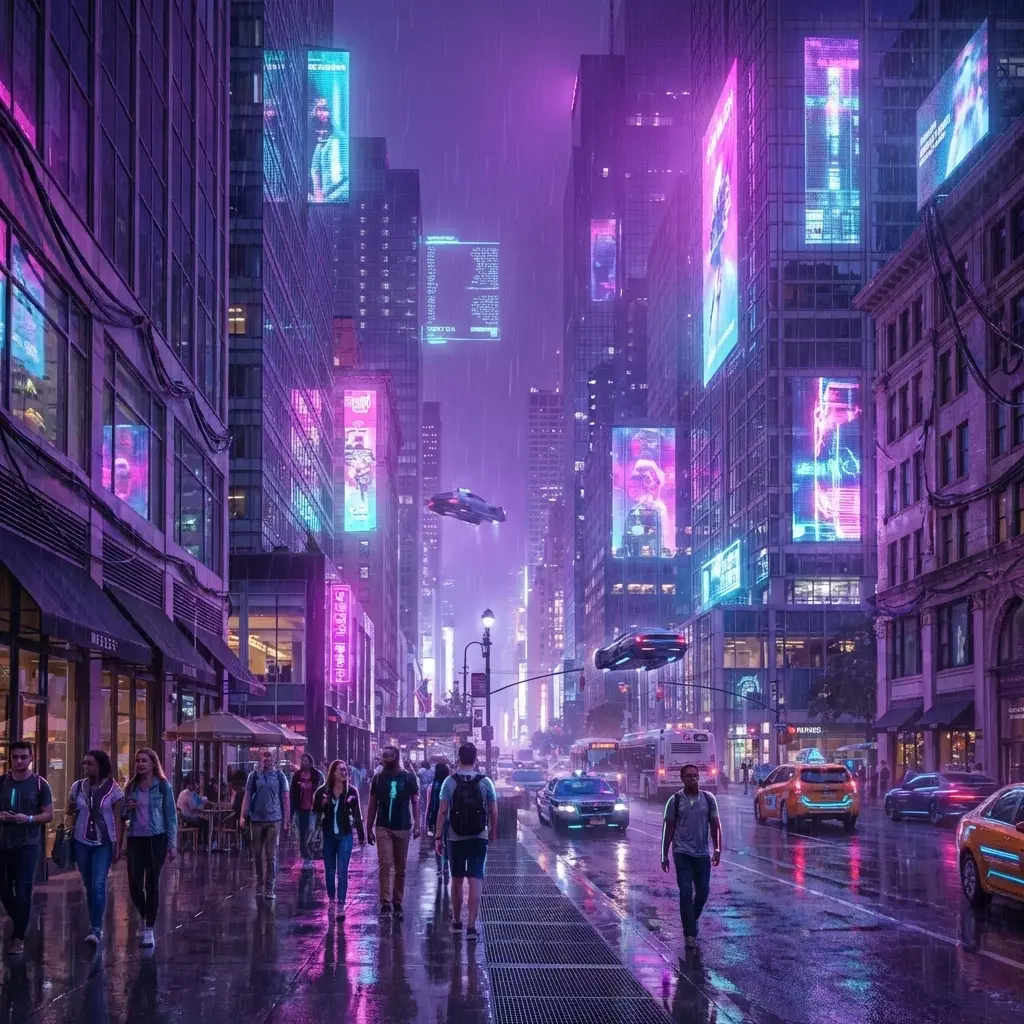 |
Intelligent Background Synthesis
Replace backgrounds while maintaining subject lighting, shadows, and perspective. Perfect for e-commerce and marketing without expensive photoshoots.
| Product Shot | Instruction | Lifestyle Scene |
|---|---|---|
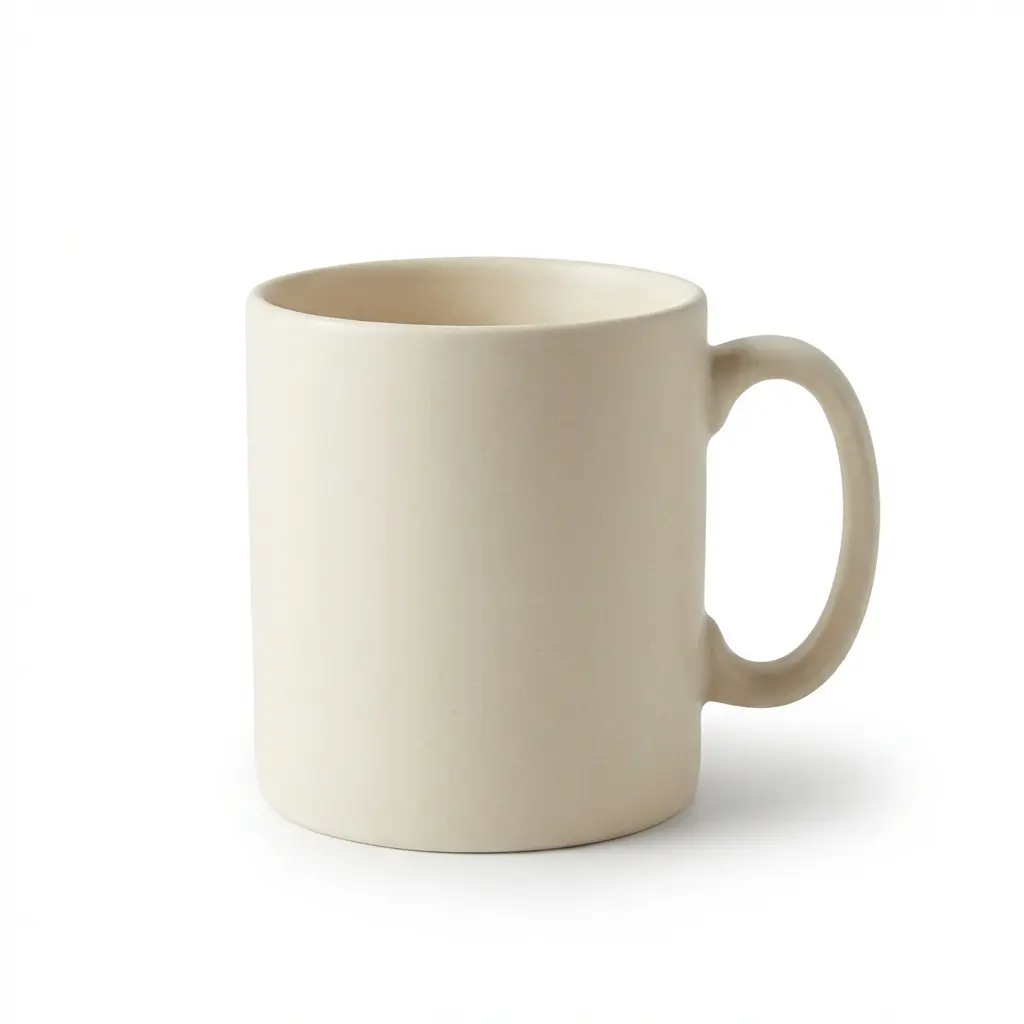 | Place this product on a Nordic-style coffee table with morning sunlight streaming from the left window |  |
Novel View Synthesis: 360° Product Visualization
Generate missing product angles from a single photo. AI reconstructs 3D structure to show side, back, or rotated views — no 3D modeling required.
| Input View | Instruction | Synthesized View |
|---|---|---|
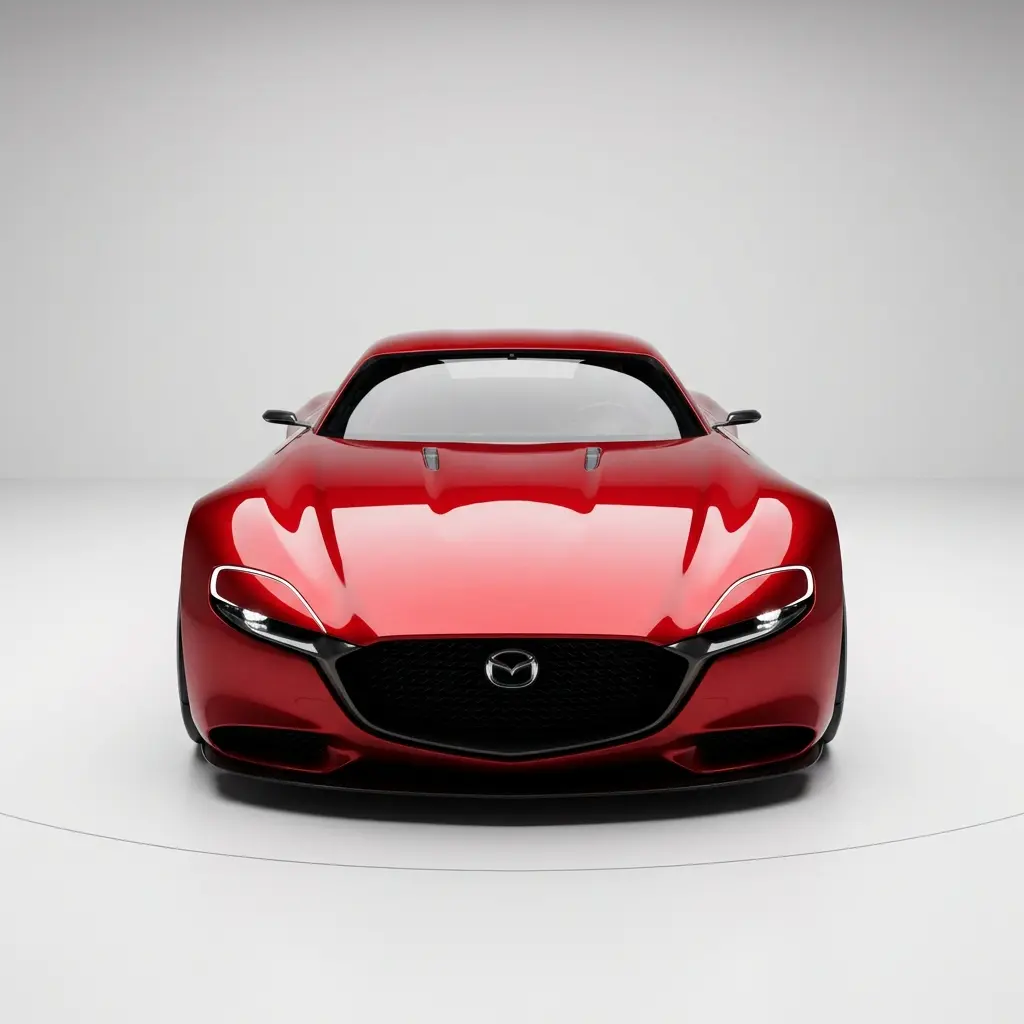 | Generate a 45-degree side angle view showing the door and wheel details | 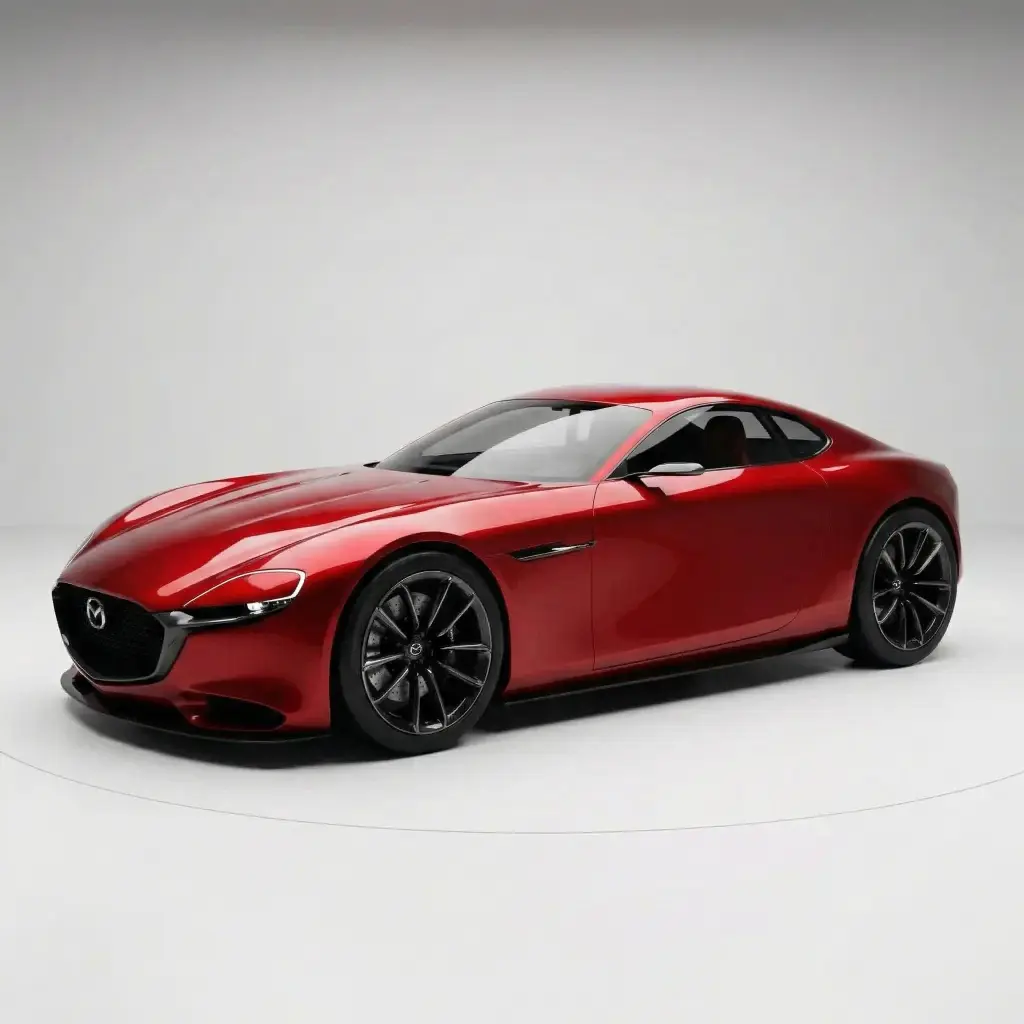 |
Character Consistency: IP Creation Workflow
Lock character identity across multiple scenes and poses. Essential for comics, storyboards, and brand mascot development.
| Reference Character | New Scene Instruction | Consistent Result |
|---|---|---|
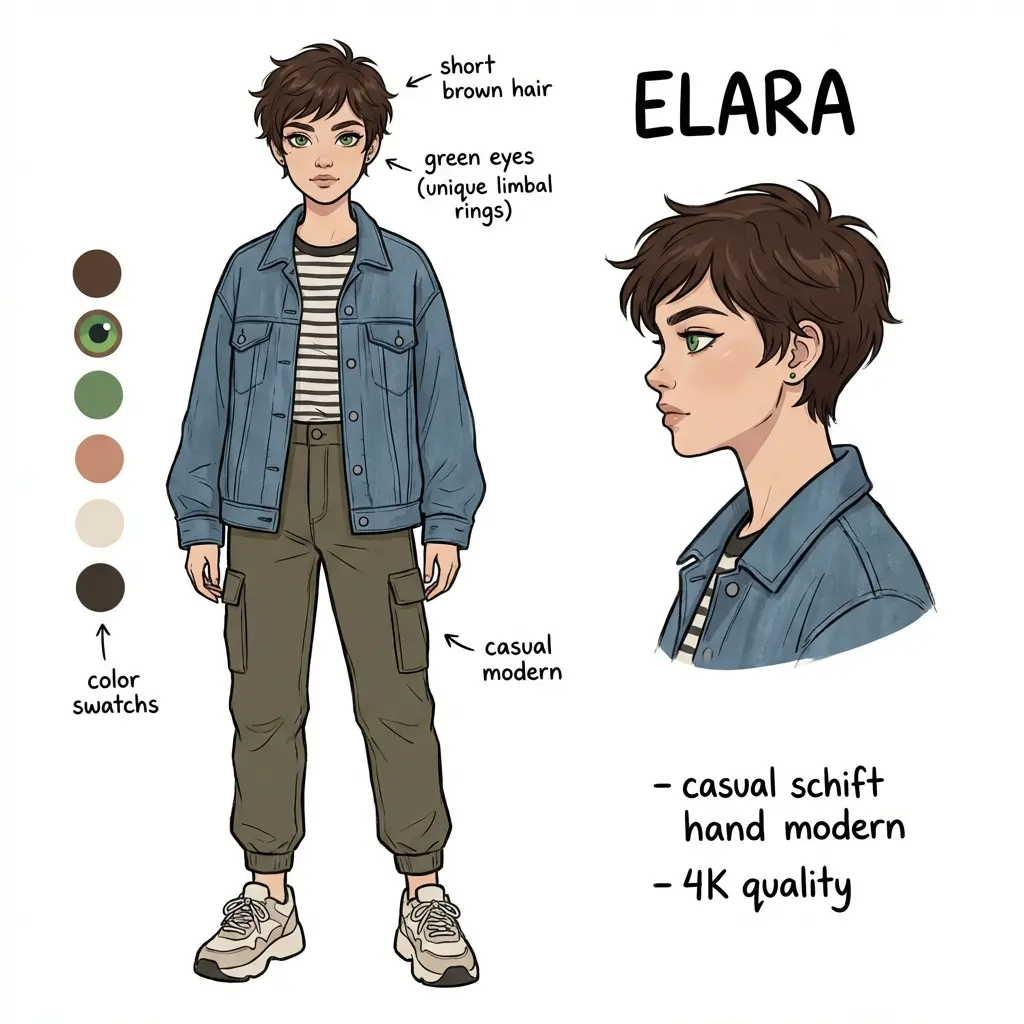 | Show this character sitting in a coffee shop reading a book, warm afternoon lighting | 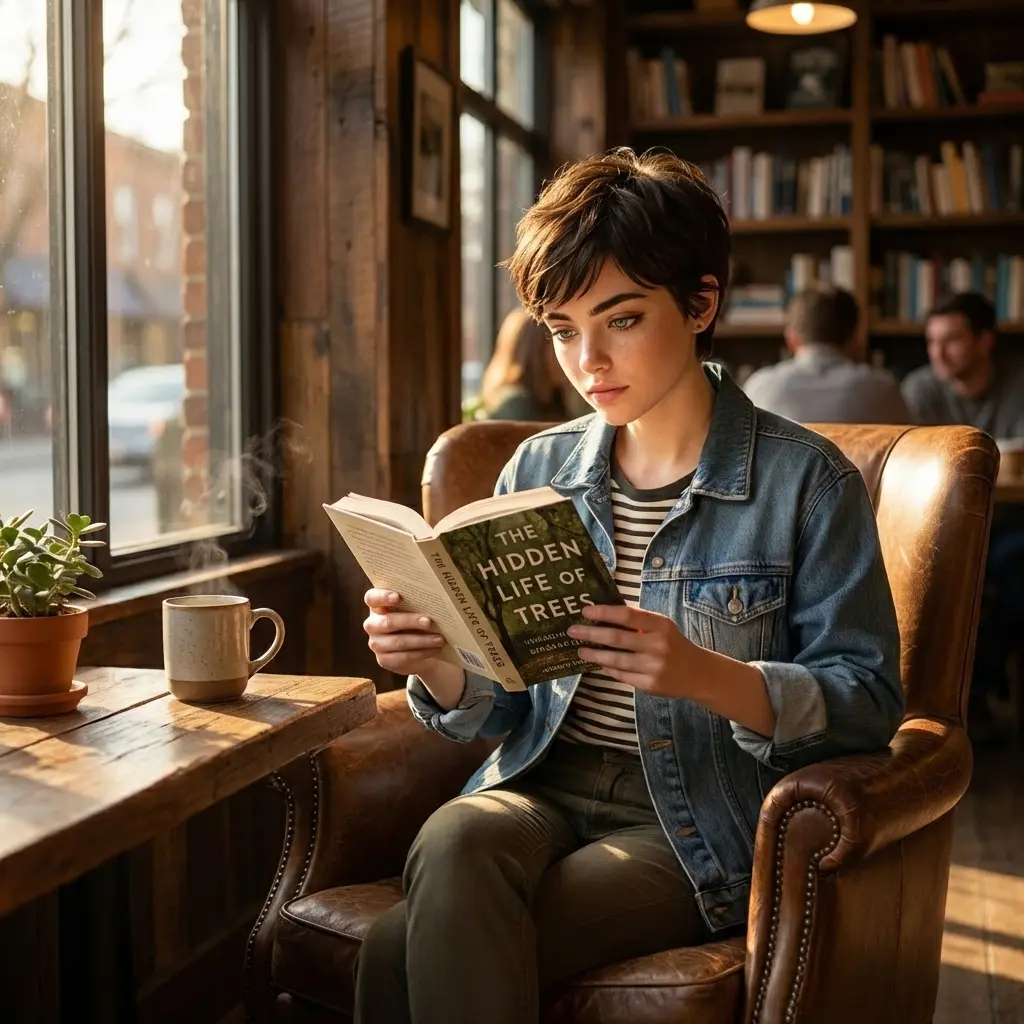 |
| Show this character jogging in a park at sunset, athletic outfit | 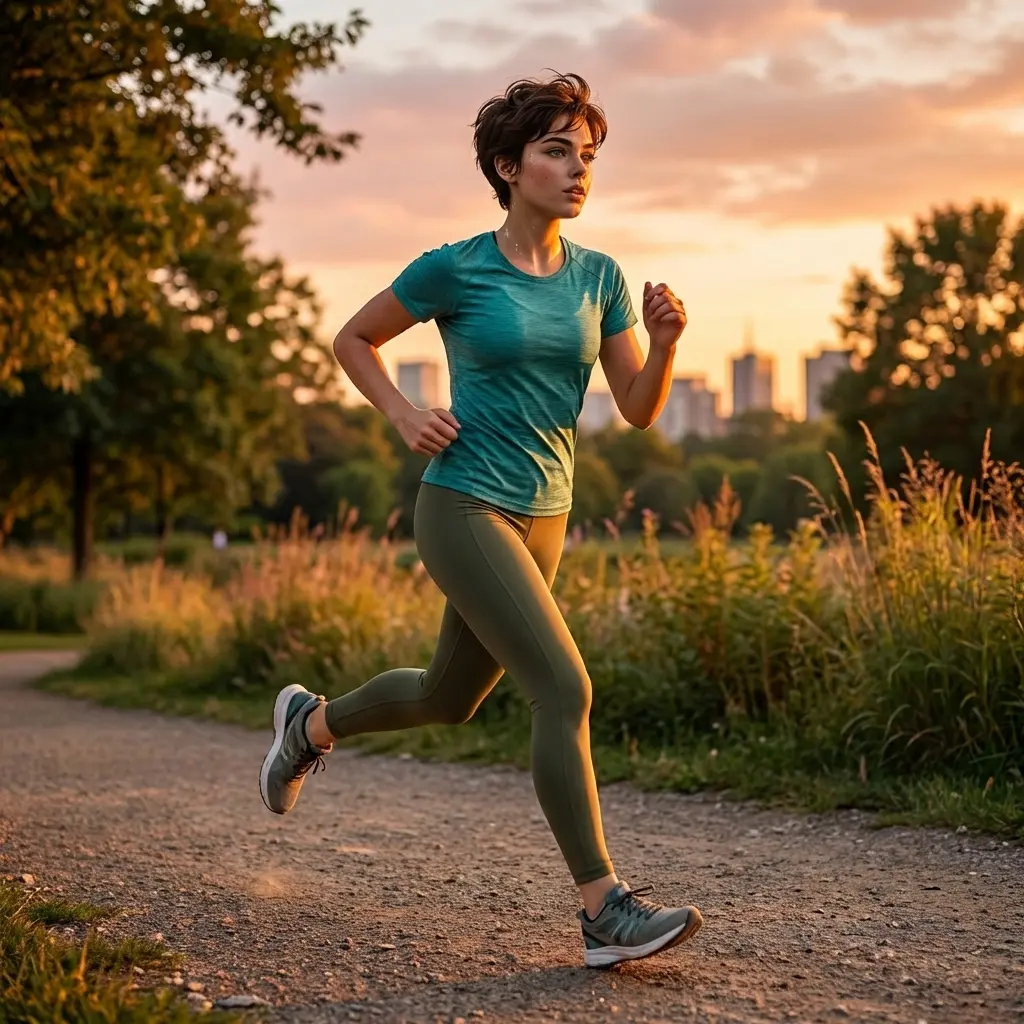 |
Smart Removal: Beyond Simple Erasing
Remove complex obstructions while intelligently reconstructing background details. AI understands texture patterns and spatial context.
| Before | After |
|---|---|
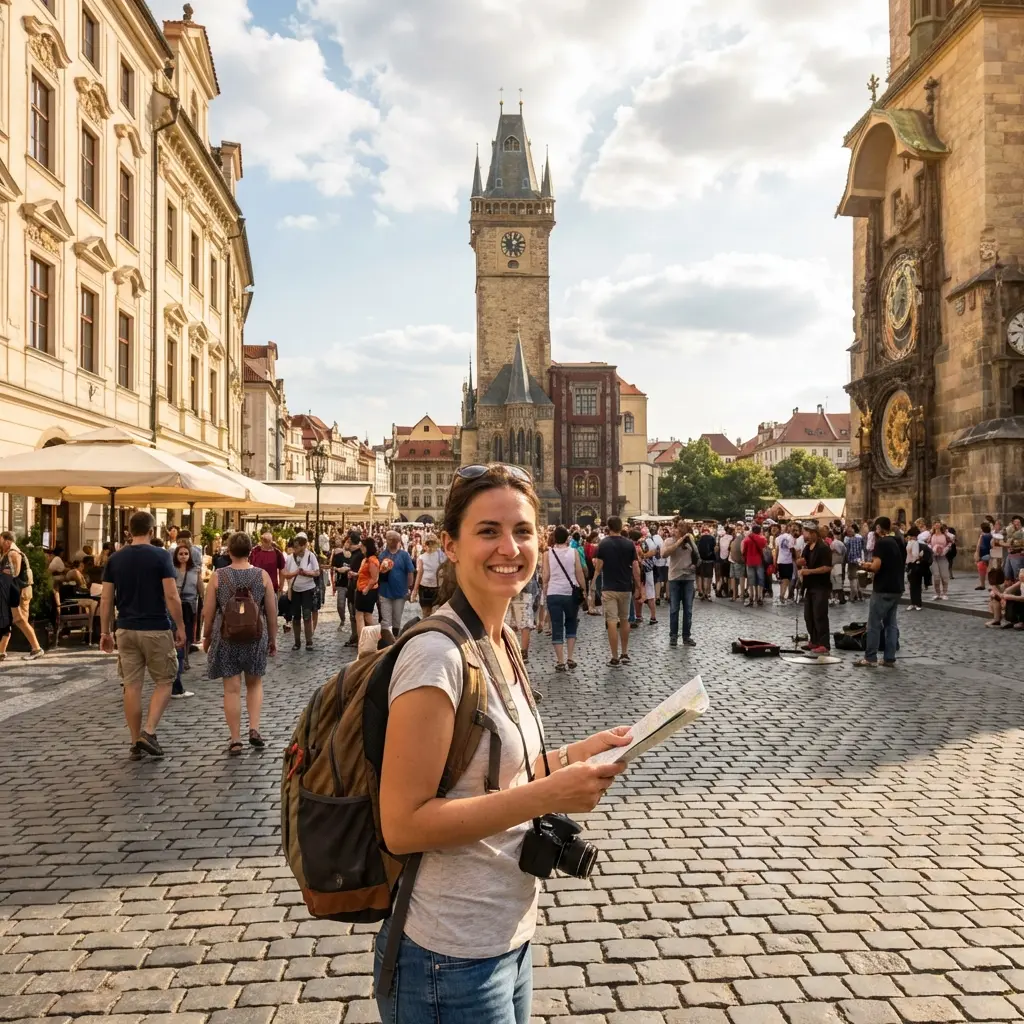 | 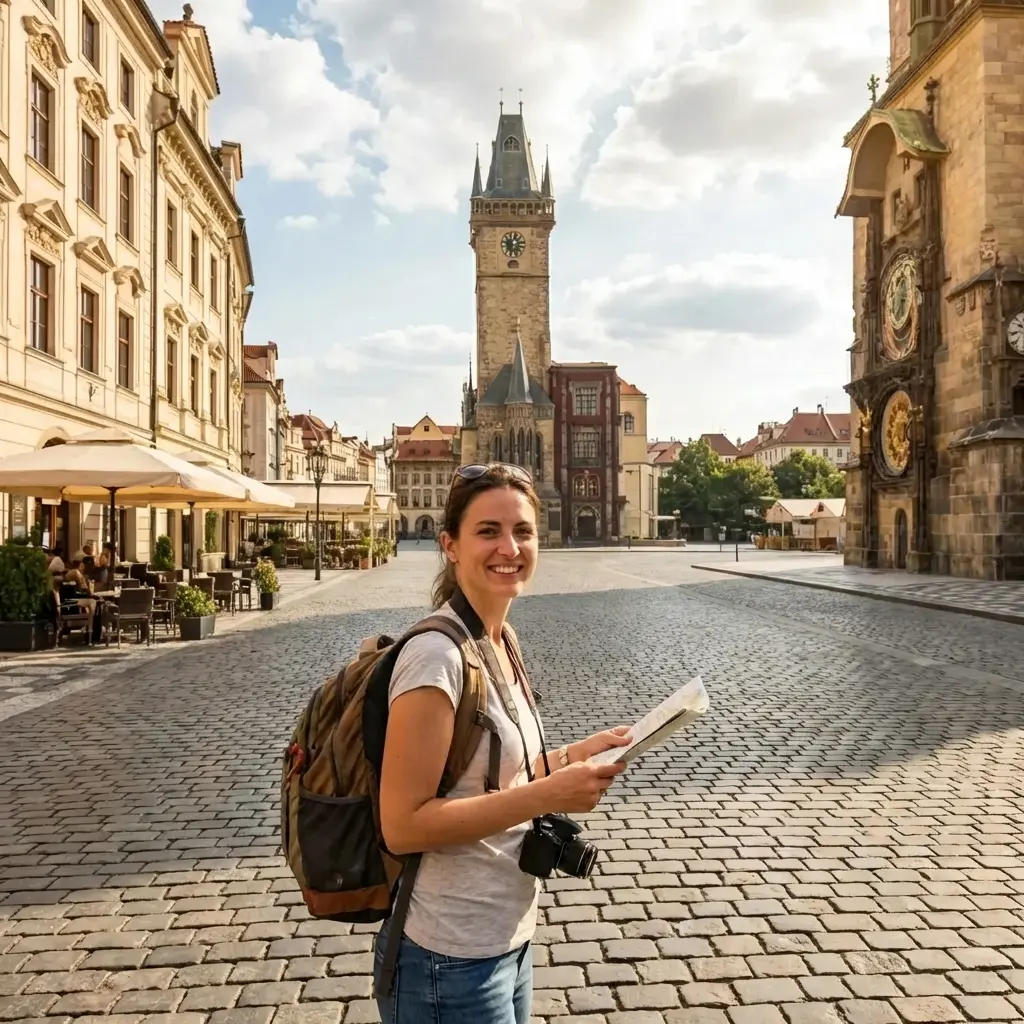 |
Qwen Image Edit analyzes the background pattern (cobblestone texture, building facade) and fills the removed area with contextually accurate details. No blurry patches or obvious cloning artifacts. |
v2512 Photorealism: Defeating the 'AI Plastic Look'
The latest v2512 engine delivers commercial photography-grade realism with natural skin texture, fabric weaves, and authentic material rendering.
| Feature | v2512 Quality |
|---|---|
Human Skin Texture: Pore-level detail, natural subsurface scattering, realistic hair strands | 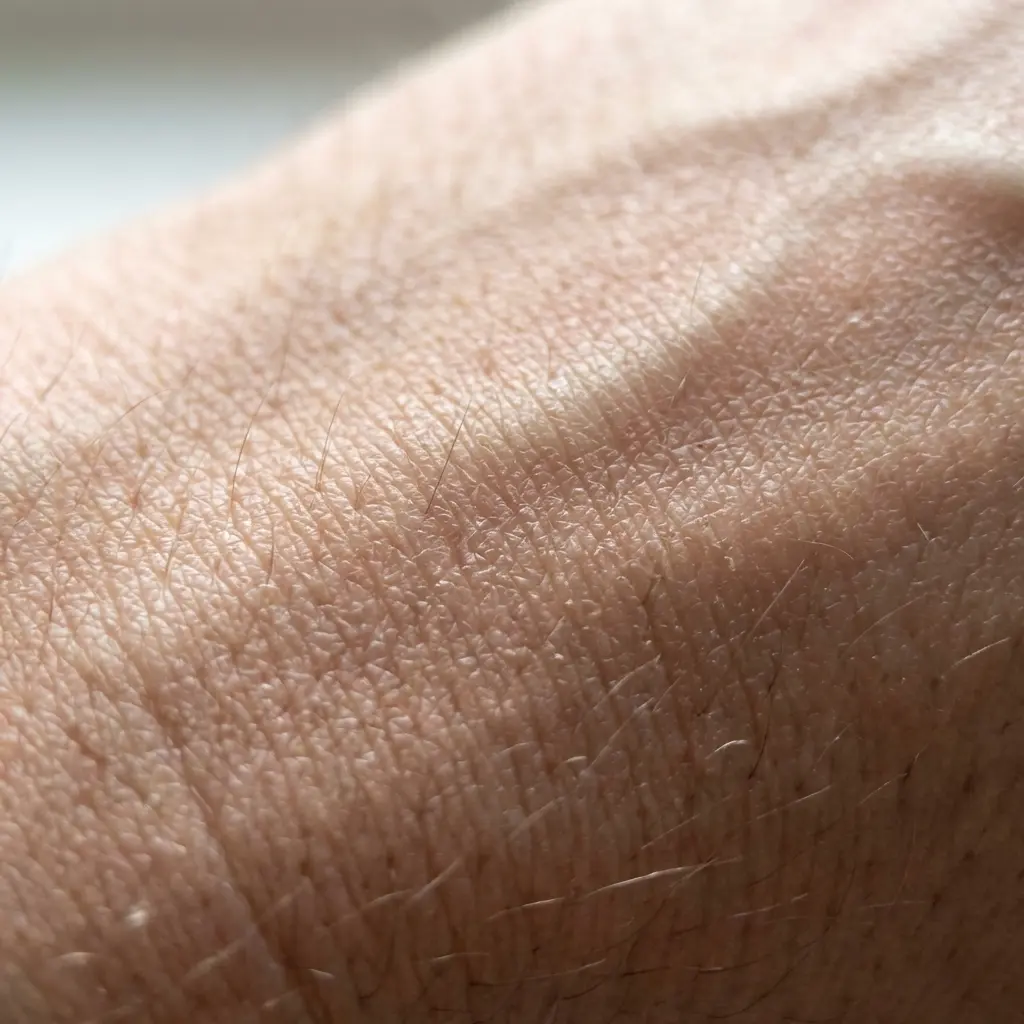 |
Fabric & Material: Visible textile weaves, accurate reflections, natural wear patterns | 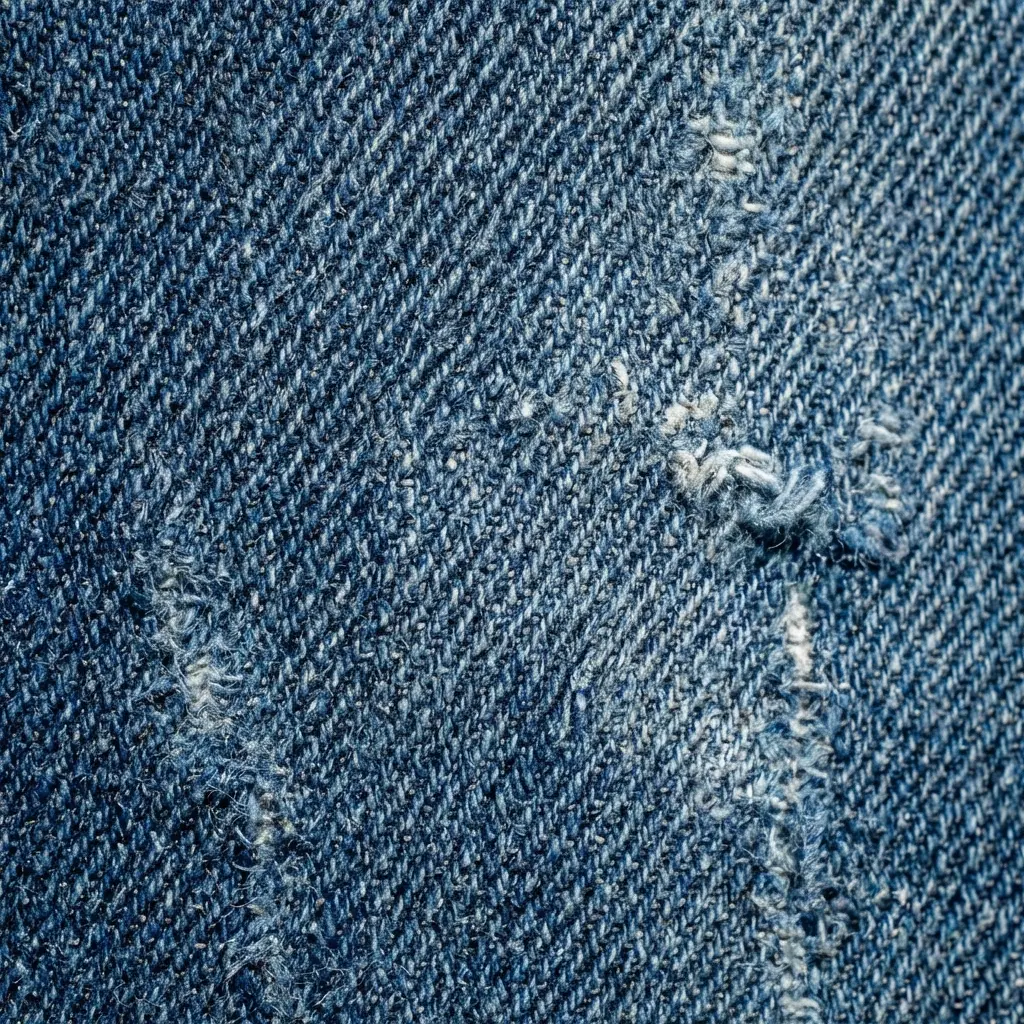 |
How to Use Qwen Image Edit
Master intelligent image editing in four simple steps
Explore More AI Models
Discover other powerful image generation and editing models
Frequently Asked Questions
Everything you need to know about Qwen Image Edit
Qwen Image Edit uses semantic understanding, not just pixel manipulation. It comprehends what objects ARE (a dog, a sign, a dress) and their relationships, allowing natural language control. Photoshop's generative fill is powerful but requires manual masking and often lacks contextual awareness. Qwen is conversational — edit through dialogue, not tools.
Yes — this is Qwen's killer feature. While global models like FLUX and Midjourney struggle with Chinese characters, Qwen Image Edit was specifically trained on Chinese typography. It can read, replace, and render Chinese text while preserving font style, perspective, and lighting effects. This makes it indispensable for Chinese e-commerce and marketing.
Upload a reference image of your character. Qwen Image Edit extracts facial features, clothing details, and style markers, then locks them across all subsequent edits. You can change poses, backgrounds, and actions while maintaining recognizable identity — perfect for comic series, brand mascots, and storytelling.
Qwen Image Edit has two 'brains': Qwen2.5-VL for semantic understanding (comprehending language and scene logic) and a VAE encoder for pixel-level detail preservation. This dual approach ensures edits are both intelligent (understanding 'turn dog into cat') and respectful (preserving grass texture and lighting).
Version v2512 dramatically improves photorealism, specifically targeting the 'plastic AI look'. It delivers hair-strand detail, pore-level skin texture, natural fabric weaves, and authentic material rendering. Generated images now pass as commercial photography, not obvious AI output.
Absolutely — this is a primary use case. Upload white-background product shots and generate lifestyle scenes with accurate lighting and shadows. Change backgrounds, add props, or create seasonal variations without expensive photoshoots. Text editing also enables rapid localization for international markets.
Qwen Image Edit can 'imagine' missing angles of objects. Upload a front-view product photo and request a 45-degree side view — the AI reconstructs 3D structure and generates the new perspective. This is invaluable for e-commerce when you lack comprehensive product photography.
Yes, images generated through Qwen Image Edit are licensed for commercial use under Apache 2.0 terms. However, you are responsible for ensuring uploaded source images don't infringe third-party copyrights. The model includes content safety filters to prevent inappropriate generation.
As a 20B parameter model, generation takes 5-15 seconds depending on complexity. Very long text blocks may cause layout issues (best for headlines/short phrases). While highly capable, it's not a replacement for professional photo retouching in all scenarios — think of it as an intelligent assistant, not a magic wand.